Firstly, I hope I am posting this in the correct area, first post here on the forum. I have an OMTech SHG460 60 watt laser, with a rasperry pie that loaded lightburn bridge onto. The controller is a Ruida KT332N. Computer is a mac mini running MacOS 15. Lightburn version is 1.7.08
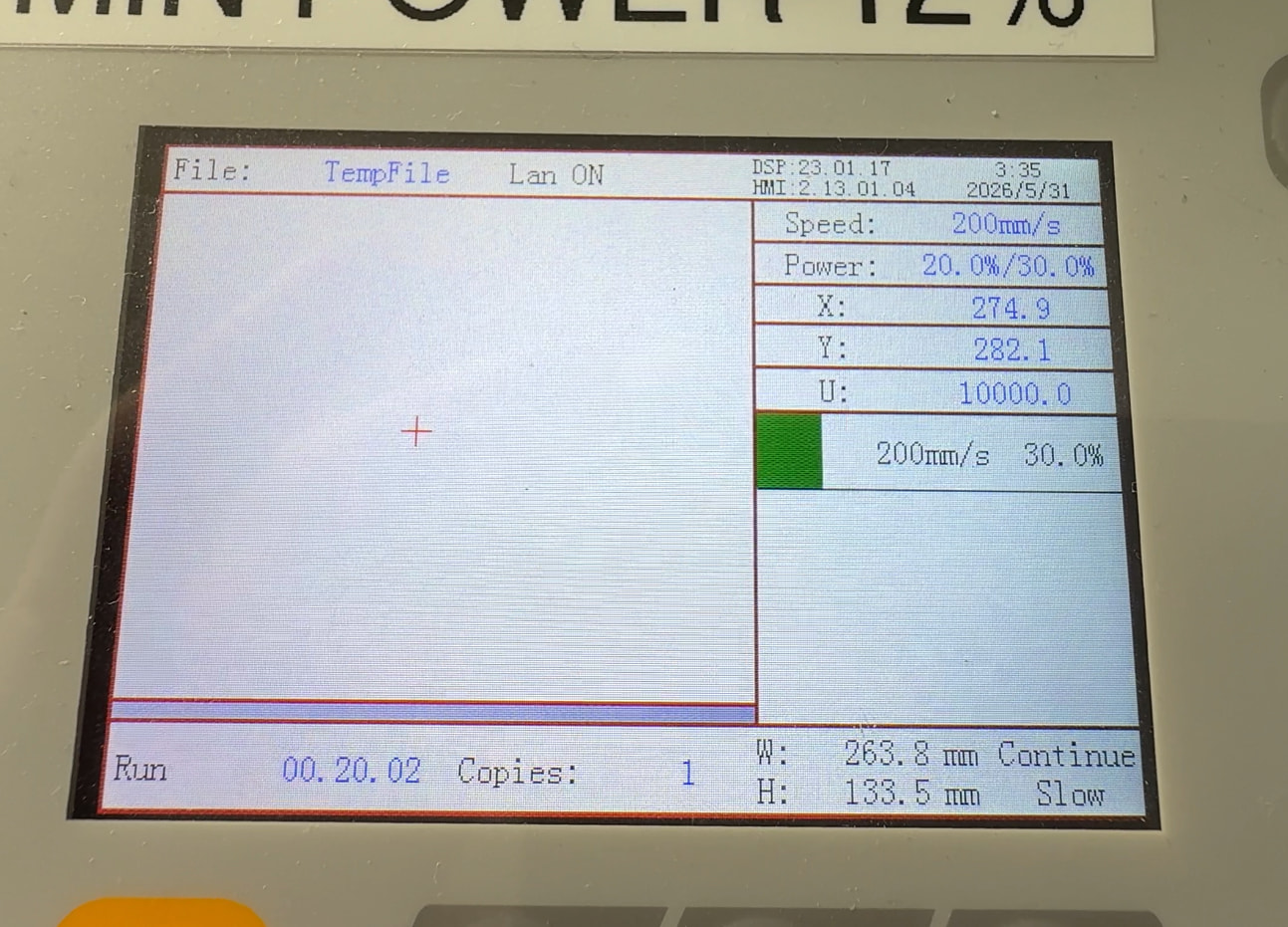
I am having an issue that just started happening with my laser. For some reason the laser will stop about 3/4ths of the way through a project and not move anymore, laser off. the controller shows the project is in “run” mode with the elapsed time increasing, but the + icon on the screen is stationary as is the laser head. I have tried reseting the computer, lightburn bridge, and laser but it continues to still fail midway through the project.
As I’m sitting here writing this, the only thing I can think of that could be an issue is this is the first time I am burning an image by using the “Adjust Image” and then selecting “Stucki” in order to engrave a picture with some shading on some wood.
Does anyone have any troubleshooting tips
or tests to try out in order to identify what the issue could be?
Thank you for taking the time to help! Please let me know if you need any other info to help diagnose.
First thing with a Ruida is to ensure it has enough memory. As the size of the files add up you can delete those that you don’t need, that will free up space.
These seem to act up when the memory gets full.
Do you send the file, then go run it at the machine or start the file?
If you send it the whole will loads on the Ruida, the start function seems to start it, when exactly I don’t know. I thought it loaded the whole file either way, but I haven’t spent the time to figure it out.
BTW, the pie on the Raspberry is actually an acronym, PI, as in Python Interpreter…
I do not send the file and then go run it at the machine. I just start it through lightburn on the computer. I then see the progress indicator pop up on lightburn showing the transfer to the machine and then it starts. When I select files on the machine it only shows two files, one from the factory for the first test piece that shipped with the laser and then a very old file I uploaded when I first got the machine.
Since the machines interface says “temp file” I wonder if the bridge is streaming the file via the ethernet connection to the pi (thanks btw ;D), or uploading the file from the bridge to the controller and then instructing it to start.
What controller do you have.. It would be a good idea to put the controller type in your profile.
I don’t believe the Ruida stores temporary files on the originating machine.
I suggest you send it, then start it at the machines console. That way we know the whole file is loaded.
There’s no feedback from the external components like the head, laser power supply (lps) motors and such. So if the machine says it’s still running, it must have failed elsewhere.
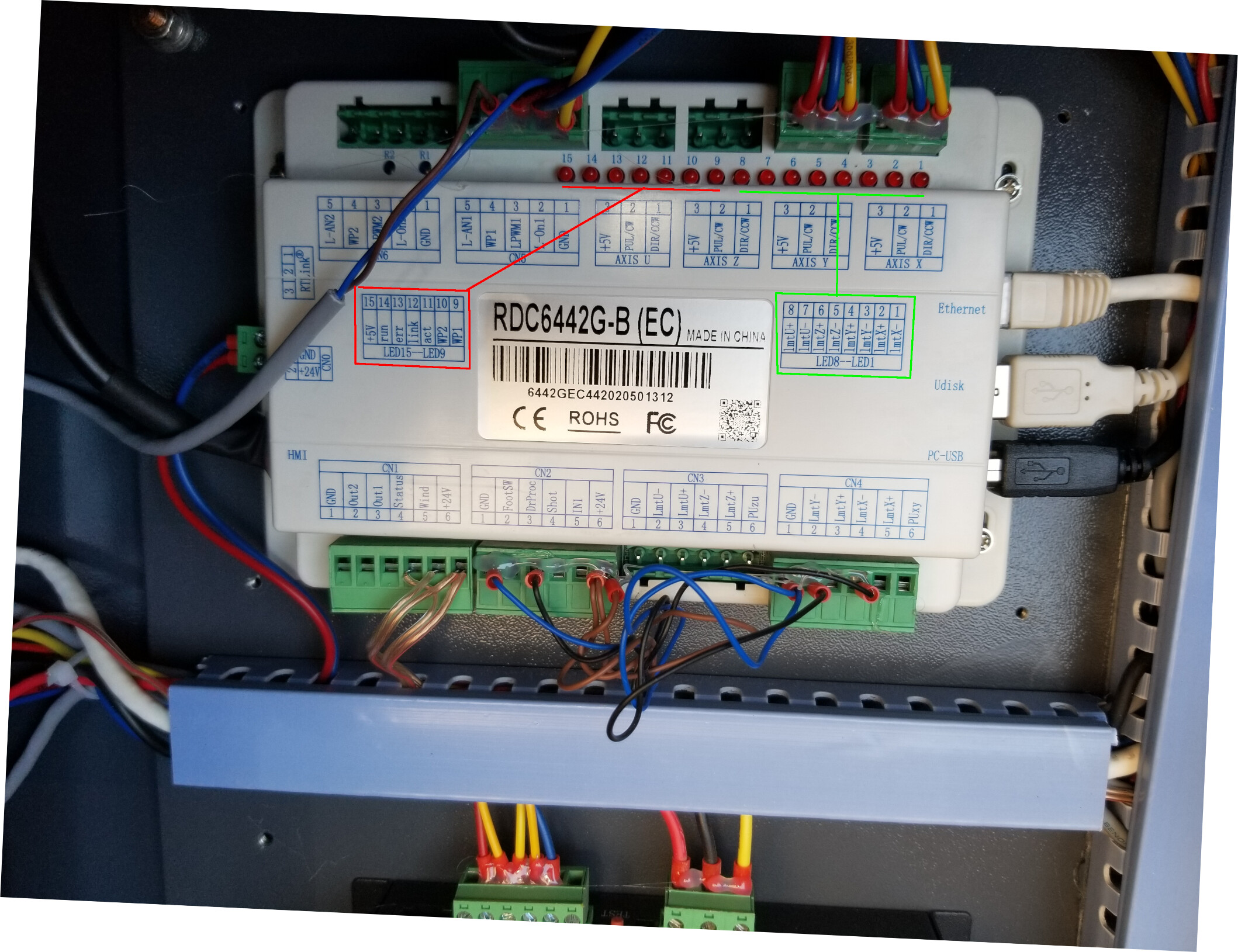
You can ensure the motor drivers are working, they have a red led, usually next to it’s green power led.
Also check the leds on the controller, if you have a model that does that. The red and green boxes refer to these items. Led 13 shows if the controller has an internal error.