Explanation from this docs page: GRBL: Low or No Power Output - LightBurn Documentation
This number tells LightBurn how to represent 100% power for your machine. Current versions of GRBL default to 1000 for this, while older versions use 255. The important thing is for the numbers to match.
Please try the following:
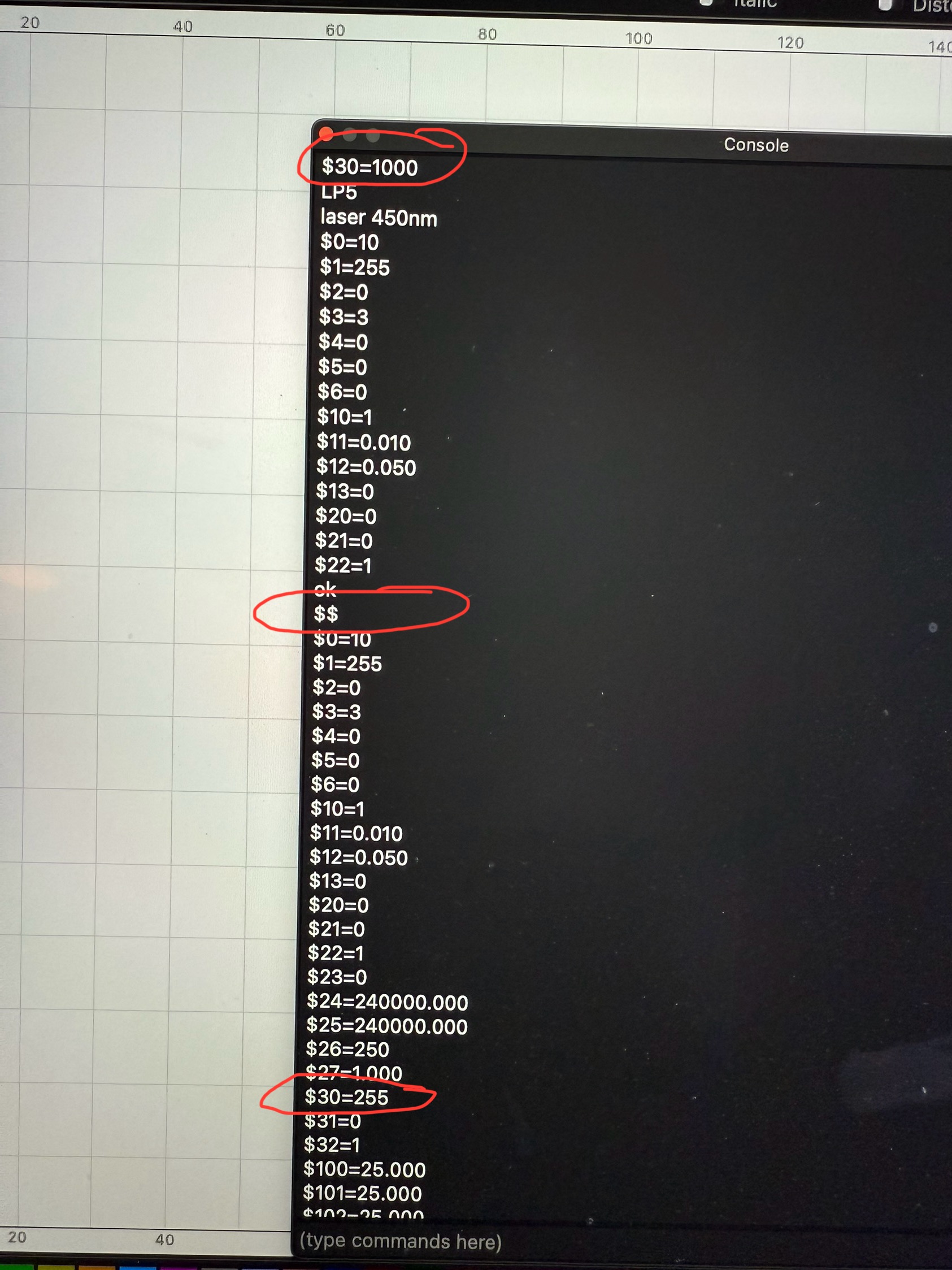
In the Console Window, enter this command and press enter while your laser is connected: $30=1000
Go to “Edit > Device Settings” and enter 1000 in the S-Value Max field on the lower right.
Did everything step by step and while it now allows me to go down to 0.10%, it still cuts into the material. Also after I updated the GRBL setting, I entered $$ in the console window to pull the full config and noticed the value for $30 did not update. It still shows as 255.
You can check whether there is any room to lower the power by exportig the gcode, opening it in an text editor and looking for the S parameter of the G1 command. If it says “…S1…”, there is no way to reduce the output power without turning it off completly. The LightBurn config, that can be downloaded from LaserPeckers website appears to be correct though. The minimum value should be about 0.4%. Especially the fiber source - being pulsed - is quite violent even at the lowest power setting. When marking black plastic the lowest setting is what I use and I would go lower if I could. Using the blue for framing is also not a good Idea because they are not coaxial at all. I get up to 2.7mm differnece depending on the position.
What would be able to reduce the marking strength is if LightBurn would allow for higher framing speeds. 1000 mm/s might be a reasonable max value for cartesian systems but for a galvo thats way to slow. Would also be nice if LightBurn would allow for higher speeds for material tests, as they appear to be capped as well.
Or maybe there is a global setting to increase the speed cap, that I’m not aware of. Is there?
If not, it might be a good idea to write a feature request but Im afraid we grbl galvo users are quite a minority here.
Part of it, I don’t think Lightburn recognizes the LP as a galvo machine, just a grbl machine. Many of the galvo options are missing when the machine type is not quite right.
I did already figured that one out what I meant is that I cant increase the jogging speed over 1000mm/s and therefore also cant increase the framing speed to anything higher then that.
Designs of the LP control system using grbl, may make that impossible. The interface controls between the galvo and the control board are likely to be different.
This has been brought up before. I think if it were easy, it would have already been implemented.
You’ll have to wait for a Lightburn person to drop by and advise us.
I understand this. But then it should be possible for Laserpecker to implement some “special” grbl M-commands to configure parameters like laser frequency or impulse length? They already implemented “select laser” or “raise electric stand”.
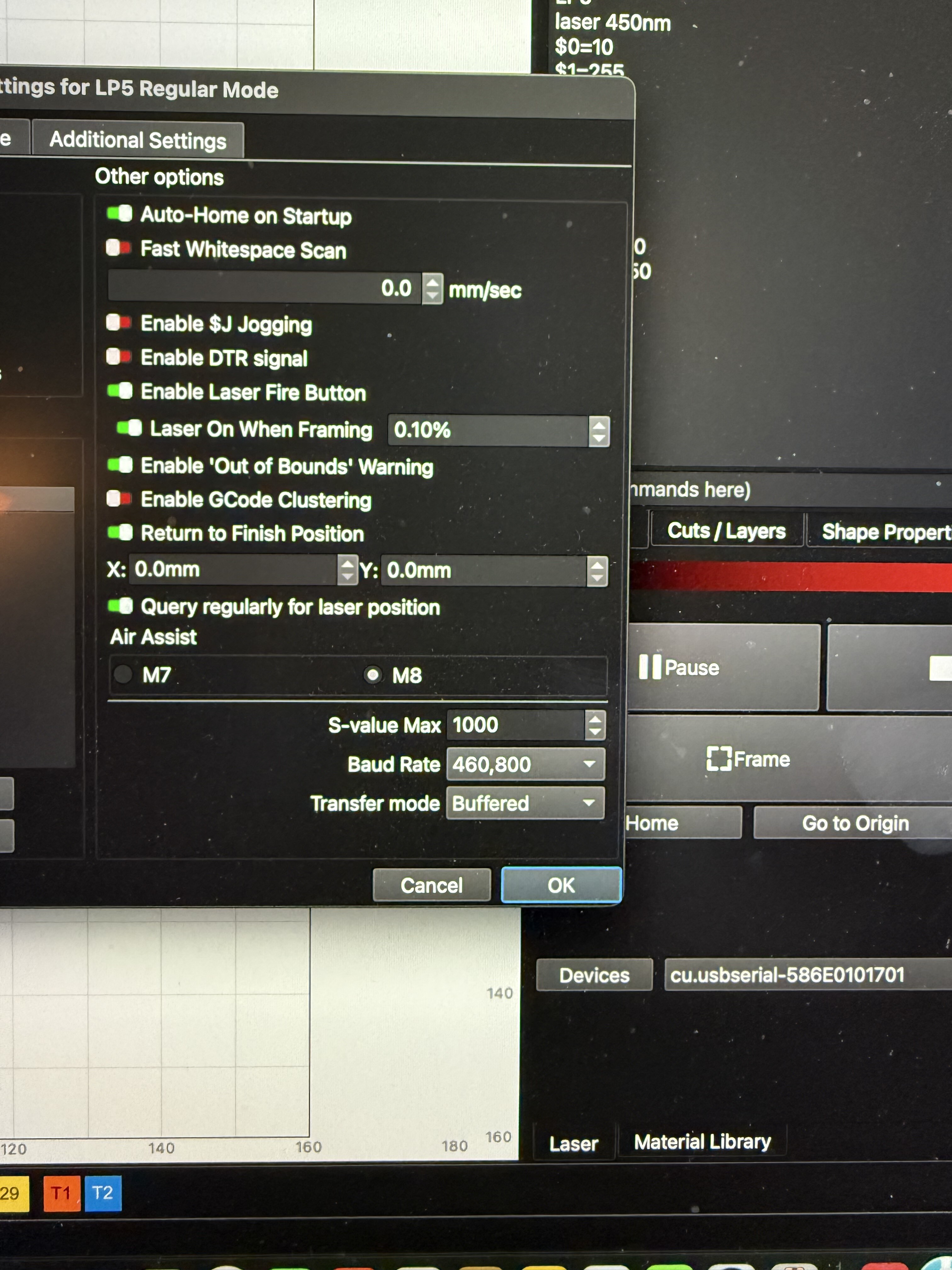

 what I meant is that I cant increase the jogging speed over 1000mm/s and therefore also cant increase the framing speed to anything higher then that.