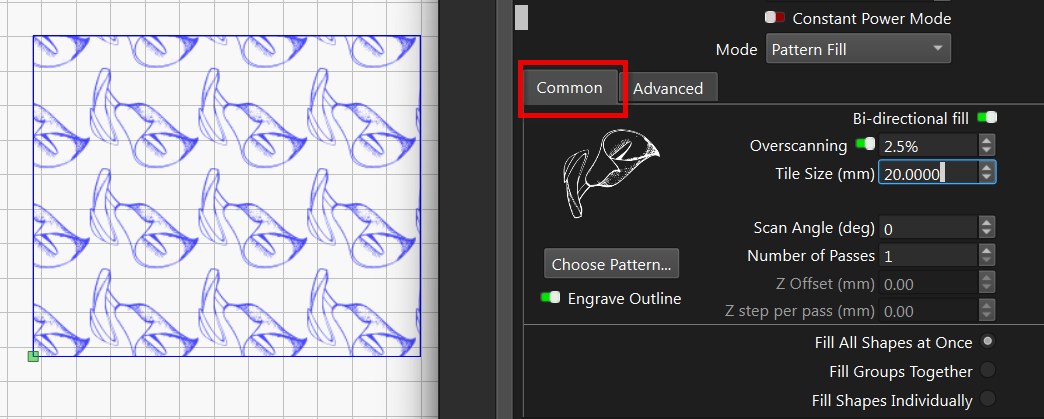
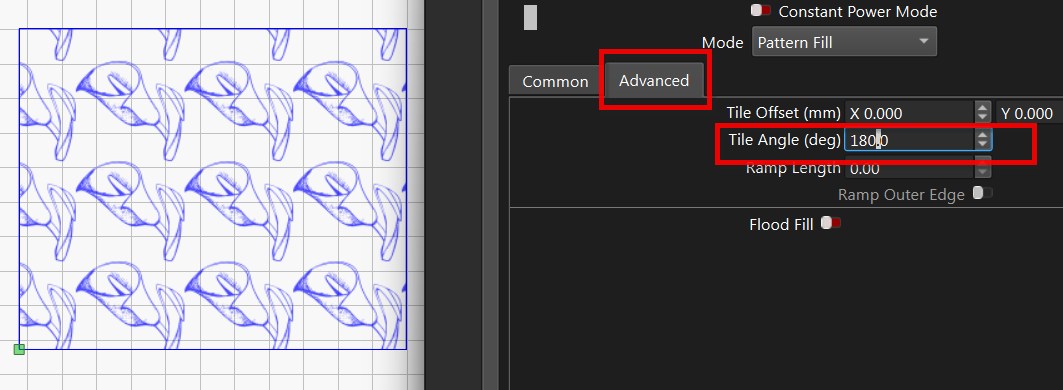
I’ve forwarded this to the dev who wrote the feature. He’ll likely want to know where your device origin is.


It would be nice if you added a feature to rotate the pattern in the Cut Setting Editor so the results can be previewed
Tile Angle and Tile Offset currently update the main canvas window live.

Is this the behavior you’re expecting?
Not really and I’m aware of that feature. Thanks.
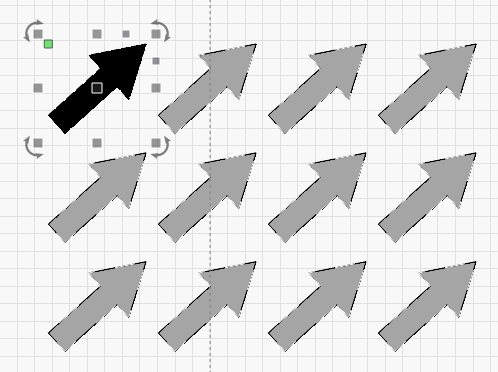
Keep the art aligned both left to right and top to bottom, while rotating the image
From this
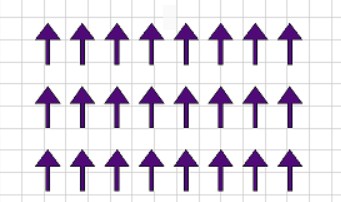
To this
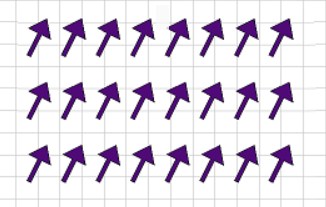
Or this

This is from a different software and they call it a Step and Repeat. I can rotate an image a full 360° while deciding how many rows and columns I want
LB does this

Also, is there a way to remove the bounding box like in the first three images?
Correct me if I’m wrong, but if you get rid of the bounding box, is it then not just the grid array feature?
You’re suggesting to add a (non-random) rotation entry for the source shape?

That sort-of already works that way, if you create a virtual array. The clones are then dynamically linked to the source shape. Changing the source, changes the clones, which includes the angle:

As far as rotating the motif in place, I can look into it, but I’ll have to see how it works with the intended function of using a repeating tiling pattern that.
Ah yes, That works!
I just found out that after you create a pattern fill then change the shape or size of the box, the pattern size stays the same you just get a larger box. NICE!
I also noticed if you move the box to a different location the pattern shifts. Interesting.
I thought the same, there are some differences.
Yes, which can also be added to both array features as well.
The pattern is positionally anchored to the workspace, which means if you have multiple shapes on the same layer, they’re all pulling from the same pattern and effectively acting as a window onto it.
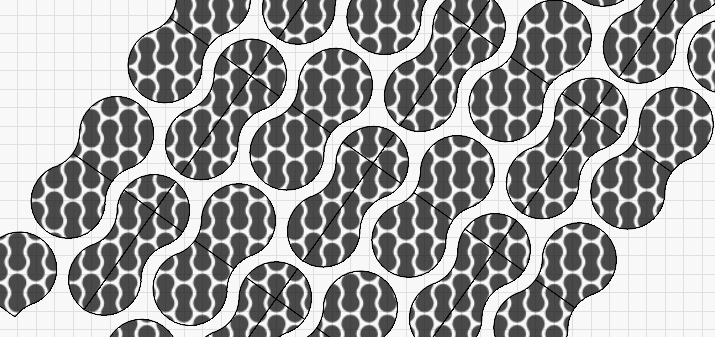
As Pattern Fill is written right now, there is effectively one tiled pattern across the entire canvas and the shapes are just a window into it. You can see this by putting two shapes near each other and seeing the pattern continue across them.
The whole feature was heavily inspired by screentone in black & white comic illustrations.
Totally fair!
By the way the issue was described and the arrow examples, it just sounded like they were looking for the grid array. With the virtual array offering the rotation feature (albeit afterwards), it looked like a possible solution 
Oh, turns out your existing tools are too good already, because I did manage it somewhat with the grid array. Made two arrays, duplicated the cut shapes, and did a boolean intersect. (That’s not to say I wouldn’t prefer the pattern feature though, but I had to try  )

I remember using those transfer sheets when I started out as a graphic artist. This was before computer design was even a thought. I’ll bet I still have a good number along with letraset sheets.
Yes, I see that. Even if I export the image to a SVG or AI the pattern persists as you say. Interesting.