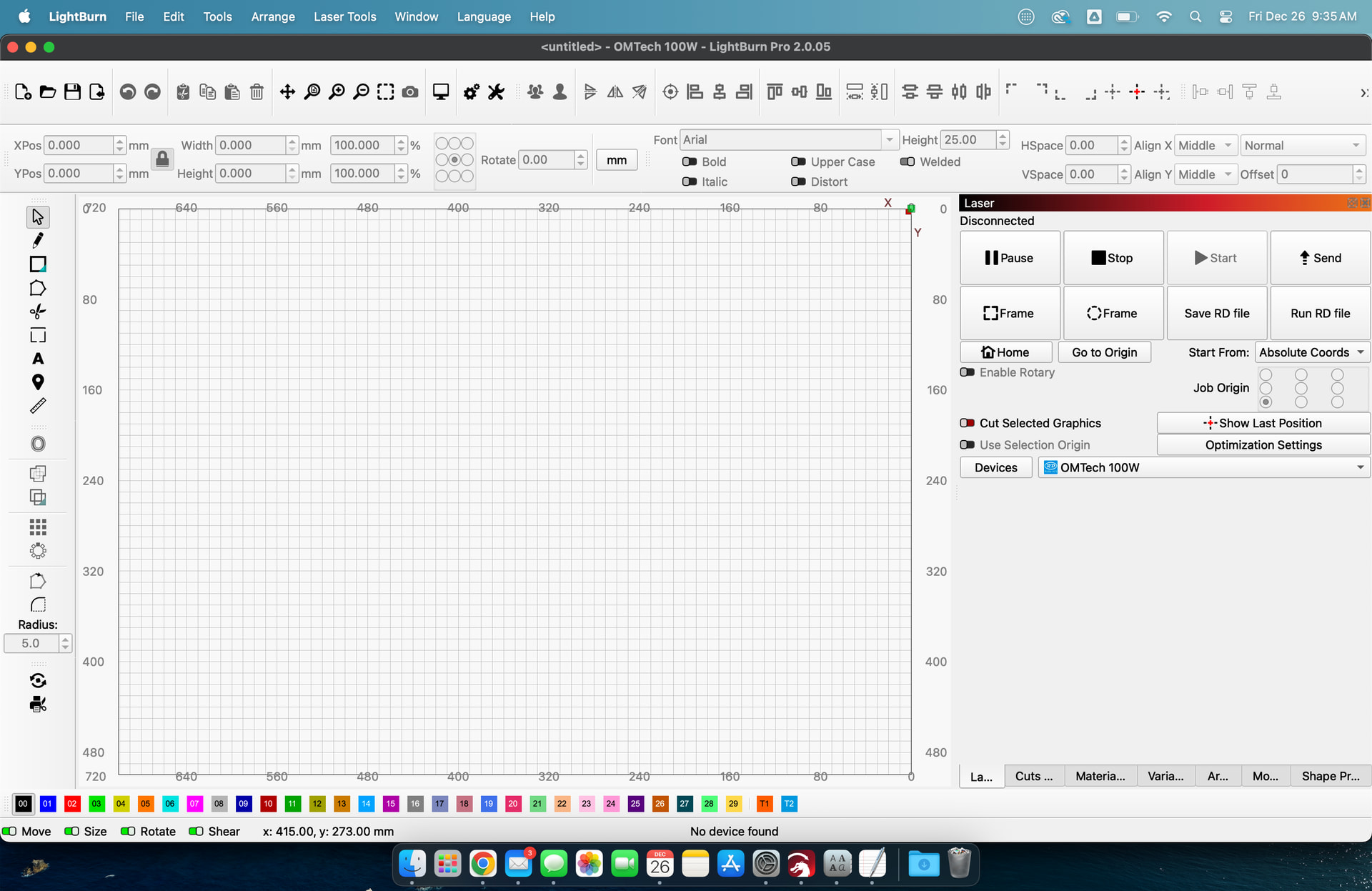
Hi all, I’ve been playing with Lightburn for a few weeks on macOS and I’m loving it, even though I still have a lot learn.
Everything’s fine but I have the same issue mentioned in LB resolution issues on MacBook Air: on a 13" M1 MacBook Air at the default/physical resolution of 1440x900, the window is just too tall and won’t resize vertically.
It also forces its way under the dock (which shouldn’t happen: resizing a window should stop just above it), and hiding the dock altogether doesn’t solve the issue since the status bar remains half-hidden anyway:
The only workarounds are either using it in full screen mode (which works, but makes it inconvenient to access the menu bar) or setting a higher resolution such as 1680x1050 (which makes everything smaller).
The solutions provided in https://www.youtube.com/watch?v=L_nYLbIryAQ don’t seem to apply to macOS: making the widgets smaller or moving the panes around doesn’t really make any difference as the issue is the window itself. It actually seems like the main QT app window has a hardcoded minimum height.
Is this going to be addressed in a future release?
If you move the side panels into a single layer rather than stacked vertically that will allow you to adjust the height to fit properly. The side panels have minimum heights and when stacked pushes the main screen beyound the bounds as you have discovered. This is my setup.
2.x.x Win11 forced me to go to a single row of tabs, like you describe. I got used to that, but after a bunch of diagnostics and repairs, it reverted to the stacked setup. Now I prefer the 1-row style.
I have never had much luck with undocking windows and rearranging them. Is there a simple process where I can get all the little tabs in a row?
Oh wow, thanks, I had tried fiddling around with the panes but apparently I had only tried moving the wrong ones with a taller fixed height, and that didn’t work in my tests. All sorted, thanks so much and happy holidays!