Letters mis align half way up on all letters. Atzer p20 plus. Any help appreciated Steve P.S I have cleaned lubed and tightened
Are you using a rotary attachment?
Post a photo so we can see your results.
Yes we would need to see example, but that is usually a mechanical issue. What have you tightened?
Or not and have us all guessing. Right now we do not know if it is the laser or rotary.
1 Like
Our troubleshooting guides are a great place to start.
This one on Job Quality seems very relevant.
I have tightened the timing belts and the x axis exocentric nut the frame screws laser focus knob. I have not checked the stepper motor pinion gears . I am going to check that.
Thank You
Steve
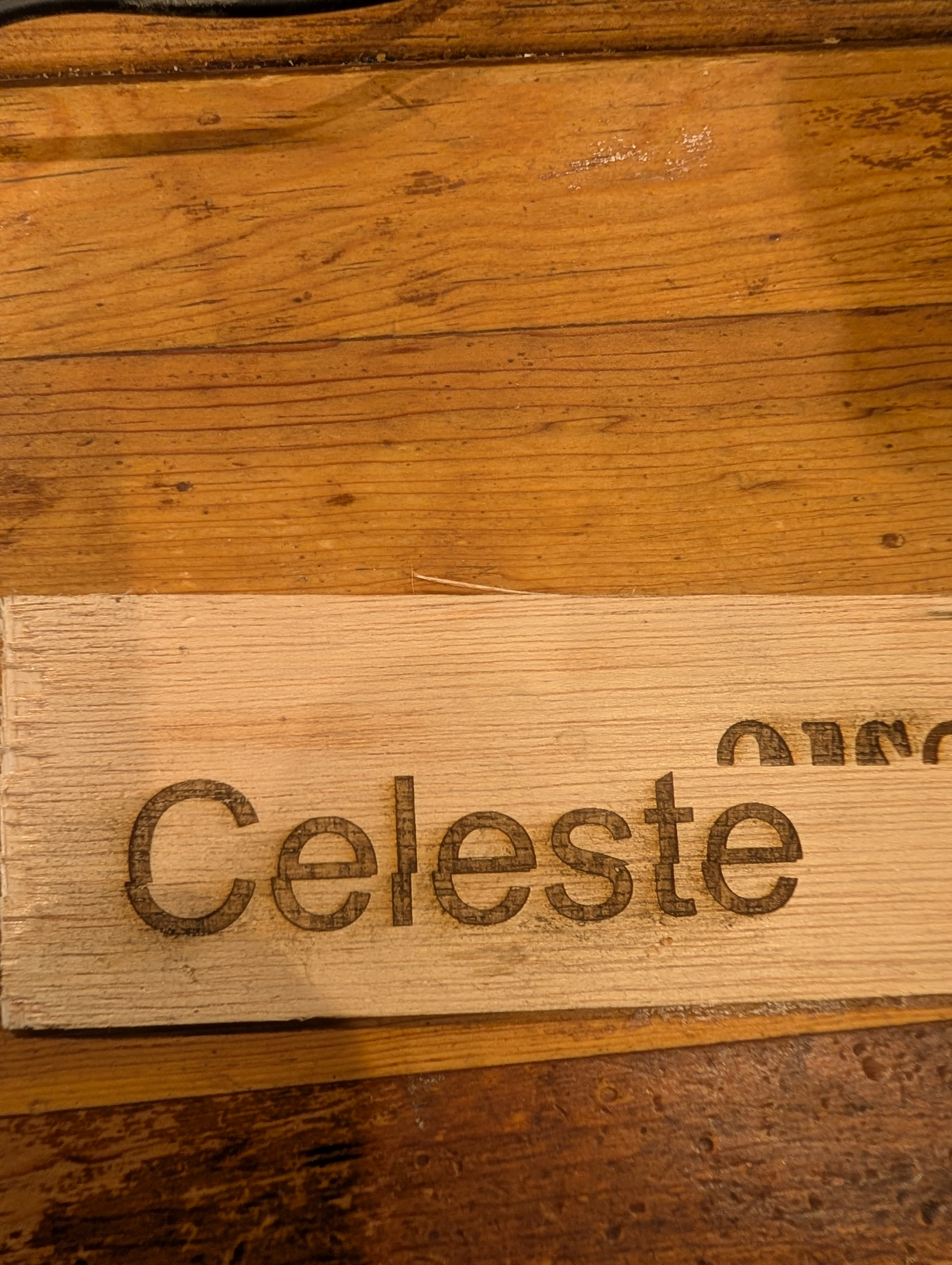
1 Like
What are your layer settings?
How fast is your laser moving?
What is your overscan set to?
Does the machine make a sound or a hiccup when the skip happens?
Is the skip always in the exact same spot every time?
If you change the scan angle to 90 degrees, is the error still present?
Seems to be always in the same spot and i have tried to different fonts and is still in the same spot. When i manually move it it does make a noise in certain spots. I un plugged the stepper motor and the noise disappears and moves very smoothly. Can it be the motor itself causing the problem?
Thanks
Steve
I will research your other questions and get back to you.
Thank You
I greatly appreciate the help
Steve
Troubleshoot this mechanical problem first. Look for gunk on the rails or possibly a cable snagging somewhere.
1 Like
Thank You
Not sure what I did but it seems to be working right know. I think I am going to have to be more diligent on cleaning it.
Thanks for your help
Steve
2 Likes