hello, i had using GitHub - shenyaocn/IP-Camera-Bridge: A MJPEG video streaming and virtual microphone driver for Windows which can make your Windows applications using IP Camera as WebCam with audio input. and now it doesnt appear in the Lighburn Camera Control
I use a similar setup and now its gone also. I tried importing a old cam config but nothing is shown.
Same issue here Mpeg camera selection GONE
Same issue here.
@LightBurn Any chance someone could take a look at this? Its caused a halt to some of my projects.
Same problem here. Using IP Camera Adapter and Raspberry Pi as as camera worked no problem before. After 2.0 LB doesn’t find camera. Unfortunately won’t be able to use the update before this is fixed and specifically bought a licence update to get the new features of the big 2.0 update.
1 Like
Same problem here…
Lightburn is absolutely useless to me if the camera doesn’t work.
I’ve now found an unconventional workaround. I use VLC to send the camera image to an HDMI-USB dongle that Lightburn recognizes.
So, VLC → graphics card → HDMI → USB → PC
Unconventional, but it works for now.

Interesting yet unconventional! So this works with IP-camera feed that you capture with VLC? What kind of HDMI-USB -dongle do you use?
I work with three monitors on an Nvidia RTX 4070 graphics card, so I have one free port into which I plug the HDMI - USB dongle, which then goes into the PC. Then I clone ports 3 and 4 of the graphics card and open VLC on monitor 3 (4), open the network stream, and run VLC in full screen. Done. Here some pictures:
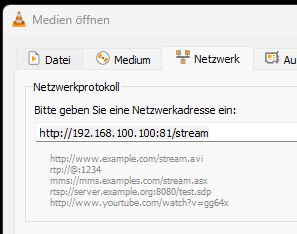
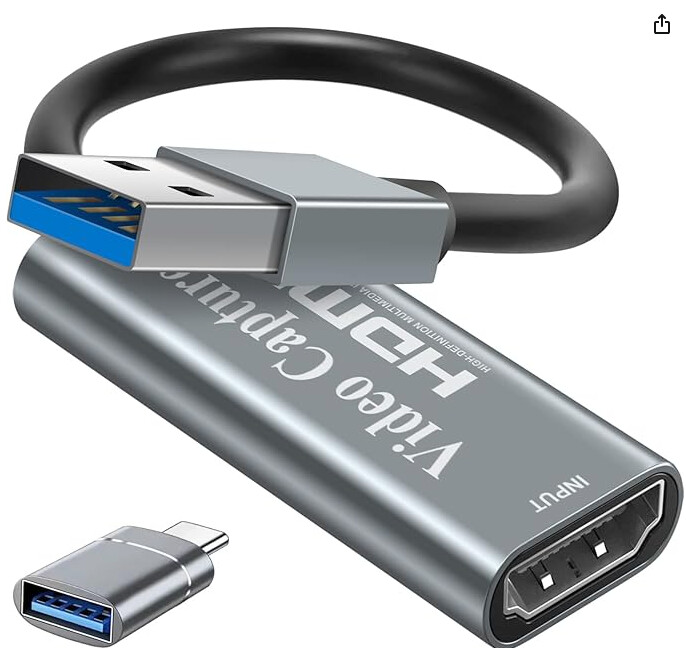
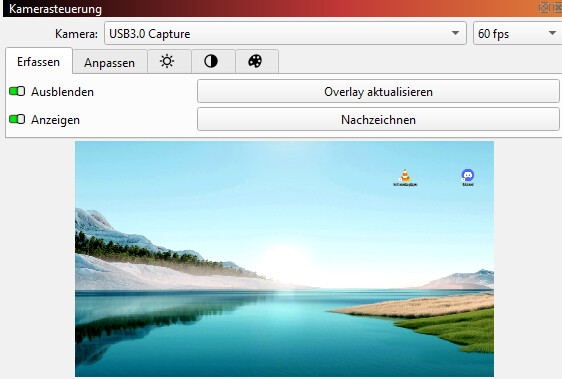
This time you only see the desktop in the screenshot, because laser is offline this time 
1 Like
It seems there should be a fix for this in a later version update: IP Camera issues since 2.0 update - LightBurn Hardware Compatibility / Cameras - LightBurn Software Forum
This topic was automatically closed 30 days after the last reply. New replies are no longer allowed.