Not sure how to explain properly. But with the new version, when i open a project the text and the offsets I’ve made are now out of alignment. This usually happens when i make a project on Mac and open it on Windows without converting the text to a path. Now all my template files have the same issue with Lightburn 2.0 on windows. So I will have to recreate all my files, which isn’t ideal. Is there a work around for this? Thanks
I will roll back the version to be able to continue production if it happened to me.
As with the few other bugs found, it’s just a matter of work and time until everything works again. If you can’t live with the bugs, then wait with the update.
Good advice, i have rolled back now. Had a little panic attack after though because my speed and power settings looked like they were messed up, but a quick toggle of the mm/in button put everything back. strange.
thanks!
Can you possibly update one of the files you saw this with? We’ve not seen this issue previously and without a way to reproduce it locally we can’t fix it.
Sure here are the two files with screenshots to show what the difference is
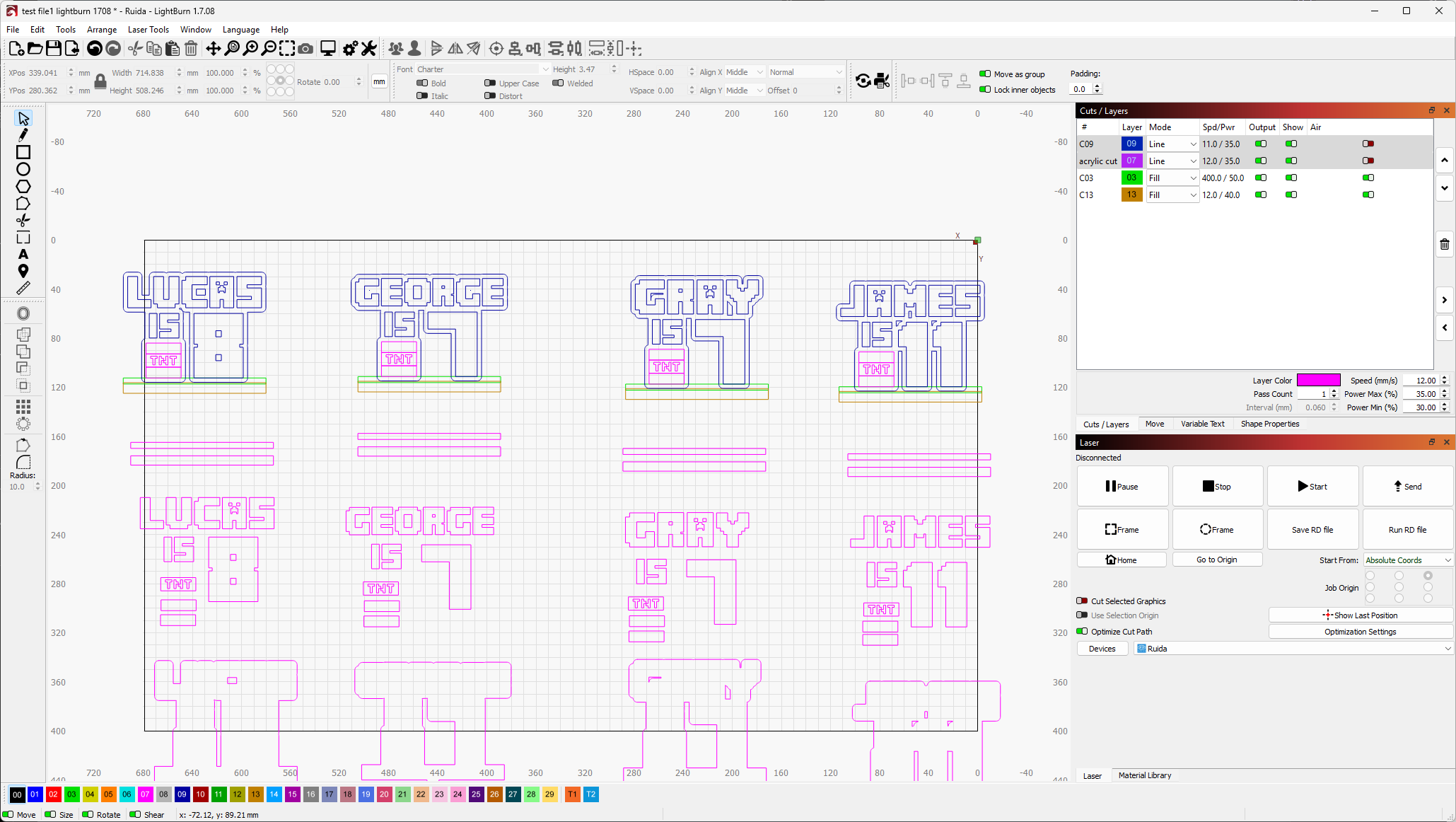
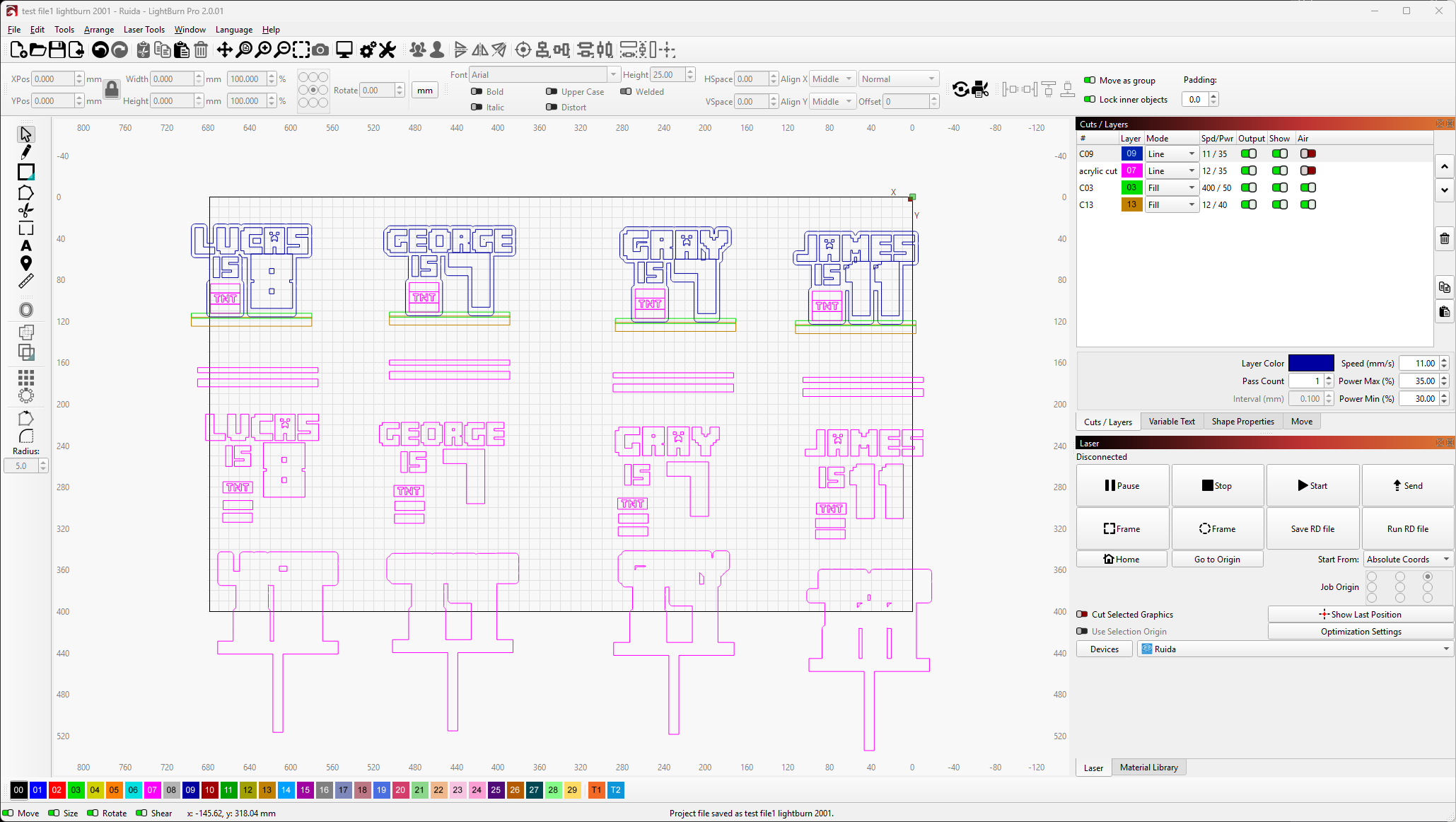
test file1 lightburn 2001.lbrn2 (250.8 KB)
test file1 lightburn 1708.lbrn2 (250.1 KB)
I am having similar issues. Fles I was able to cut prior to the upgrade (first to 2.0.0 and then to 2.0.01) are now not cutting properly. It looks perfect on the screen, and starts out cutting correctly, but then it goes off kilter and the cut is unusable. The issue has gotten worse with the upgrade to 2.0.01. Please help!
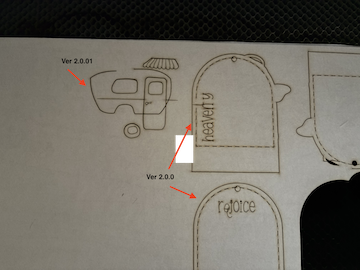
I’ve attached the camper file. The tag file that messed up yesterday is the same tag used with the camper. I didn’t cut the tag because I tried the camper as a test. It failed.

any updates regarding this issue? sorry to bother you
Don’t be sorry - I apologize… the last few weeks have been filled with travel. I’m still catching up.
I’ll be honest @dean0396 - I’ve opened those files on 1.7 and 2.0 and I don’t see what the difference is… I’m not even sure what the difference is between your two screenshots. Could you point out what you are seeing that I’m not?
i can imagine how busy you are so i didn’t want to bother you. I don’t know if this is something that might get resolved in the future, if its an easy fix or if I will need to remake all files with this error.
So in screenshot 1 (1.7) if you see where the numbers are on the top row ( lucas 8, george 7, gray 7, james 11) everything is how it should be.
in screenshot 2 (2.0) the numbers have moved position. So everything will need repositioning and a new offset making. I know this sounds pretty minor and easy to just move everything back, but i have hundreds of files that this happens with in 2.0. Some are easier to fix than others and will take a decent amount of time to get everything lined back up to how it needs to be. Some files i haven’t recorded the correct offsets for so i will have to play around finding the offsets and guess the original positions.
i hope this makes sense and thankyou for getting back to me.
@DonnaB That’s actually a different issue. I’m assuming you have a Ruida controller and are using a Mac? There’s a fix in testing for the upcoming 2.0.03 patch release that you can try out here: Index of /LightBurn/RC/LightBurn-v2.0.03-RC-2/