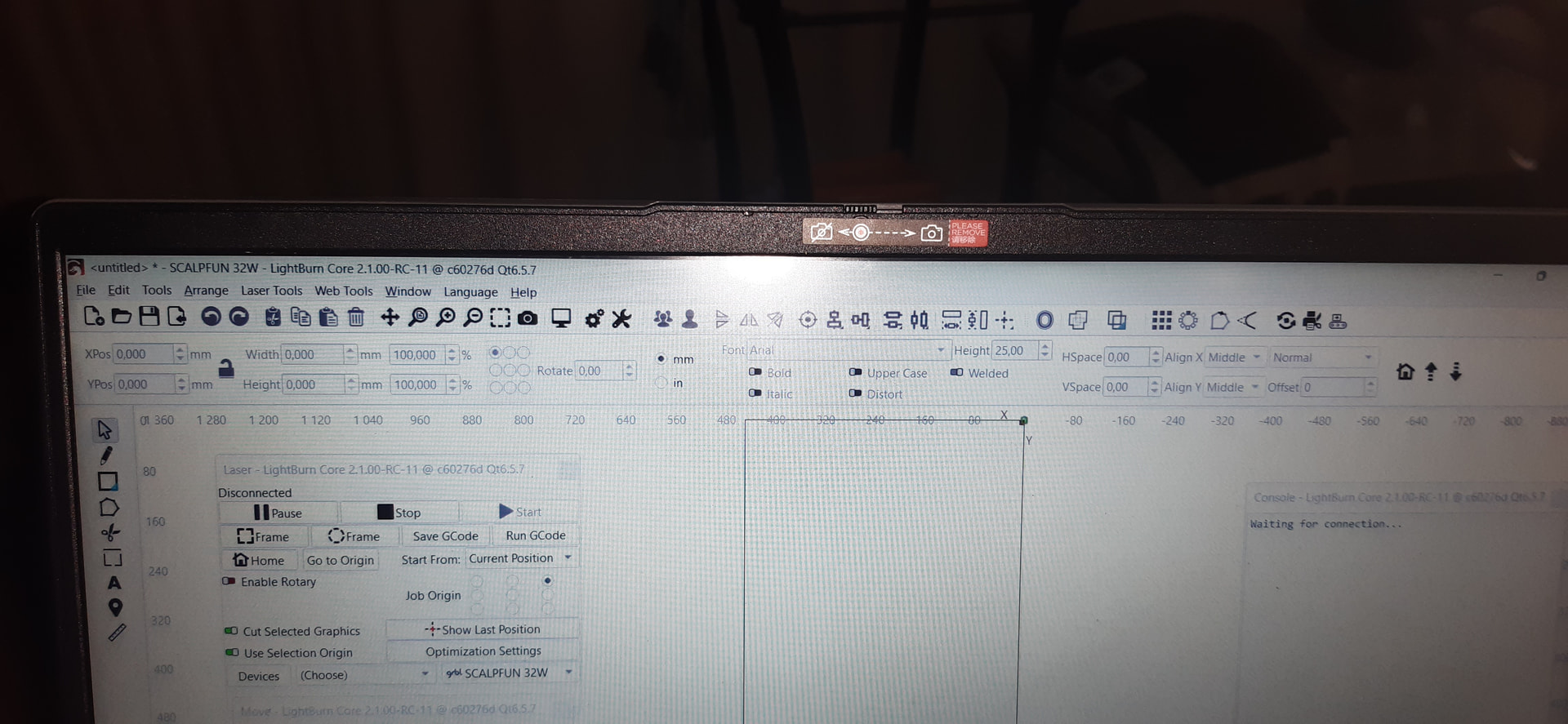
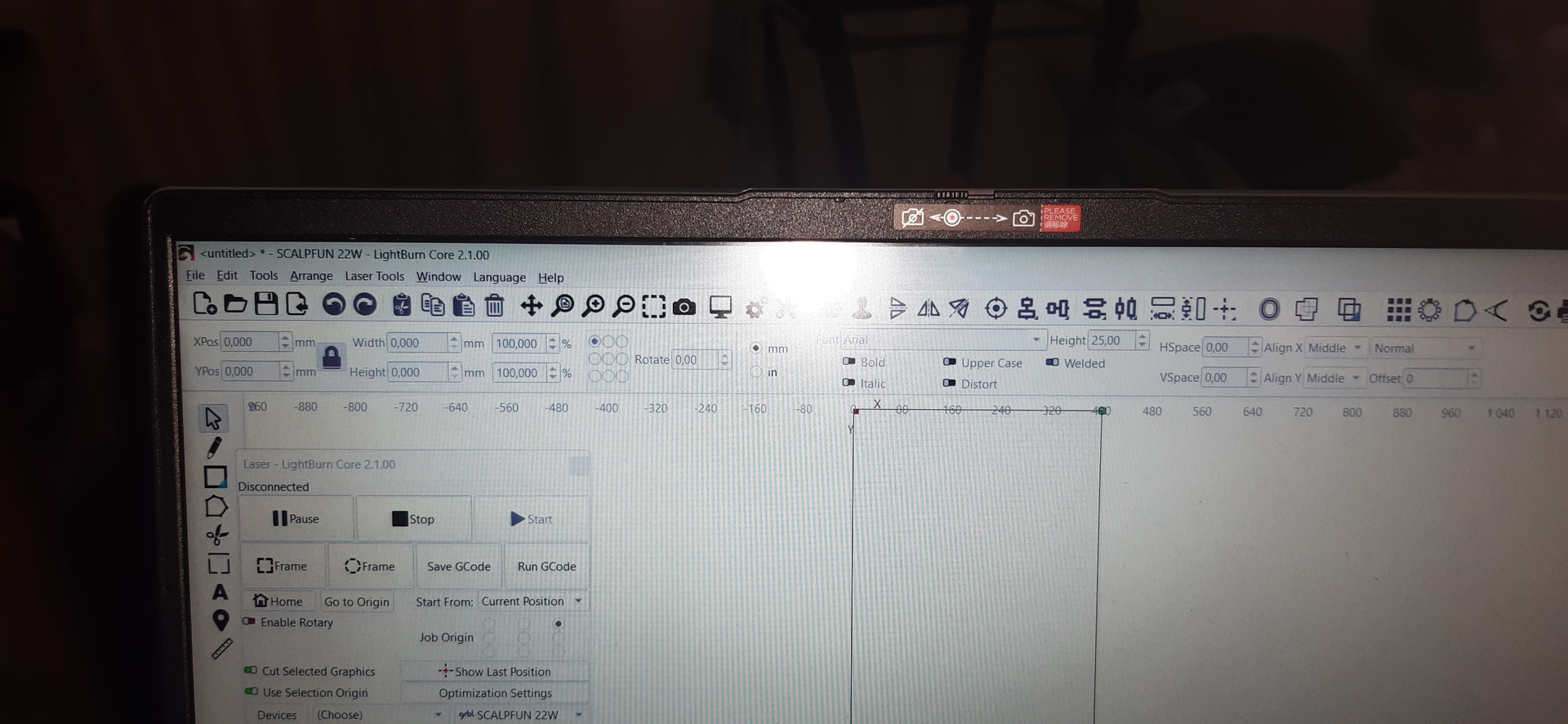
No Web Tools on Menu Bar for Core License
Pre Releace had ‘Home and Z buttons on main menu,Gone”
No Web Tools on Menu Bar for Core License
Pre Releace had ‘Home and Z buttons on main menu,Gone”
Another issue I have encountered right after updating over 2.005
Windows 10 - connected to external monitor native res. 1920 x 1080 as display 2 (Laptop integrated display 4k) - No windows dpi scaling (at 100%)
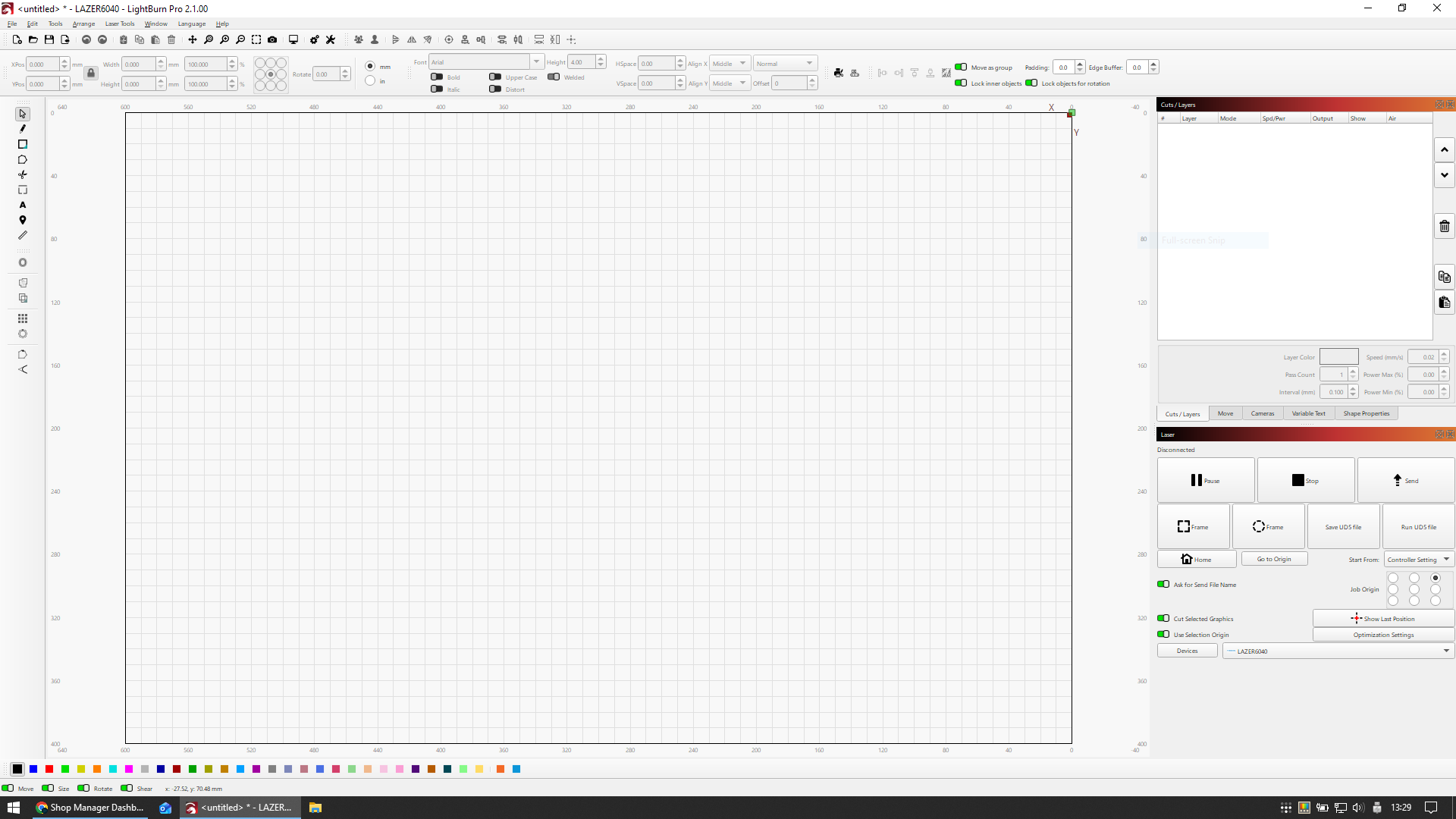
The startup display checker warned about some display scaling etc. was needed, I clicked accept and the workspace became as attached image.
I can’t find the Lightburn settings to bring it to default size (tried preferences > display but there was no reset)
In anyway, I never used any display scaling and I don’t know why Lightburn even needed to set the content to such display settings.
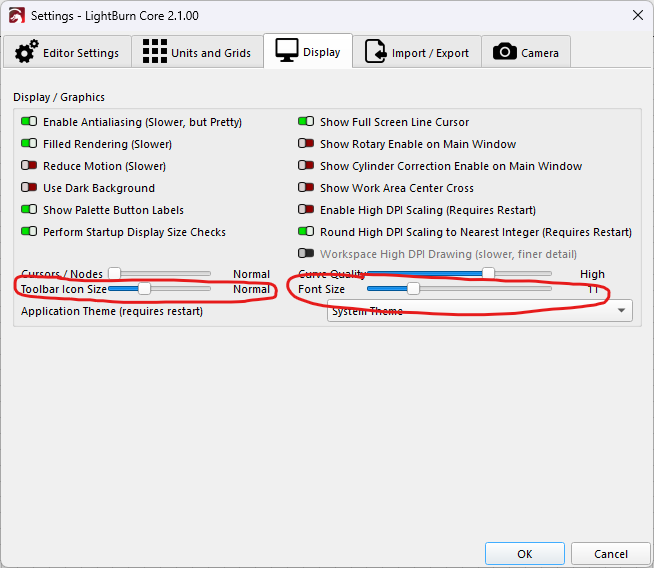
Yep, same for me, although I’m not using a 2nd display, only the laptop display (at native settings of 1920x1080) and no scaling in LB. I too accepted and got miniscule menus etc. I went into settings and changed the Toolbar Icon size, and the Font size. This made a vast improvement.
Hope this helps.
Thank you for replying Marcus - I have found a workaround after posting but couldn’t let me edit. On this menu which you’ve posted, I have toggled on the “Enable High DPI scaling” and it went back to normal. It’s confusing because to my logic it should have worked exactly the opposite way and probably that was one of the settings the startup checker had toggled off.
(The font size/icon toolbar size is at 0 on mine now and also I have that “round high dip scaling to nearest neighbour” toggled off.)
I opened LB this morning and a window pops up to download latest version. I did it and BIG mistake. Everything went to such small lettering that I can hardly read it. Finally, was able to revert to last version but everything is still small. I do not know how to fix it.