Thanks for spotting that - I’ve moved it to the Release Candidates section.
3 Likes
Hi Gabriel, would you please provide the “Alignment Pattern” as a file? (not lens alignment AprilTags)
@gabriel1 …I need that file for my tests, won’t you send it?
I’m not speaking for Gabriel here, just in general, but sometimes we generate the things dynamically at runtime and never actually *have *a file we could send you. Many things are done this way because if it has to be done at a certain size for the machine, or with machine specific spacing or positioning, it’s simpler just to build it internally. So, he might not have a file he can send you. It depends on how that feature works.
This is found and fixed for the next RC.
1 Like
Thanks for the feedback.
Of course it’s machine independent, I’m aware of that.
I’m trying to build something with the capabilities I already have.
Hi Bernd, sorry, I missed this message. Yes, its gernated in code, but I can store it as a file. I will look into this and share here when I have it.
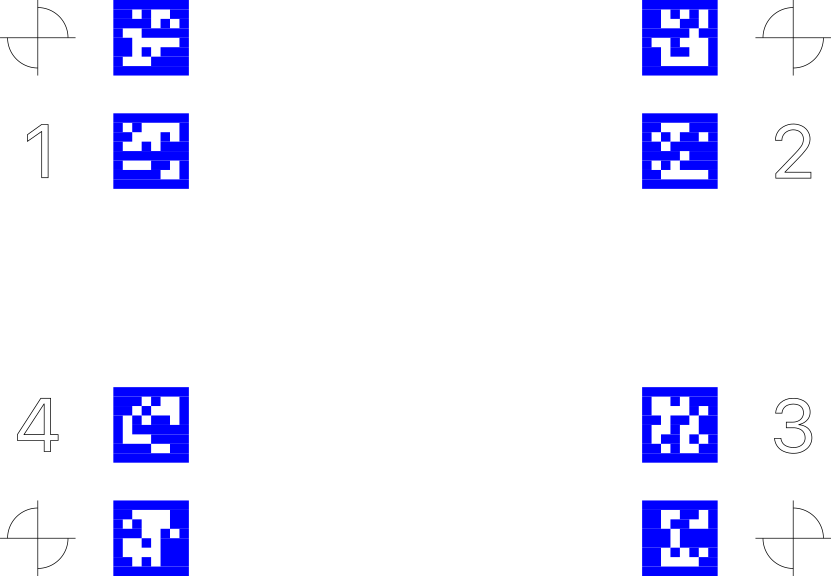
Hi Gabriel, thanks for the file. After Oz’s comment I started tracing and adjusting the tags myself and spent some time on it 
I only now saw your kind feedback - thanks for that.
I’ll replace my traced tags with the ones from you, they are probably more precise. I can use the rest of the “Fine adjustment template” as it is.
The idea is that those who want to spend a little extra time on precision can fine-tune the workplace alignment. It’s reasonably simple and only requires a few extra lines that will be used for subsequent alignment.
I’ll report back when I have results.
1 Like
Sounds interesting! Intrigued to see the results.
1 Like
Here are the first attempts, which are better than anything I could achieve before.
I still have a little trouble placing the tags correctly now that they are made “by hand”. Hence the high % adjustment for length and width which I think comes from my “handheld” aspect ratio. (I should probably be able to handle that better with time)
The small boxes show the respective deviations in the area, I have used the average to have an overall adjustment. It will be more than fine for placing items over the entire work area for economical material use.
If/when it needs to be super accurate, I divide my work area into 4 to 6 segments and use the respective correction factor.
Guide lines of some kind, which should be engraved together with the alignment tags, make a big difference.
Now I have to find out how fine the repeat accuracy is, as I said, I use a fixed stop to “reuse” my alignment tags/templates.
The images show the different areas with their deviation values - after “% deformation” has been compensated for, i.e. it is only a fine adjustment of the X/Y shift in mm.
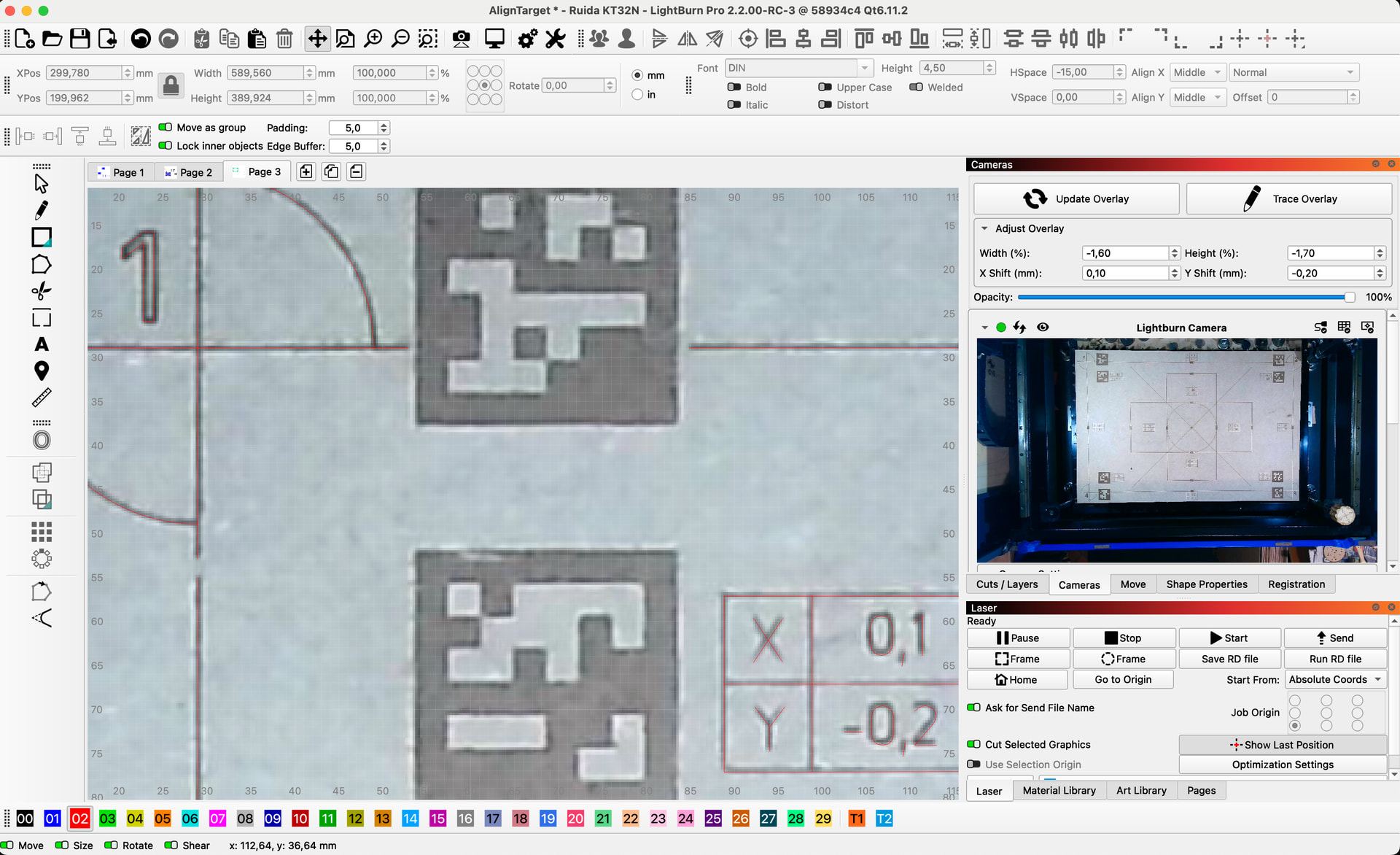
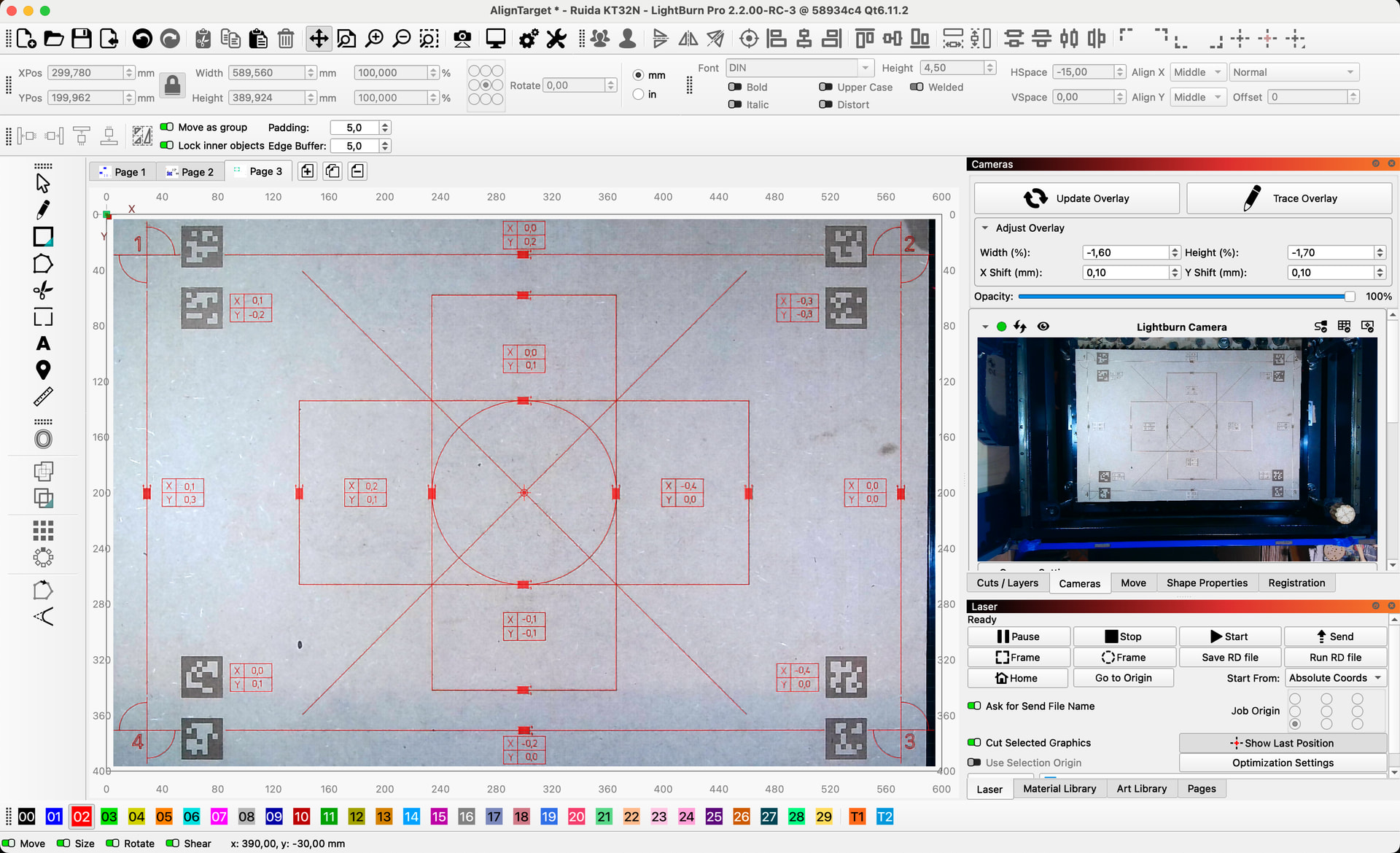
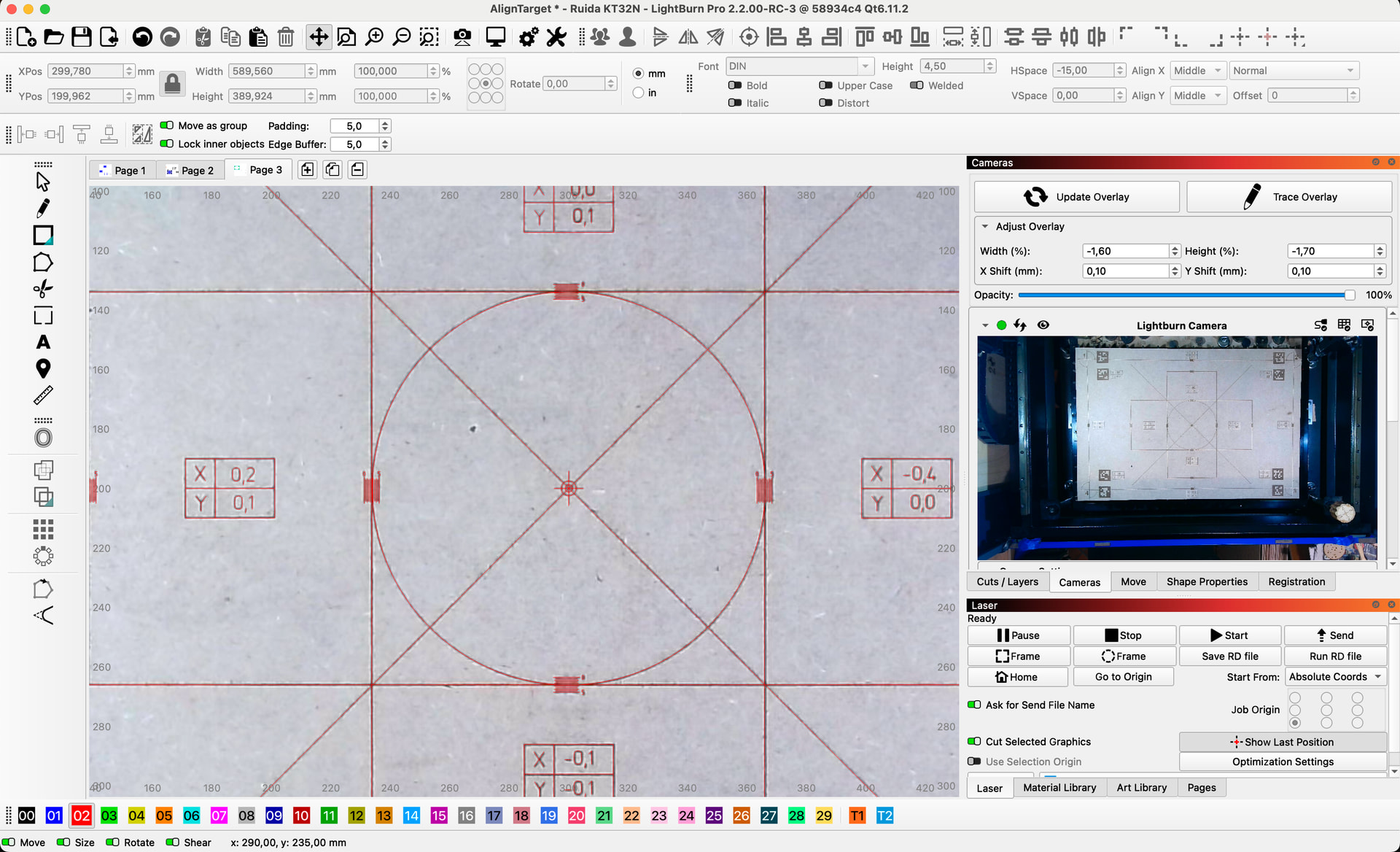
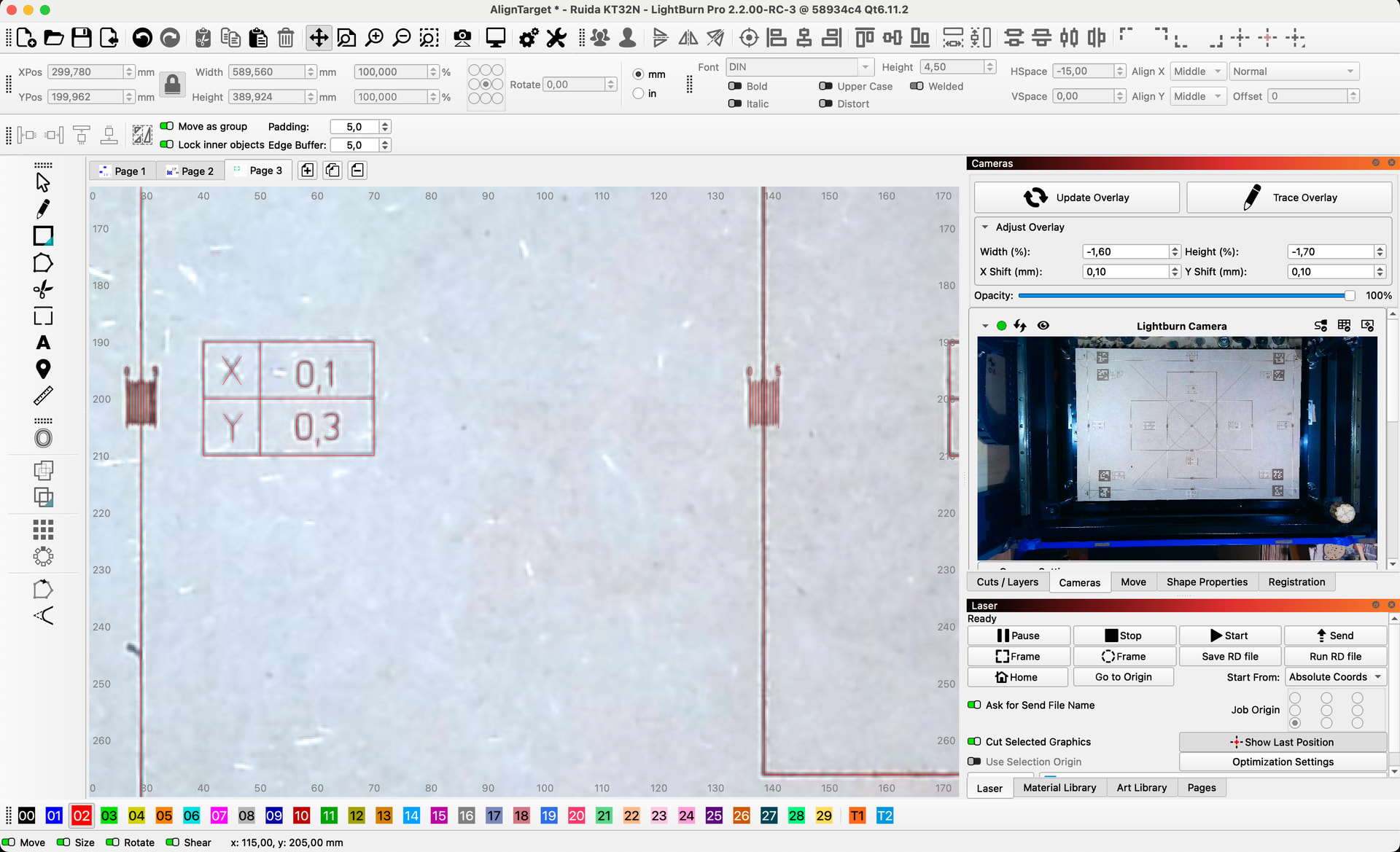
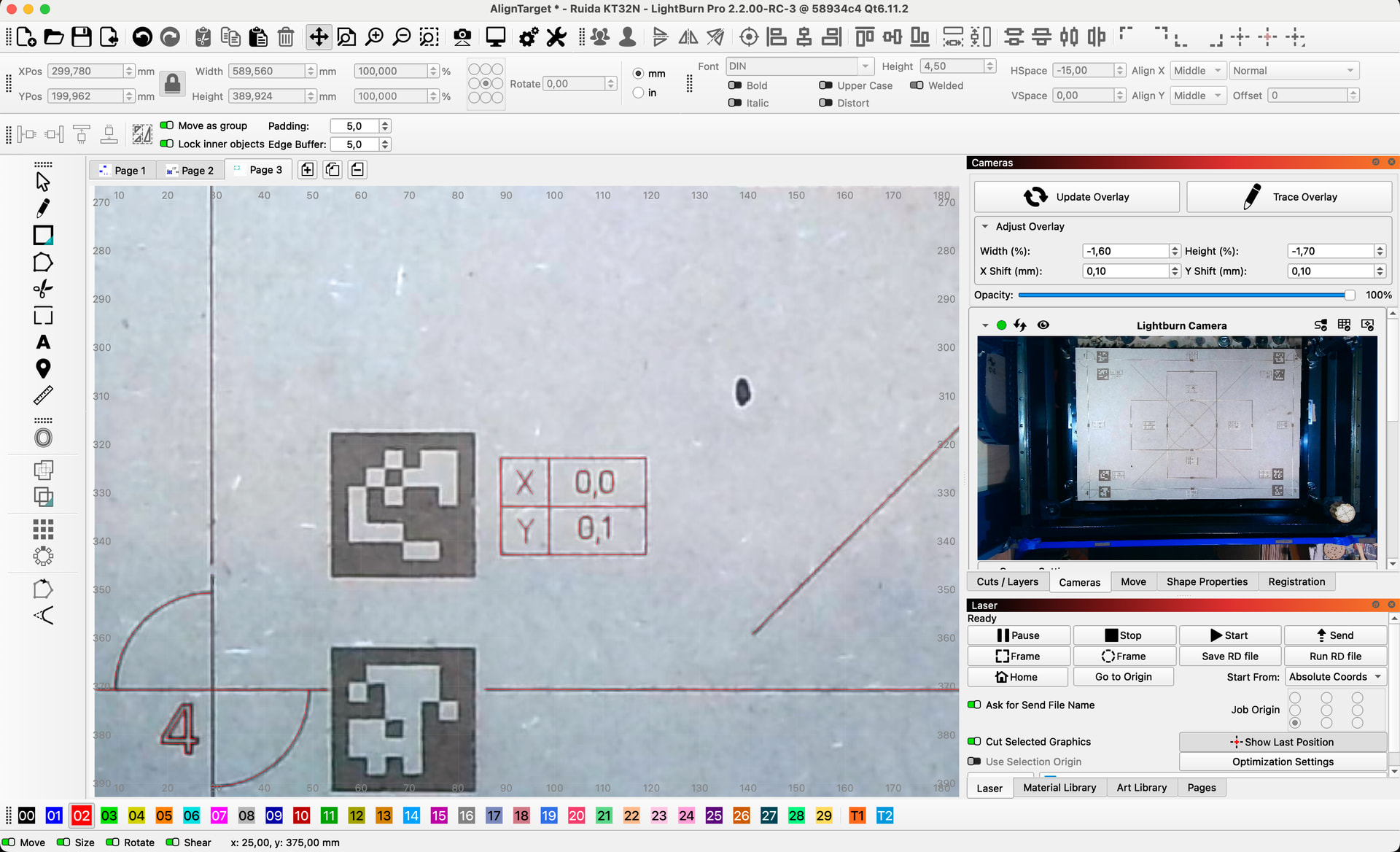
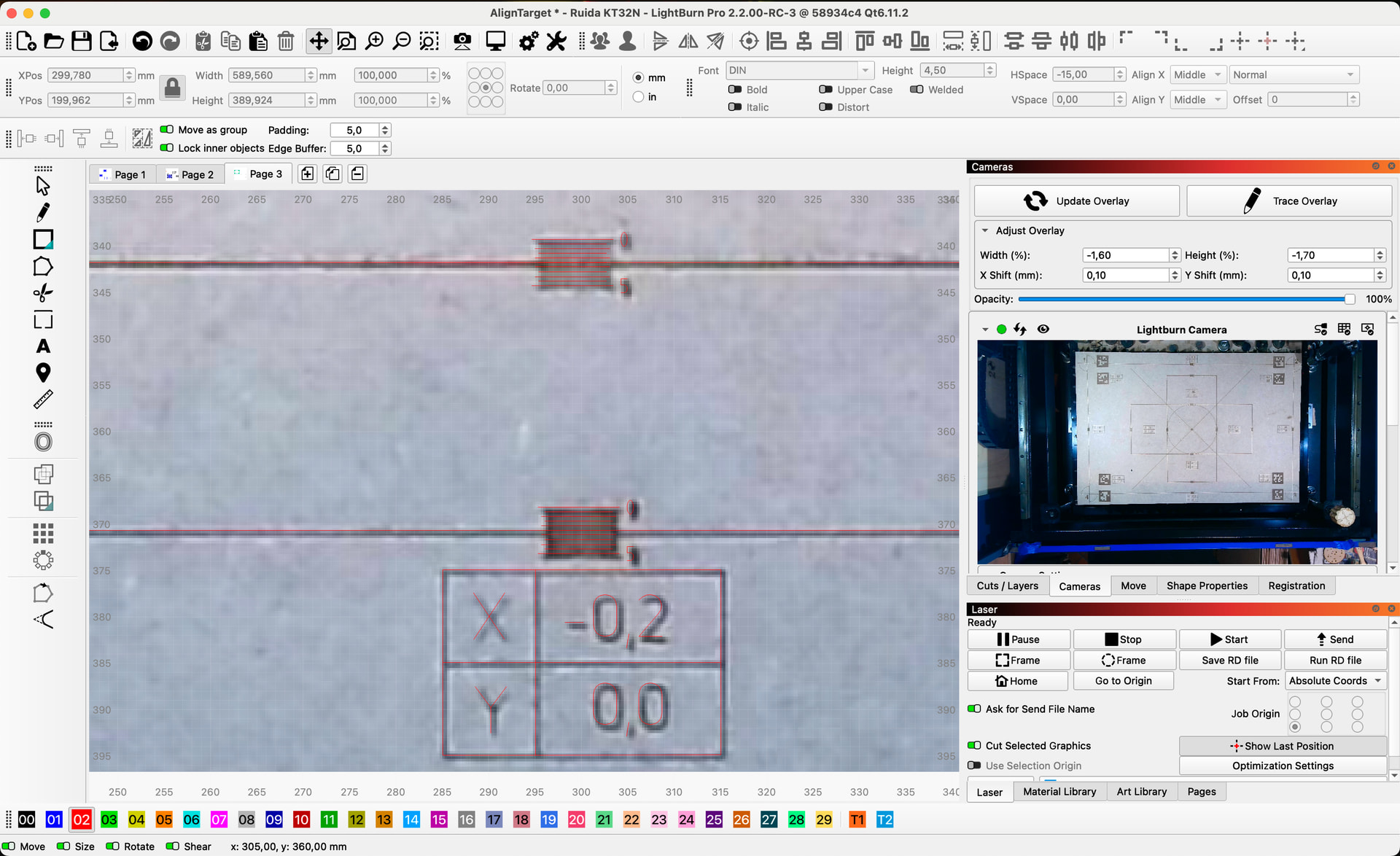
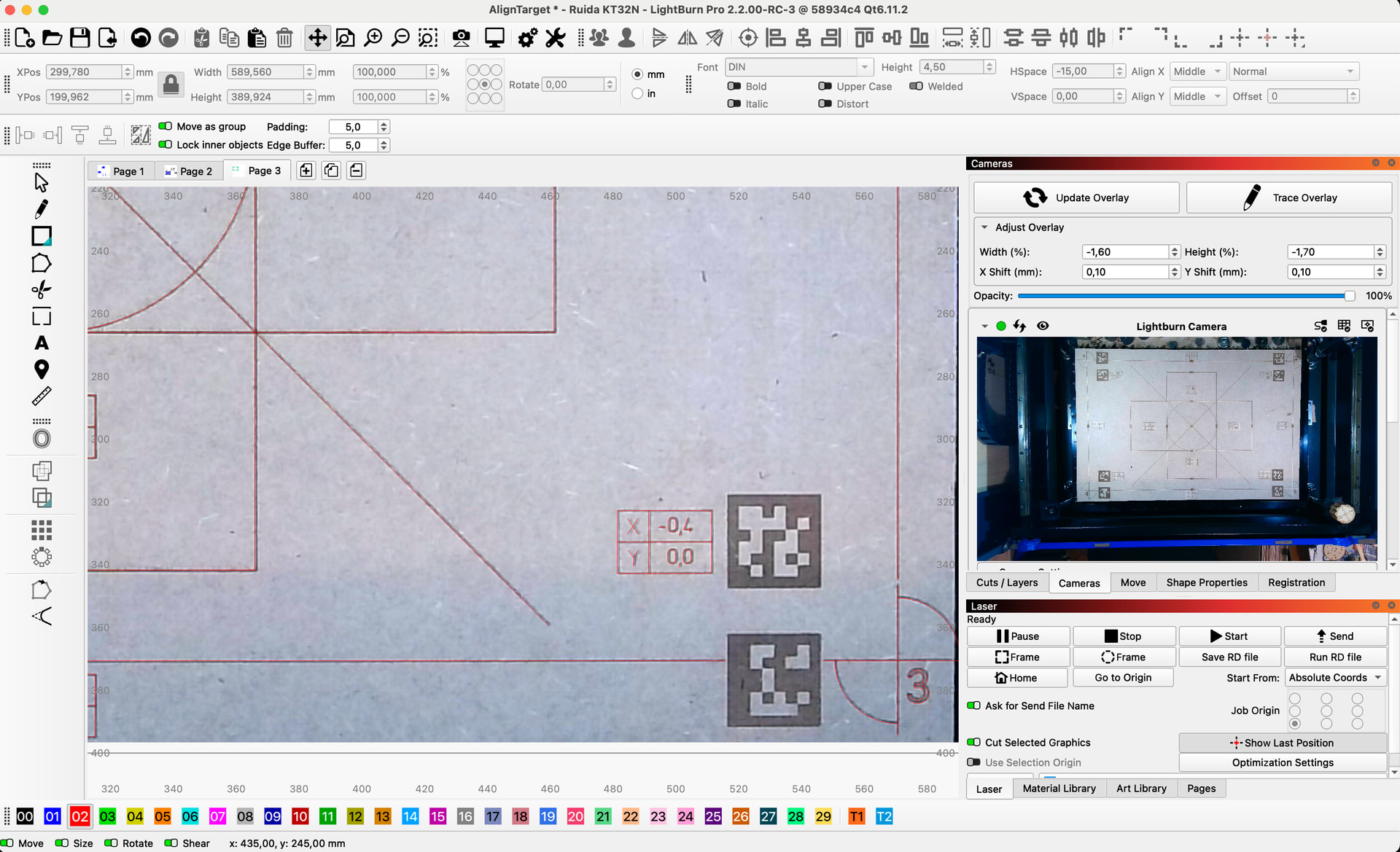
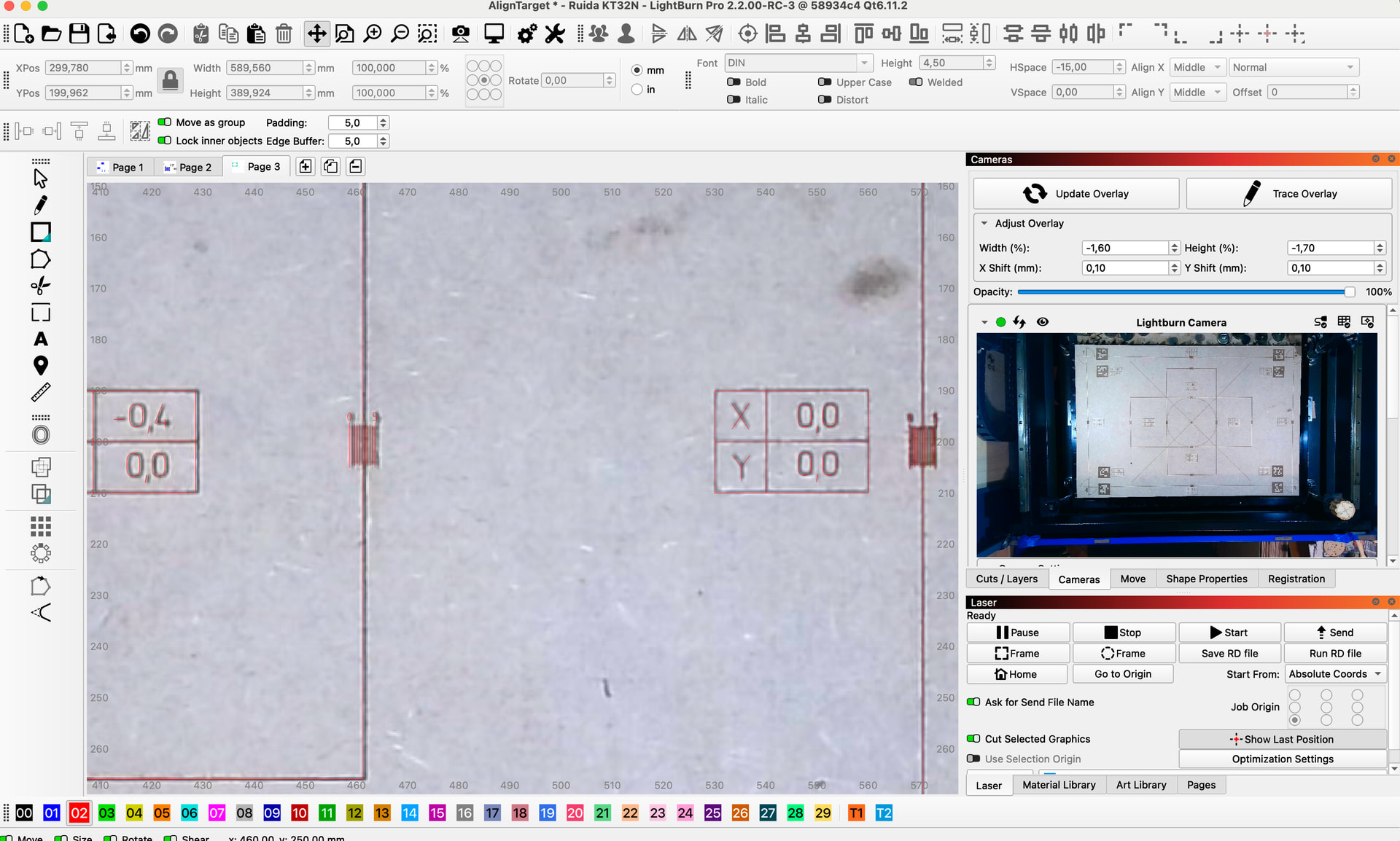
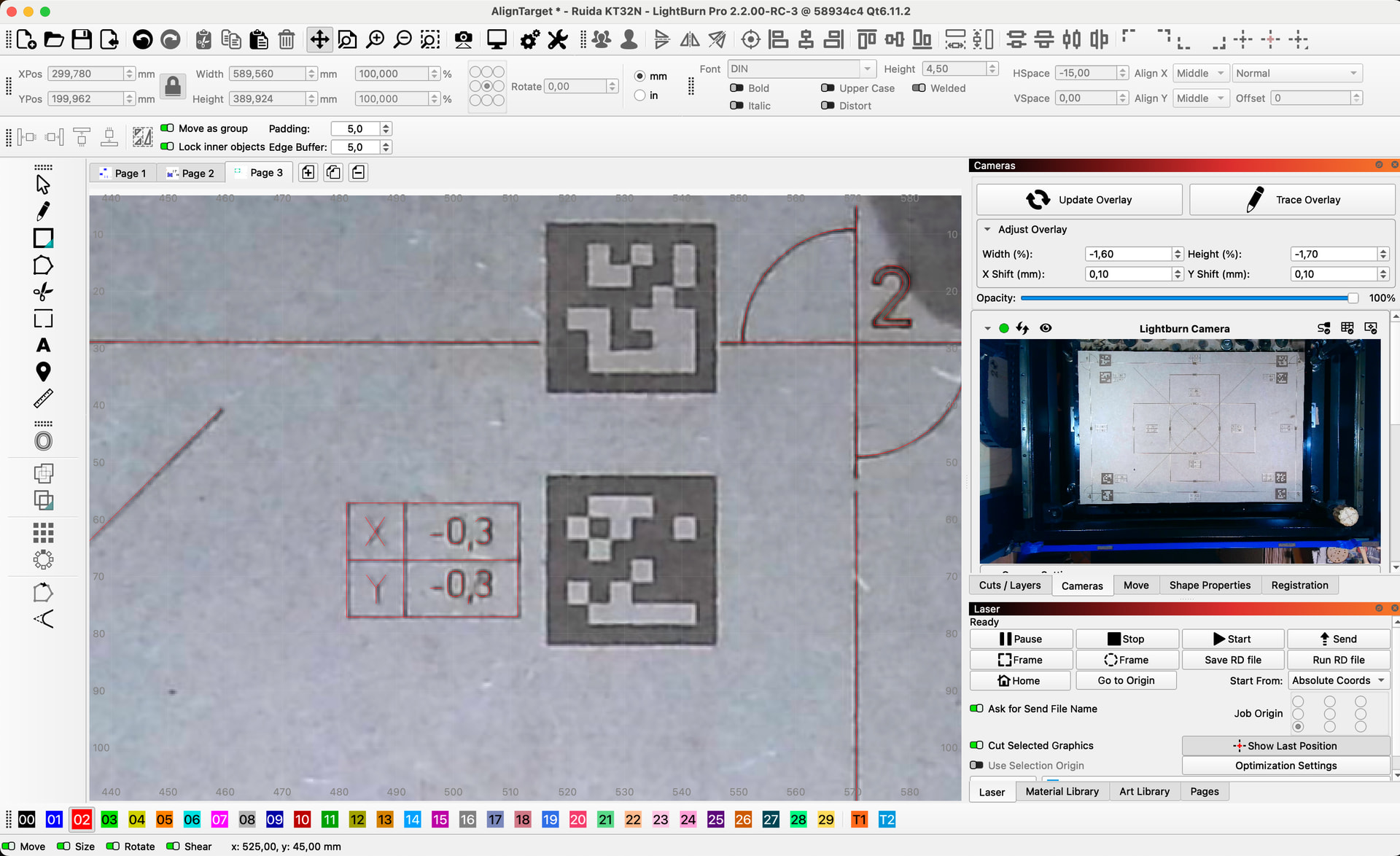
Wow. I really like your alignment accuracy verification procedure. Really great to see how well it holds up over all the workspace regions. I have been thinking about measuring alignment accuracy in LB for a while already. Having a reliable metric for this would be super useful. Thanks for sharing!
I was a bit surprised myself. If we want high precision, lighting conditions and distance from machine bed to camera lens are very critical. I can reproduce double up errors in certain areas, i.e. 1mm focus change is equal to up to 2mm off target. Angle changes are even worse.
As long as you are aware of it, you can control it.
Gabriel, can I ask you to make a file for me, with 590mm x 390mm and 30mm x 30mm tags? I would like to exclude my scaling errors , thanks
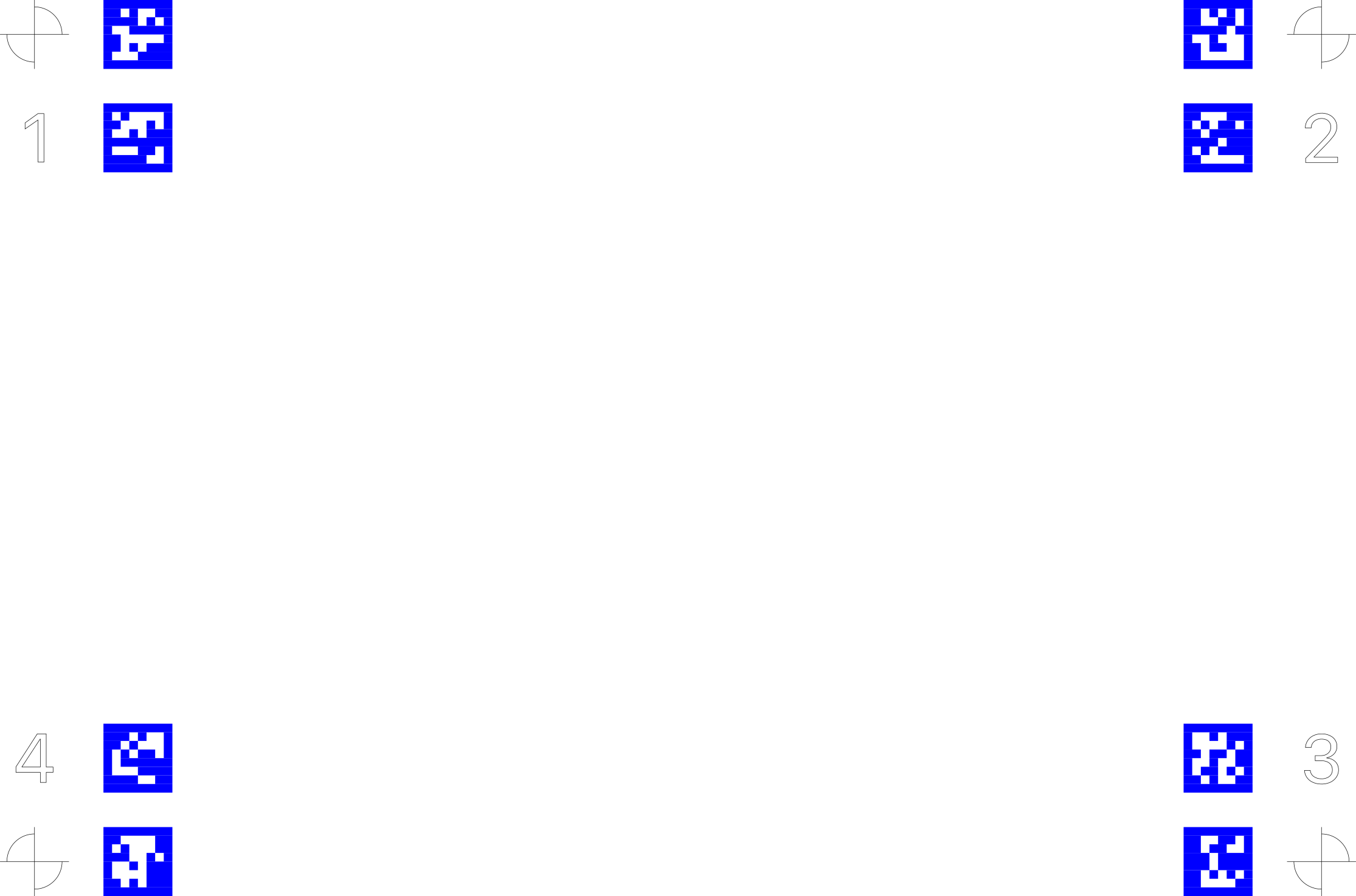
That was fast!, thank you very much.
It’s 1am here, so tomorrow (today ) I have the day off and can test with a new version.
2 Likes
@gabriel1 I would like to have started with a fresh lens calibration, but as I mentioned before it is not possible in the last RC. (mirror inverted and no possibility to fix it under MacOS version of LB RC-3) Is there anything new about that?
You or a forum leader can please merge my long “calibration” thread into a separate one, so that focus is not lost from RC3 feedback.
Hi @bernd.dk, the fix for this has been merged internally and will be in the next RC for sure. But for now cant you just import any of your previous calibration files? These should work same as before.
1 Like
Thanks for the answer.
I have quite a few calibration profiles that I can go back to.
The first test with the “machine-adapted” alignment tags, which I have not properly evaluated yet, shows strangely a smaller (about half) of the vertical and horizontal deviation/distortion, but also double the inaccuracy of the deviation of the individual control shapes.
The most significant difference from the last 2 tests, is the 40% reduction of the tag size and of course its location on the work area.
If only I knew more of the theory of how it works…
I will send pictures and the summary tomorrow.
Have a good weekend everyone
Yeah. The more accurate your detections are, and the more you have covering your workspace area, the better. Its a linear projective transform. So any non linear lens model calibration innacuracies can never fixed by an alignment. This is why fish eye lenses often fall short. The extreme lens distortions at the boundry areas are more difficult to correct for by the calibration model.
Yes. Please keep us updated! Have good weekend.