Just a heads-up LightBurn needs to contact home for the Web Tools to appear,
So offline systems get the menu without Tools.
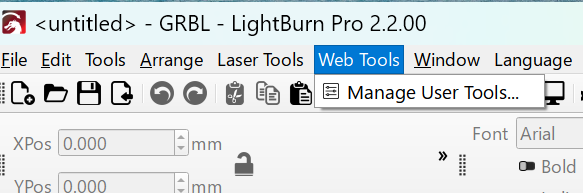
This is as designed - there will soon be the ability to add your own (potentially local) tools to that menu.
It would also be great to upload / import links to the menu. I had the idea to add a function to my link collection (Laser Link List | Diode Laser Wiki) to select multiple links and then click on “add to Laser Tools menu”. This function could export a json list file of the links to be imported by LB.
the web tool in pro versions is really great. I have prusa slicer, gray to slice, auto tool to layer mapping and integrated JumpStart 3D a true 3D tool in MM. LB also works but maps slices to layers. Additionally in MM you can drop JumpStart 3D STL on MM and have a image in workspace at same time. Very experimental but fun to explore and learn about. Also added Direct Drive option so I can use my Nintendo game controller to run my CNC and Laser in manual mode and record the work and save as MM project. There are so many things to try and figure out. Thanks LB for this fantastic option for Open Source community to contribute to LB/MM. J
I love it.
To add your favorite tool just click on [Manage Use Tools] and add the domain(s) you want.
(Thank you Oz)