Hi,
I need Help please. I Try to find a solution since 15h and could’t find one.
Facts
- Using Lightburn 1.4.00
- Using newest Grbl Firmware
Here is my Problem:
The generated G-Code seems to be wrong. It adds 1mm to all relative moves.
If have executed G10 L2 P1 X0 Y0
For instance:
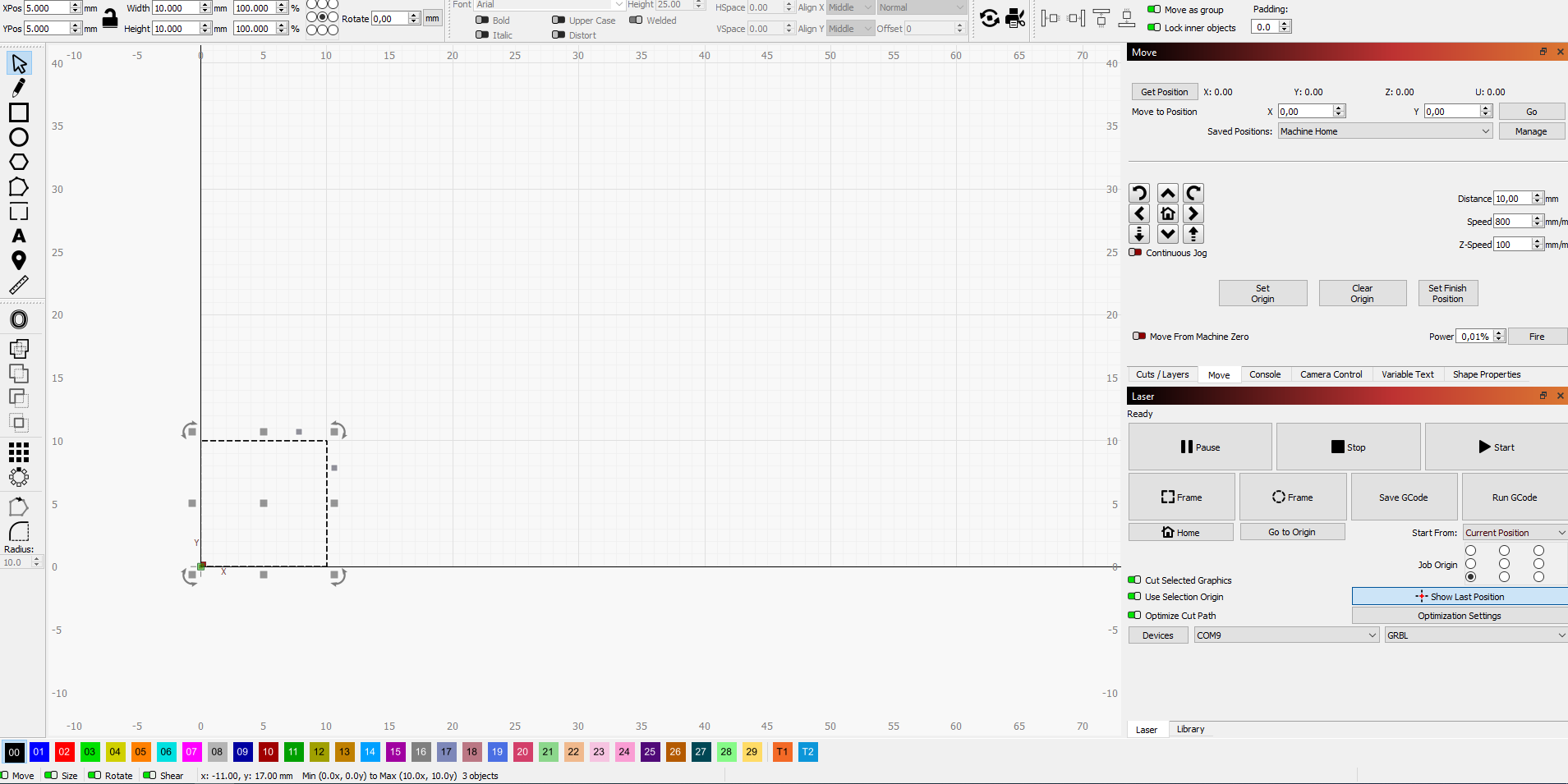
I draw 3 10x10mm square positioned at Xpos=10.000 Ypos=10.000.
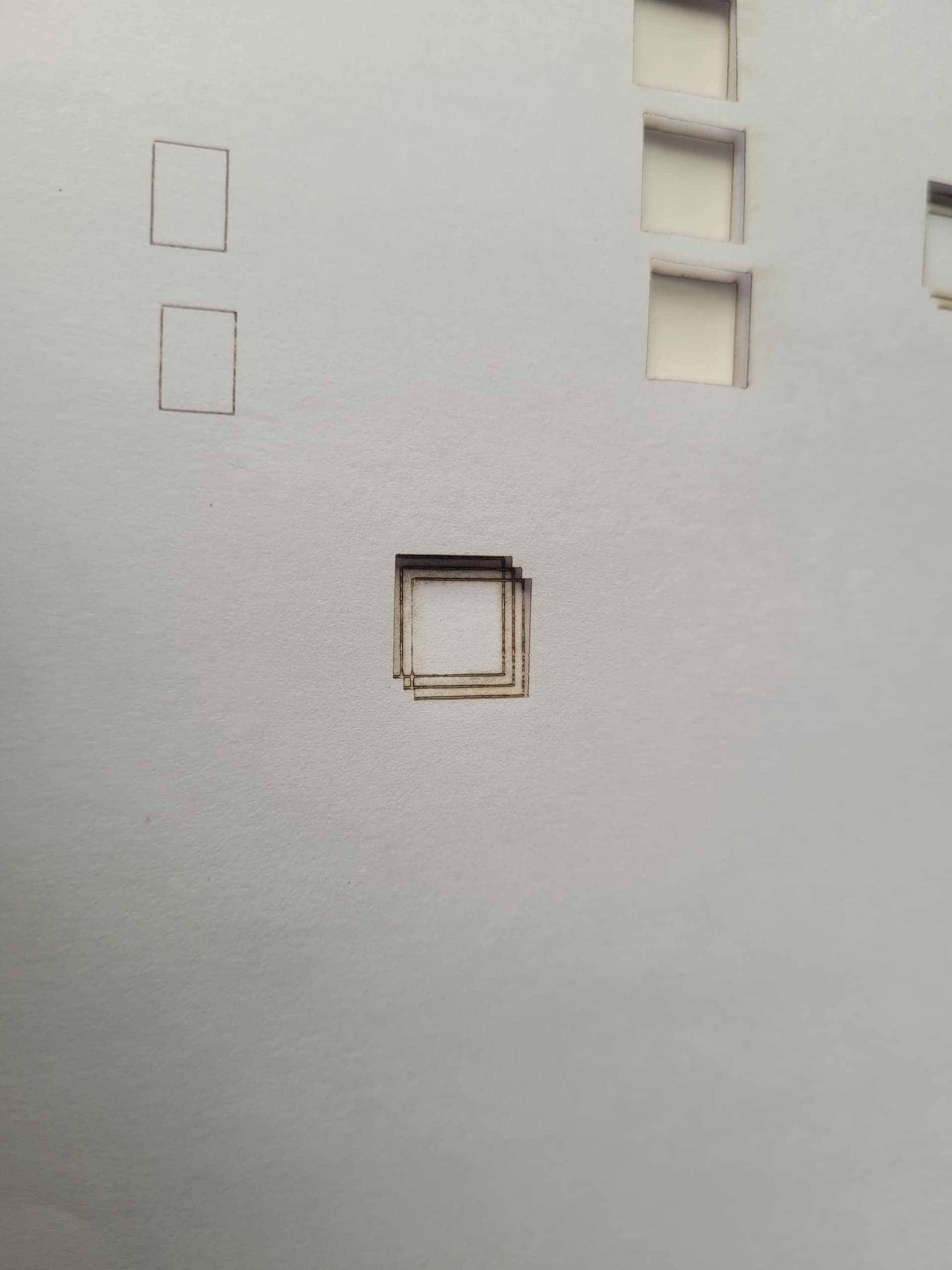
When I burn it, the all Sqares are correct BUT the second sqaure is shifted 1mm on both axis. The third Square is shifted 2mm on both axis.
Here is the console code:
?
<Idle|MPos:1.000,1.000,0.000|FS:0,0|Ov:100,100,100>
ok
Starting stream
G00 G17 G40 G21 G54
G91
M4
M8
G0 X1Y1
Layer C00
G1 Y11S901F1501
G1 X11
G1 Y-11
G1 X-11
G0 X14Y1
G1 Y11
G1 X11
G1 Y-11
G1 X-11
G0 X14Y1
G1 Y11
G1 X11
G1 Y-11
G1 X-11
M9
G1 S0
M5
G0 X-31Y1
M2
[MSG:Pgm End]
Stream completed in 0:08
Same Problem with the jog buttons.
In the Move tap: When I enter X0 Y0 in Move to position an click “GO” Lightburn sends the following:
Starting stream
G21 G54
G90
G1 X1 Y1 F301 S1
G90
M2
[MSG:Pgm End]
Stream completed in 0:00
?
<Idle|MPos:1.000,1.000,0.000|FS:0,0|WCO:0.000,0.000,0.000>
ok
BUT it should be:
G1 X0 Y0 F301 S1
When I enter to the console G01 X0 Y0 the machine goes to that Position and is also reporting it correctly. Then i press the jog right butten (step 10mm) Lightburn generates X11 Y1
Why is this stange behavior? I played around with all setting, but nothing worked for me.
Could you please give me a hint?
- Grbl Settings
$$
$$
$0=10
$1=25
$2=0
$3=2
$4=0
$5=0
$6=0
$10=1
$11=0.010
$12=0.002
$13=0
$20=0
$21=0
$22=0
$23=0
$24=25.000
$25=500.000
$26=250
$27=0.000
$30=1000
$31=0
$32=1
$100=800.000
$101=800.000
$102=800.000
$110=1500.000
$111=15000.000
$112=600.000
$120=360.000
$121=360.000
$122=30.000
$130=300.000
$131=180.000
$132=40.000
ok
Thank you very much!