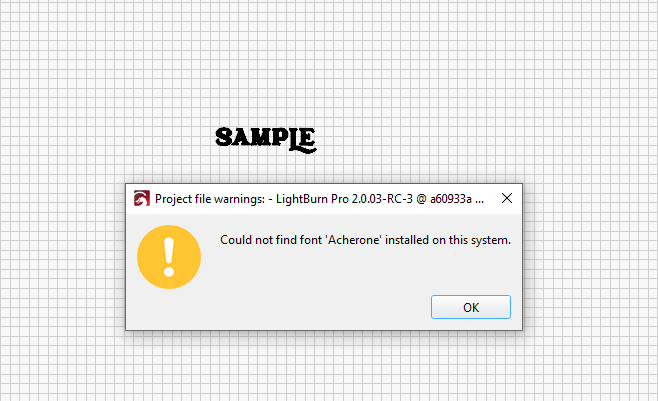
I thought I saw at some point in an update that fonts used would be saved with the project so that if you opened it on another computer, it would not show font not found message.
Am I dreaming or was that a feature at some point?
I thought I saw at some point in an update that fonts used would be saved with the project so that if you opened it on another computer, it would not show font not found message.
Am I dreaming or was that a feature at some point?
That’s how it works for me.
However I believe, Lightburn only uses the fonts installed on that system, so both computers would have to have that particular font installed.
No that was my point, I could have sworn at some point they introduced it as a new feature if you saved the project on one computer and then opened it on another computer that didn’t have the specific font you used on the other computer, it was now included in the project so that you wouldn’t have that issue.
I know you can convert text to path or bitmap and then you wouldn’t have the issue, but when doing that you can no longer edit it as text.
Hey @nickm324
LightBurn doesn’t embed or save fonts with a project — it always relies on the fonts installed on the computer. If you want to preserve the look, you’ll need to Convert to Path. That keeps the appearance but won’t be editable as text.
I don’t believe that ever was the case, albeit I hope I am wrong, as I would love that feature
Guess it was just a hopeful dream.
It doesn’t embed the font, but it does save the path of all of the text, so the project will open and will contain the correct looking font, but it will all be paths and not editable. It will still show that the font is missing though, but will look correct on the screen.
This topic was automatically closed 30 days after the last reply. New replies are no longer allowed.