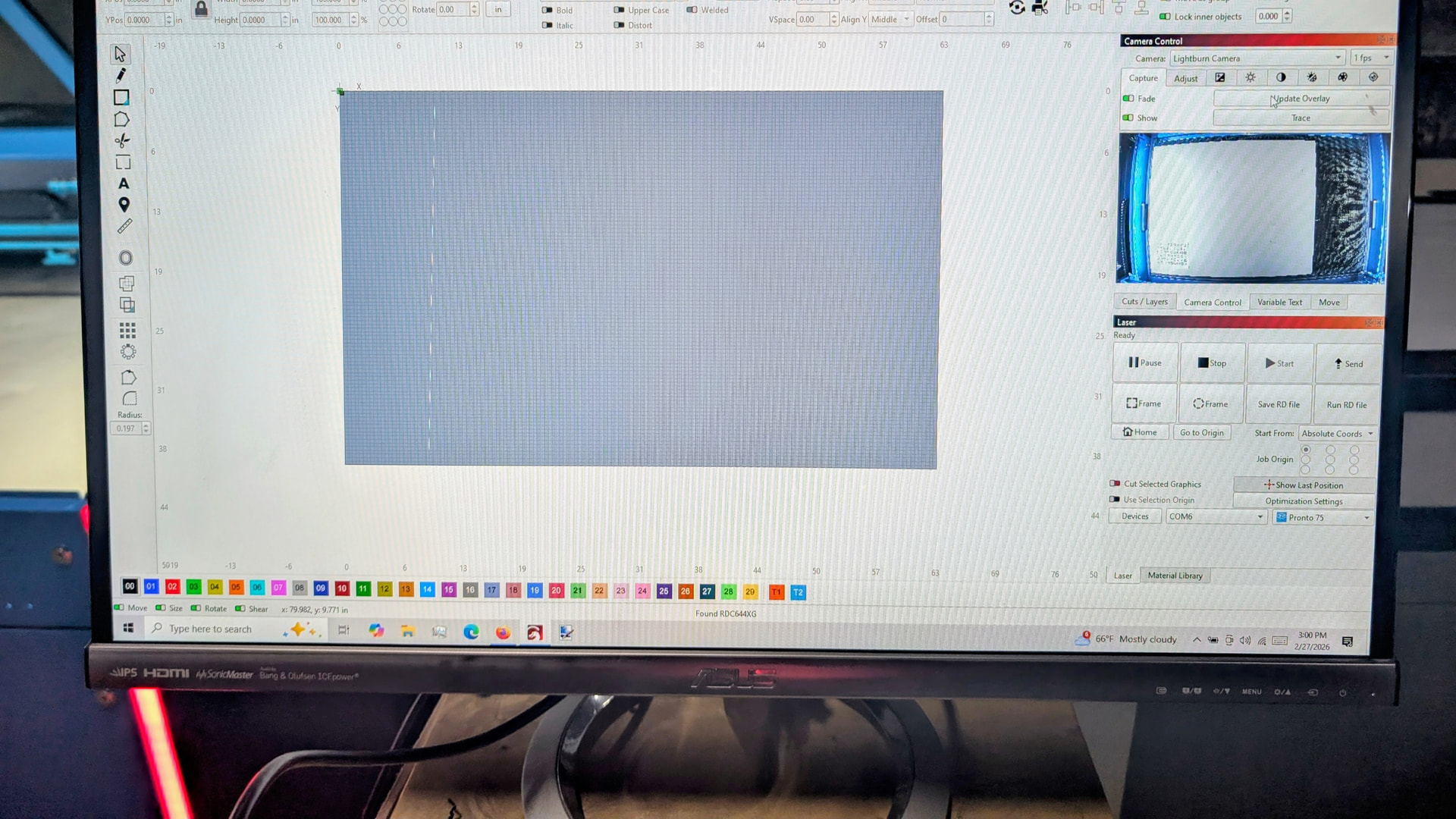
The Lightburn 8mp W -120 camera is showing up fine in the Camera Control Area. As you can see in the photo below, the overlay itself is just gray. I’ve moved the board to be engraved and gantry around while the overly remains as shown.
The Lightburn camera works in the Camera App as expected.
The overlay eventually worked as expected after several reboots so I could get a good alignment and calibration, but it has now regressed.
I’ve used the recommended and fallback, I’ve switched to the laptop camera, which gives just a brown overlay.
I again went through alignment and calibration. But now the alignment gives scores between .25 & .36, but the captured image is just black. The preview image is just fine and updates as expected, but the captured image is just black.
So why is the preview images fine and the overlay images grey or black?