This may be a problem, Linux, Unix is case sensitive … my Ruida shows as
/dev/ttyUSB0
You should probably try something like
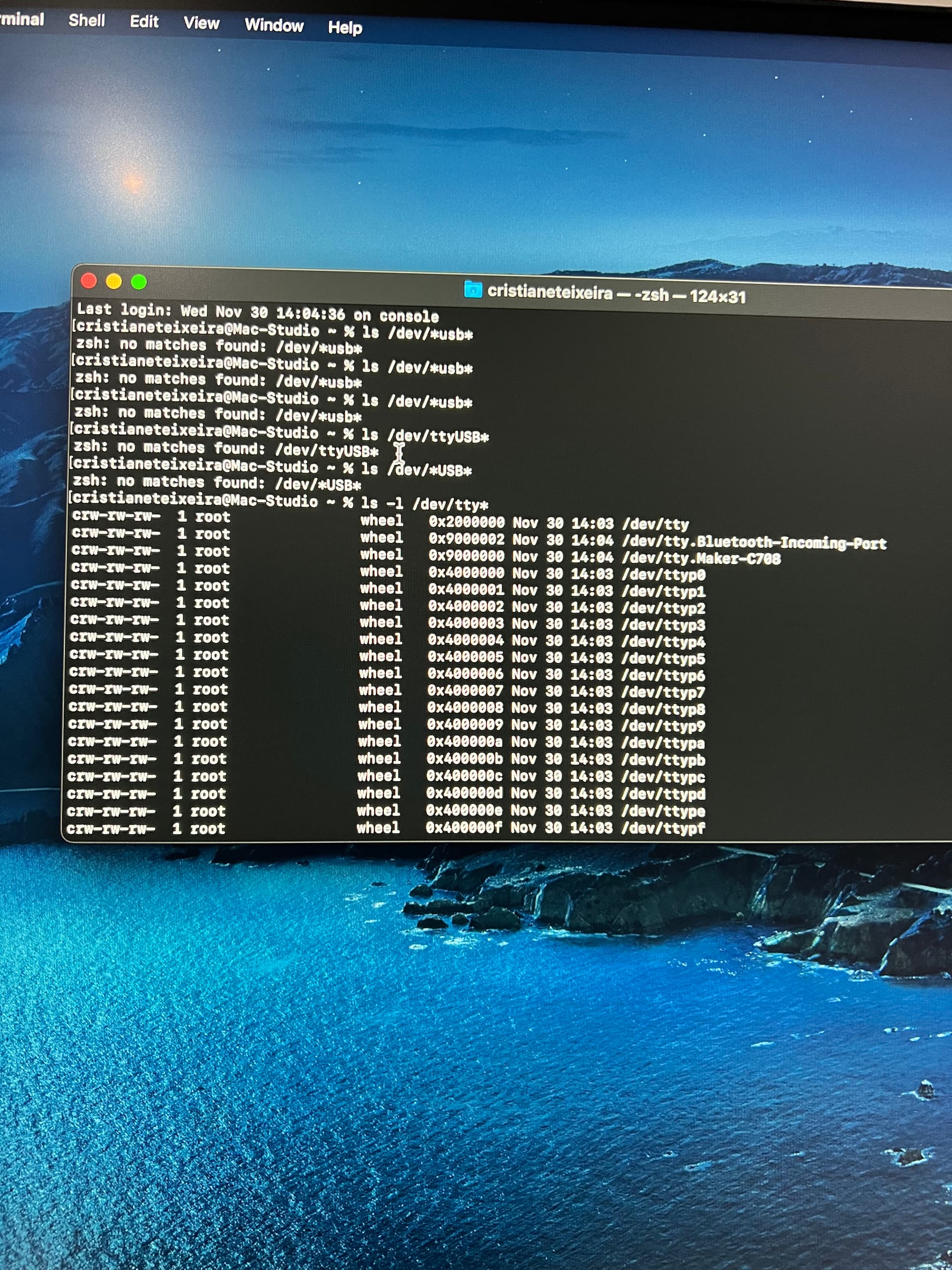
ls /dev/ttyUSB*
ls /dev/*USB*
ls -l /dev/tty*
The third will give you all ‘tty’ type devices…

This may be a problem, Linux, Unix is case sensitive … my Ruida shows as
/dev/ttyUSB0
You should probably try something like
ls /dev/ttyUSB*
ls /dev/*USB*
ls -l /dev/tty*
The third will give you all ‘tty’ type devices…
Rest assured that I was careful with the case this time. Mac for whatever reason uses lowercase usb in their device names.
Sorry for not responding back. Unwashed blocked from sending more messages that day.
when I run the terminal command still says the same thing
Did you ever install a 3rd party FTDI driver?
Can you run in Terminal?
ls /Library/Extensions/*FTDI*
I would think there is some such an animal as ‘dmesg’ so she can see if the os has seen it and dumped it for some reason?
This topic was automatically closed 30 days after the last reply. New replies are no longer allowed.