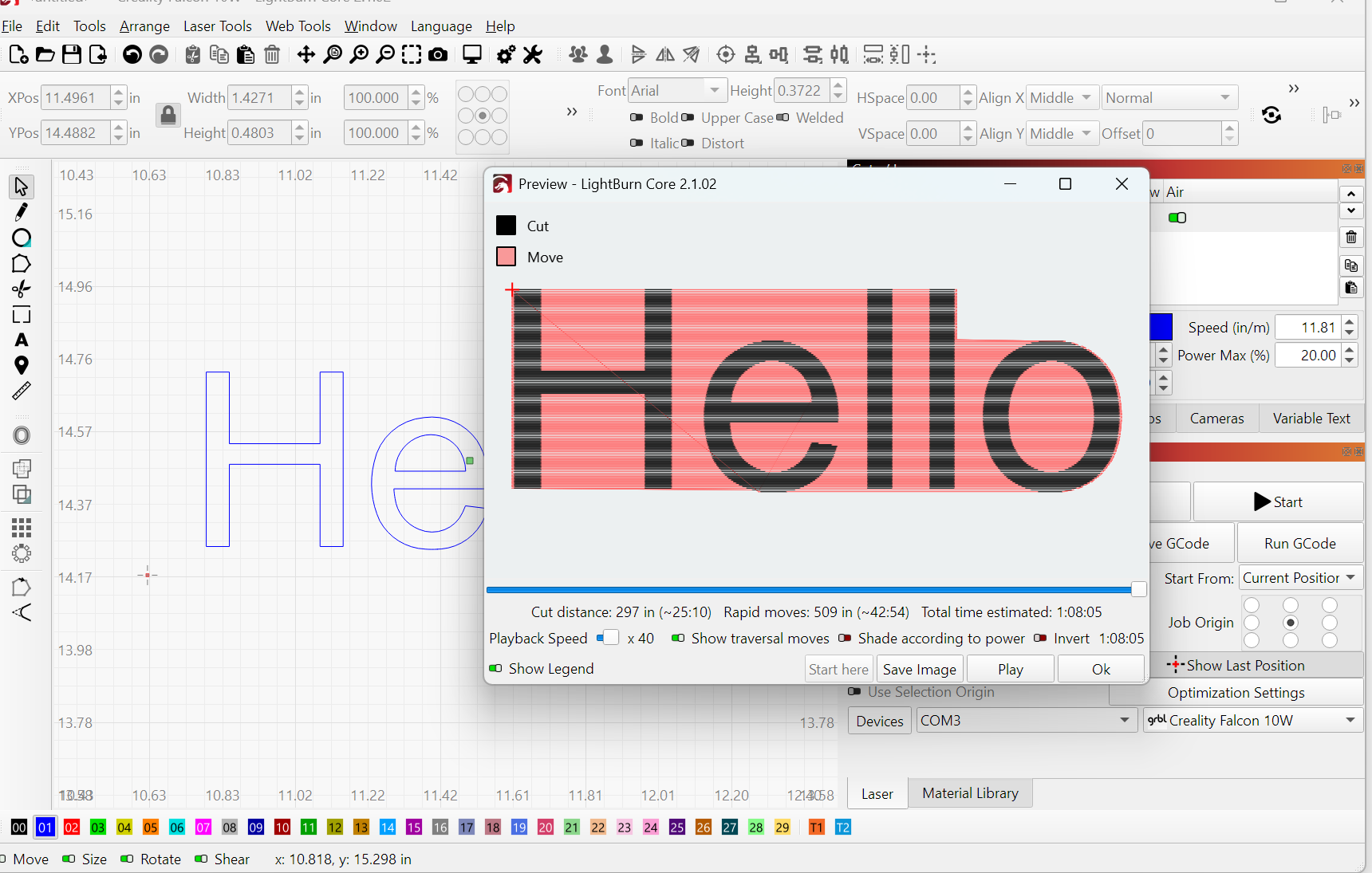
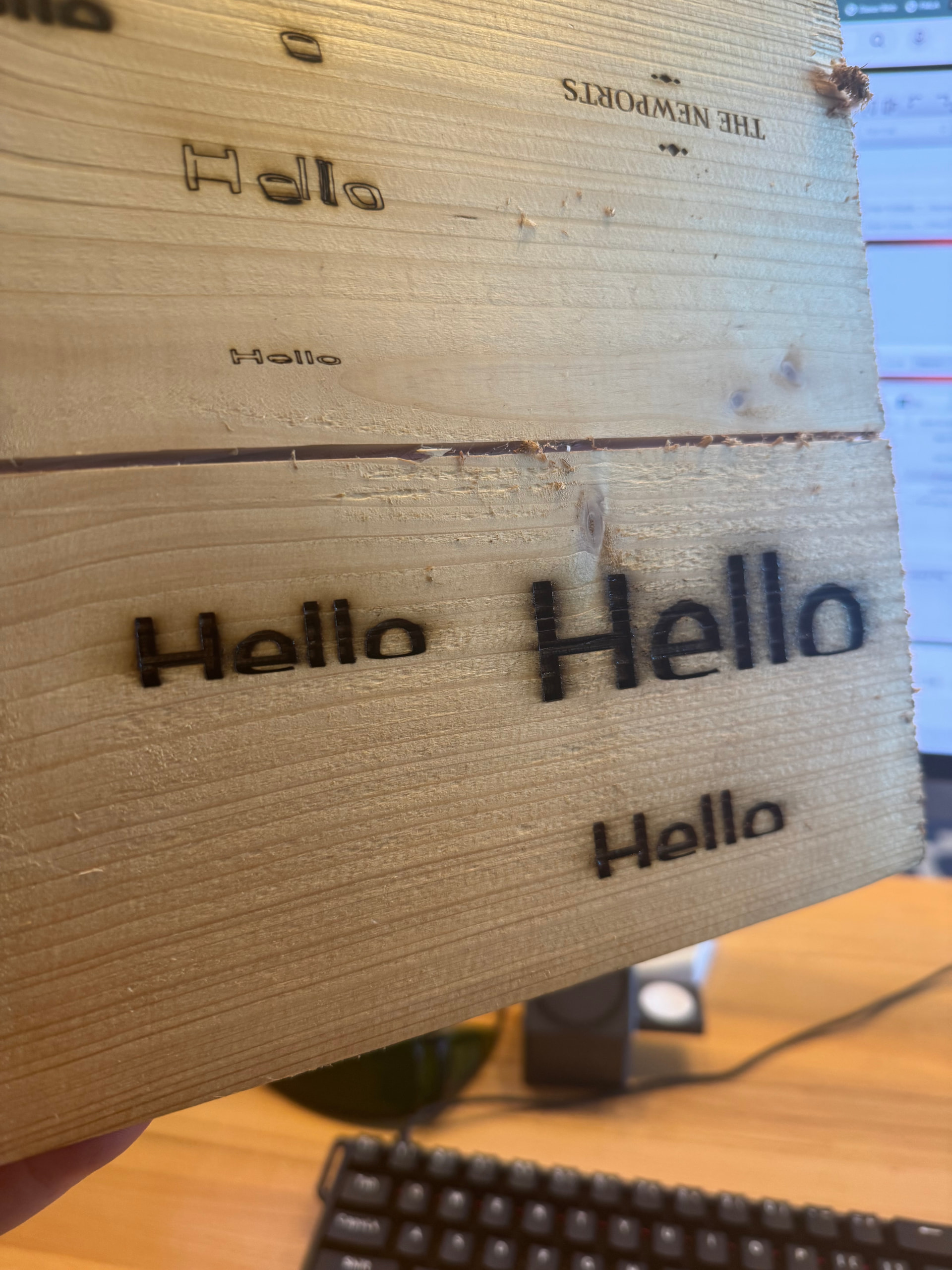
Both my text and .png files are being cutoff at the bottom of each. Brand new machine. Updated firmware. Set overscan boundary to 10%. Machine is level. Still facing issue. Any help is appreciated
I’m going to guess that it’s because you’re using center job origin in combination with current position. Try moving your job origin point to lower left and see what it does. Enable cut selected graphics and use selection origin switches.
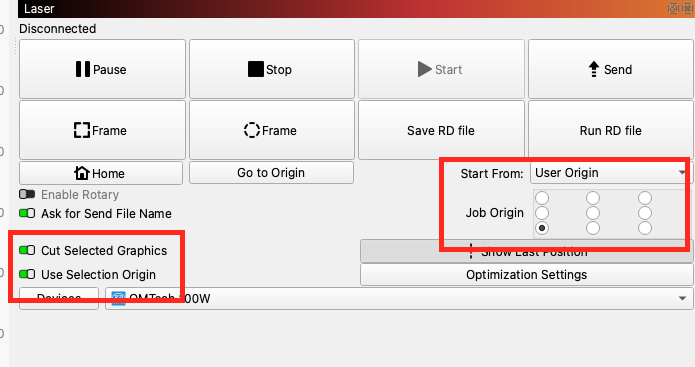
If that solves your issue, this video may help you understandwhat happened.

Thank you! I’ll try this out
The bottom isn’t cut off, it’s severely squished:
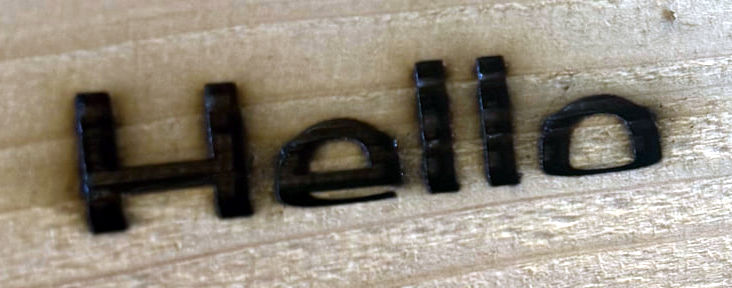
Which has something loose in the Y axis drive train, probably a screw in one of the belt pulleys or a very slack belt.
This guide is for Sculpfun machines, but it’ll give you an idea of the many many things to look for:
This test pattern will help verify the adjustments:
Scale it uniformly to fill the platform and run it as fast as the machine will go in Line layer mode with Enable optimizations turned off and power set to mark a sheet of cardboard. Any differences from the design will be informative; a crisp photo will let us look over your shoulder.
You’re right. I didn’t look closely at his photos. Good catch.
Thank you so much for your reply. I tightened the belt, and…problem solved!!