Please help! I´m trying to connect my “Longer” laser to Lightburn but it always shows “busy”. The laser works fine with another laptop and also with another software, so the problem is not the laser itself. I already reinstalled lightburn, checked the USB port, selected the correct port, changed the USB cable and repaired windows but it still doesn´t work. Lighburn says that the device ist “streaming” and cannot type or send commands in the console because the laser does not respond.
Search the Forum (magnifying glass) for “longer busy”. I seem to remember the Baud rate selection must be higher than what is typical.
Hi @k7dr6
Try the following:
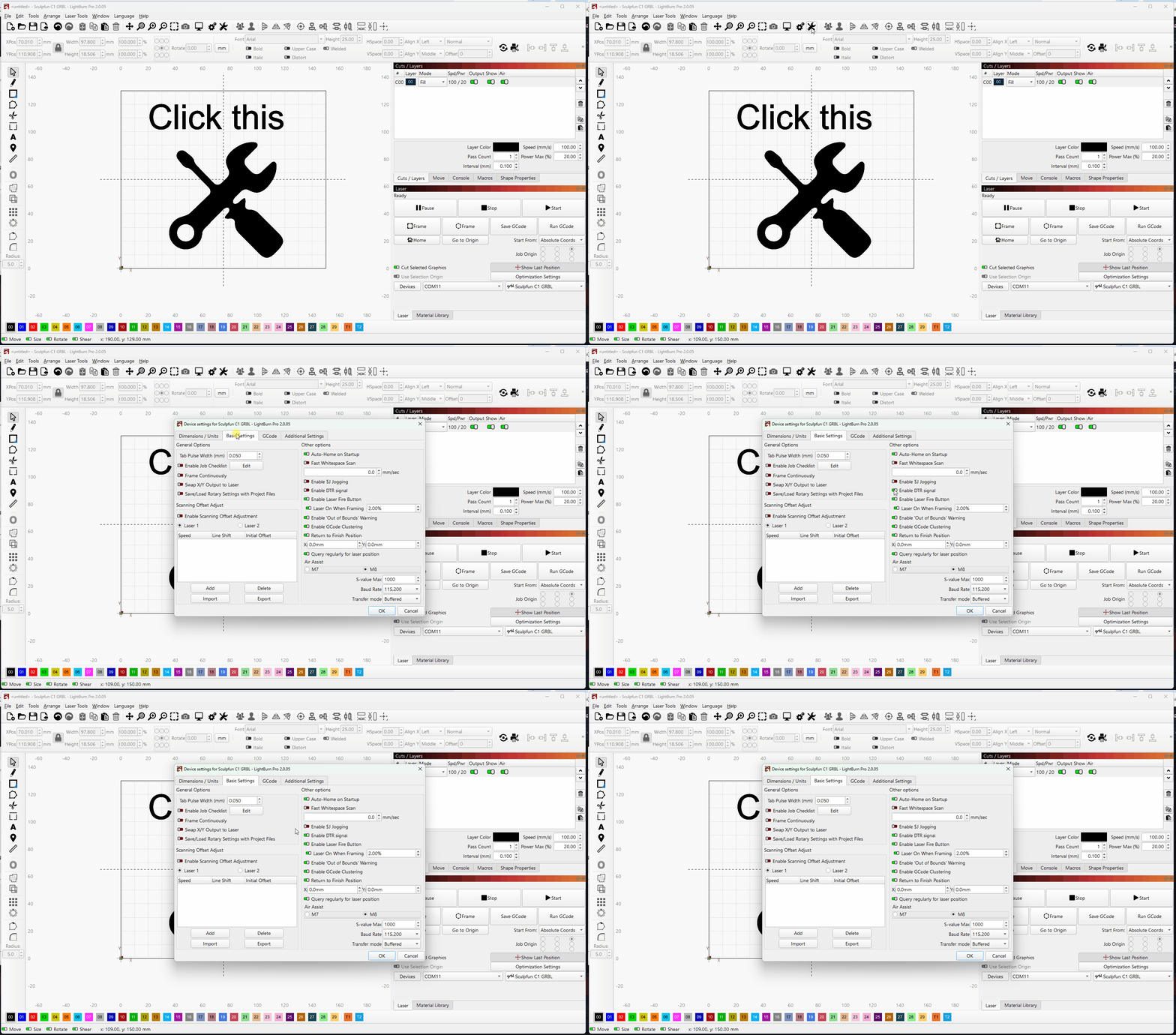
Open Laser Tools > Device Settings > Basic Settings and find Enable DTR Signal and toggle it to green/on and test.
For a Longer machine this is often the answer. If that doesn’t work check the following:
- Ensure that any other laser engraver software is close (check Task Manager)
- Check that the correct COM port is selected for the device in the Device area of the Laser window in LightBurn.
If it doesn’t work show us a screenshot of the full LightBurn workspace including the Console and the laser window please as well as the COM port assignment in Windows Device Manager.