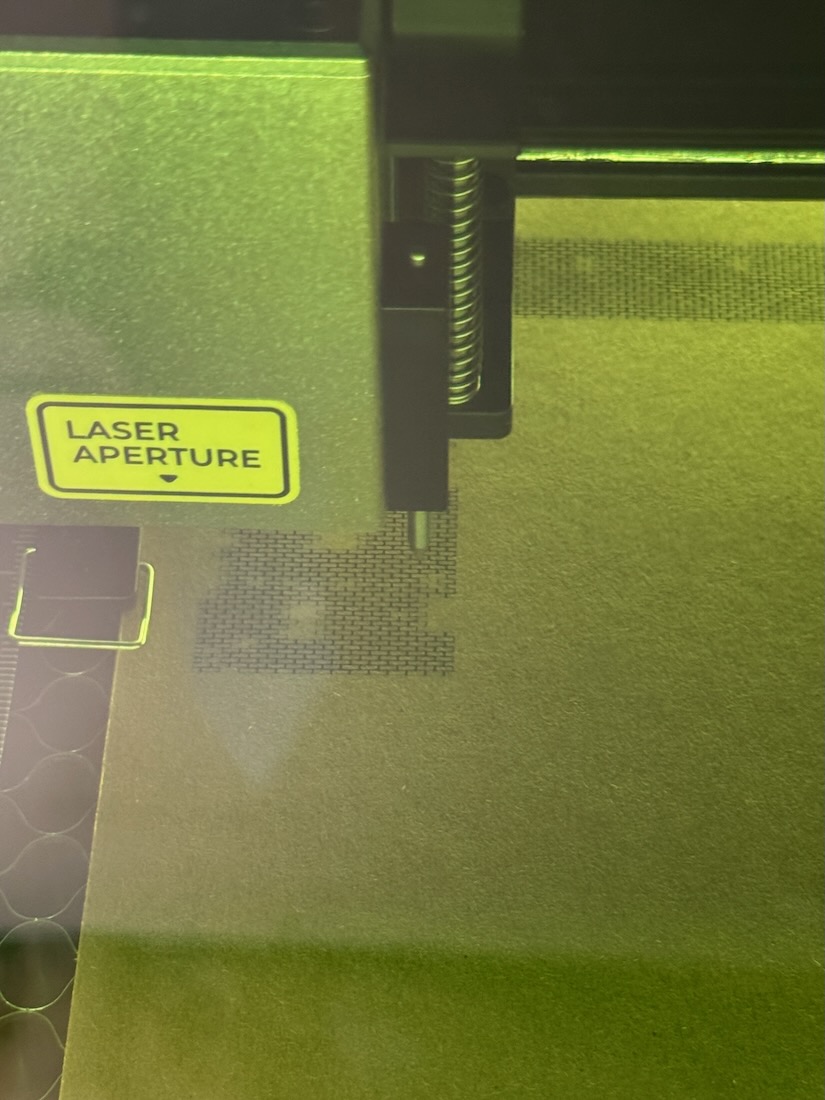
Installed and confirmed. On my XTool S1 10w, Frame respects “Current Position”, but “Run” moves the laser to the home position and then executes.
The other thing I noticed is that the laser path optimization is ‘strange’. I did a repeated (scale brick) pattern, and the laser cut parts of the pattern, moved to another part of the pattern, then moved back. It did this several times to complete the pattern. And there was ‘no pattern to the pattern’, in that I had 2 copies of that pattern, and each was cut in a different order, with the second occurrence started before the first was finished. Not the best photo, but you can see the ‘hole’ in the brick texture.
The home then start is something that was in the xTool protocol for the d1 machines but got added to the rest of the gantry machines.
The xTool firmware drops position after the job run occasionally so if you don’t home after a previous run it could just run the job in a completely unexpected place.
As for the brick pattern, check your optimization settings and make sure it’s doing the same thing as it does in preview.
Its likely there’s a method to it’s maddness, just not one you are seeing.
Not a XTool and using Current Position the same thing happens. That’s why I always right-click the Devices button to reset connection when I need to repeat a job.
This means the Current Position is not where you expected it to be. I have never had this happen with Absolute coordinates, short of banging into the frame. It appears there is a disconnect between expected position and actual position, and/or the computed position.
In my test case, I start from scratch, set Z for the material, position the head, do Frame and the outline is where I put the head. But when I do Run, the head moves to the home position and the burn starts there. So there’s very much a difference between ‘Frame’ and ‘Run’ that is at the heart of my problem.
These machines do not have resolvers, so there is no position feedback to the controller if you move it with your hand. This means the controller, and thus Lightburn, now has no idea where the head really is. They think it is still in the last position before you moved it.
Once you Home the machine, you should never move it using your hands. Always use the Jog controls in the Move window when positioning the head. This way the controller and Lightburn see any changes in the coordinates.
I always recommend Absolute Coords because you can then imagine the Lightburn grid hovering above the machine. Wherever you have a path (vector), that is where the laser module will go.
Your Bio says “Thinking about”, but I am not sure what machine you actually have. I am wondering if it has limit switches because you do not mention performing a Home cycle before running. Does it Auto-Home when you connect to Lightburn?
You’re right to point out that you shouldn’t move the head by hand on basically any other gantry machine, but the S1 is special in this regard
The problem is that, as Joe mentioned, we are currently always homing the machine before running a job. So it frames from the current position, the machine homes and startes from that position.
We will probably change this for the S1 and P2. Use Absolute Cords for the time being.
@deemery if you want to update your forum profile to show the lasers you have, you can use this link here. (It’s not in a place one would expect to find it, so no respiration at all)