A series of events have resulted in my Laser no longer working with Lightburn. I couldn’t find anything about the specific error.
Traceback (most recent call last):
File “”, line 1, in
NameError: name ‘G0’ isn’t defined
However I’ve figured it out myself and I have fixed everything.
This post is to document the error, how it came about and how to fix it.
I’ve been using my SculptfunS10 laser with Lightburn for a few years and it’s been great.
Recently I moved my workshop. I set up the laser again with a new linux mint workstation, installed and set up the laser and Lightburn and it was all working well for a few weeks.
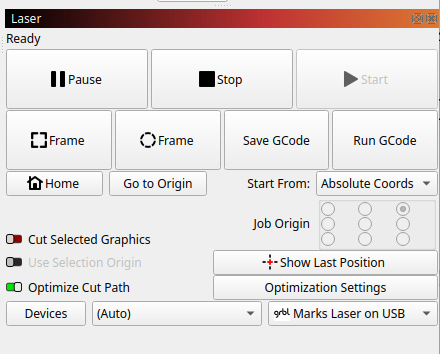
Then one day, I went to burn a project from Lightburn. It said Laser Ready, but none of the buttons Frame, Home etc had any affect.
I looked at the Lightburn console and there were errors being constantly written every second or so:
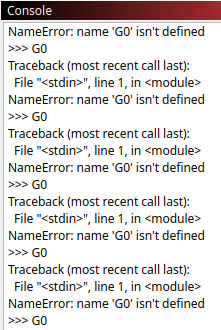
Lightburn was obviously connected to the laser, but something was not right.
I could not find anything on Google for the error:
>>> G0
Traceback (most recent call last):
File “”, line 1, in
NameError: name ‘G0’ isn’t defined
After some headscratching, I figured it all out, came up with a fix and it’s all working again.
How it happened
As part of shifting my workshop, I also combined two workstations (one for Lightburn and the Laser and one for electronics development) into one
The Laser is permanently connected to the workstation by USB cable.
Recently I did some electronics development, which involved an ESP32 device and micropython. While doing that I had both the laser and the esp32 project connected to the workstation via USB cables.
It seems that at some point, the scupltfun S10 laser (which has an ESP 32 chip as its controller) was mistakenly flashed with micropython when the micropython flash should’ve gone to the ESP32 electronics project I was working on.
This could happen if the development software that is being used has automatic detection of the port to use
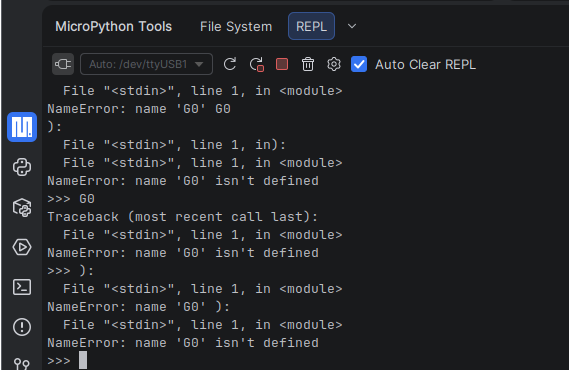
The error messages you see in the console above are not GRBL error messages, but are micropython errors. In fact if I open a python terminal and enter the GRBL command: G0, it will respond with the same error. Incidentally, if I connect with a REPL to the laser, it shows the same once a second errors.
Fix:
Summary: re-flashed the laser with the correct firmware
I downloaded the firmware for the Sculptfun S10. Note that the S10 uses an ESP32 chip. Other models need different firmware. Downloaded from here: https://diode-laser-wiki.com/documentation/firmware-update/
Note that the downloaded file (2022-07-26-DLC32-XY-S6-S9-Unlimited.bin) is poorly named, it is in fact for the S10, not S6 or S9
I first erased the Sculptfun S10 firmware:
./bin/esptool --port /dev/ttyUSB0 --baud 460800 erase-flash
I then flashed the Sculptfun S10 laser using esptool also described here: Firmware Update & Settings - Diode Laser Wiki
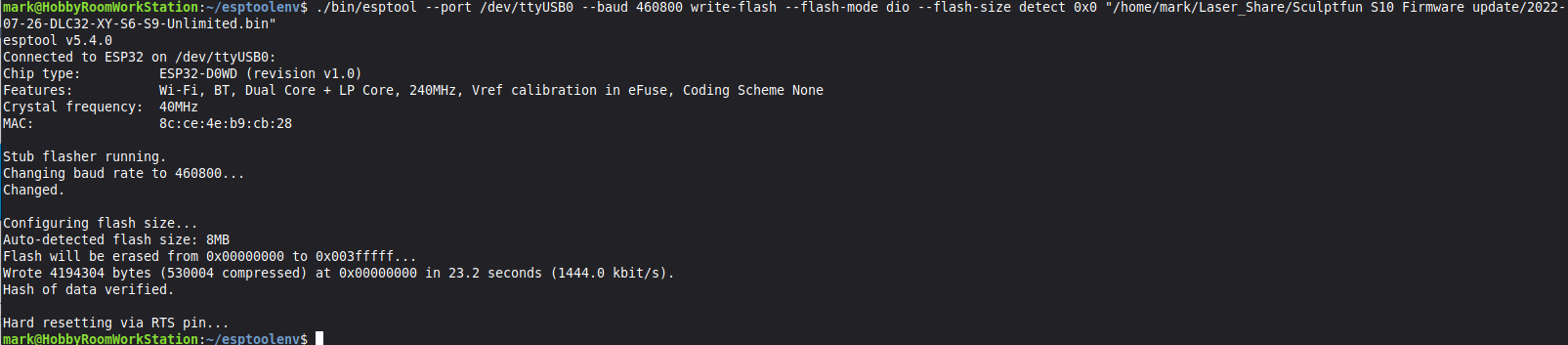
That was successful. Lightburn could then connect again and after some device reconfiguration (turning on the homing functionality for example ($22=1), the laser correctly responded to GRBL again and it was all working again.
I will now make a point of disconnecting the laser usb cable whenever I’m finished with the laser, to ensure that my electronics dev work doesn’t mistakenly write to the wrong ESP32 processor!