I installed the new update today, everything looks great on my desktop: windows 11. But when I updated the Laptop Windows 10, I cannot read anything. The print is way too small, I tried going bact to a previous version, but same thing. What is the issue, in the photos, it probably looks okay, but being 73, I can assure you even with my bifocals, I cannot read anything.
I installed the new update today, everything looks great on my desktop: windows 11. But when I updated the Laptop Windows 10, I cannot read anything. The print is way too small, I tried going bact to a previous version, but same thing. What is the issue, in the photos, it probably looks okay, but being 73, I can assure you even with my bifocals, I cannot read anything.And I do not know how to place a photo in the forum.
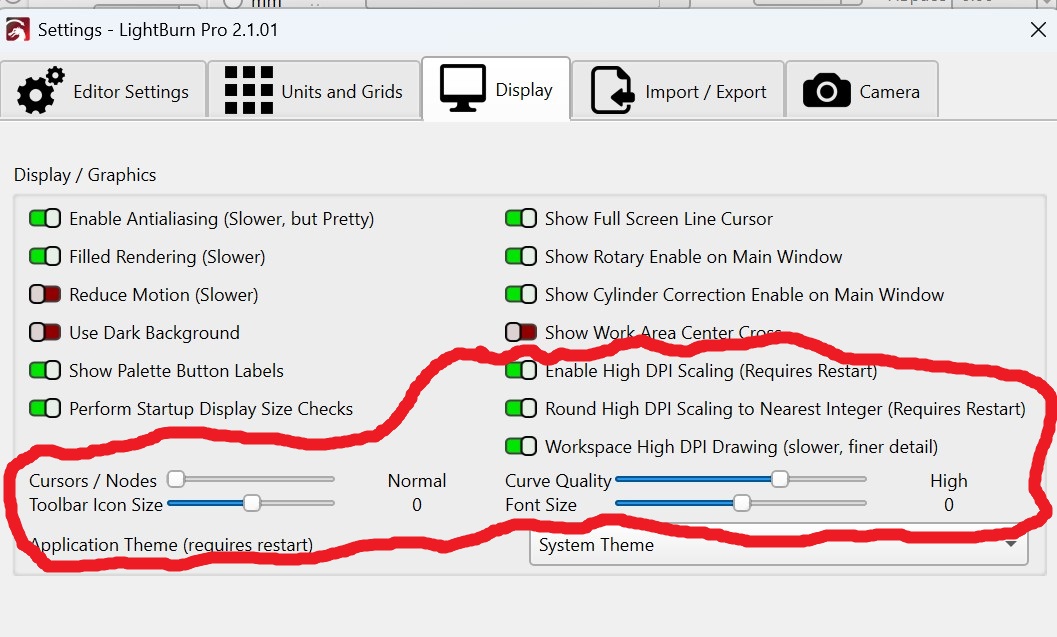
Just to refine @MikeyH suggestion, change one setting at a time so you understand what’s happening until you find the ideal settings.
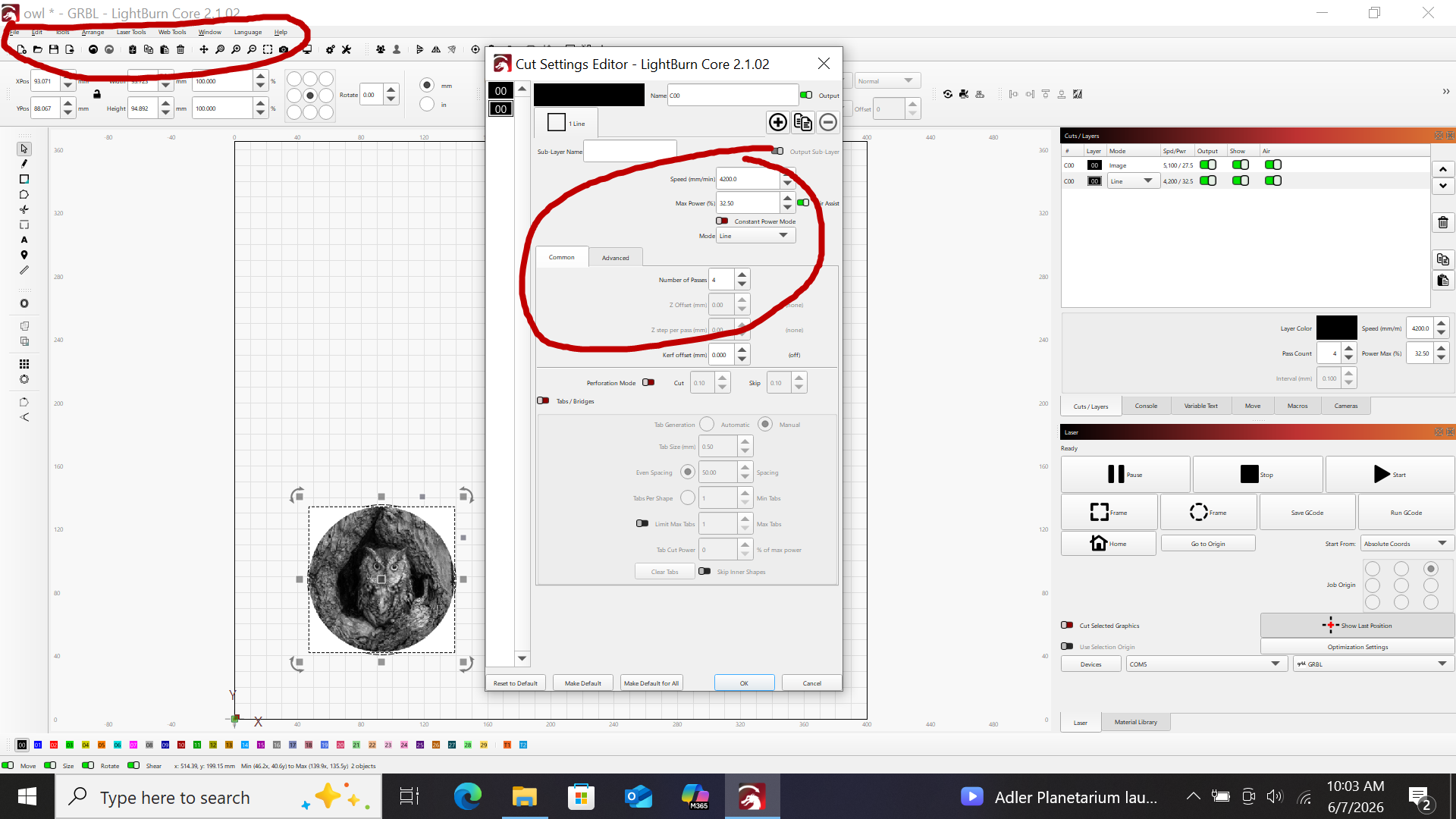
The problem is not my engraving, but the print in the lightburn software itself. I cannot read the “ File, Edit etc line without a magnifier the speed or other settings. In the photo the lines circled look fine, but on the laptop, they are very tiny.
Everything was perfect until the update
Yes, that will work, thank you very much.