Just installed RC3 and it has a nasty window handling regression:
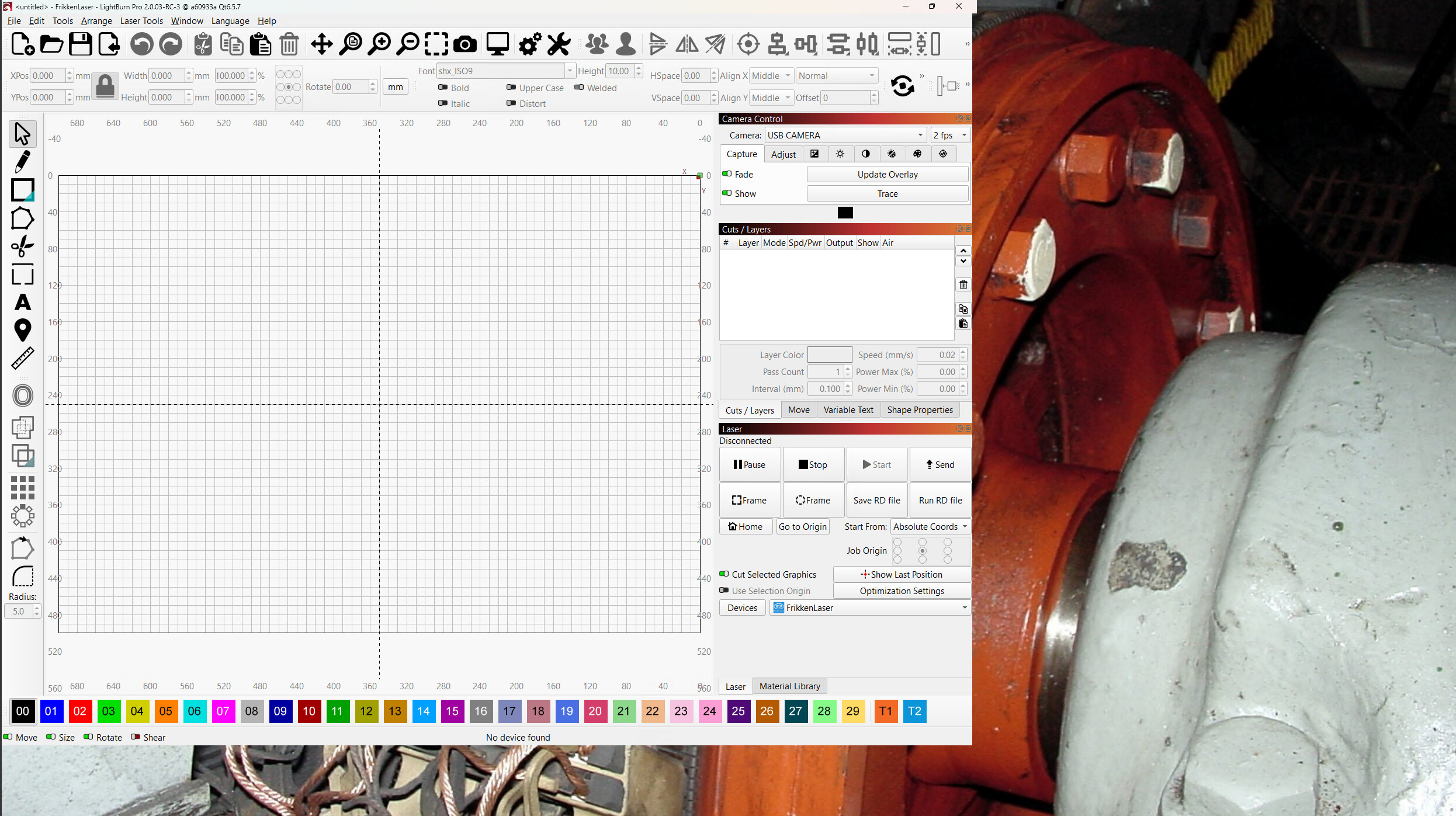
That’s the initial window most of the times it starts up. The little tab sticking out on the upper-right corner seems like it should attach to something, but it doesn’t.
As a side effect, all of the windows / tabs stacked up along the right edge return to their default arrangement.
Doing the Shift-startup dance produces a normal window in the middle of the screen, but the next startup generally reverts to the initial broken window.
Hitting the window arrange button (title bar, just left of the X close button) puts the non-maximized window somewhere on the screen, occasionally with the title bar offscreen of the top edge.
After that, hitting the Maximize button does what it should and I can rearrange the stack of windows / tabs to my liking, but the next startup generally reverts to the broken window and resets the stacked windows / tabs.
This happens using either the local display or through RDP, with a 2560×1440 monitor.
It’s a bone-stock updated Windows 11 setup on a machine that does nothing else other than run LightBurn.
Haven’t gotten around to testing what the Ruida initialization fix does to Print-and-Cut …