Yes, but the chances of actually selecting the position where the laser stopped working are slim, for example, if the design is complex and there’s a high probability that some elements will be engraved again, which will affect the final result. Ideally, the program would remember the final position in the event of a crash and be able to continue the task from that position.
That won’t be possible for most lasers.
GCode lasers like your Longer Ray have a buffer. LightBurn fills that buffer, and the laser processes the paths. If the controller loses connection during an engraving, the software does not know which parts of the buffer have been processed yet.
And a RuiDa controller runs the entire job on the controller itself. It only responds with a “ready” signal after it finishes.
1 Like
Why are you so determined to argue against PDFs? How does this benefit you?
What you are suggesting is nice but doesn’t always happen in the real world.
Software, like Adobe, Microsoft, Corel and most others, will allow you to either save as or print to PDF.
As I’m sure you remember there was a time that software companies sold licenses for their product that would remain on users hard drives forever. Users began to realize that the latest upgrades added unneeded fluff or just rearranged where the tools can be found. Because of this, many users stopped upgrading or waiting 2-3 versions before upgrading.
That changed when software companies realized they where losing revenue and switched to subscription based software.
I recently viewed Photoshop CC 2026 and the only thing “really different” is that it has AI enabled.
I owned a commercial printing company for 40+ years before retiring. Some of my clients are well known major multinational corporations with their home offices stationed both here in the US or aboard.
We owned either the software or the software to convert any file type to what was needed for us to do any editing was needed.
From experience, not every client has access to native files. This happens when the person doing the purchasing is different than the person who did the art. At times these two are in different countries and time zones.
You’d be surprised how often a purchasing agent doesn’t have a clue about file types or even how to get the native file. We’ve delt with corporations that refuse to send native files and would only allow their people to send PDFs. Or worse, thinking a 72ppi jpg file is okay to print a full size full color brochure.
From experience, PDFs are the easiest to fix.
Allowing LB to parse text from PDFs would be a boom in productivity.
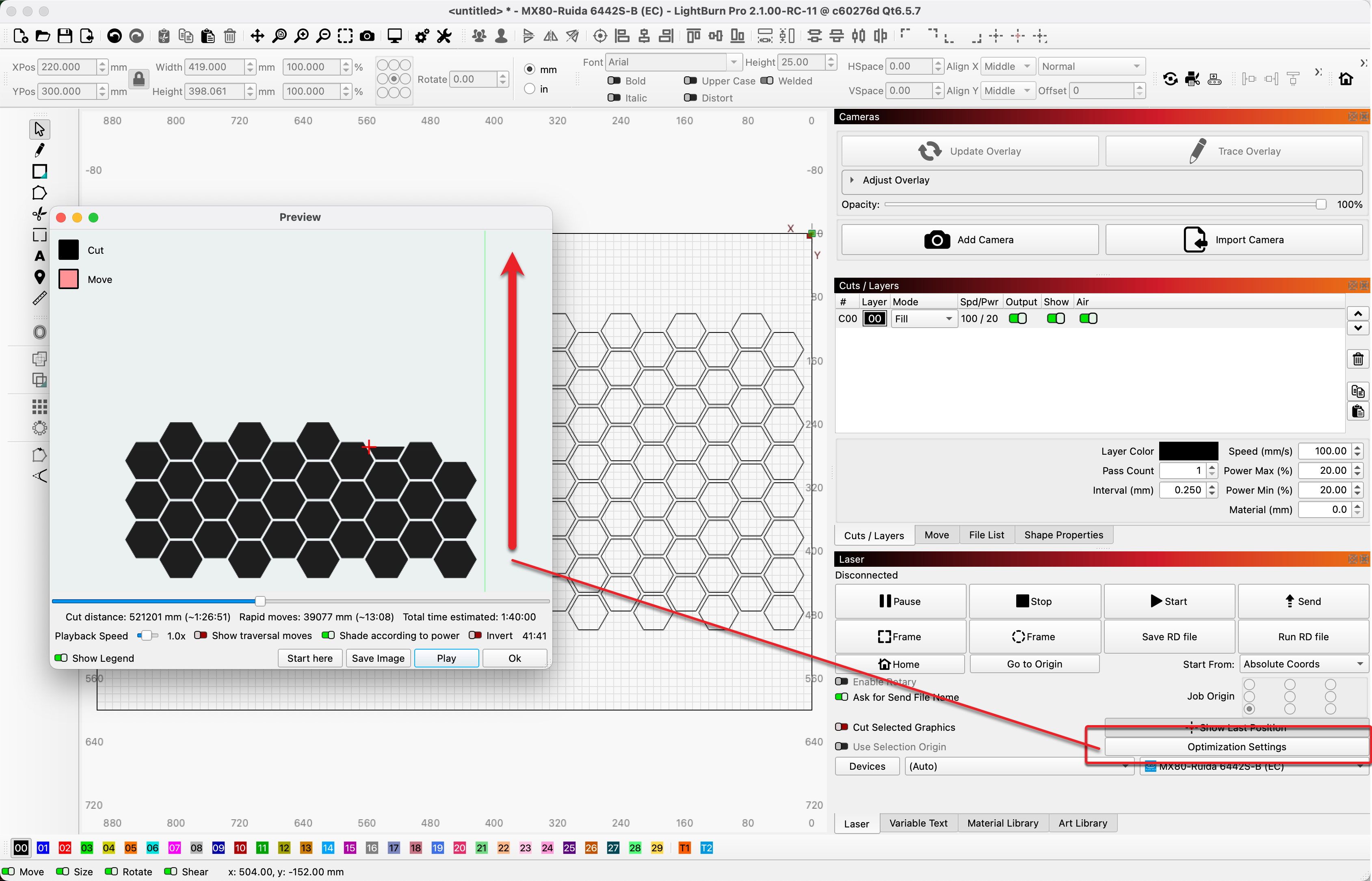
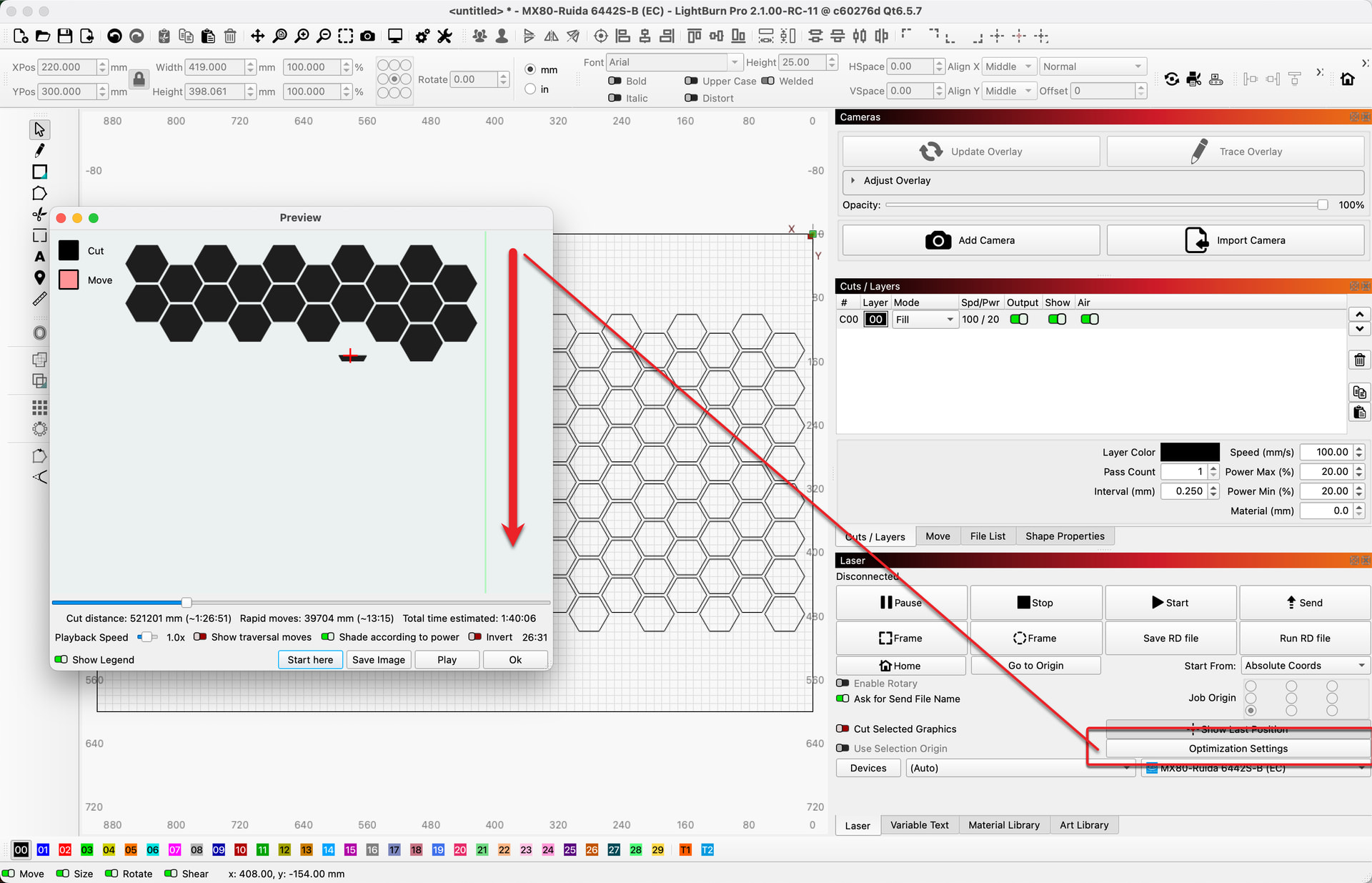
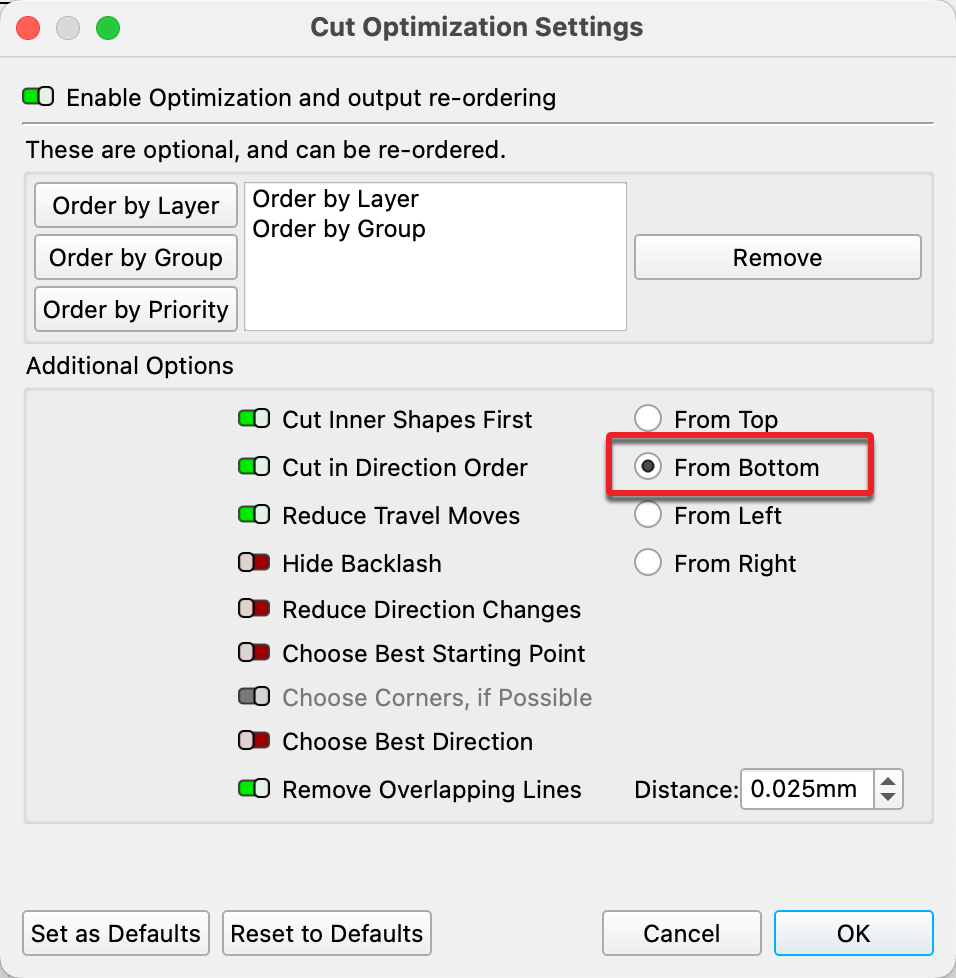
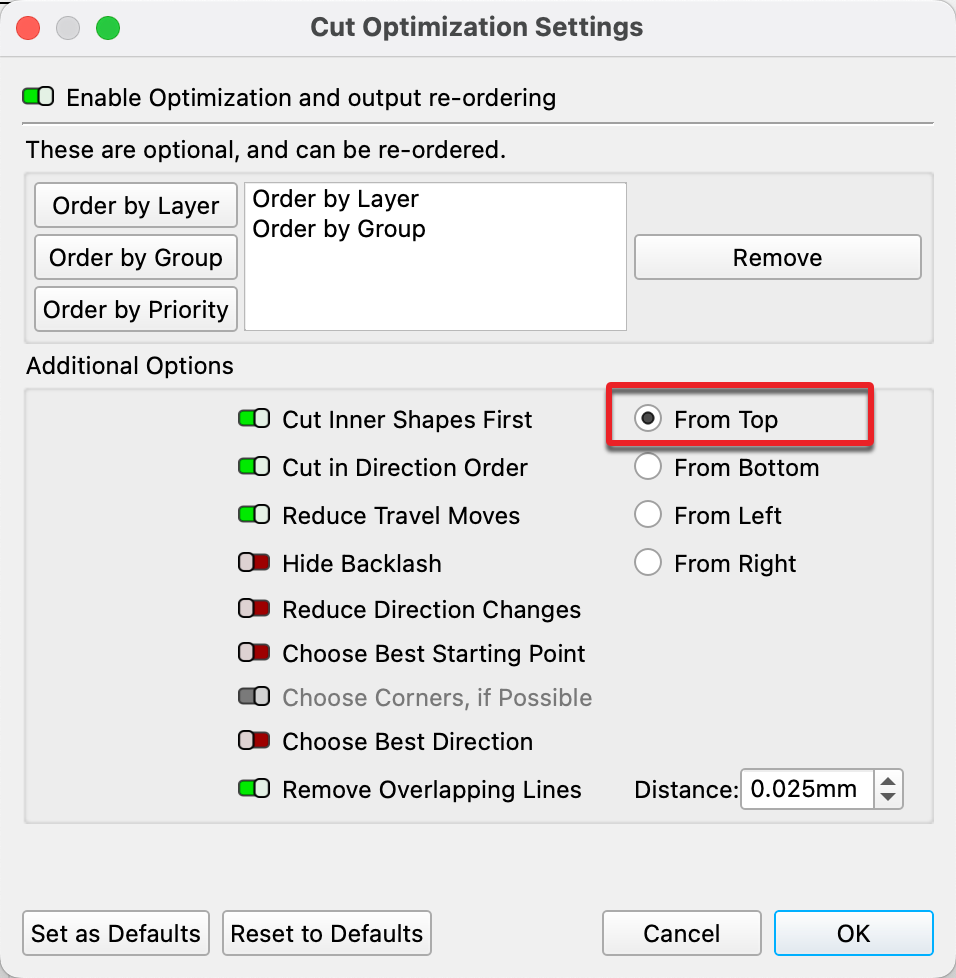
Another option for recovering a job that was interrupted is to run the job again, but this time change the direction of the production. If the original job was processing from the front of the laser to the back, change that so the job is produced back to front and stop the job when the second run meets the first. Controlling the direction of job production can be found under the ‘Optimization Settings’ in the ‘Laser’ tab.
-
1 Like
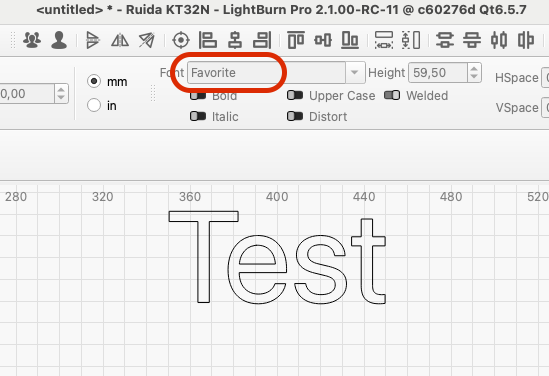
Under Mac OS, “Favorite” is still the default font at startup and is also displayed as the active font.
1 Like
Thanks @bernd.dk. What is shown as active with the text selected? We have not been able to reproduce this behavior here with each report of this you have shared. We continue to hunt, as you are clearly having this happen.
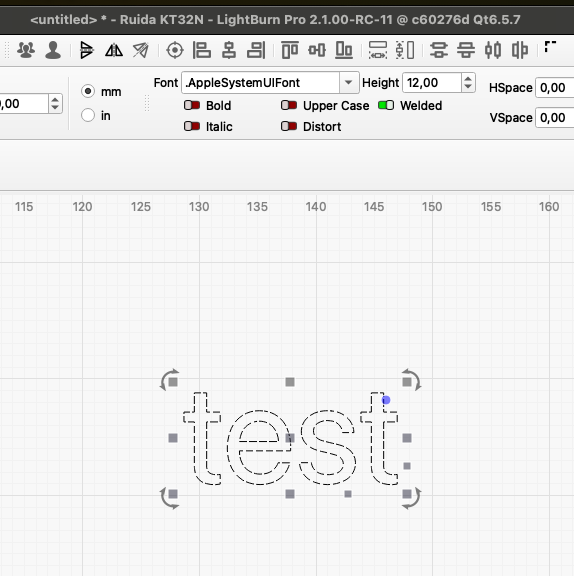
It shows “Favorite” until I specify a random font. When I click the mouse in the work area, “apple system font” is displayed.
When I save a file with a specified font and restart LB with this file, the font will show “Favorite” again.
1 Like
PDF is a proprietary standard that Adobe created for their benefit. It makes them a lot of money.
I also worked in the printing industry, but we were a large folding carton manufacturer. We had to use the most up to date AI and Photoshop because our graphic customers used them.
I guess I see it differently than you do. I own my 19 year old Adobe CS3 collection, that includes Illustrator, Photoshop, and Acrobat Pro. You are right. I am not a huge fan of PDF, because in my background, it is a substandard file format for the people you mentioned - purchasing agents and “engineers” who can’t design.
Do I think LB should import text from PDF files? The answer is “yes”. Do I consider it a showstopper? No. I have learned to either import DXF text from a CAD program, or import SVG from AI or CorelDraw.
You might get some votes for it if you add it to the feature suggestions.
Substandard formats do not survive 25+ years in any industry. It might be better to say it was not the appropriate format. Unfortunately, there are more dialects of PDF than there are of BASIC. That could be a serious challange to the import process.
DXF and DWG have been around 40 plus years. They are proprietary to Autodesk, and every CAD company supports either or both. PDF became a standard, but it can be easily manipulated to appear to be vector. I can open a hi res JPG with Acrobat Professional and save it as a PDF. It looks nice, but is worthless in a vector world.
Oz said it all here. And…
It’s a versatile file format created by Adobe that gives people an easy, reliable way to present and exchange documents — regardless of the software, hardware, or operating systems being used by anyone who views them.
It was never intended to be a substitute for those formats, but just a carrier.
 The Intel x86 architecture enters the chat.

4 Likes
Adobe does not charge software companies to incorporate PDF files into their products, it’s free to use. Adobe released it as an open standard in 2008 through the International Organization for Standardization.
Hmmm…
I worked with 2 local box manufacturers, and I had no problem suppling PDFs to either of them. In fact they both preferred it.
That was the last version that Adobe gave to printing companies for free in order to kill Quark software (which didn’t work) I’m on CS6.
Wrong
Did you know that Illustrator (.ai) and PDF files are the same? Adobe did that on purpose. You can change .ai to .pdf, or the other way around and import without any problems.
I purchased my first OCR program in 1985. I then used Acrobat Pro when it introduced OCR capabilities into it’s software.
Acrobat Pro will import DXF and DWG files and then the text could be recognized. Sometimes the text was outlined so then I converted the file In Acrobat to a raster image so I could OCR the text.
If the image started out as a raster it will remain a raster in PDFs. If the image started out as a vector it will remain a vector in PDFs. There’s no magic involved.
BUT>>> if the image is a vector it can be changed to a raster within Acrobat but not the other way around.
2 Likes
My first computer was an 8086 running DOS 3.3 with a 5meg harddrive. When I updated the harddrive with one with 40meg, people thought I was nuts! They kept on asking why on earth I needed something so big!
I sold my first program using basic on that computer. It was an estimating program for printers
2 Likes
My first commercial venture was amortization printouts from a program I wrote ln BASIC on a TRS-80 Level II machine. A real estate company was giving them to property buyers. I had no idea what a bargain I was.
2 Likes
Have a great day Ron.
slicing stl files would be awesome
without z-axis movement or so, just slicing for engraving
Thank you
You have a good day too Ralph.
yea 
thx