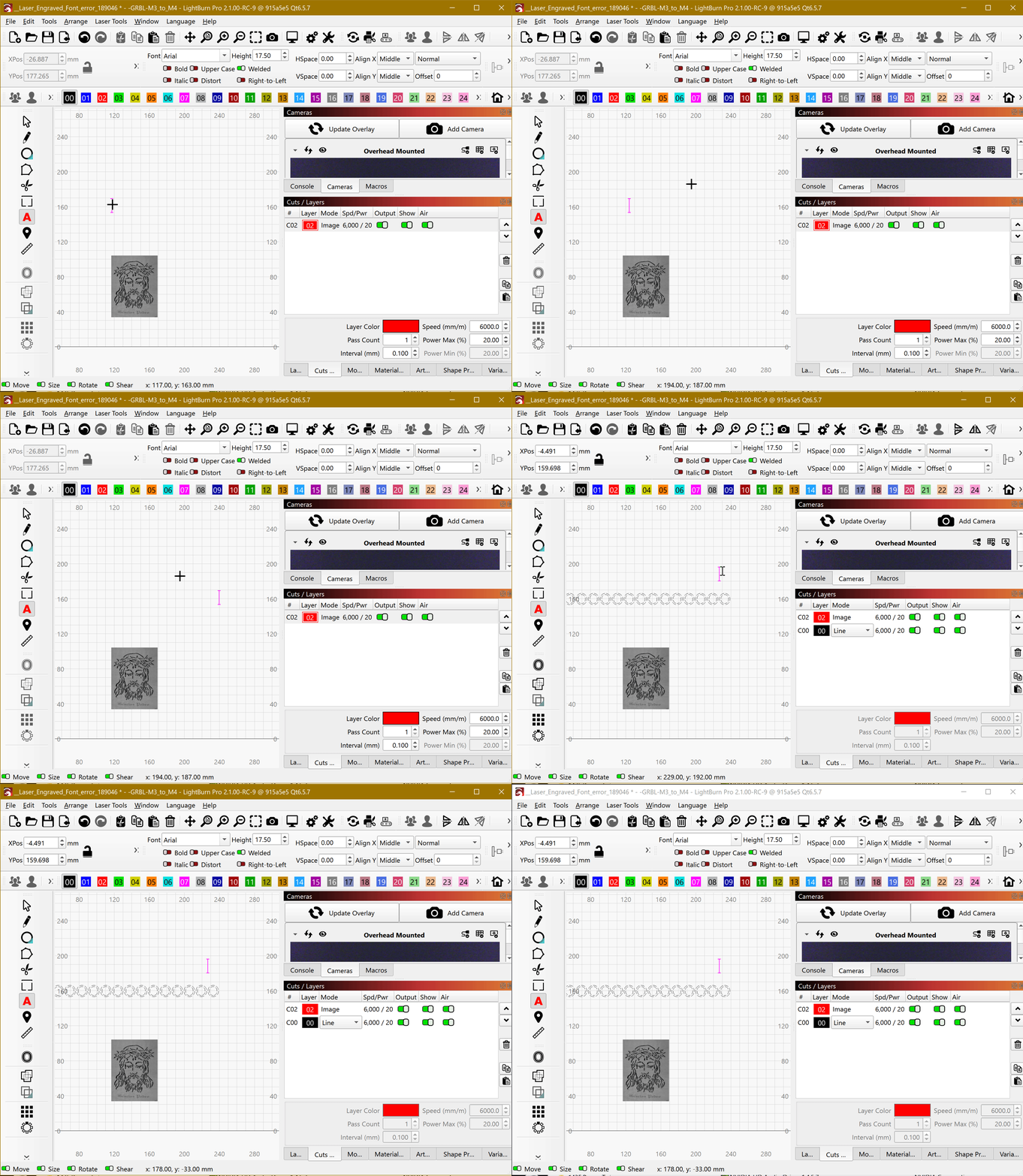
If I have an image and then write some text, the text only shows after I click somewhere, in 2.0.05 same project this doesn´t happens.
__Laser_Engraved_Font_error_189046.lbrn2 (86.6 KB)
Just opened your file and also tested with a new project file on a Mac, yet I’m not seeing the issue you are clearly showing. Next up, Windows.
Can you reproduce this behavior with a different or new project file on your end, @parsec?
Sorry, original file Win10 desktop.
Now on a Win11 laptop repeat the behavior with same project.
With a new project happens the same if I type text after dragging an image.
My vote is that Lightburn is corrupt and needs a fresh reinstall.
Thanks, @rick !
I see it now comes with a whole web browser.
I’ll try starting it again and wait longer.
1 Like
I can reproduce this if “Laser On while Framing” is turned on.
The controller does not properly respond with an OK message after executing the command.
We expect it to do so in accordance with GRBL standards. Since we are not receiving the expected response from the controller, LightBurn assumes that the laser is still busy.
I’ll see if we can tweak the WeCreat Flavour to ignore that.
As mentioned, we added this to work around some other firmware shortcomings.
@Mercruiser The Vision has a red assist laser, so you can disable “Laser On while framing” and use this instead.
1 Like
Thanks for working on this. The software from wecreat is subpar compared to lightburn.
3 Likes
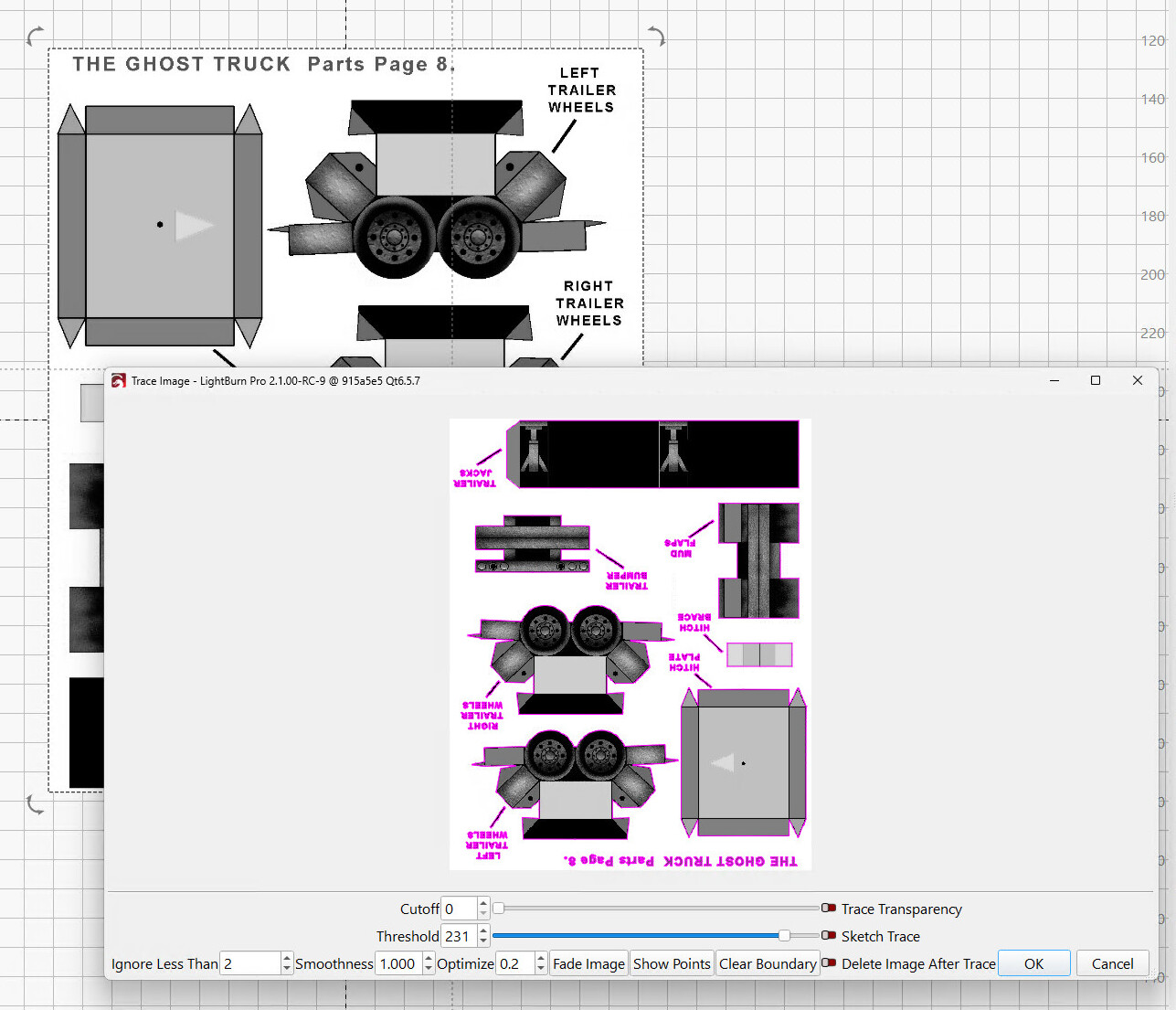
In both 2.0 and 2.1 RC9, importing a page from some PDF files, then tracing it produces a preview rotated by 180°:
Oddly, the final trace comes out OK:
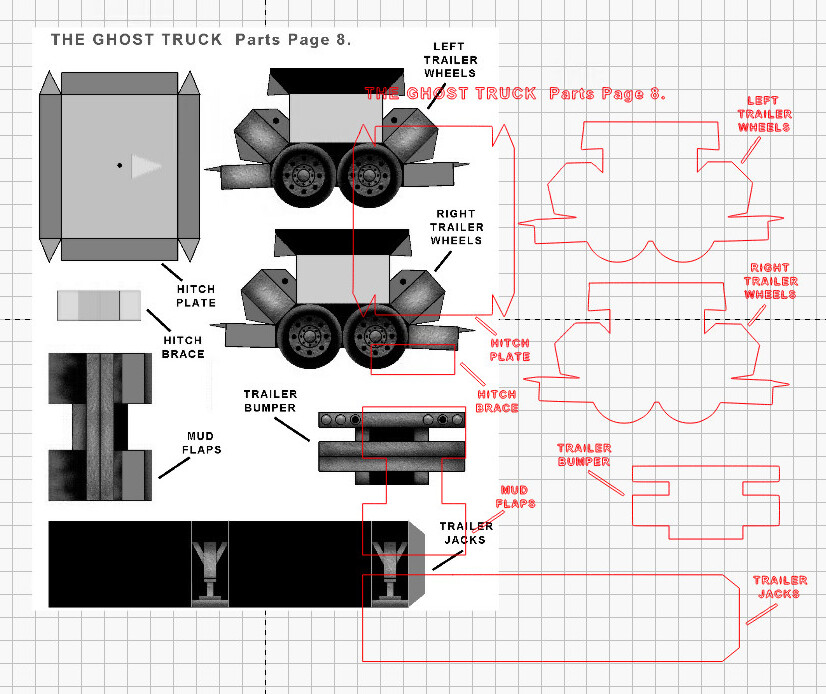
This is almost certainly a corner case where the image file is inverted and the PDF orientation is also inverted, but …
1 Like
That’s a fun one! I can definitely reproduce it with this PDF.
I’ll create a report to look into this.
Thanks for reporting!
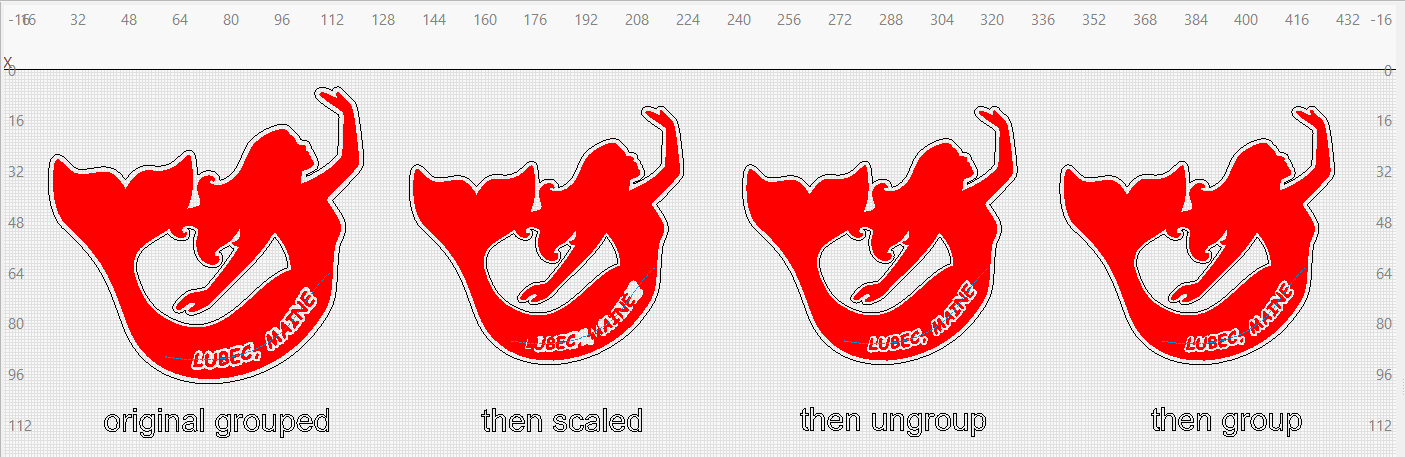
I noticed that with RC9 and earlier, when I apply a scaling operation to a grouped object that has text, the offset path around text on a path doesn’t scale until I ungroup the object. I then regroup and everything’s fine.
After scaling grouped object down
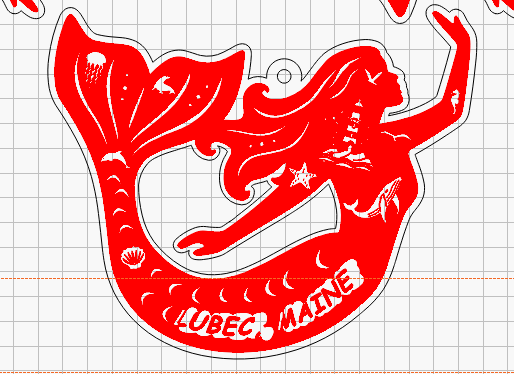
After ungrouping it:
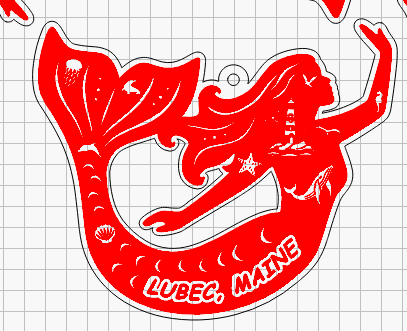
Thanks for reporting this, @kirkilj. I can clearly see what you are describing. I have been poking, trying to reproduce this unexpected behavior based on your wording and not finding similar results. If you are willing to share, I would like to take a closer look at this project file. You can post here or send to support@lightburnsoftware.com and reference this post for context.
I think this is just a case of trying to put paths on an image layer, and LightBurn bumping said text to a new layer when input.
3 Likes
Can confirm this behavior, @Colin, thank you. 
1 Like
This seems to have fixed the issue I have on my 1Laser Hydra 9 with the Rudio controller of it not being able to display a thumbnail of the image on the controller. Thanks
This happened to me a long time ago and only once on the desktop Win10 with an image in 2.1.00.
On laptop Win11 with suggested PDF or images all ok.
Only happens with 2.1.00.
When i hit the stop button during a burn the laser stops and returns home but also raises the bed to full height. Is there a way to get it to just go to the home position but not raise the bed. If I allow the job to finish the laser goes to the home position and does not raise.
When docking a single shape to e.g. top left, with “Padding” set to 5mm, shouldn’t the X and Y position show x=5 - Y=5? When adding additional shapes, they only dock in one direction with 5mm, (but also with the origin error of 5mm).
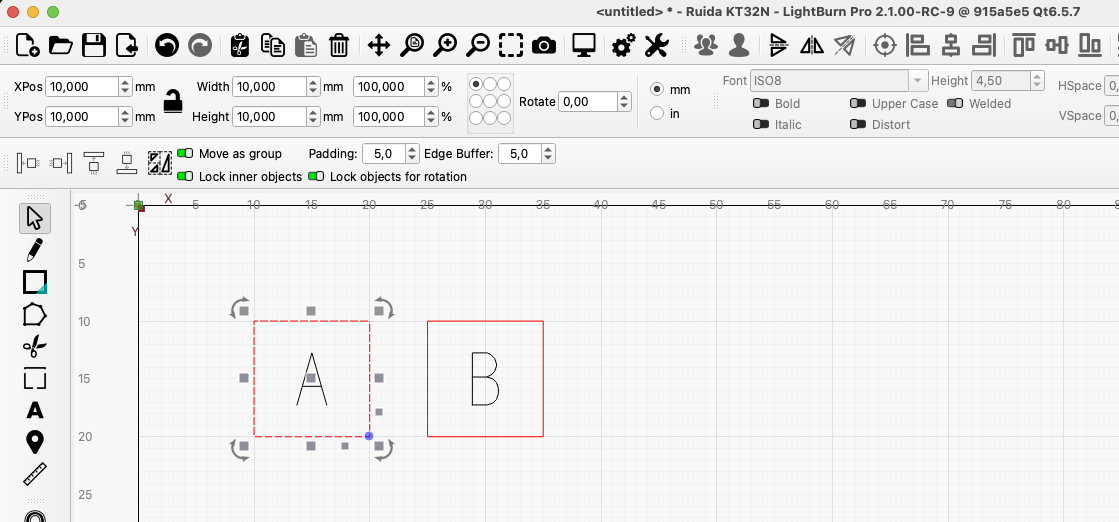
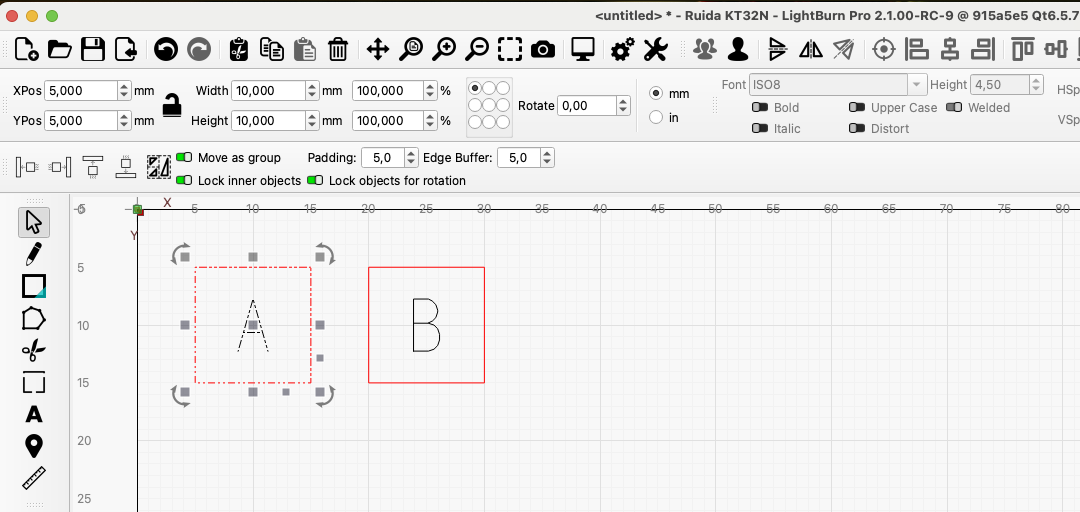
In image no. 2, the 2 shapes are in the position I would expect them to be.
I have no image layers. The offset path remains node editable. I’ve attached a simplified file that reproduces the issue.
minimal-mermaid-text-test.lbrn2 (174.9 KB)
I noticed that the camera overlay x and y shift and scale adjustments are no longer present. Have they moved somewhere else?
I have been using RC-6 for a couple months. It is the version that has the most luck with my new 1Laser XRF camera. When I got the notice about RC-9 update I downloaded, opened and got the wheel of death. Backed away. Anxious to read others take. before I try again.
Rick, Mac mini -Tahoe