Hi Rick, see my attached lightburn file in LightBurn v2.1.00 RC-9 Release Candidate - #42 by bernd.dk
It came to light that there are users that have a problem with PDFs not parsing the text. I know the font info is included in a PDF file so that isn’t the problem.
Doing some research on other laser software I found the ones that can import PDFs does so without any problem and allows changing the font or text. One software will only import the PDF as a image so the text can be traced.
Of all the different types of software that I use LB is the only one that imports PDF and doesn’t allow the text to be shown.
I believe allowing PDF file to parse text would be an important addition to LB.
1 Like
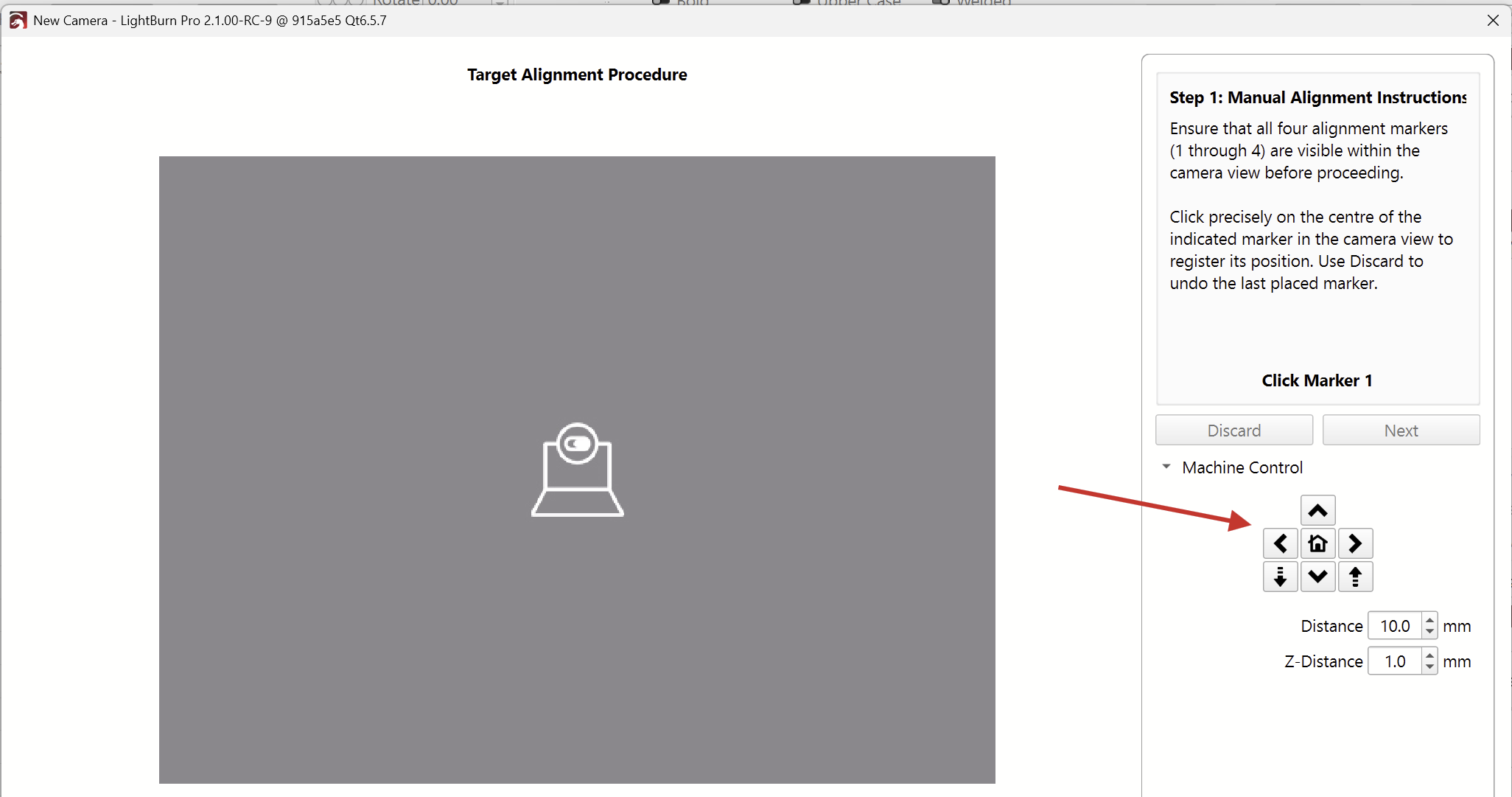
With 2.1.00 RC-9, when I try to perform the manual alignment where I need to click on the image at the 4 intersection points, the laser module blocks the view of one of the points, so there’s no place to click on screen and there’s no controls to briefly move the camera out of the way to click the point. I did this on an xTool S1 with a custom camera mount on the underside of the lid in the center of the work area. I used the laser cross-hairs to assist.
There doesn’t appear to be a way to deform a group of paths to conform to a path or just to an elliptical path. The only workaround I appear to have in LB is to use the 16-point deform tool and eyeball the result. Supposedly there’s not a Pattern along a Path Inkscape function that I can use as a work-around.
Look at Copy along a path
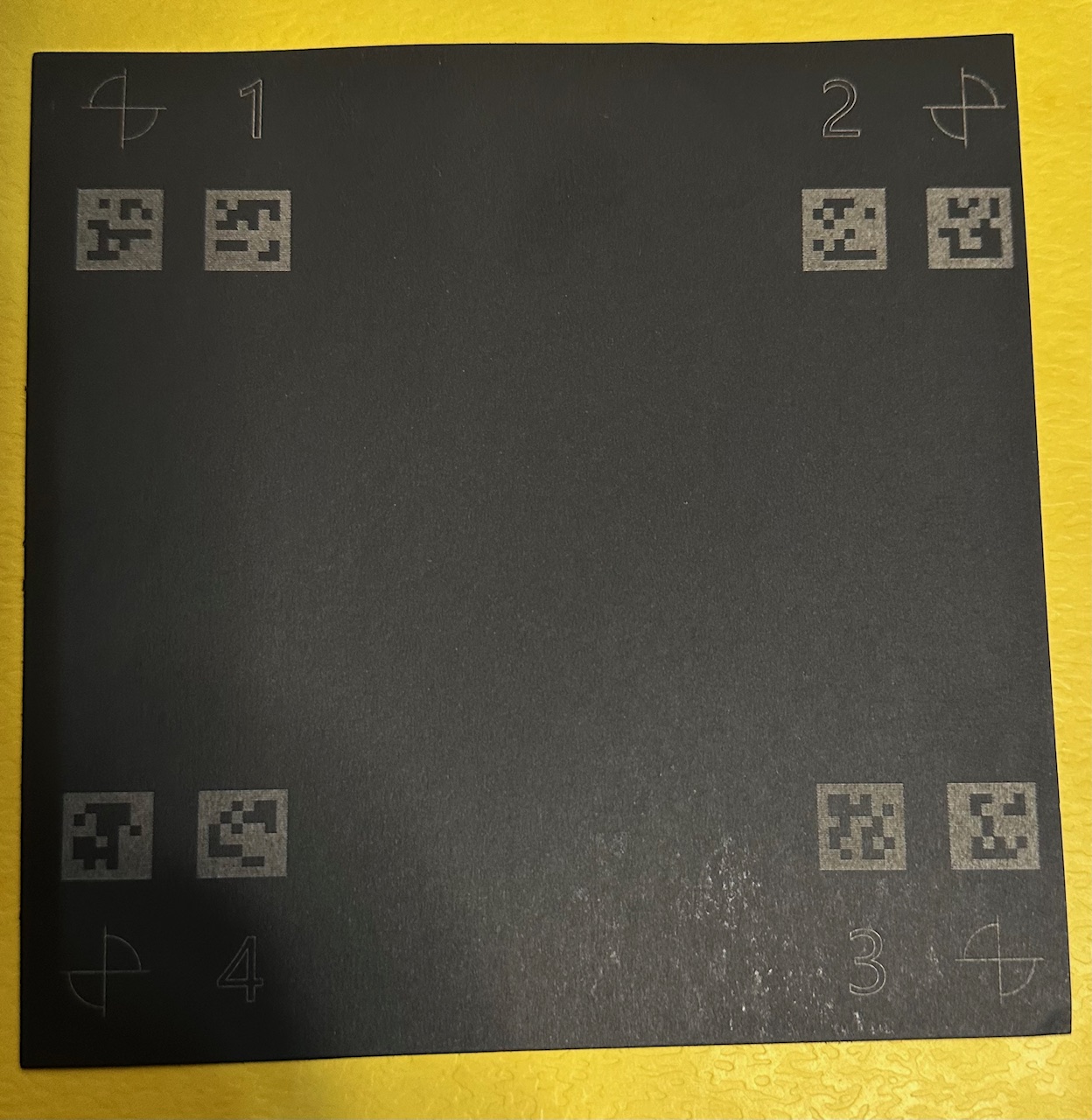
i have a fiber laser and i use to calibrate my camera using black paper.
when i want to calibrate my camera using “automatic alignment”, the software don’t see the qrcode…
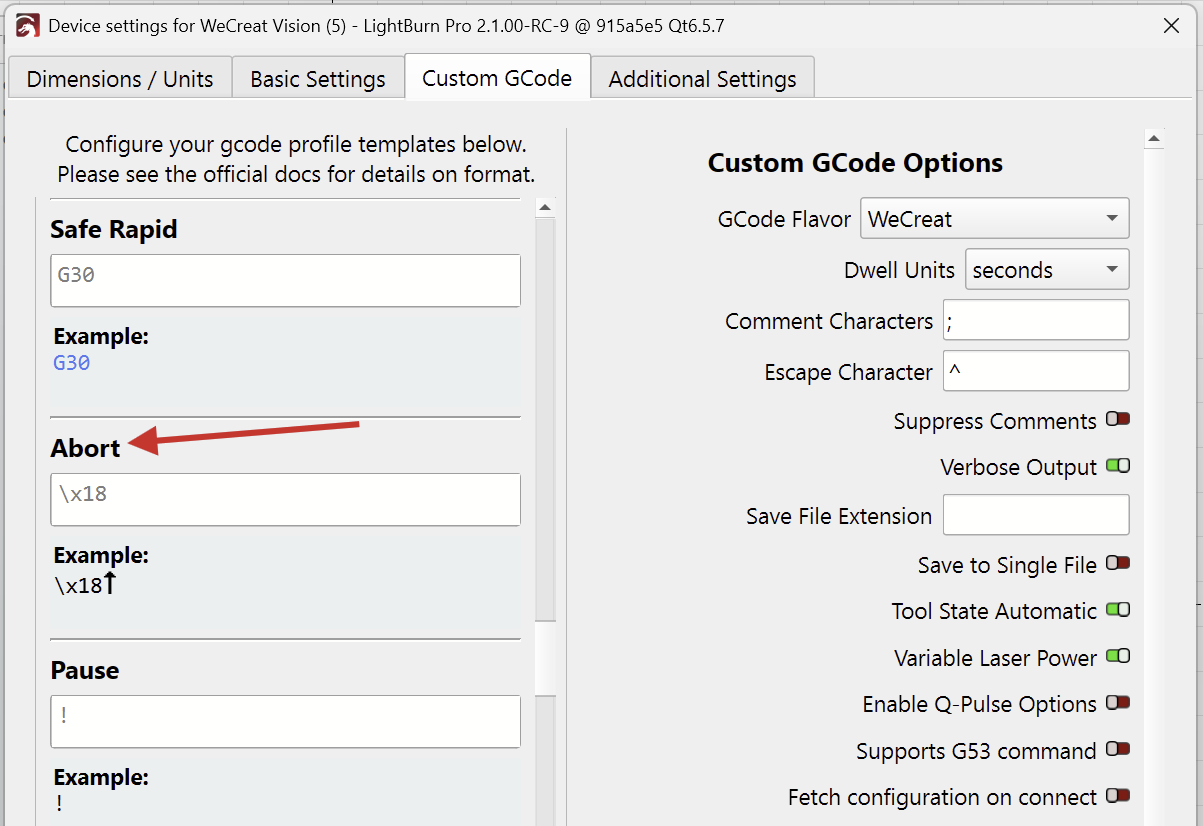
Pressing the “Stop” button sends the controller the “Abort” command as defined in the Device Settings.
\x18
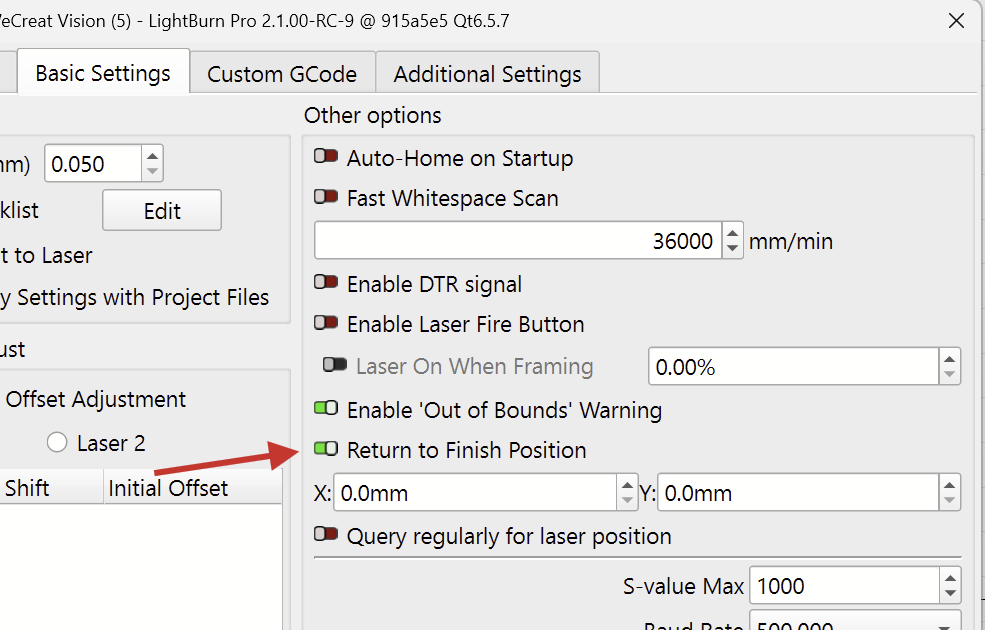
The WeCreat controller then moves to the home position, which is the back left, top position.
I can see that it’s a hassle having to refocus every time, but unfortunately, there’s nothing we can do about it.
The “Finish Position” can be controlled in the Device Settings here:
Due to some changes, the offset function has been lost.
It will be available again in the next RC.
Were the AprilTags detected when you calibrated the lens?
Have you made sure the camera is in focus and the lighting is good?
Thanks for the info
Has anyone seen it and have any comments?
Hi @RalphU , if you’re referring to my question about deforming a group along a path, the Copy along a path does not address the need, since it takes an object and copies multiple instances of it along an arbitrary path. I have one custom logo that I need to deform to make room for gluing on a circular magnet on the back of a small item. The customer is fine with it. The 16-point deformation is as close as I can come within Lightburn as far as I know.
However, I forgot that Copy along a path feature existed. Thanks for the remainder.
Also happens here.
It seems LightBurn is adding values to the edge distance but keeping them correct between objects:
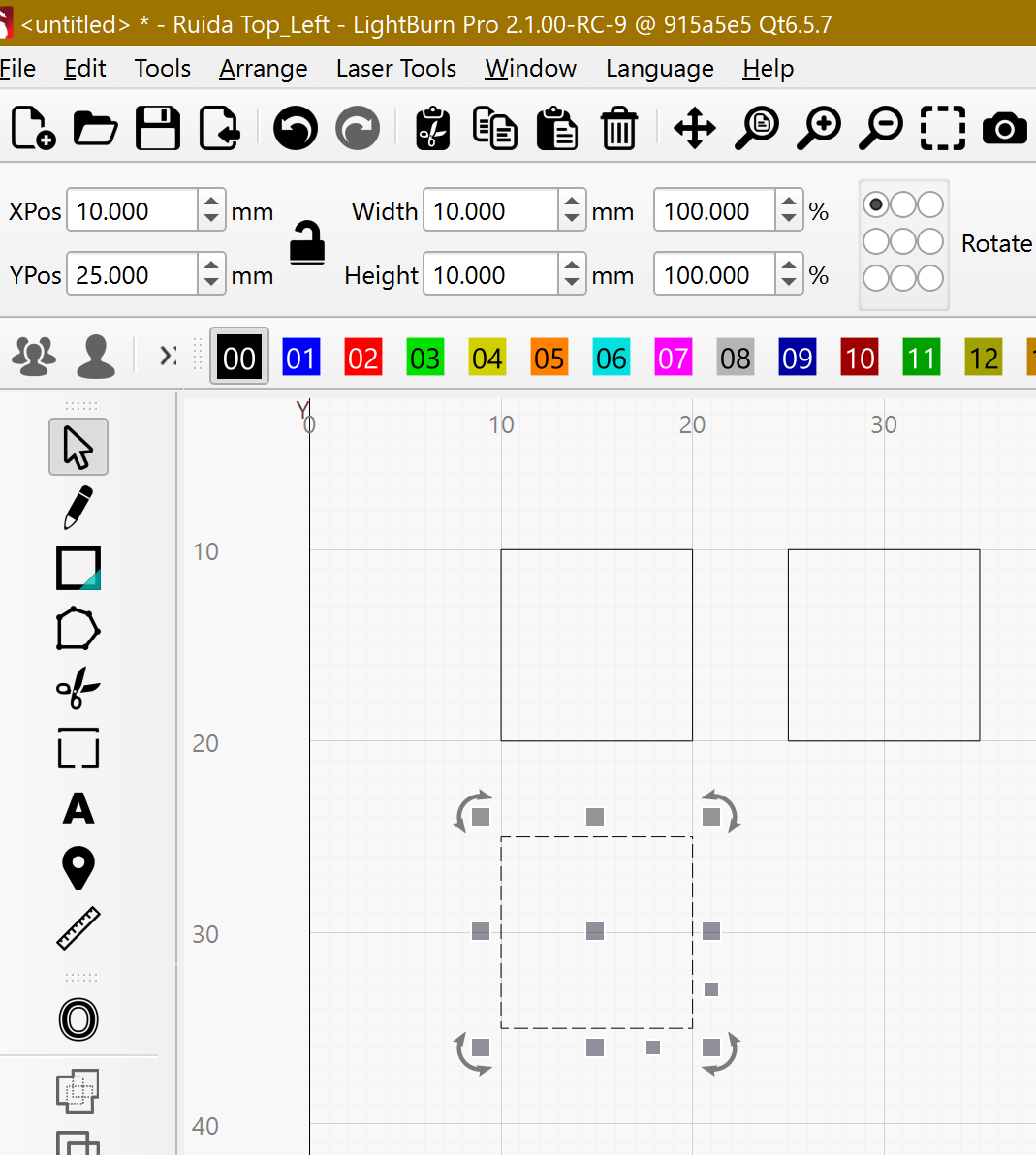
Thanks for the feedback. It is important, I think, to determine that it is not a single, isolated incident that can also happen, like with the “Move” window not remembering the values on a single (remote) computer.
I would like that the reporting of possible errors gets a “sequence number” with the status of its state, - registered, in processing and completed. Something like that is handled in “suggestions”. It will make the use of our feedback more efficient and contribute to an improved overview of reported errors / user experiences.
1 Like
I did a few more tests by changing the Edge Buffer and Padding values and LightBurn add the values when calculating the distances to the edges. By the Edge Buffer tooltip this seems a bug, Is a new option and there isn´t any information I found about it.
Not quite, I’ve actually been using it for some time and therefore also stumbled upon the small error.
I always use it to place my first workpiece with 5x5mm from 0:0, it suits my machine and my needs well.
Will it be possible in future releases to allow adding more Items to an existing file when using the macro from coreldraw to send image to lightburn directly? Right now it asks to discard of save current file.
Yes April tags are well detected. They are printed black in a white paper.my camera is a fixed focus with a good setup and light is correct
Thank you for confirming.
Can you send us a picture of the engraved target tags? I’d like to confirm whether the contrast is good enough for them to be detected.
In the meantime, we’ve released a newer Release Candidate, RC-11.
I believe this also improved the tags detection.
Please download and install this version from here if you haven’t already.
It can help if you slightly vary the lighting conditions during the detection phase. You can even wave your hand in front of the camera until at least one of the tags in each corner is detected.
(In an upcoming version, it will also be possible to manually select the crosshairs, if the autodetection is not working, without the need to re-run the engraving.)