please add the ability to lock the q-pulse width to the available q-pulses of the laser source. here’s the list. let me configure the list myself as well. these are the available pulse widths for my M7 laser source:
You only have to write it once. OOPS! You already did, just print it and tape it to your desktop.
Not an authority, but I am guessing not every Fiber machine uses these same settings. Maybe some allow continous adjustments. Or even longer pulse widths. And I am guessing once you determine the correct Q-pulse value for a given material, you do not need to change it.
@MikeyH, some/most MOPA/UV sources can’t control the Q-Pulse value continuously.
Ideally, they would run with the closest possible value, but we’ve seen laser sources that just take the last known pulse duration if you ask it to fire at an unsupported value.
@Dannym wrote this comprehensive report about the JPT M7:
Consider me schooled! I want one of those, but can’t justify the cost. When I was working, I could have bought one to play with. My financial manager (son) says I have enough toys. He is right because I do not have time enough to play with them all.
If someone could send me an “evaluation model”, I would manage to make time.
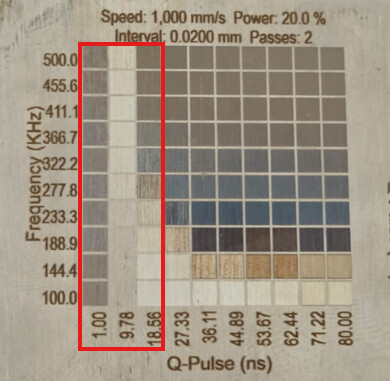
It would be interesting to see a couple more step values between 1 and 10 ns.
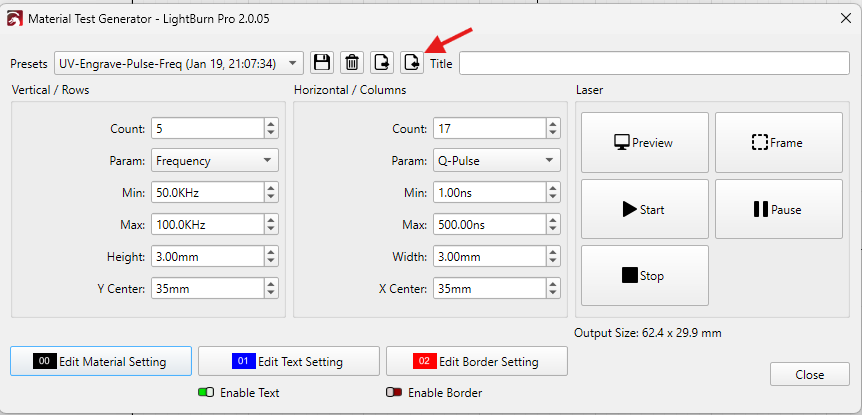
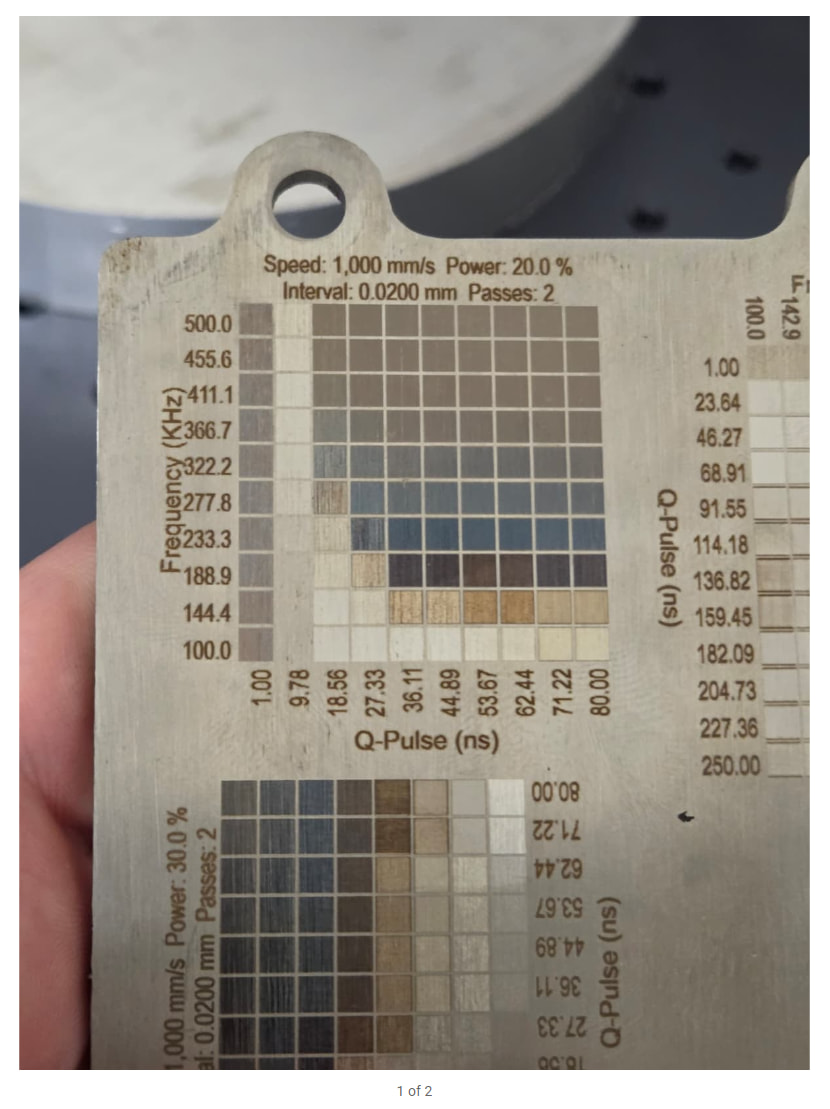
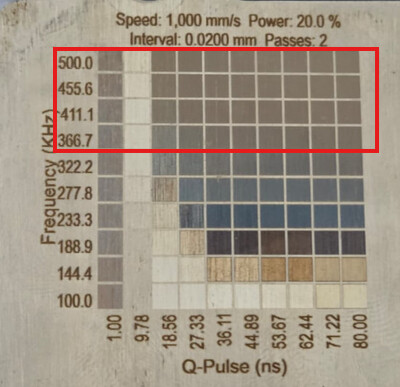
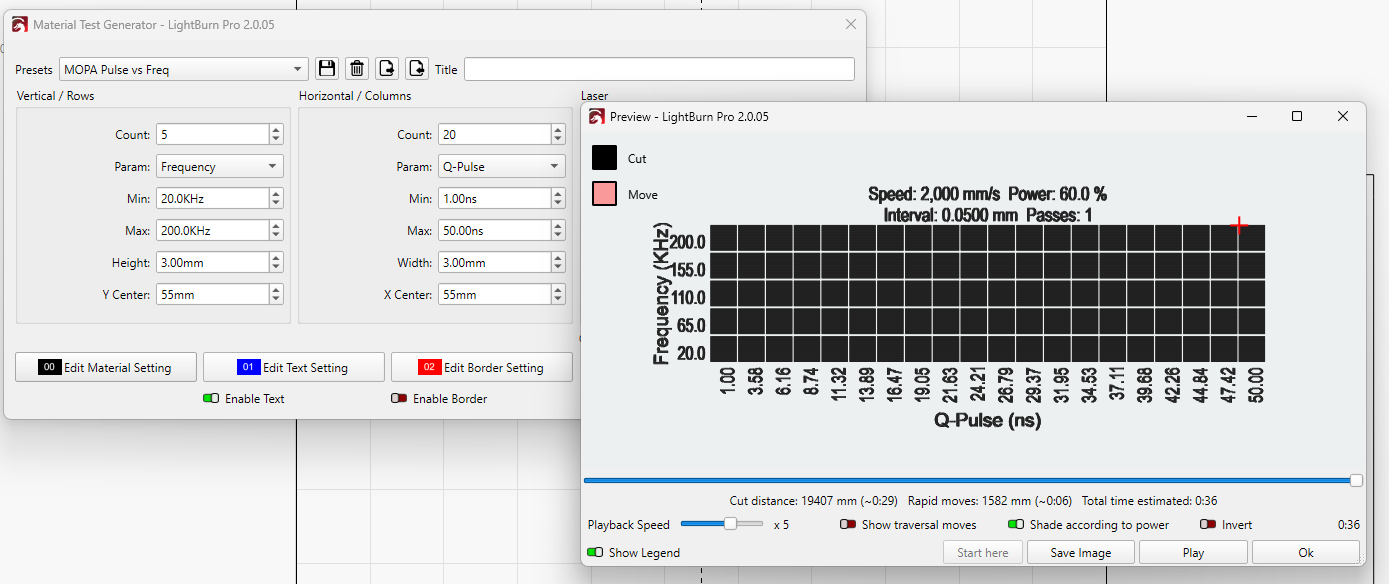
Yes. I’ve set the Material Test to show the relationship between Frequency and Q-Pulses as shown in the screenshot of the preview above. (I have now adjusted the screenshot below so that it shows the same values as in the .lbmt file.)
We’re more interested in the Q-Pulse, so I’ve set the “Count” to 17.
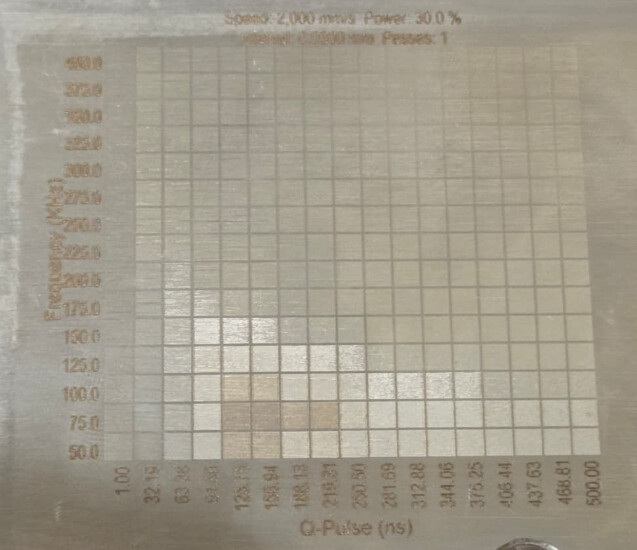
You did something similar in the second picture, but with only one pass @30% power, so the effect is less telling.
There’s not much variance above 322 KHz. Use that as the Max value in the test generator.
60W M7 YDFLP MOPA, almost 4 years old don’t remember exact model, think it is an E series YDFLP-E-60-M7-M-R which was a base model back then as opposed to an E2. Need to write it down next time I have it open.