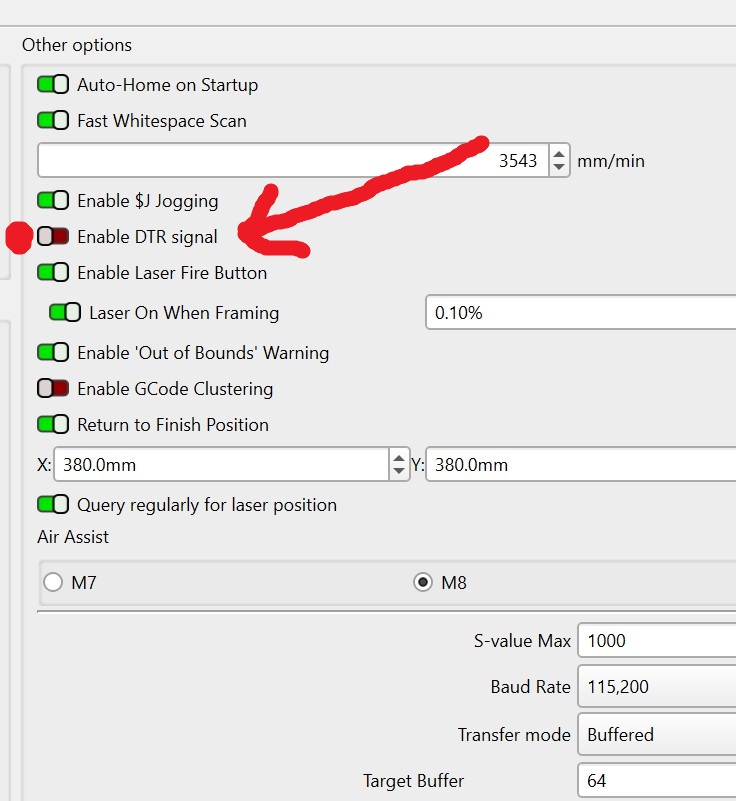
Hi everyone,
I’m hoping someone has seen this before because I’m stumped.
-
Longer Ray5 10W (brand new)
-
Purchased from the official Longer Amazon store
-
Touchscreen controller
-
Board reports:
- LGT LASER RAY5 V1.1
- Grbl_ESP32 Ver 1.3a
-
Screen App Version:
- V1.6.7
-
Windows
-
LightBurn Core 2.1.03
Initially the machine would not move because I accidentally left one internal connector unplugged during assembly. After fixing that:
- The touchscreen jog controls work normally.
- Windows detects the USB serial device correctly.
- LightBurn detects COM5 and shows Ready.
- The console receives startup messages from the controller.
However:
- Frame does nothing.
- Home does nothing.
- Get Position does nothing.
- Typing
?or$$into the console gets no response. - LightBurn never appears to actually send commands to the controller.
The console shows messages like:
Grbl_ESP32 Ver 1.3a
Board:LGT LASER RAY5 V1.1
Machine:Longer Laser Ray5
and also:
[MSG:Connection Failed]
[MSG:Cannot connect to Xiaomi]
[MSG:Local access point LongerLaser_xxxx started]
The “Cannot connect to Xiaomi” message appears to be generated by the controller itself.
What I’ve already tried
- Updated LightBurn to 2.1.03.
- Recreated the device manually as GRBL Serial/USB.
- Tested multiple USB cables (including the cable from my working Ray5 5W).
- Tested different USB ports.
- Rebooted Windows.
- Deleted and recreated the device.
- Tried LightBurn Bridge / Wi-Fi.
- Verified Windows detects the CH340 correctly.
The important part
LaserGRBL works perfectly.
LaserGRBL can:
- Connect over USB.
- Jog X and Y.
- Communicate with the controller normally.
So the controller, firmware, USB cable, Windows driver, and hardware all appear to be functioning.
It seems to be something specific to LightBurn communicating with this controller.
Has anyone seen this with the newer Ray5 touchscreen controller or knows if there is a compatibility setting or firmware update?
Thank you!