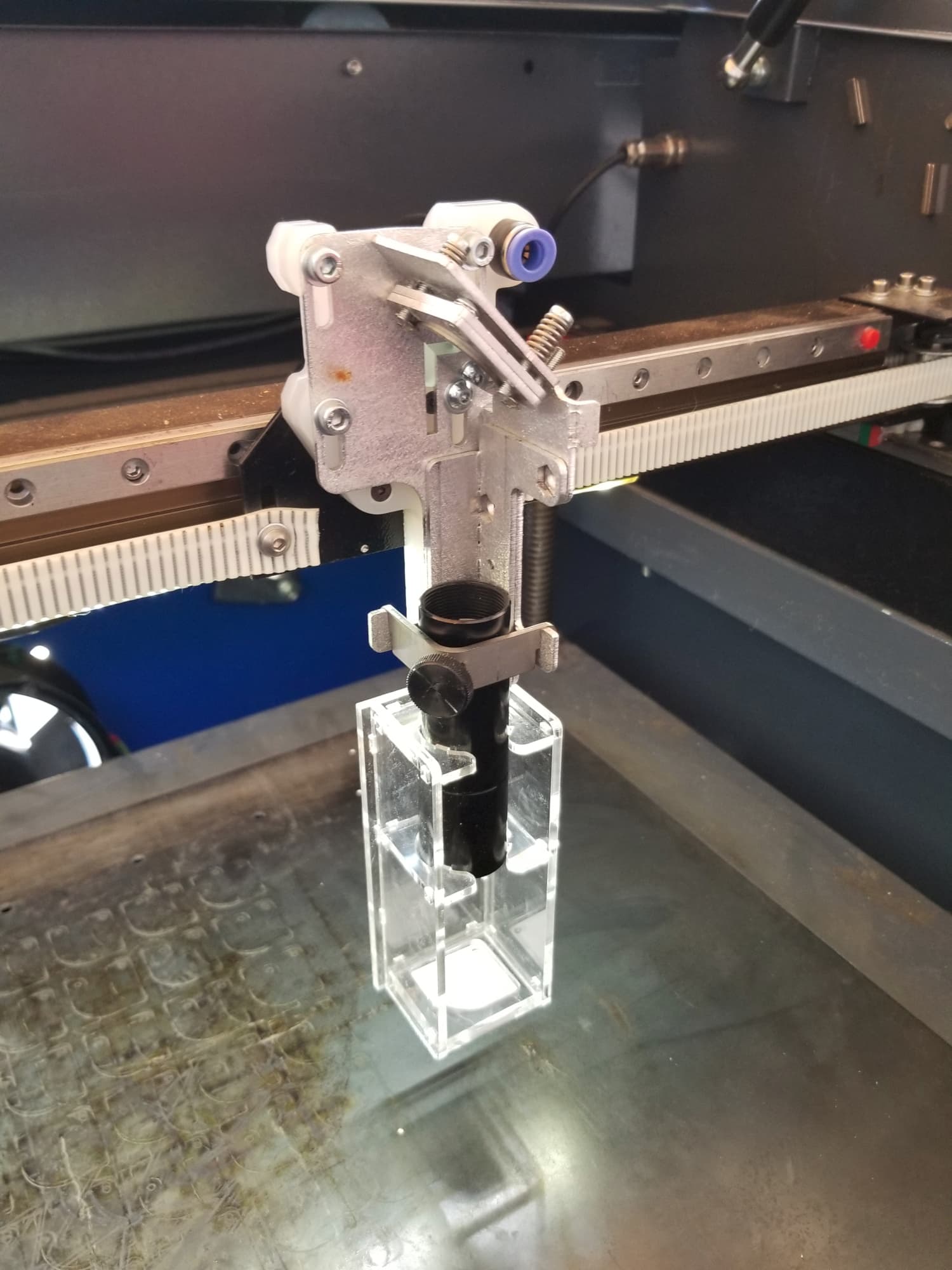
I just started using LightBurn for my [certain laser model], and I would like some advice on how to best adjust my settings to get the finest cutting quality possible for 3mm acrylic. I’ve been able to achieve passable results, but my goal is smooth, clean edges that require little post-processing.
These are the configurations I’m using right now:
60% power
10 mm/s Speed; 2 passes
Emphasis: Manual modification according to material thickness
Air Support: Upon
Even with these settings, I’m seeing the following problems:
Melting of the Edges: I don’t like how crisp the edges of the cuts are; they’re a little melted. Although I’m not positive if it’s the explosiveness setting or the pace, I think it’s a combination of the two.
Build-Up of Residue: The cut edges have a considerable quantity of residue that needs to be cleaned further. Although there is evidence that air support can help, I’m unsure if my present configuration is the best one.
Inconsistent Cuts: Occasionally, there are areas of cuts that don’t completely cut through the material. I’ve made sure the material is flat and tested focus, but the problem still exists.
Could someone please offer their insights or suggestions regarding this?
Ideal speed and power settings for acrylic measuring 3 mm
Advice for getting cleaner cuts and minimising edge melting
The best methods for efficiently utilising air assistance
Anything more that could be done to enhance the overall quality of the cut?
You have forgotten to mention how many watts your machine is and it is not listed under your advatar either.
I work a lot with acrylics and like the uniform properties of this material. The negative side of acrylic is the penetrating smell of chemistry, without a powerful extraction you should not work with acrylic. When cutting, I have no problem with soot or the like, the bit that is still there is on the protective film. When engraving, a lot of white powder is produced, which I often blow with compressed air in the direction of extraction, it works fine for me.
The surface when cutting is very dependent on the speed. Too fast gives a rougher surface, too slow a speed gives melted edges.
With the right speed, I get very sharp edges, which I sometimes deburr with a knife or heat treat with a gas flame.
Under all circumstances, I use up to approx. 6 mm only a single pass.
It would help to understand your problem if you showed some pictures.
What lens are you using? You need to know it’s focal length. Most of these are 1.5" or 2" lenses.
Where are you focusing? A 2" lens has a depth of focus (dof) of only ~2.7mm. This is less then the material thickness you’re attempting to cut.
If your focus is center at the surface then it will remain in focus for +/- 1.35mm on each side of the focal point… so you’re in focus for < 1/2 the depth of the material thickness.
Suggest you focus to mid material or another 1.5mm deeper. or get a longer lens (that’s what I did).
Multiple passes are never going to give you the best results… bump the power up and slow it down as needed to make the cut in a single pass.
I have a 40W (sold as a 50W OMTech) … I run 17mm/s@80% and have no problems cutting through 3mm acrylic in a single pass. I usually cut this stuff with my 4" lens, so you have to know the specific lens/material kerf. The alignment jig on the lens tube is cut out of 3mm acrylic, cut at the above values with a 4" lens.
I have had some discussion with people about air and acrylic. Russ Sadler, if you know who he is, suggested and explained why you use the least amount of air pressure or just enough to keep debris off the lens…
Are you using a minimum power on the cut? If so, what is it’s value?
What is your start speed setting within the Ruida controller?
 ,
,
 https://forum.lightburnsoftware.com/t/need-advice-for-acrylic-cut/mlops
 in advance.