Hello everyone,
I want to machine a curve (point A = start of the curve, point B = end of the curve).
Millmage machines from point A to point B, then raises the spindle, returns to point A, lowers the spindle, and machines the second pass, etc.
Is there a way to machine “back and forth” to save time?
Best regards 
You are switching between climb and conventional milling when you reverse along the same path. This is rarely done in a machine shop, and likely applies to woodworking too.
Climb milling cuts in the same direction as the tool’s rotation, resulting in a better surface finish, lower tool wear, and a higher material removal rate, especially on hard materials. Conventional milling cuts against the tool’s rotation, which creates more heat and tool wear but is more suitable for machines with backlash or for cutting softer materials, and provides a rougher initial cut.
1 Like
Hi,
Thanks for answer… This option change nothing. Both passes are made in the same direction.
True, but this is what you asked for. I was pointing out that it was not a good idea.
You might need to use a different operation, but you provide no image or MillMage file to help us understand what you want to accomplish.
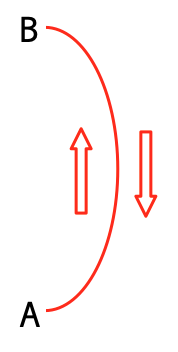
Let’s imagine that I want to machine this curve. Millmage only machines from A to B, then returns to point A in a straight line (without machining) and then starts again from A to B (machining).
What I would like is for Millmage to machine from A to B, then from B to A, then again from A to B, etc., in order to save machining time.
Is this possible?
Best regards
I thought I replied with a .mage file last night. Are you running a double posting? Anyhow, I did this with a 1/16” slot, 1’16” tool, 99% stepover, and Pocket operation.
Curved Slot.mage (18.2 KB)
Hello,
Yes, unfortunately I posted in Lightburn instead of Millmage… So I recreated a post and asked for the old one to be deleted.
Thanks for your file, but I want to machine a line (profile) and not a pocket.
I added my curve to your .mage file, and there you will see my “problem.”
Best regards
Curved Slot2.mage (22,0 Ko)
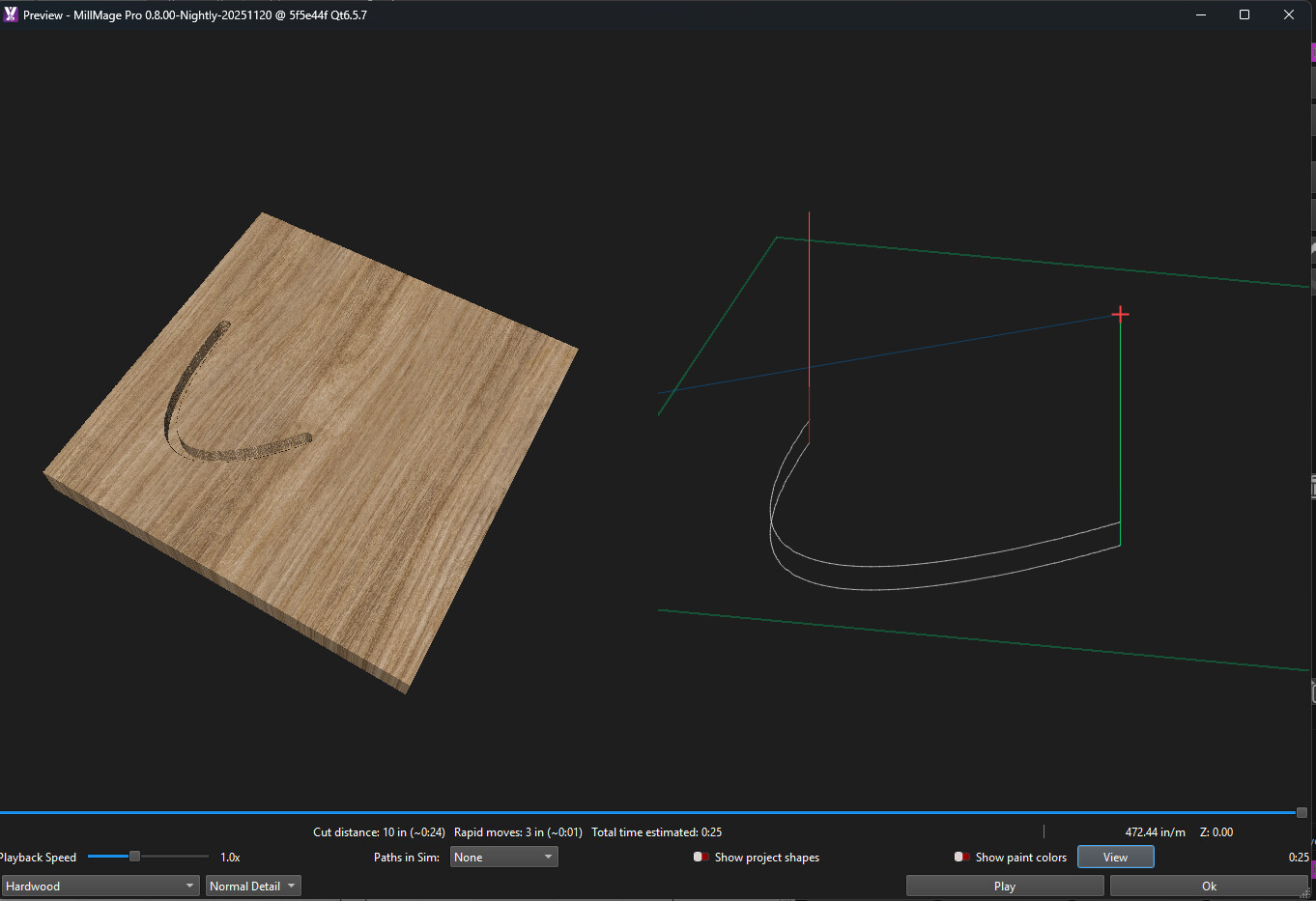
I just duplicated the first operation, and changed the cut from Climb to Conventional
Hi,
Thanks for your file.
Apparently, your solution is the only solution… So we have to duplicate the operation, changing the direction each time. In other words, if I have to machine 16 mm with 1 mm per pass, I have to define 16 operations.
What I would like is for Millmage to change direction with each pass, with a single milling operation at a depth of 16mm with a 1mm pass…
Best regards.
This is possible for us to add, it’s just rare for people to do it. Changing the direction will affect the finish on the two sides of the cut (this is the climb/conventional that Mike was referring to). Running the even passes in the opposite direction will change which side is ‘climb’ and which is ‘conventional’.
2 Likes
I cheated. I made the pocket the same width as the cutter (actually 99%, I was afraid to try 100%).
Technically, you cannot mill a line because it has no width. That is why I selected a Pocket operation.
have you looked at your travel speed between point A and B in machine settings increasing this can lower your time, it will depend on your machine as to how far you can push it , in some jobs i increase my travel to 2800 mm/m travel speed ,(not feed rate ) it works cause my table is so big , maybe to quick for smaller machines, its trial and error make sure you take screen shot of settings before changing them to refer back to if you need go backwards
1 Like
Ahhhh… very smart !
1 Like
This topic was automatically closed 30 days after the last reply. New replies are no longer allowed.