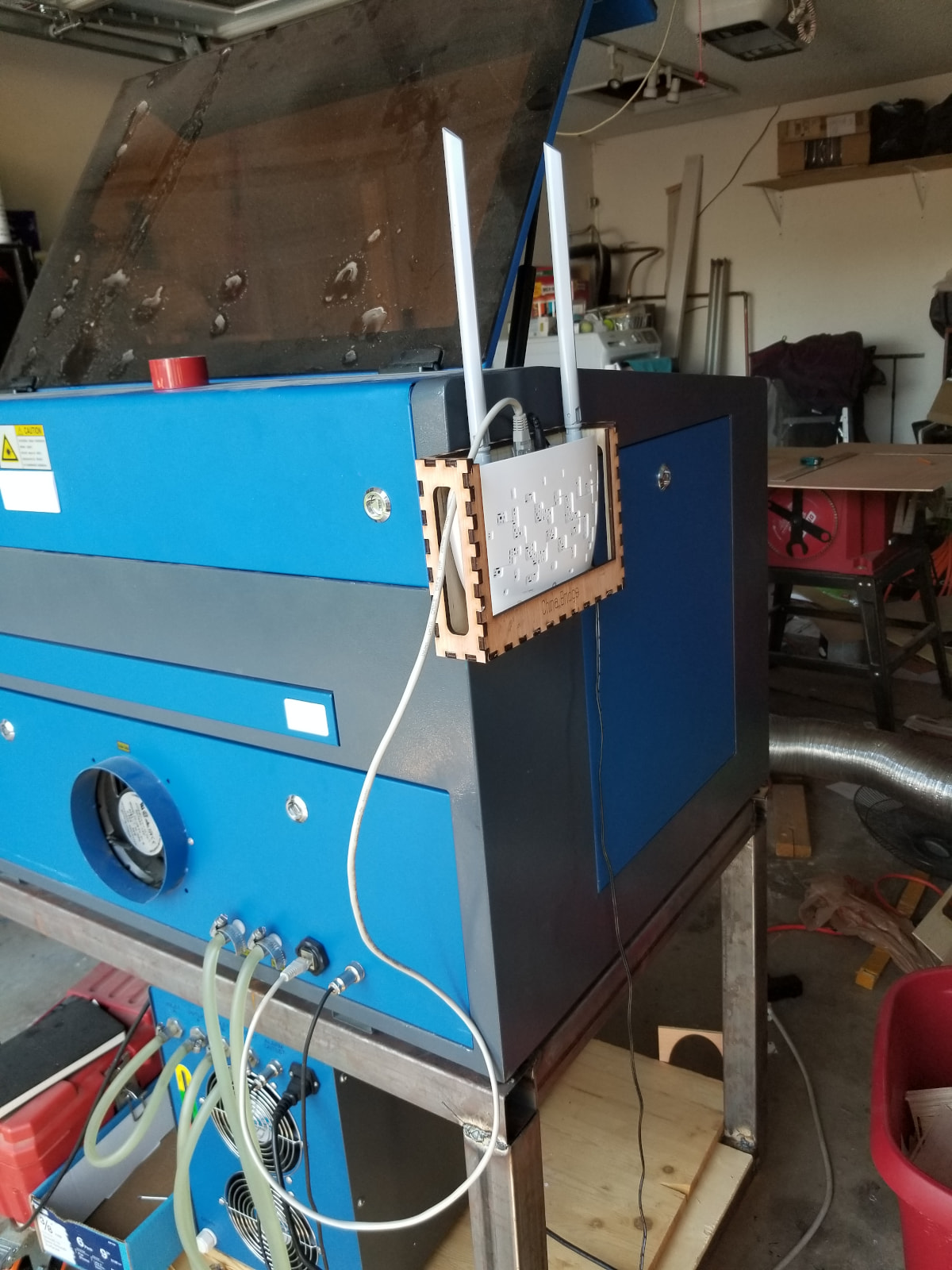
I’ve been having some trouble with my MacBook connecting to my Aeon machine. I’ve checked local network permissions, different IP ranges, and ensured the Wi-Fi unit was powered on. I’m curious if maybe the UDP signal is too weak? I am literally right next to my machine though. LightBurn does not recognize any device using my Ethernet/UDP device profile. Is it even worth it to continue troubleshooting this, or should I just opt for a LB bridge?
You need to set the laser wifi to a fixed IP and not use DHCP to assign the IP for the laser. It needs a fixed IP. Then, enter this IP in LightBurn. Here are our docs for this subject to help, worth a review. There, we explain how to identify the range of IP addresses available on your network, information on setting a static IP for the laser, and how to enter that into LightBurn.
@Rick is correct. The LB wifi is a bridge which bridges your lan to a different domain, the domain of the laser at 10.1.0.3, I think. The Ruida is a static device, so it doesn’t poll your routers DHCP for an address.
It’s likely you have a network issue. I’ve been running mine that way for years and it’s out in the garage.
The LB bridge has some code in it to help with UDP protocol which is pretty low level communication and doesn’t return errors in the packets.
I currently have a T-Link bridge (router configured as a bridge) that works fine and it’s pretty cheap from Amazon. I paid $12 back in 2021 and now it’s advertised for about $15.
If you stream data to something like a grbl machine, that may be true, but most DSPs load the whole file. If you use send, then run it from the console it shouldn’t be an issue. You can probable use start if you’re sitting there next to the machine. It’s more dependable than usb and doesn’t require any drivers as it uses the same data path that your lan or network uses.
Come on now! I use USB on 3 lasers and a CNC mill. Other than a USB socket falling off the CNC, I have never had an issue with USB. Yes, I would do Ethernet with a router like @jkwilborn did if I could, but none of mine have Ethernet ports. I make do with a home-made USB switch instead. And a second PC if I have to multitask.
I did this on the laser’s AP and on my computer. MacBook is set to 192.168.8.21 and LB/machine is using 192.168.8.20. Checked MacOS permissions as well. No vpn is interfering. I’m curious if maybe the built in AP is set incorrectly?
If you use the LB Bridge, you want the Ruida set to it’s default 10.3.0.3 IP.
If you’re putting it on your lan you only need to tell the router the devices MAC address and to associate that MAC with whatever IP you put on you laser. If it’s on your lan, all devices have to be in the same domain.
You don’t modify your PC, it gets it’s address via the routers DHCP firmware. If you put it on your lan behind a bridge, it doesn’t matter much what IP it’s has, as long as it’s unique.
I choose Ethernet if possible. The last thing I want to use is usb.. in my opinion.