You can see a couple of images which display this issue in my other thread related to this problem at:
https://forum.lightburnsoftware.com/t/galvo-ghosting-double-image-and-beam-alignment/126552/1
Also, here was one I sent to the Manufacturer the other day when they kept claiming I needed to scan at 3000 or less. (This scan was done at only 1000 and it still shows the double image):
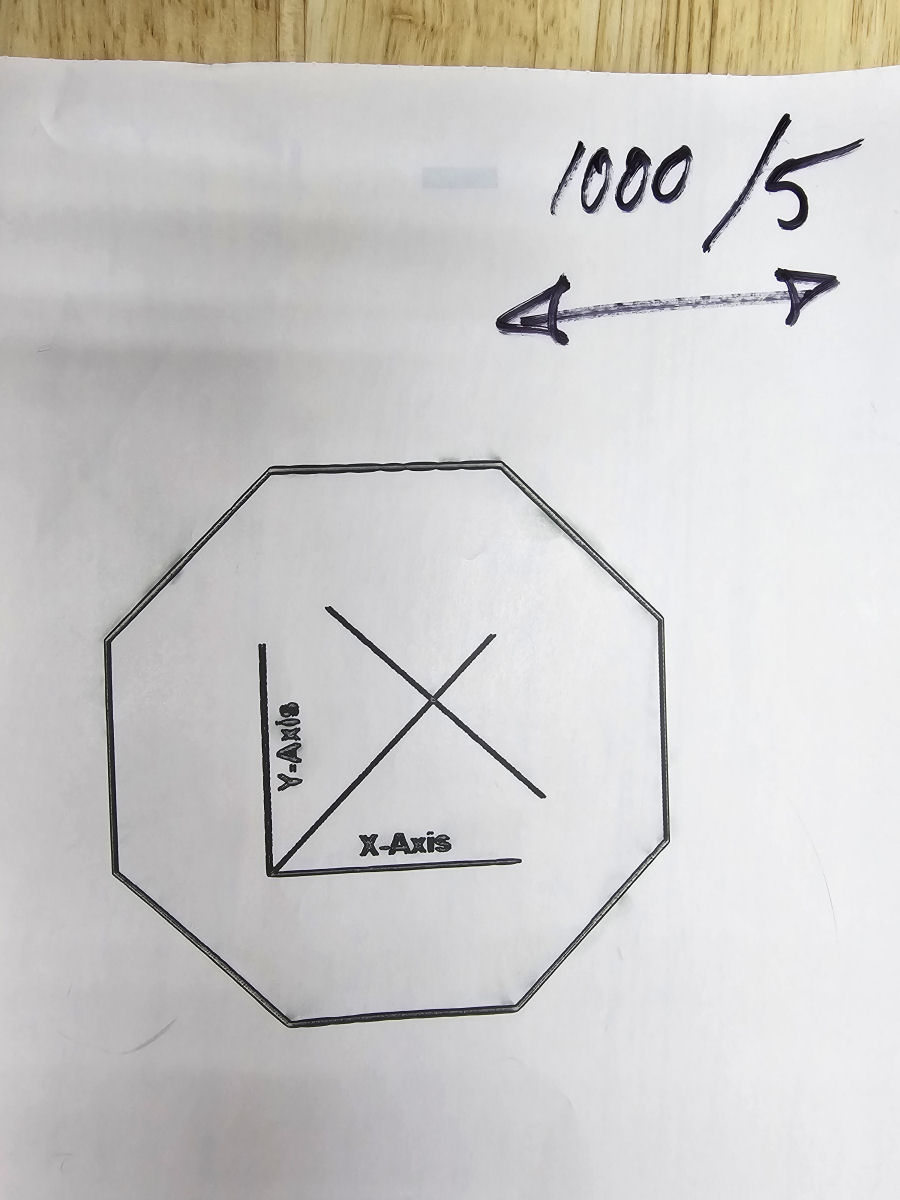
If you look closely, you will see all entities are duplicated in the horizontal direction (as that was the way I was scanning). Here is a closeup of the “Y-Axis” text. (Note that the original image has a “-” between “Y” and “Axis” and NOT a “=”. You can also clearly see the image duplication in the “Y” and “X”…)
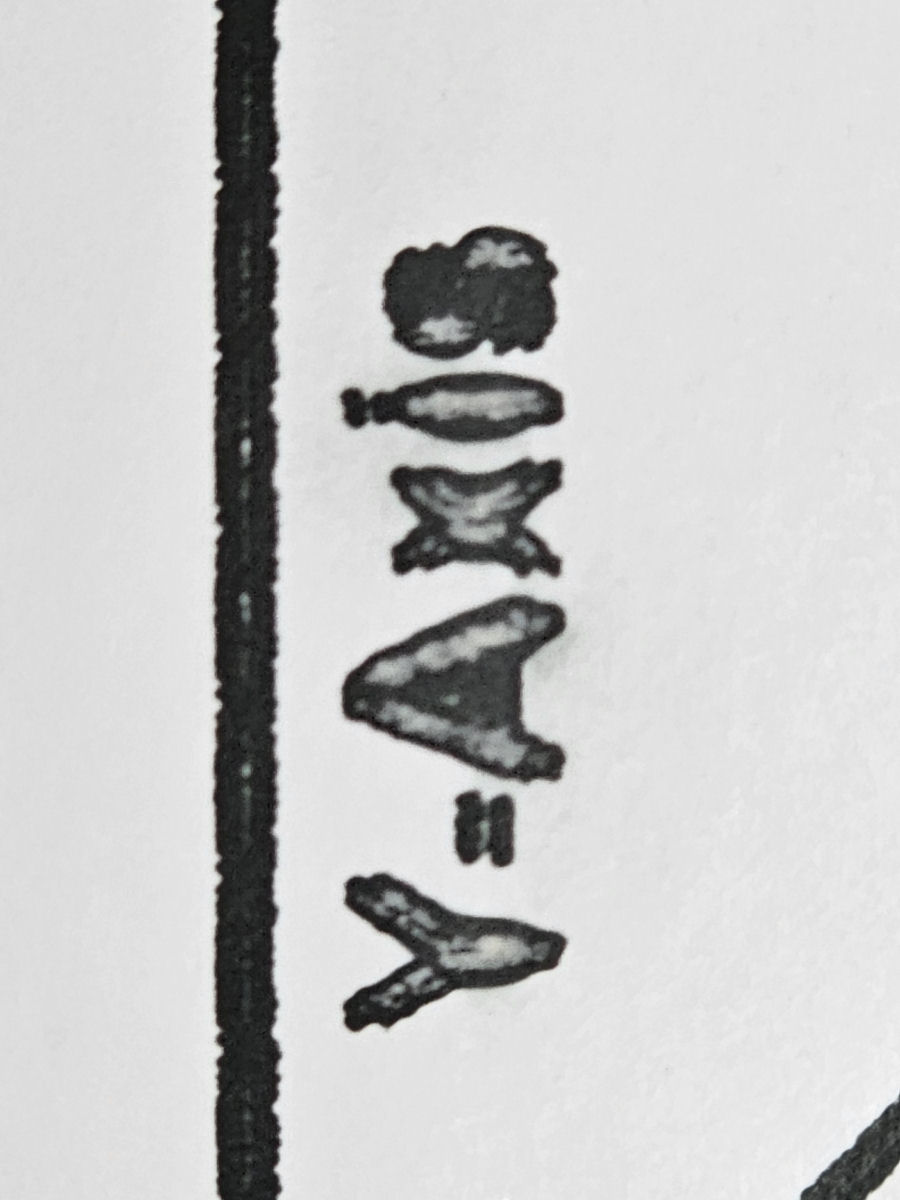
The image is a little blurry because I’m using thermal paper for testing. Otherwise the hundred or so test images I have made would be a major waste of Acrylic or Wood…
Just to be clear, if I change the scan to vertical, then everything gets duplicated in the vertical direction.
As I’ve mentioned before, I think its actually two half images which are appearing as a duplicate. One half offset in one direction (odd number lines) and the other half in the other (even number lines)
- Yes, I imported the markcfg7 file from EZCad as soon as I connected the machine. This is what I got:
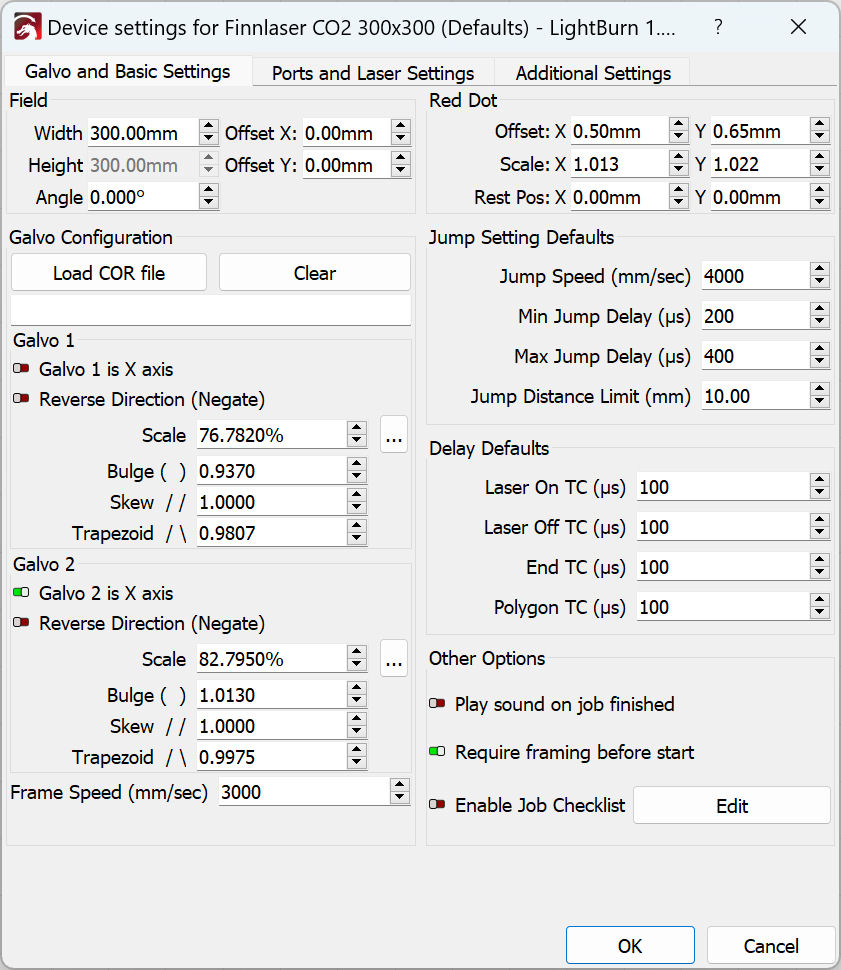
-
Once I started asking questions about the duplicate/skewed image, the manufacturer immediately told me to change the Laser On TC from 100 to 300. So I did that. Id didn’t help at all.
-
Then after 2.5 hrs on a Zoom call (and remote desktop) with the manufacturer, we still did not have a good image. Even at only 1000 mm/sec. Here is the settings they left me with:
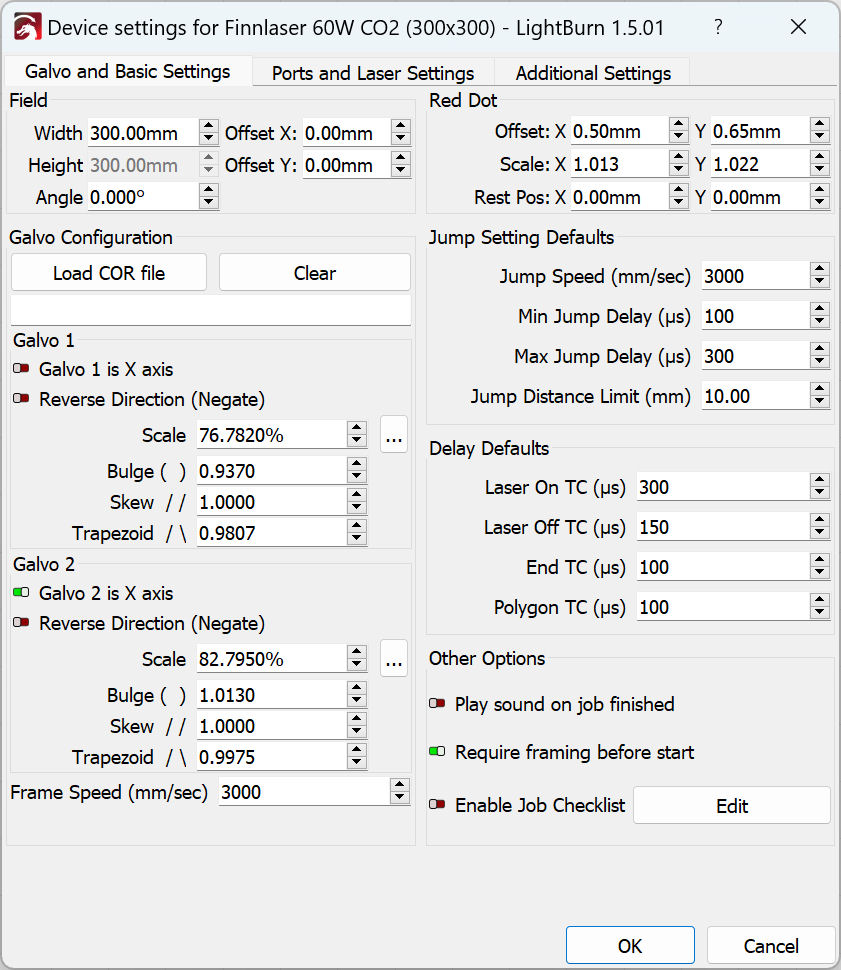
- I started running through all the test cards per the “Timings video” and actually ended up with:
Jump Speed 4000
Min Jump Delay 100
Max Jump Delay 400
(Jump Dist Limit 10.0)
Laser On TC 250
Laser Off TC 1000
(End TC 100)
Polygon TC 350
- Of course the real outliers were the crazy high “Laser Off TC” and the “Polygon TC” (which really shouldn’t matter in a raster scan anyway)
I tried this with my test images and it really blurred things up. I also tried halving the “Laser Off TC” until I got back down “in the neighborhood” but as I got closer top a sharper image, the duplication started appearing again.
One of the issues with running all the tests in the “timings video” (which I did) is that it only uses unidirectional scanning. My problems only really get exposed if scanning in both directions. Otherwise, there is no way to notice the shift in the image. I don’t think its “mirror slop” unless both mirrors/motors have exactly the same slop…
But my original question STILL stands. Can anyone with a Galvo CO2 please tell me what the max scanning speed they can realistically use for bidirectional scanning? It would seem to me that “less than 1000” is way below expectations. None of my other Galvos are anywhere near that slow…