olá o meu mac t
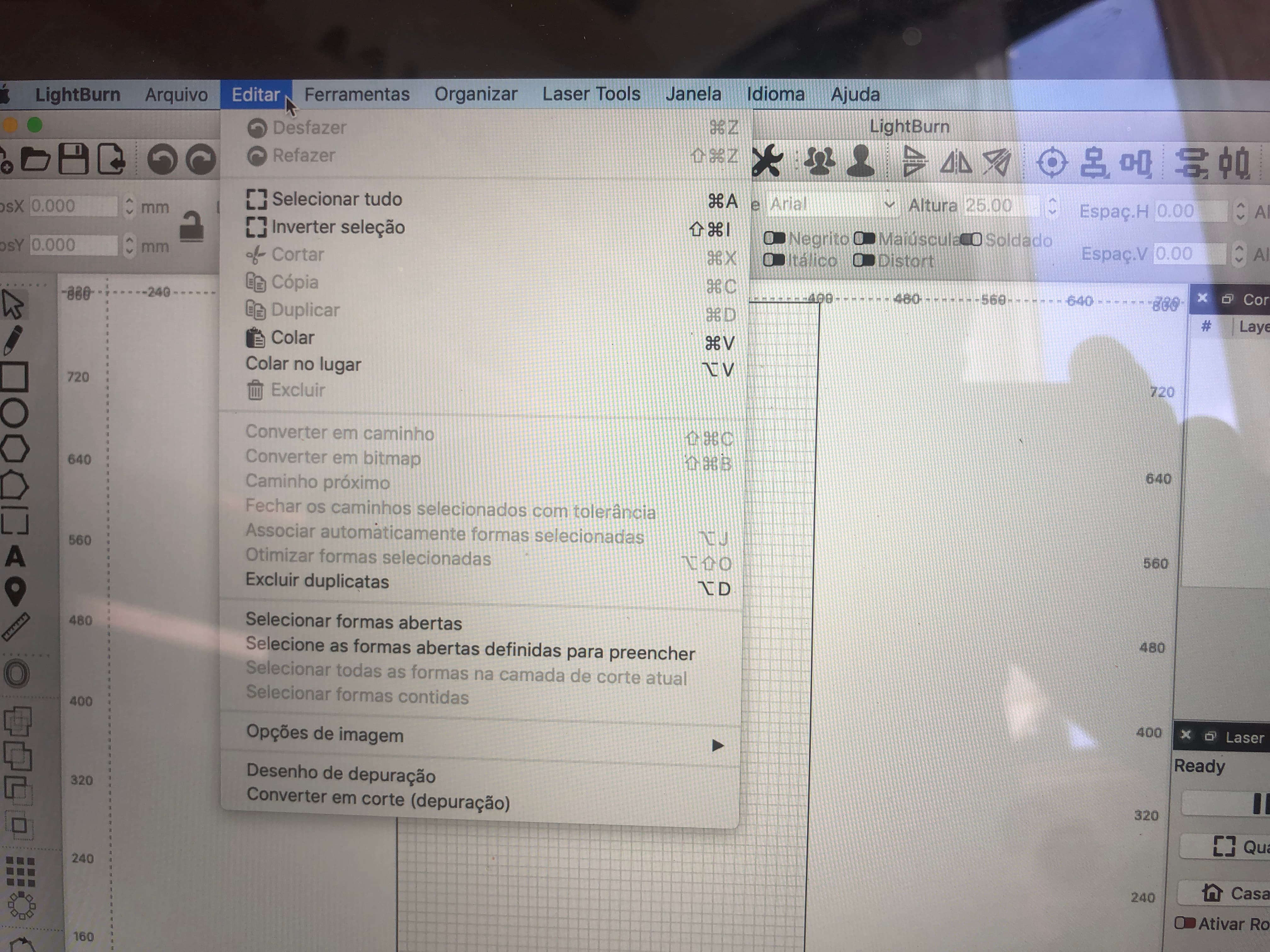
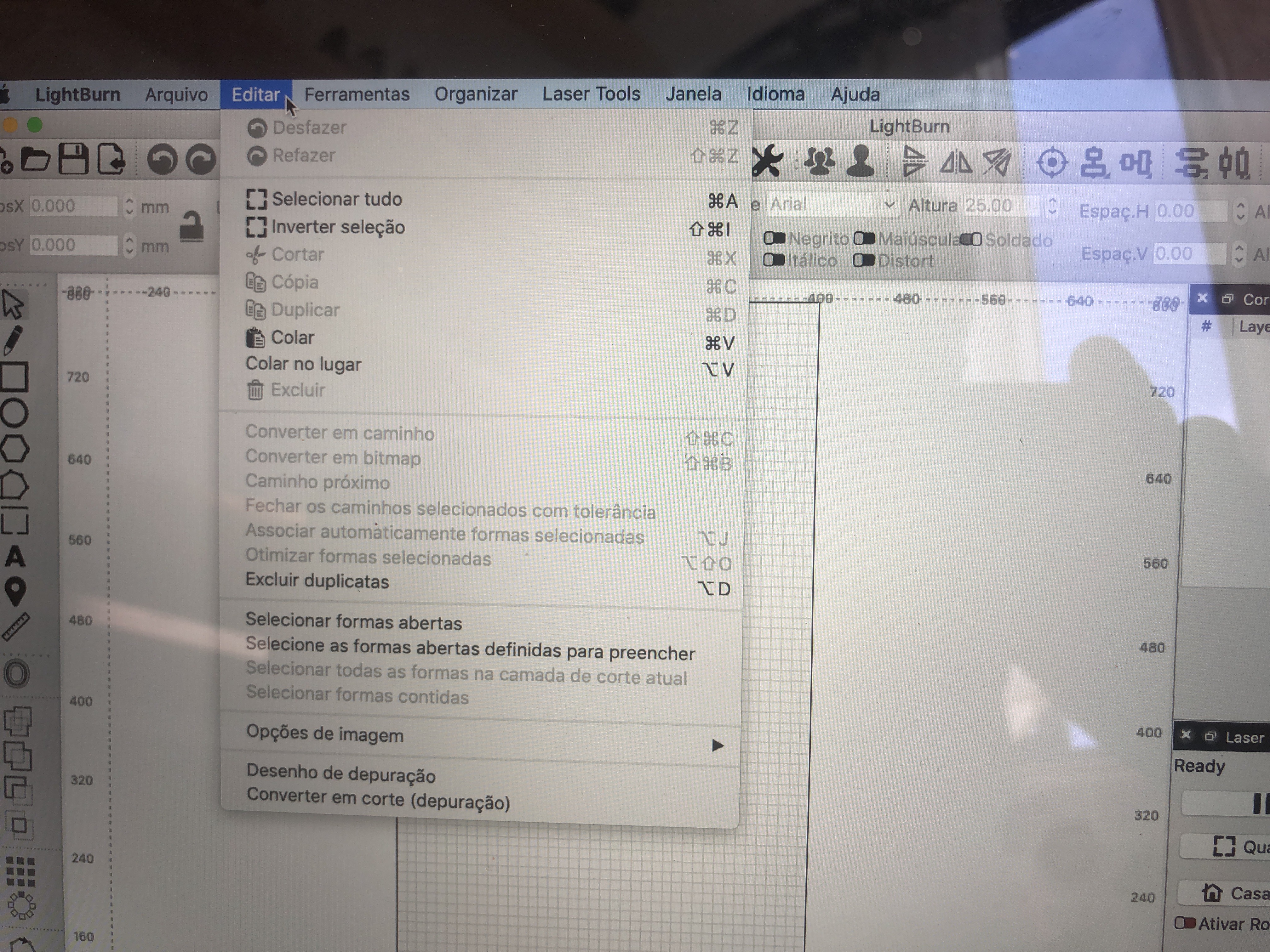
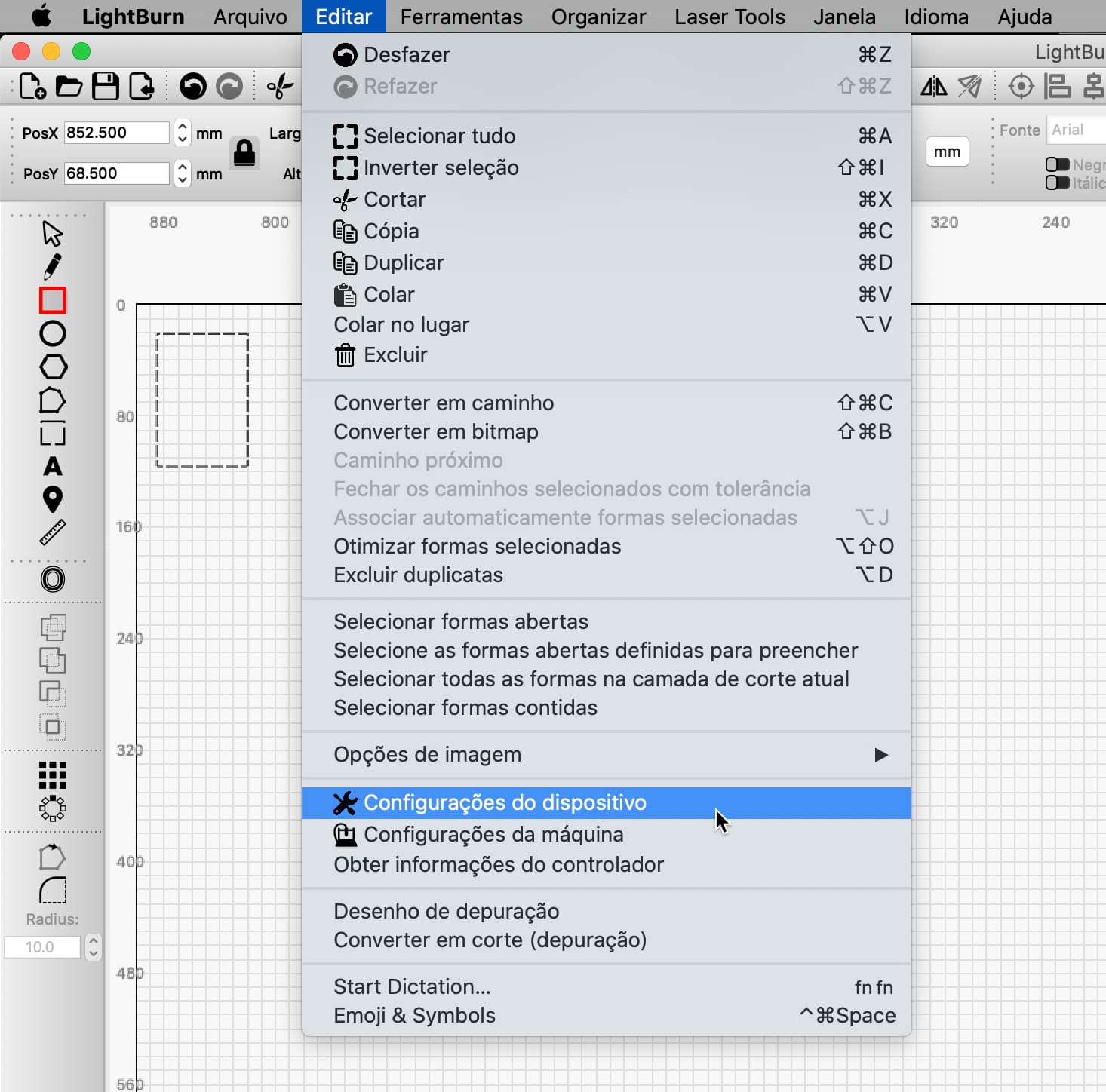
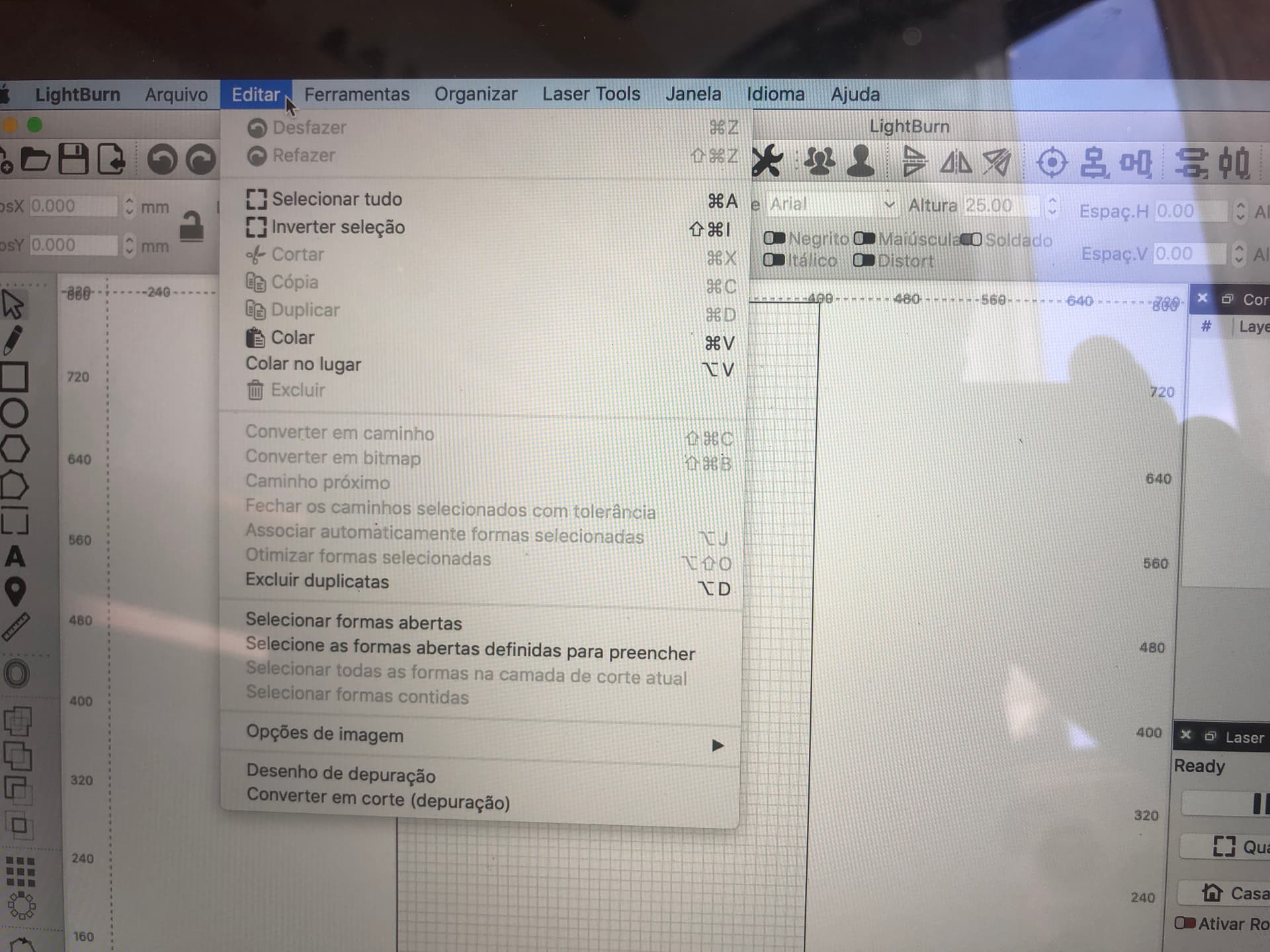
está actualizado versão 13.6 e já reinstalei a ultima versão do lightburn e o menu Editar não apresenta
a configuração do dispositivo nem configurações da máquina . Não consigo perceber. Alguma iodeia. Obrigado pela ajuda. cumprimentos
hello my mac t
version 13.6 is updated and I have already reinstalled the latest version of lightburn and the Edit menu does not show
device configuration nor machine settings. I can not realize. Some hate. Thank you for your help. compliments
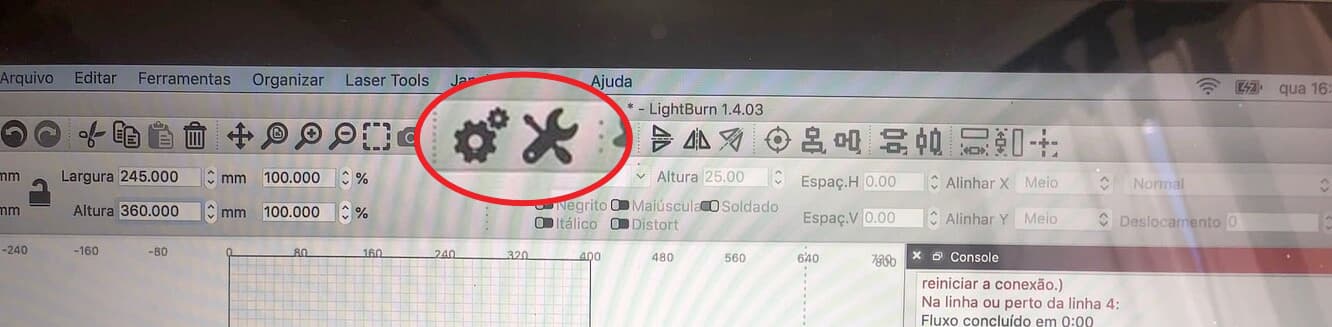
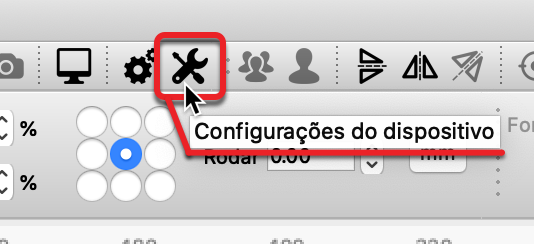
I do see the ‘Device Setting’ icon in the picture you shared. Is that working as you’d expect? Can you get to the Machine settings from the icon as well?
Which ‘Device Profile’ are you using? What firmware are you using? Did you download LightBurn directly from our site? What else can you share about any recent changes to your configuration?
We ask because this is very odd, and we have not seen reports of this behavior previously. Internal chatting has been initiated, we have several macs and macOS systems through the team. We are trying to reproduce, yet so far, unsuccessfully.
Please confirm you do not see this behavior in an older version (← click here) running on your system and let us know which version.
Olá
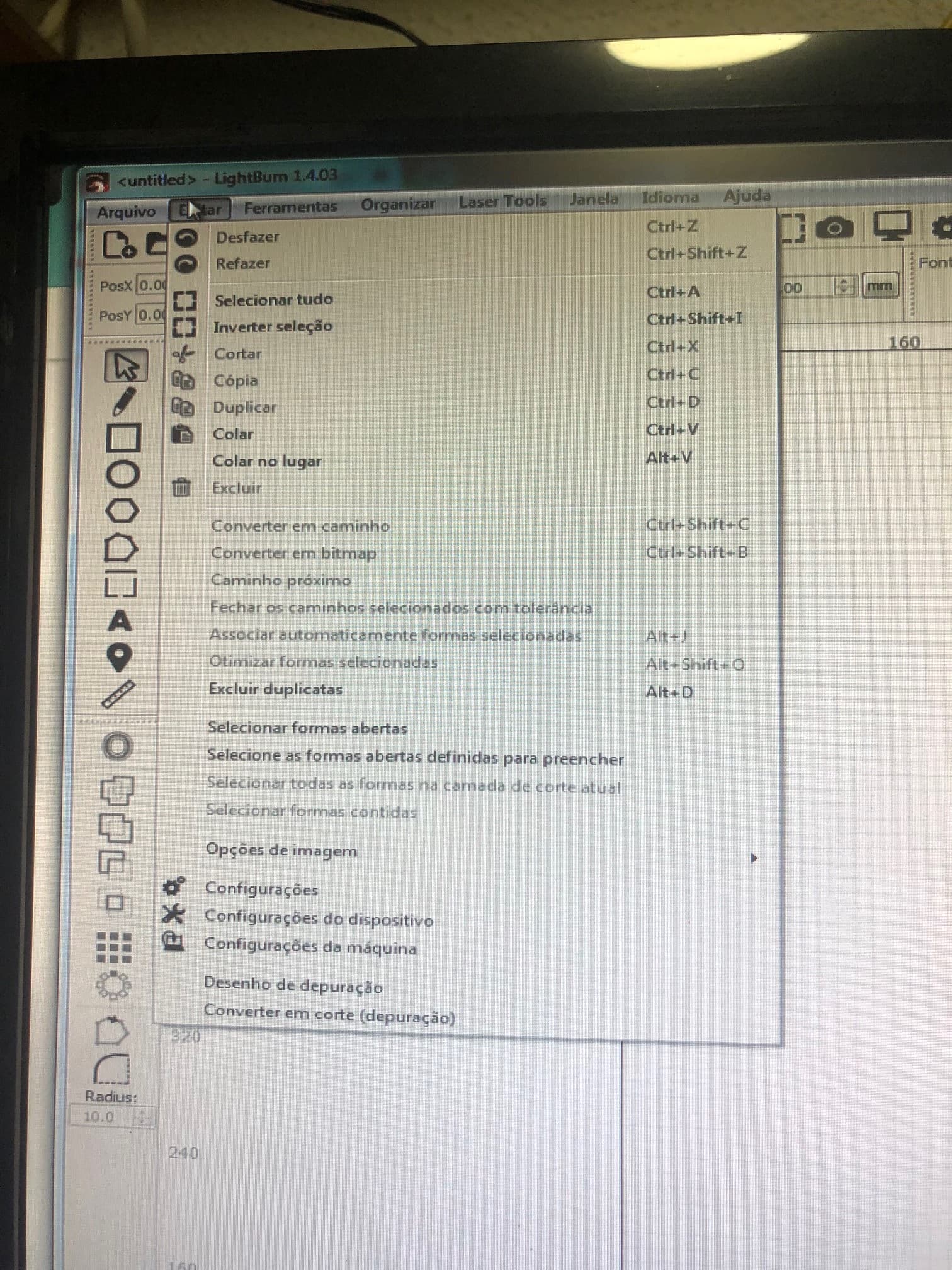
Eu tenho a maquina sculpfuns30pro max , antes da actualização do software no menu editar mostrava as configurações da máquina tal como a imagem que me mandou.
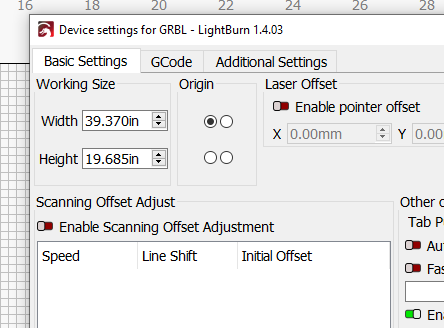
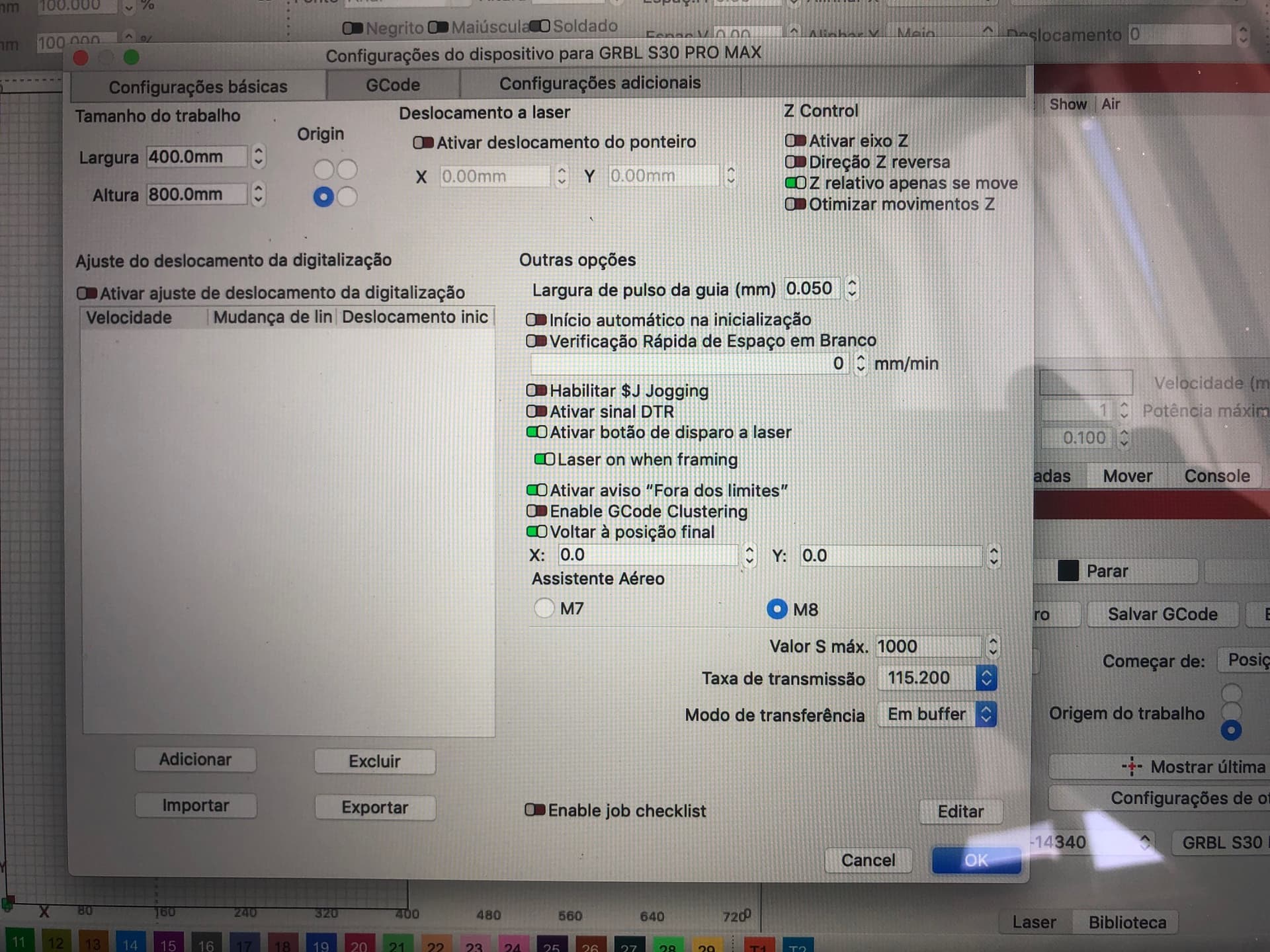
Fiz o download da nova versão e quero configurar a area de trabalho de 400 eixo x e 800 eixo y conforme mostro numa foto.
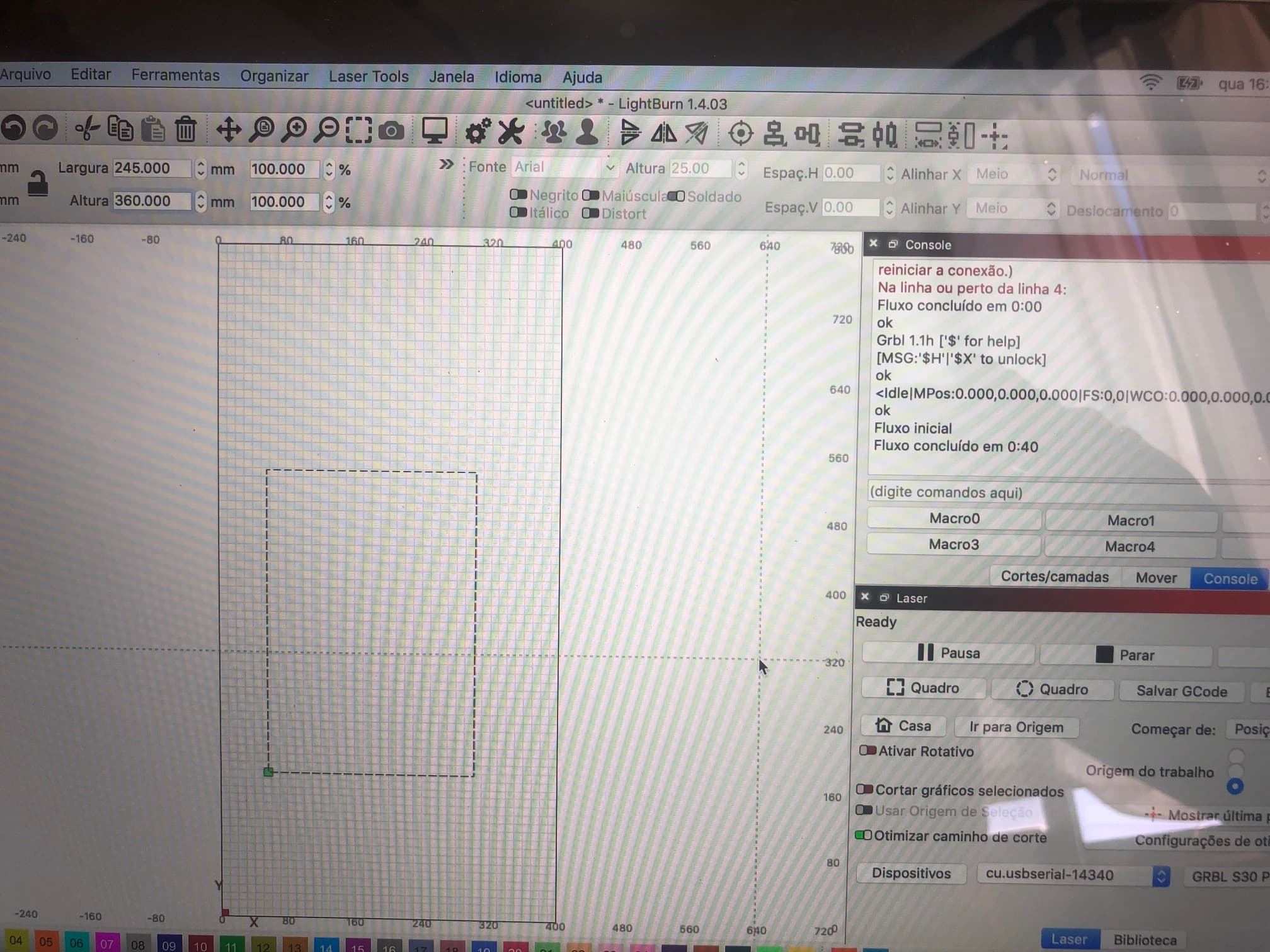
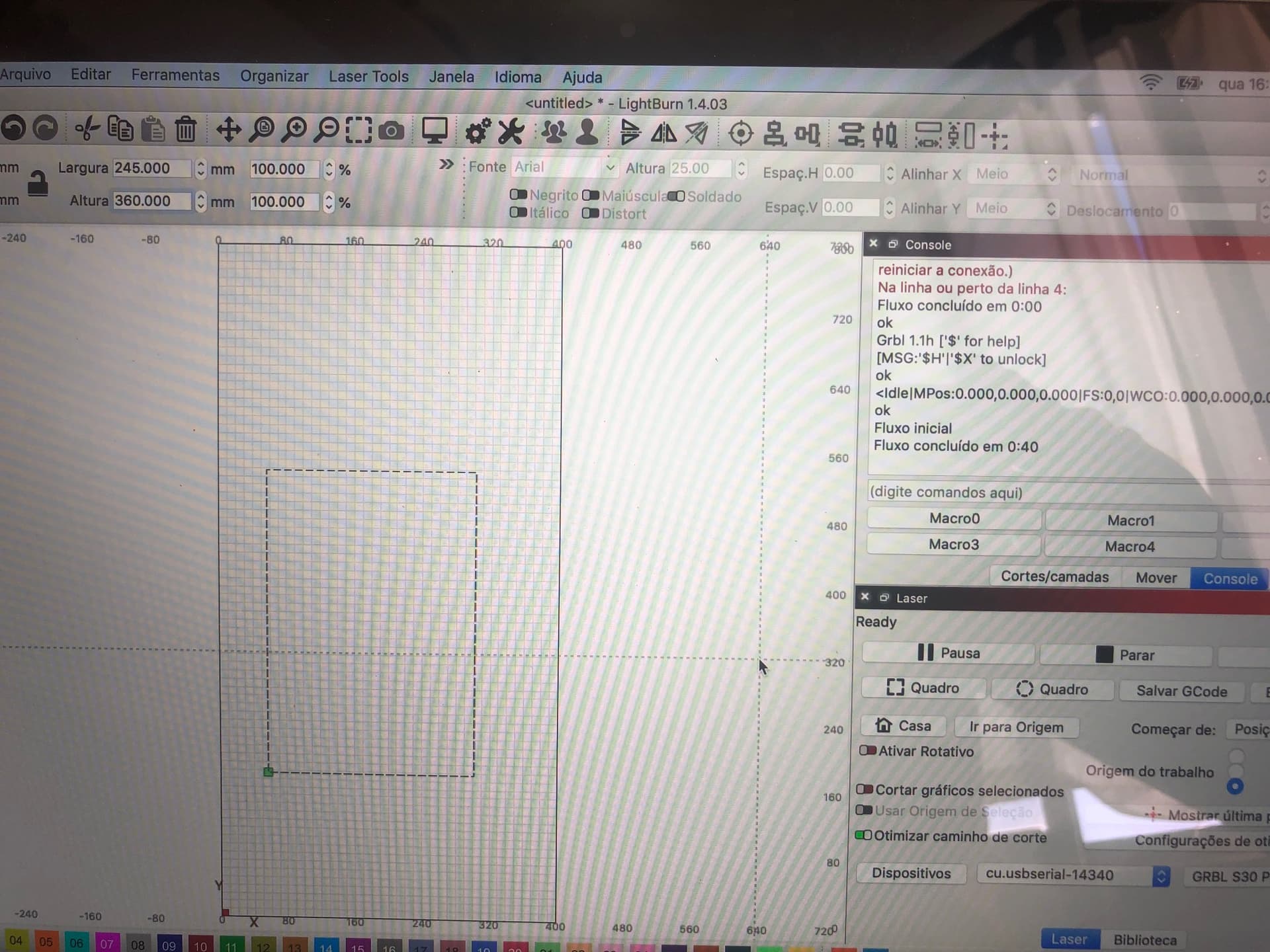
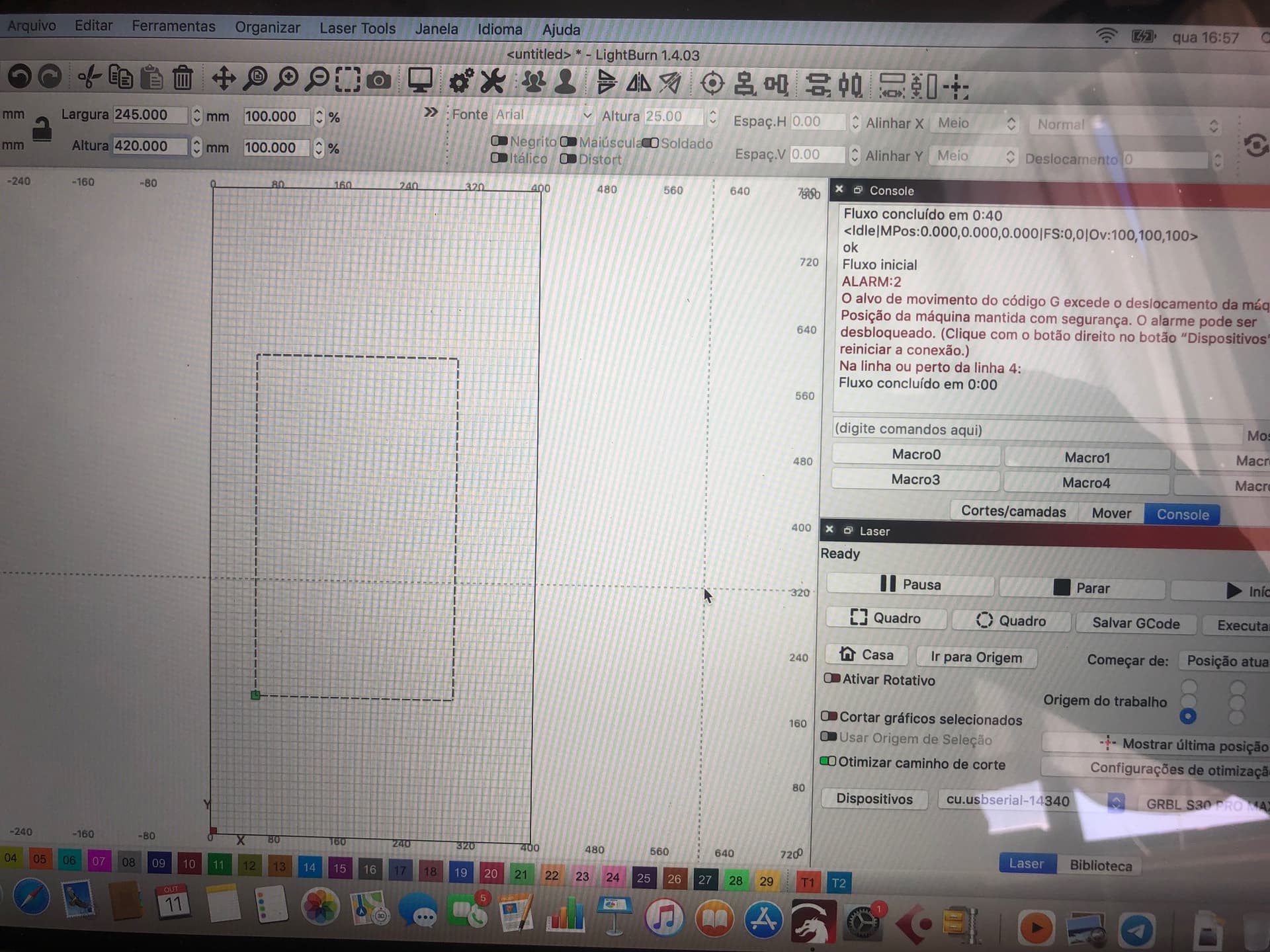
acontece que quando faço o teste e introduzo para o eixo y superior aos 400 mm aparece o erro conforme foto junto.
estão ai varias fotos referentes a minha tentativa , só que não resulta.
Agradeço a gentileza da solução para o problema .
muito obrigado
Hello
I have the sculpfuns30pro max machine, before the software update the edit menu showed the machine settings just like the image you sent me.
I downloaded the new version and I want to configure the work area with 400 x axis and 800 y axis as shown in a photo.
It happens that when I do the test and enter it for the y axis greater than 400 mm, the error appears as shown in the photo below.
There are several photos of my attempt, but it didn’t work.
Thank you for kindly solving the problem.
thank you very much
This is because it’s not yet set in the firmware settings. I guess that’s why you are searching for the machine settings You can also set this manually, just enter the values in the console window. A guide is here: Workspace extension kit - Diode Laser Wiki
Though, this doesn’t solve the initial problem of the menu items disappearing
OLÁ COMO PODE ANALISAR EU MUDEI AS AREAS NA CONSOLA DO WINDOWS NAS CONFIGURAÇÕES E NO ENTANTO NÃO CONSIGO UTILIZAR A AREA PRETENDIDA QUE SÃO:
EIXO X = 400 E EIXO Y = 800 MM .
SEGUEM FOTOS PARA ANÁLISE . OBRI
COMO PODE VER NA ULTIMA FOTO EM QUE AS AREAS SÃO DE 400X800 CORRE TUDO BEM .
NÃO SEI MAIS QUE FAZER ,
OBRIGADO PELO ESFORÇO , ESPERO QUE SE CONSIGA RESOLVER ISTO.
I don’t know if my translation is correct. Does it work now? Make sure you homed the machine and that the initial position of the laser is 0,0. Otherwise you will get workspace limit errors.
Olá
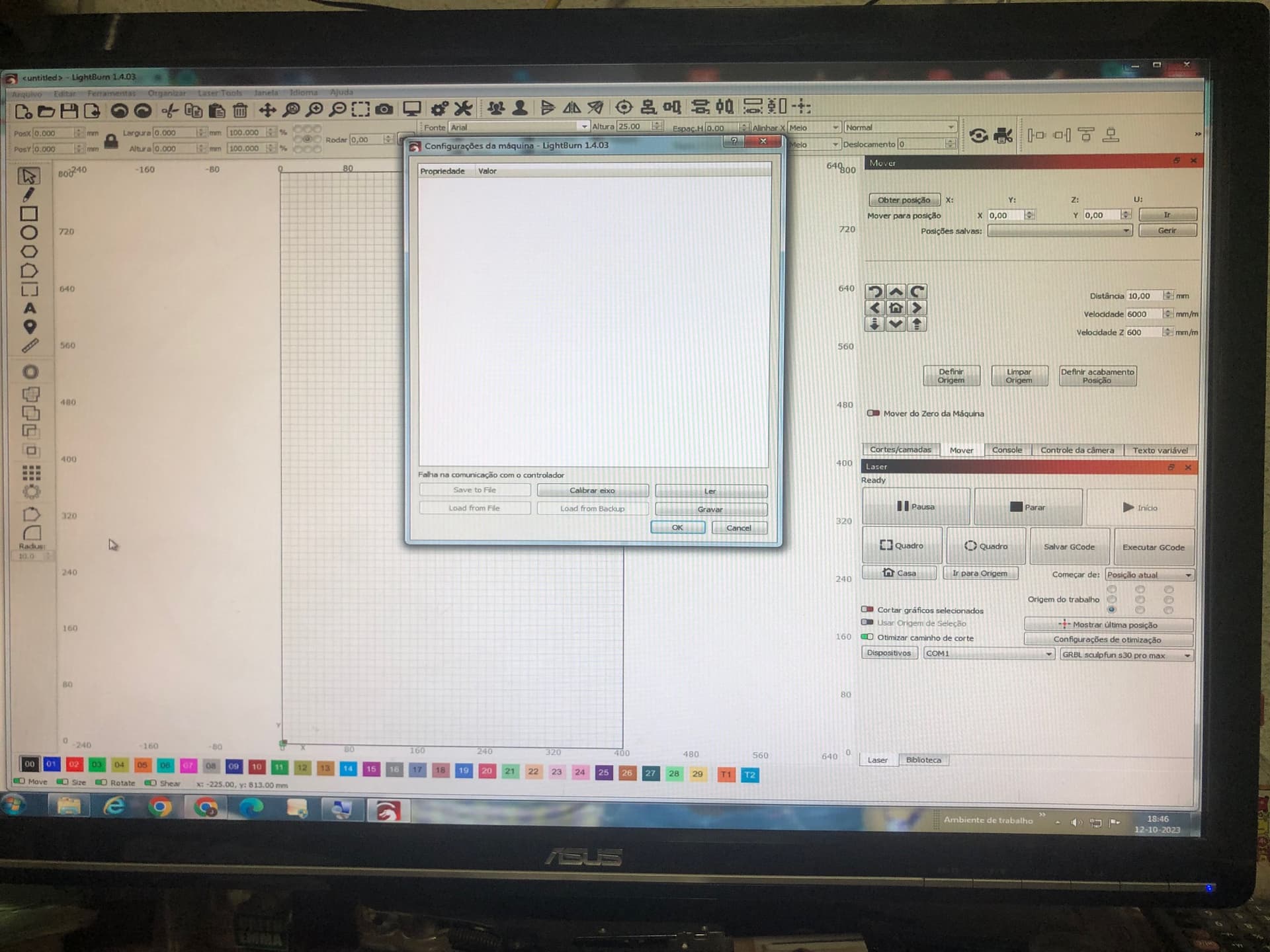
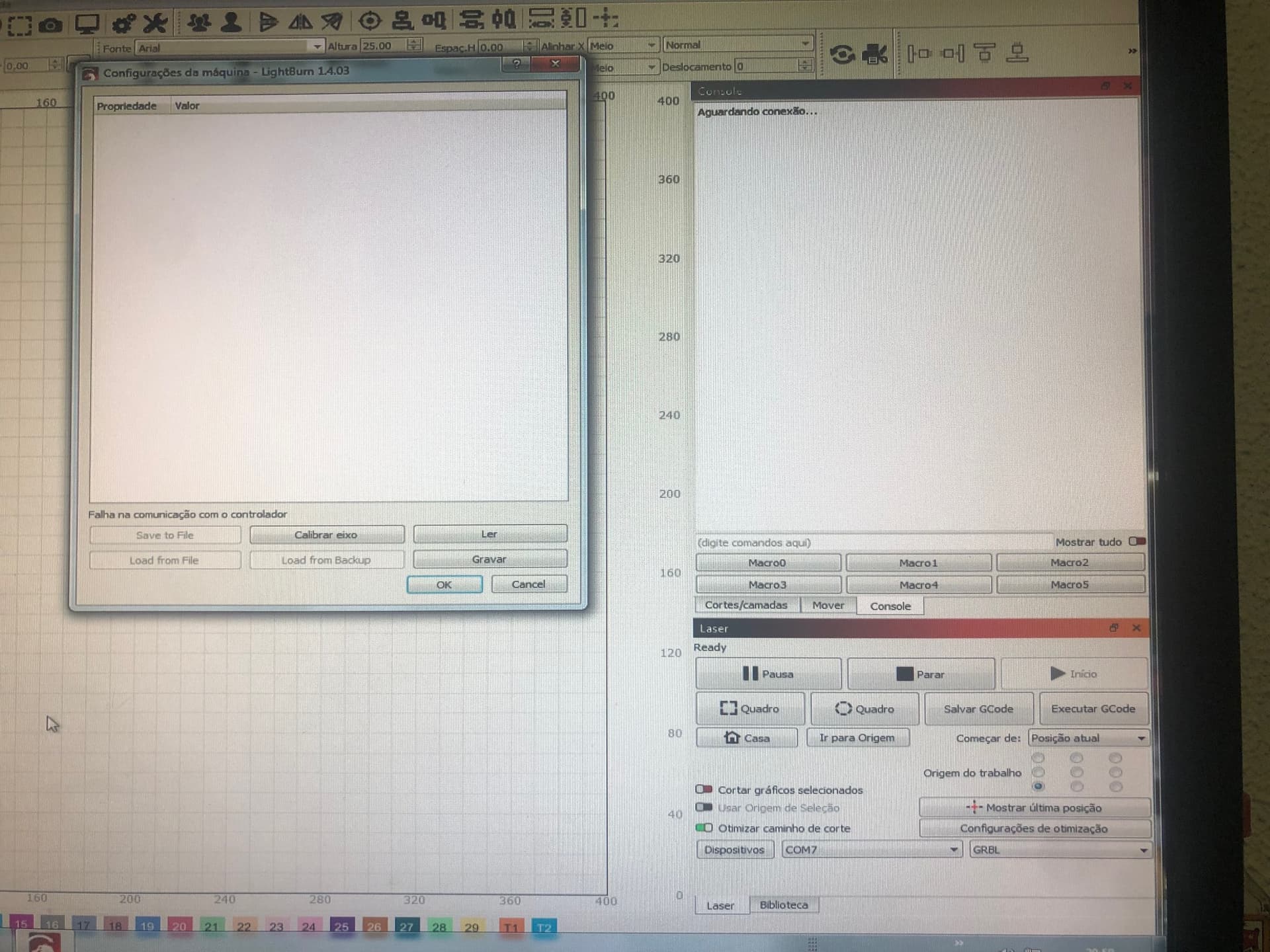
Eui resolvi o problema de aparecer no meu edit a configuração da máquina. agora quando click em configurar a máquina aparece a mensagem ( falha na comunicação com o controlador ) JUNTO AS FOTOS ) Como poderei resolver esta questão ?
Obrigado
OLá
a porta está correta , só que continuo a não ter comunicação com o controlador. será que o controlador está avariado?
Não sei que pensar. obrigado pela sua atenção.
Show a screenshot of the Windows device manager. LightBurn is NOT connected to any device.
If you can verify the COM port number, next, make sure that no other tool is blocking (using) the port. LightBurn has no access to it.
Bom dia
O problema está no meu programa do lightburn porque eu testei com o grbl laser e está a funcionar bem , a minha versão é 1.4.03 , ou será o driver ? pode mandar o link do driver certo? obrigado
If LaserGRBL is working, then it’s a LightBurn problem. After using LaserGRBL, you might need to power cycle the laser to make it work with LightBurn again. Or try to set the DTR option in device settings. But power cycling should be enough.
If the laser gets a COM port, no other tool is using that port and LightBurn shows “waiting for connection”, then it seems like a LightBurn bug. Did you reinstall it already?
OLá
jÁ NÃO SEI COMO TESTAR TUDO ISTO. SEGUE UMA IMAGEM REFERENTE A
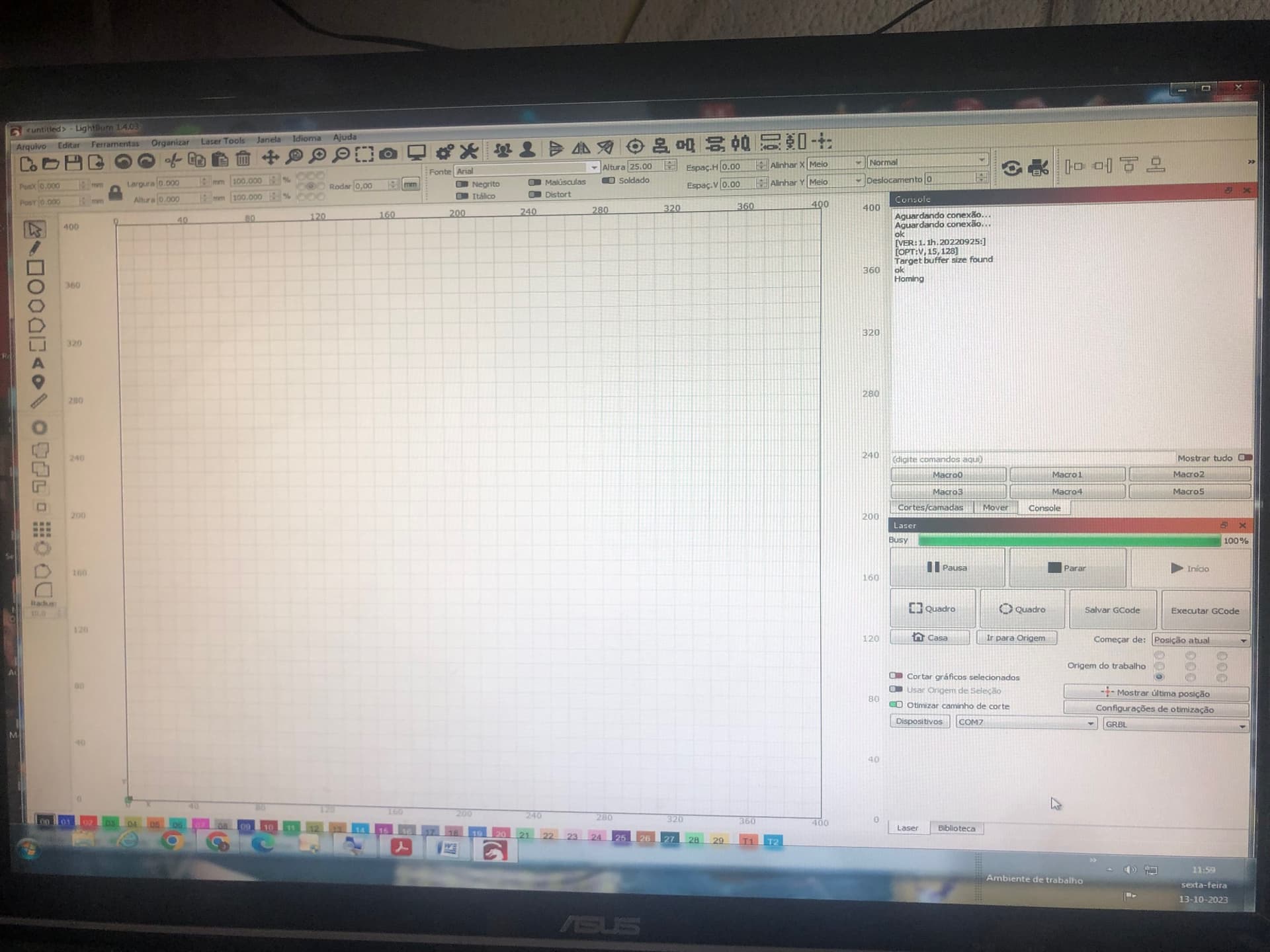
BAIXEI O LIGHTBURN GRATIS PARA O MEU PC CONECTOU COM A PORTA USB E FICA ASSIM COMO TEM A FOTO . SE FOR AO EDITAR E CONFIGURAÇÃO DA MAQUINA APARECE A MENSAGEM - FALHA DE COMUNICAÇÃO COM O CONTROLADOR
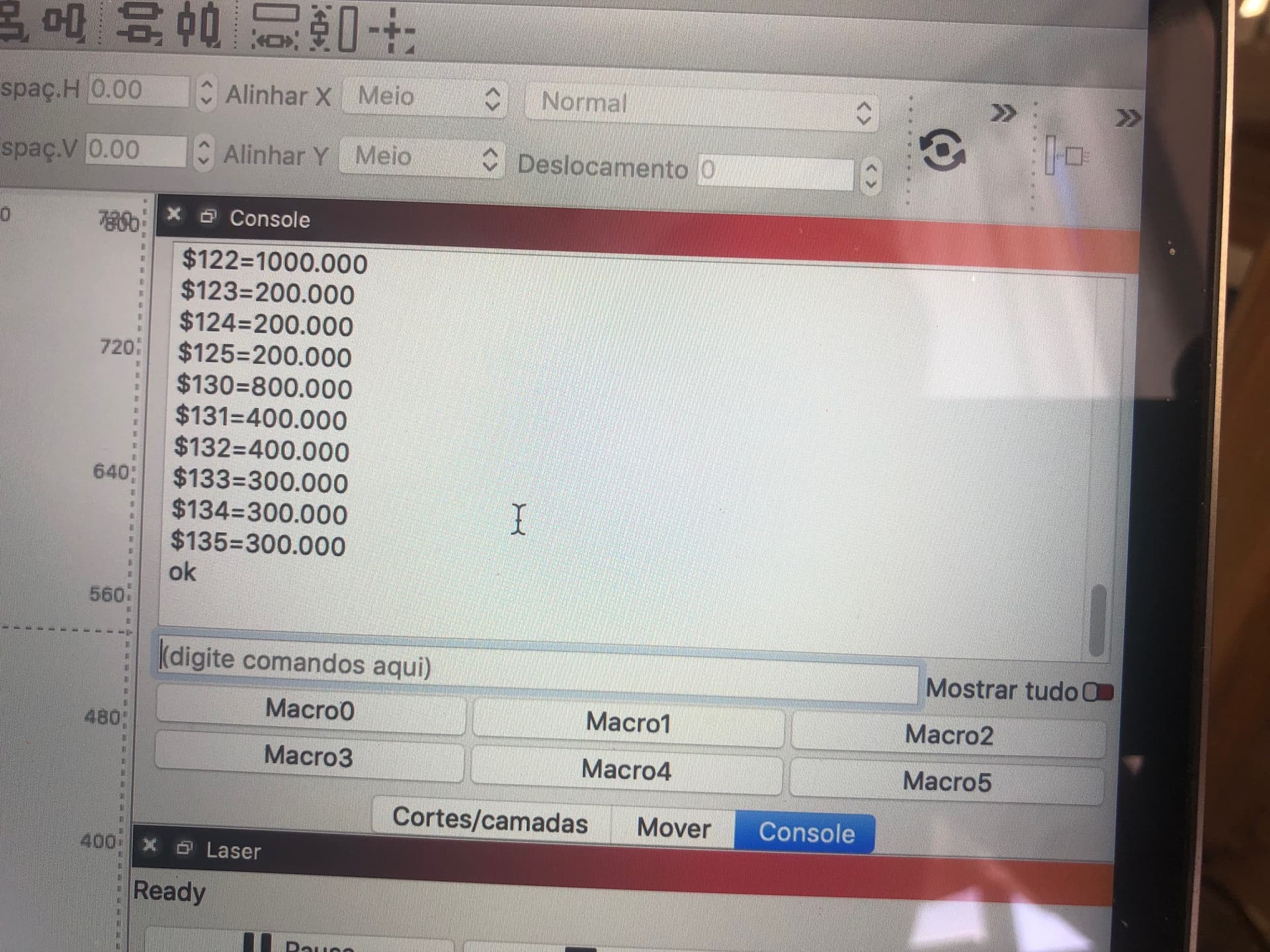
 You can also set this manually, just enter the values in the console window. A guide is here: