cargo una imagen para grabar y sale error 2 y error 24
I load an image to burn and I get error 2 and error 24
cargo una imagen para grabar y sale error 2 y error 24
I load an image to burn and I get error 2 and error 24
Please select and copy the text from the Console window in LightBurn and paste it into a reply here.
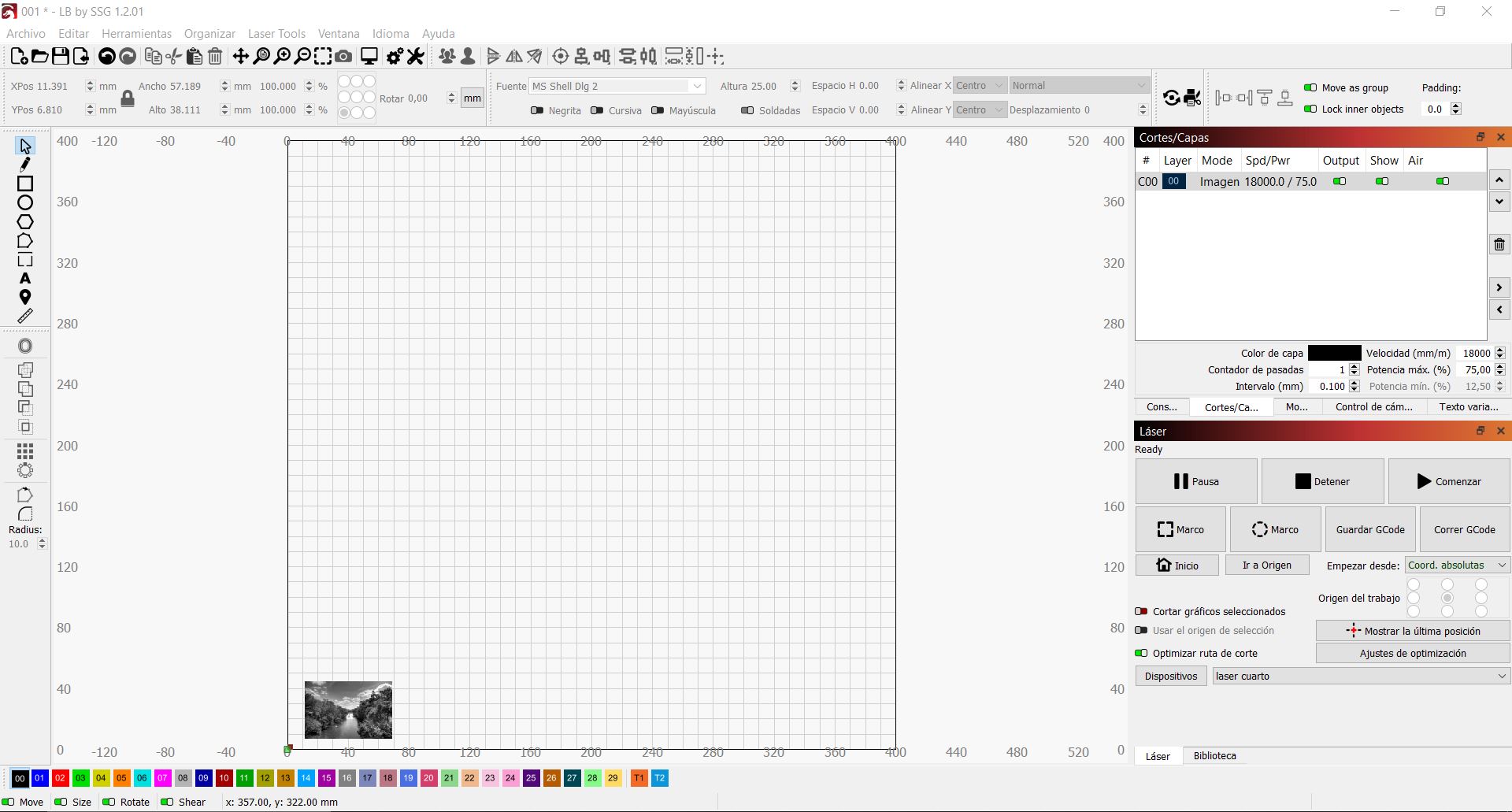
Then, use a screen capture tool to capture the LightBurn work area and your Cuts / Layers settings.
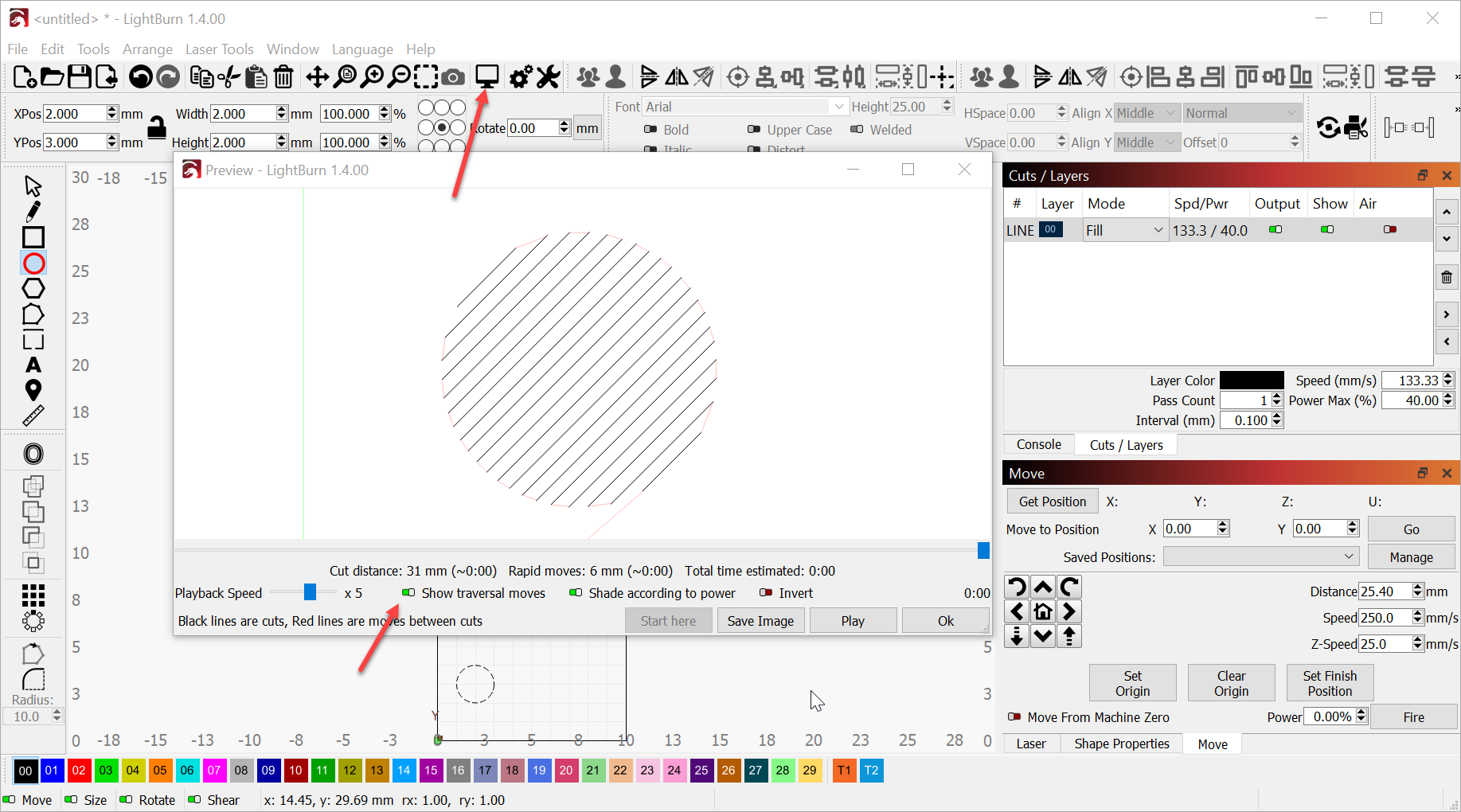
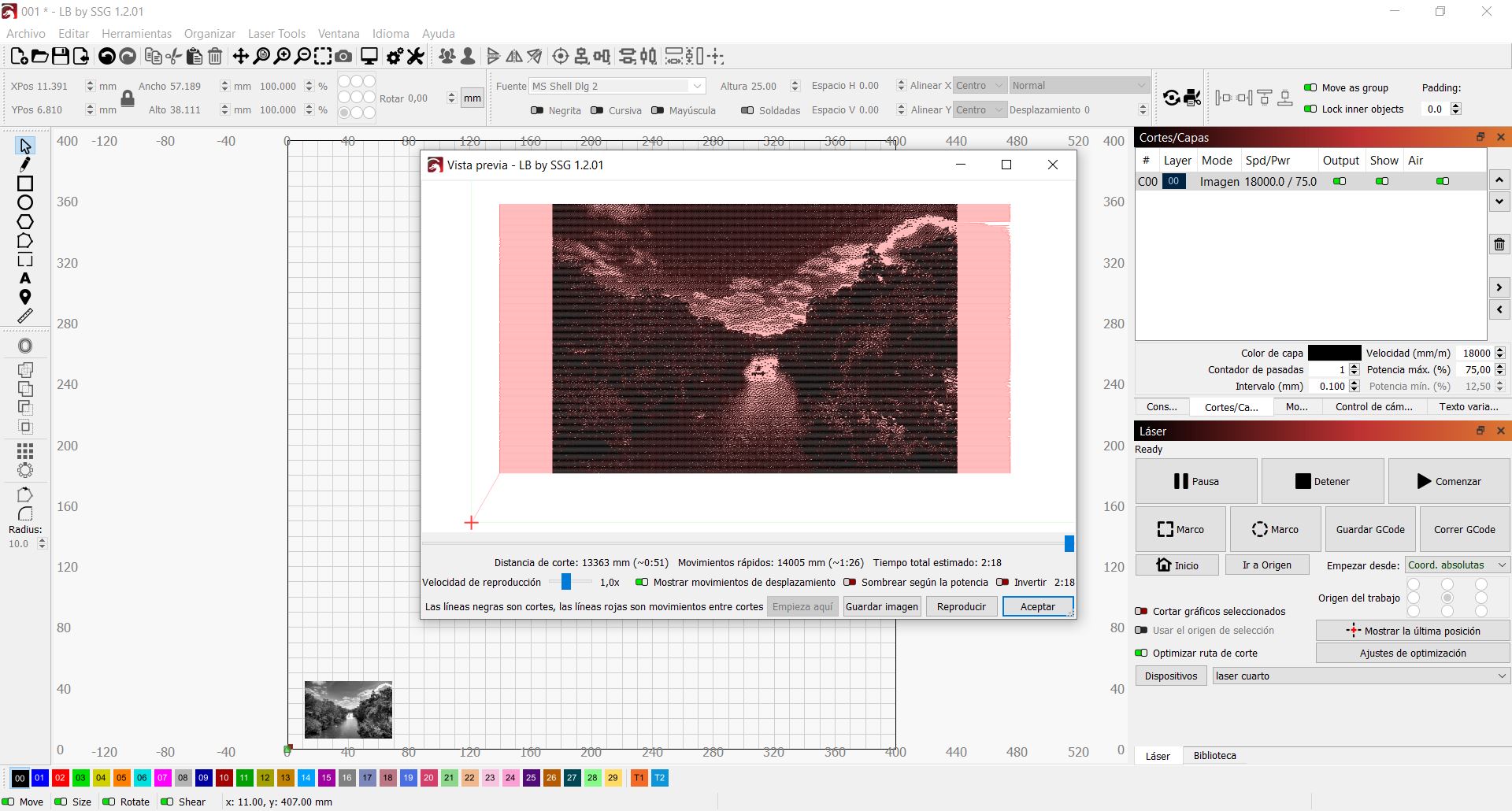
Then, click the Preview icon in the top row. The Preview icon looks like a flat monitor on a monitor stand. Select the ‘Show traversal moves’ switch on the bottom, Zoom out to see the entire image, then capture that preview with the screen capture tool as well.
I prefer a wheel-mouse to zoom in and out of the preview window.
error:24
Se detectaron en el bloque dos comandos de código G que requieren el uso de las palabras del eje XYZ.
error:24
Se detectaron en el bloque dos comandos de código G que requieren el uso de las palabras del eje XYZ.
error:24
Se detectaron en el bloque dos comandos de código G que requieren el uso de las palabras del eje XYZ.
error:24
Se detectaron en el bloque dos comandos de código G que requieren el uso de las palabras del eje XYZ.
error:24
Se detectaron en el bloque dos comandos de código G que requieren el uso de las palabras del eje XYZ.
eso sale en toda la consola
error:2
El formato de valor numérico no es válido o falta un valor esperado.
[echo: G1 X0.3S750]
error:2
El formato de valor numérico no es válido o falta un valor esperado.
[echo: G1 X0.1S0]
error:2
El formato de valor numérico no es válido o falta un valor esperado.
[echo: G1 X1.4S750]
error:2
El formato de valor numérico no es válido o falta un valor esperado.
Two G code commands that require the use of the XYZ axis words were detected in the block.
error:24
The numeric value format is invalid or an expected value is missing.
Wonderful! Thank you for these and for such clear images. This is a great help.
In LightBurn, please click File then Save GCode. This will be a large file.
Please open this file, select and copy the first 30 lines from this file and paste only the first 30 lines into a reply here. This will show me if an unusual or older GRBL version is causing the unexpected communication choices.
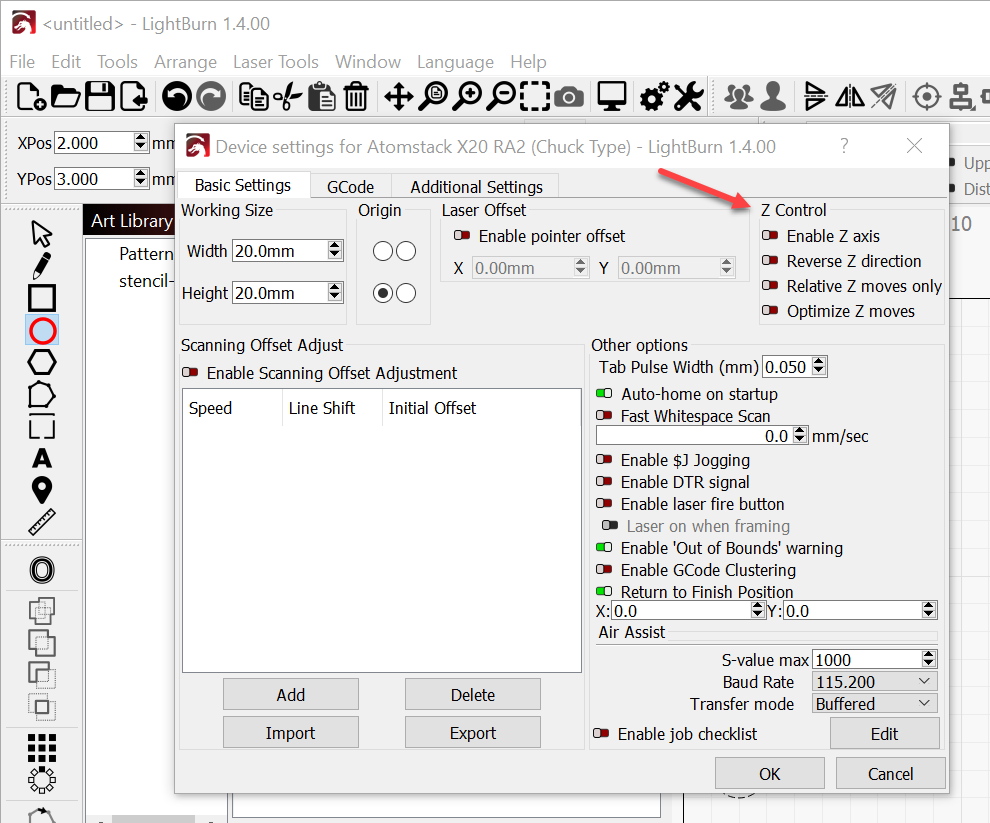
If a Z-Axis move is commanded, and there is no Z-Axis motor or hardware it may cause error 24.
Please confirm the status of the Z-Axis in device settings. It should be turned off.
Your engrave speed seems somewhat fast for image engraving.
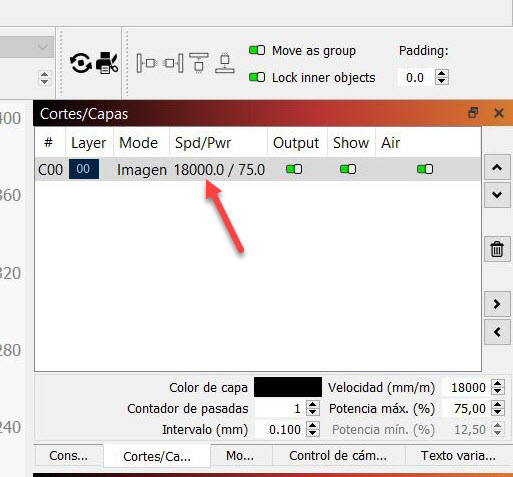
Have you completed a Material Test for your project?
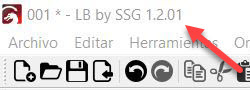
This is of great interest to me. Are you willing to share vendor information?
; LB by SSG 1.2.01
; GRBL device profile, absolute coords
; Bounds: X0.99 Y5.9 to X97.49 Y60
G00 G17 G40 G21 G54
G90
M4
; Image @ 18000 mm/min, 50% power
M8
G0 X0.986Y5.899
; Layer C00
G91
G1 X7.5F18000S0
G1 X5.1S500
G1 X0.1S0
G1 X1.6S500
G1 X0.1S0
G1 X0.6S500
G1 X0.1S0
G1 X0.1S500
G1 X0.1S0
G1 X0.1S500
G1 X0.1S0
G1 X0.3S500
G1 X0.1S0
G1 X0.2S500
G1 X0.1S0
G1 X0.7S500
G1 X0.1S0
G1 X1.3S500
G1 X0.1S0
G1 X0.3S500
G1 X0.1S0
G1 X0.5S500
G1 X0.1S0
G1 X0.2S500
G1 X0.1S0
es el programa que me proporciono el vendedor de la maquina
It is the program that the seller of the machine gave me.
cuando realizo esto igual me sale error 24
when i do this i still get error 24
The First thirty lines of the GCode is perfect.
Absolute coordinates and GRBL device profile are ideal.
I can not see the cause of the error yet. If you still have the whole file, change the “.gc” or “.nc” file to “.txt” and upload the whole file here.
Another report of interest is the System Information report.
It will share the firmware version and build option information from your Ortur Engraver.
In the Console window in LightBurn, please request the System Info report by typing the following:
$i
then press Enter.
Please copy and paste that information into a reply here.
001.txt (2.8 MB)
$YO
[echo: $YO]
error:2
El formato de valor numérico no es válido o falta un valor esperado.
ME SALE DENUEVO EL ERROR
$I (Translation From Google)
[echo: $I]
error:2
The numeric value format is invalid or an expected value is missing.
I GET THE ERROR AGAIN
$$
$0=5.0
$1=100
$2=0
$3=1
$4=7
$5=0
$7=0
$10=2047
$11=0.050
$12=0.002
$13=0
$14=0
$15=3
$16=1
$17=4
$18=0
$20=1
$21=0
$22=1
$23=7
$24=600.0
$25=800.0
$26=100
$27=1.000
$28=0.100
$29=0.0
$30=1000.000
$31=0.000
$32=1
$33=2000.0
$34=0.0
$35=0.0
$36=100.0
$37=0
$39=1
$40=1
$41=0
$42=1
$43=1
$44=3
$45=0
$46=0
$56=1.0
$57=1800.0
$58=395.0
$59=6000.0
$60=0
$61=1
$62=0
$63=3
$64=0
$70=31
$73=3
$74=Red Herdoiza
$75=************
$76=OLM3_AP_96F0
$77=12345678
$100=100.000
$101=100.000
$102=100.000
$110=20040.000
$111=20040.000
$112=600.000
$120=2000.000
$121=1800.000
$122=200.000
$130=400.000
$131=400.000
$132=100.000
$140=600
$141=1000
$142=800
$150=16
$151=16
$152=16
$160=0.000
$161=0.000
$162=0.000
$180=20040.000
$181=14028.000
$182=600.000
$200=65.0
$201=50.0
$202=60.0
$210=100
$211=100
$212=100
$220=50.0
$221=60.0
$222=60.0
$270=2000000
$271=2000000
$272=2000000
$300=OLM3_STA_96F0
$301=1
$302=192.168.5.1
$303=192.168.5.1
no se si esto le sirva espero que si
I don’t know if this will help you I hope so
It does help.
I noticed that Google translate translates $I into $YO and back again. The $ is a command to the control board for the laser engraver and the letter I is for information. $YO is not a command that the control board will respond to.
The $i information report will show me the revision level of the firmware. Ortur works very hard to keep firmware current and correct to standards.
I loaded the 001.txt file as 001.txt.nc into Lightburn and got a flashing picture of a tree lined river. When I opened the preview window, the “Optimizing cut plan…” hangs at 80% with a big delay when closing the window. This also halts the flashing. What kind of GCode program can do this?
I also see “; LB by SSG 1.2.01” on the first line of the file, which is kind of odd.
UPDATE: When I de-selected the image, the flashing stopped. Flashing started back up when the image was selected.Still same question…
This topic was automatically closed 30 days after the last reply. New replies are no longer allowed.