I have a small Genmitsu 4040 pro CNC with a manual router (710W). This means that the router attached to the CNC is started and stopped manually. With the Easel online software (from Inventables), when I start operations, the router rises slightly from the z=0 point (origin of the part), then it asks me to start the router, and only then does the work begin. I would now like to work with Millmage software. Everything works, but I don’t know when to start the router. In other words, I point the tool (the cutter) at point X=0, Y=0, and Z=0 (the surface of my part), but I can’t start my router at that moment because the tool (the cutter) is in contact with my part (Z=0). When I start the job (milling), the Millmage software does not raise the tool and does not ask me to start the router; it just starts the job straight away. This means I have to quickly pause the job so I can start the router, and once the router is running, I resume the job… This method is not ideal because I cannot pause very quickly, so the milling work is carried out with the router stopped, which breaks my tools. What should I do?
Outside of the software have you tried the Genmitsu iMatic relay switch? I have a 4040-Pro with an aftermarket 400 watt motor and the relay starts the motor when I send the GCode to the machine. It saves me from forgetting. Also I run my GCode using candle and have not attempted running the machine with MillMage yet. Had too many projects for Christmas and only about a year experience so wasn’t ready to switch controllers before these are done.
Thanks for your reply. No, I haven’t tried it, but I’ve already read a few posts on the subject. I think, but I haven’t figured it out yet, that it should be possible to enter the X0 Y0 Z0 coordinates of the project, then move the Z head 10 mm and start the spindle BEFORE launching the task. I need to get to grips with the software. What I like about Easel (I learned with this software) is that you place the tool head at point X0 Y0 Z0 and then start the job… The software asks you to confirm a few questions: “Is the object securely fastened?”, “Is the head positioned at point 0?” Then, the spindle automatically rises, and the software asks you if the spindle is engaged. Only then does the job start, taking into account the fact that it raised the spindle before you started it.
In short, I need to do some testing to understand the correct use of coordinates.
What I would like:
Place the spindle at point 0,0,0.
Validate these coordinates as point 0 of the project.
Hello,
Thank you for your reply.
Yes, I have a probe, which I wasn’t using with Easel but could now use with Millmage, and that could indeed be a solution.
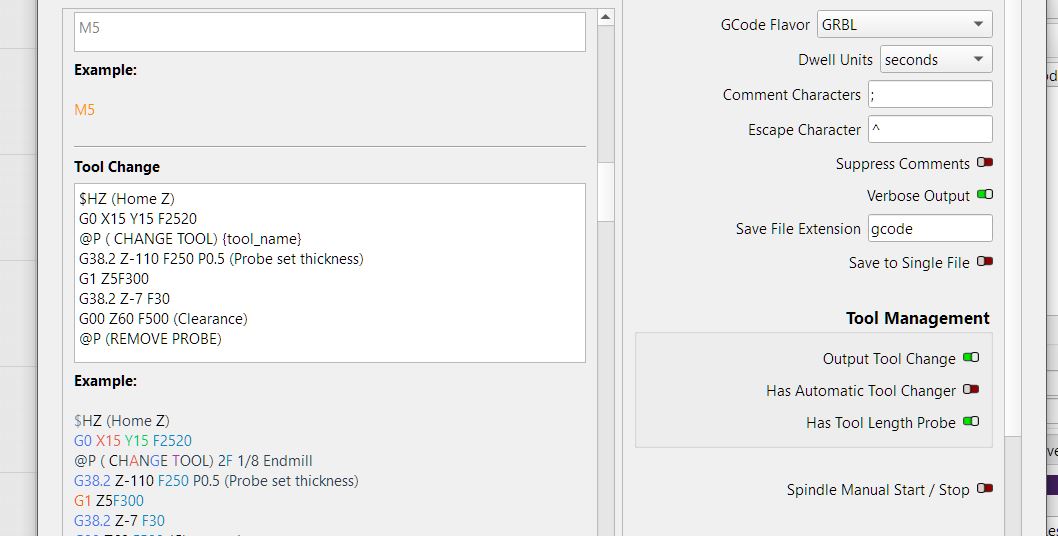
I have also read about adding a startup script, but I haven’t yet looked into exactly how to do that.
Thank you for these suggestions, which I will explore tomorrow.
I will come back to this forum to share my experiences.
Best regards
Finally, I succeeded without the probe.
I manually place the bit on the “zero point” of my part (where I want to start machining), and I define this point as the “zero point” of my part by clicking on the “Zero Workpiece” command.
Then I can move my spindle wherever I want (xyz) so that I can start the router.
When I start the job, the tool positions itself correctly.
I’ll have to see how to proceed when I need to make a manual tool change (several operations)… that will be for next time…