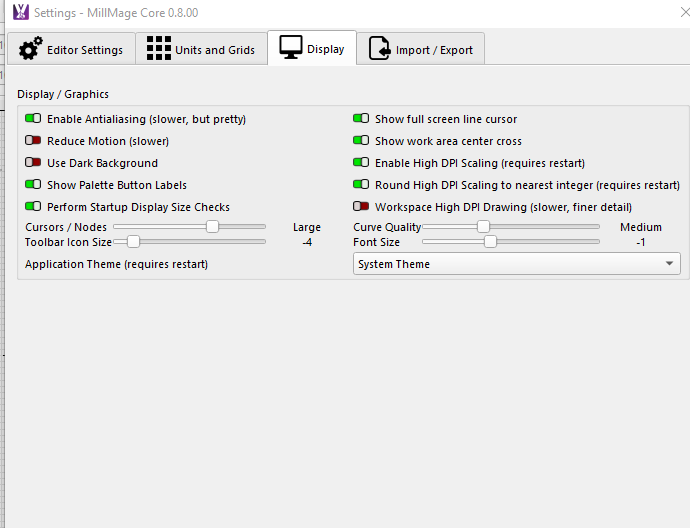
When I open Millmage on my laptop, it all displays fine. When moving it to an extended monitor, the top menu and ribbon display so large that they don’t fit. I initially thought this was my monitor but I also have the Lightburn software and it works fine. Does anyone else have this issue; know of a fix?
when i had that problem it was because i had 150% selected under ms windows display setting - scale, i changed it to 100% and everything was ok
1 Like
Thanks Jere for responding. I did look at that before posting. My display scale on my extended monitor is 100%.
1 Like
You did not describe how you moved it to the monitor.
Thanks Mike for responding. I just grab the top bar with the left mouse and drag the window to the extended monitor then snap it at the top of the screen.
This is what I was looking for. To get my ACER laptop to display properly, I had to make the 27” monitor primary and turn off the notebook PC display. On my Dell machine, I had to do nothing, and I am using a 24” monitor there.