I am trying to design in inches.. think I did everything necessary to set this up, but when I go into my project (units and grids tab) in settings it always goes back to millimeters. Then, even after I change my settings to Inches, the MOVE tab remains in mm. While many may like mm, I’d rather use inches as I have to ask Alexa (sorry to those that like mm) everytime to convert and although I’m just starting off, its a drag to ask all the time. Thank you for your
**Edit: ** Based on the title, moved to the MillMage Software Questions category. @ednisley
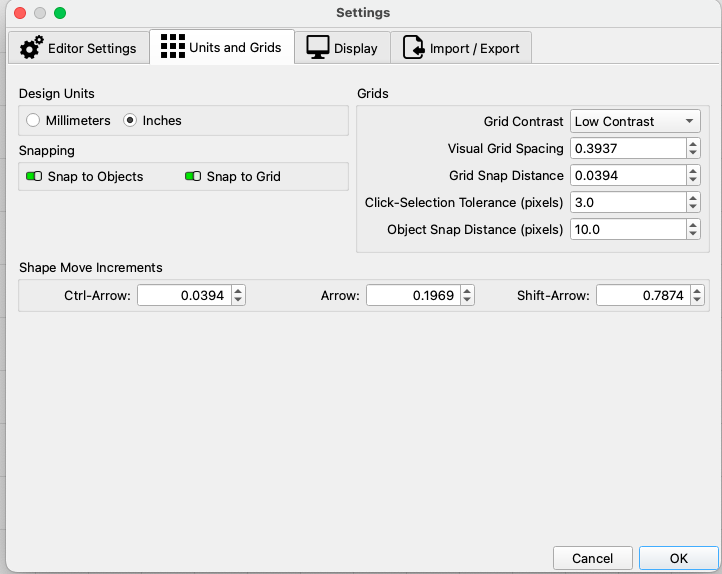
There are 2 places to make the changes. One is Design units, in Settings> Units & Grids. It can also be changed by clicking the In/mm button on the toolbar.
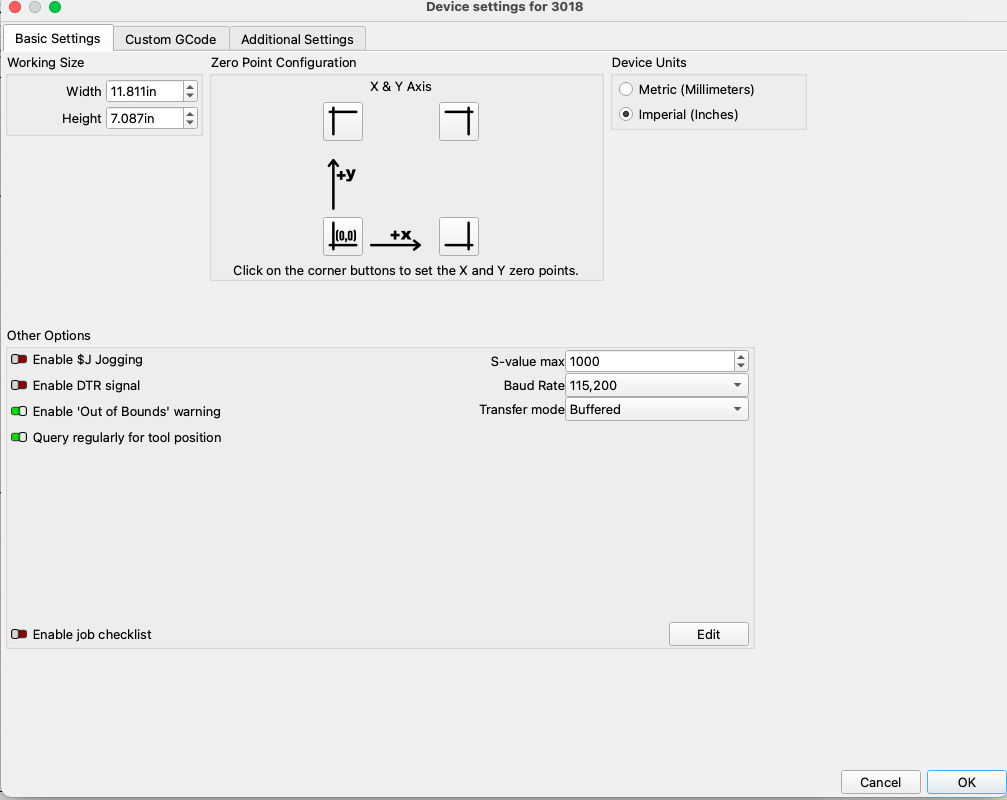
I changed the device settings to imperial and millmage crashed. i was thinking device settings needed to be the same as the actual device (which is mm).. is this correct?
Also, in the other settings I change to inches yet my Move tab never changes to imperial. I do believe Lightburn is in inches, so feel like there is somewhere else that must need to be changed that I am missing. Any help appreciated.
In Lightburn it doesn’t matter which setting you use, it translates it to mm before sending. I would assume Millmage is the same asince they use the same engine. No idea why you would have crashed.
The only way the move tab will display inches is if the device settings are set to inches. Changing by clicking on the in/mm button only changes the design area.
It did crashed. it even told me it crashed. but i was able to restart no problem. if there are logs somewhere you want me to send to you to help with future stuff, i’d be happy to send to you… just need to know where to find the logs (fyi: I used to be a developer… now retired though! )
 If a Crash Report is needed, the Lightburn people will let you know.