MillMage v1.0.00 Beta 6 is now available.
Download (Windows and macOS): Index of /MillMage/Beta/MillMage-v1.0.00-Beta-6/
Change Log for MillMage-v1.0.00-Beta-6
Changes Since MillMage-v1.0.00-Beta-5
Existing Feature Updates
- Eraser: Shift constrains axis, Ctrl resizes
- Hide ‘overwrite’ toggle in Art Browser
- Vertical numbering for variable text in grid arrays
- Centerline Trace ‘Clean’ option
- Straighter CenterLine trace at junctions
- Pendant shortcut: device name and icon
New Features
- Chamfer can cut open shapes to a side
- Scissor: drag across lines to trim them
- Mobile pendant for MillMage
- Drag a corner to set its radius
- Cove Corners cut a concave corner
- Bug reports can carry a settings bundle
- Allow Variables in Custom G-code comments
- Thread milling operation with GPU-accelerated 3D preview
Bug Fixes
- Crash importing a 3D model on large beds
- Grid array counts jumped in inch units
- Fluting preview had a black background
- Probe could start with the head moving
- Position readout froze on trailing comma
- F1 over corner tools showed no help
- Project kept old device after a switch
- DragonDrop send errors went unreported
- Camera import in Japanese listed no .lbcm files
User Interface Updates
- OS and CPU architecture in the About box
- Canvas zoom and pan while tool dialogs are open
- Right-click menu in every edit tool
Language Updates
- Arabic messages showed “1%” where a value belonged
- File-type filters were broken in a dozen languages
Other Changes Since MillMage-v0.9.02
Bug Fixes
- Fix to trim tool not working for some cases.
- Variable text ‘End’ line was not getting updated when loading a new .CSV file.
- Fixed RestoreDefaultLayout to work in Qt 6.11
- Revert previous layer name handling change from 2.1.03 - The “bug” was being used as a feature, so leave it
- Fixed Galvo correction solver to calculate skew and also calc scale more accurately.
- Fixed Virtual Array cuts not being generated.
- Fix handling of flat-tip V bits in v-carve ops
- SVG Importer Improvements to fix “missing content” caused by newer SVG 2.0 features
- SVG Importer Improvements to fix text sizing bugs, enable skew, and implement SVG 2.0 / CSS unit types (%, em, ex, ch, q…)
- Connection buffers could block in rare circumstances on flakey grblHAL controllers
- Stop reallocating the edit window render buffer on every repaint
- Handle PDF files with # # obj entries split across lines
- Using MM or IN units (upper case) didn’t convert
- AppVersion never reported an unparseable version
- Fixing the rest api status behavior for reporting the job progress.
- Fixed UI font scaling issue that can increase the UI size on low resolution screen and cropping of some UI elements.
- Additional validation steps for environment variables to prevent some UI scaling issues when invalid values are carried over from older MillMage versions.
- Fixed Crash when editing Machine Settings and receiving errors from device.
- Depth per pass was ignored if no depth limit was set in V carve
- V carve offsets could cut across shapes
- Prevent double refresh when changing the active page.
- REST API jog settings could not be changed, and invalid jog, home and override values were silently accepted
- Fixed Startpoint editor, direction of arrow could be wrong on closed shape for some cases.
- A licensed copy could switch to trial mode when the license was checked while offline, and stayed in trial mode after reconnecting
- SVG Export: Varied Line weights, and incorrect line attributes.
- Fixing UI for connection requests dialogs.
- Under certain conditions the calculation of required resolution for current font and icon size settings was incorrect, and could prompt users to change display settings when unnecessary.
- IPhones could be listed as cameras on macOS
- GRBL origin was guessed without $23
- 3D relief Pro messages named the wrong op
- Stock to leave for roughing pockets didn’t work
- Rest Pocket outline preview delete shapes fix
- Quitting could crash or hang
- Fixing jpeg crash on import if they use a CMYK profile.
- Removing shapes from an operation broke Undo
- MM crash on copy fix
- Number fields misread decimals after an OS region change
- Copied arrayed shapes lost their array
- Change tool on paths bug
- VCarve Inlay op missed last clearing pass
- Pocket first pass chamfered corners
- REST API missing from release builds
Existing Feature Updates
- Faster bitmap loads for large projects
- Allow ESC key to close measure tool
- Added tooltip to show sim memory usage
- Exclude guide lines when generating thumbnail bounds
- Added vector troubleshooter
- Medial axis speedup & bugfix
- Added better multi mesh support for 3D Import and depth map conversion.
- Added linked operations - rest pocket + v-carve clear
- Warn if pass depth > flute length
- New scrollable and searchable settings dialog
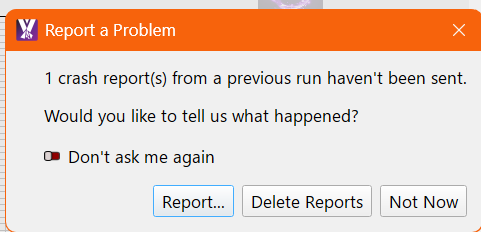
- Unsent crash reports can be deleted
- Tweaks to UI for GenerateTangentCircles
- Optimized depth buffer updates for Simulation
- Multithreaded Relief op generation
- Threaded tracing in Relief roughing
- Reduced the output gcode density for VCarves
- Report a Problem asks what support needs
- REST API updates
- Stock auto fits the art of imported non-millmage files
- Lower retracts in V-carve and roughing
- Lower retracts for V-carve inlay plugs
- Shorter moves between pocket cuts
- Shorter moves in raster pockets
- Rest pockets enter from cleared space
New Features
- Add Cancel button during probe moves.
- Adding REST API for inter-application communication
- Add support for PCB file imports
- Add Gerber file import
- Add support for drill files
- Report a Bug in the Help menu
- Adding REST POST endpoints and Project write capability for writing settings to a project.
- Folded buttons
- Add support for custom web tools
- V carve inlay operations
- TouchScreen Mode (for folding buttons)
- Added operation ranges to the preview slider
- Added EPS file importer
- FullNest - New full-featured nesting algorithm
- Arrange tools work on selected nodes
- Freehand drawing tool
- Re-Fit Curves and Lines
- Shape Maker builds shapes from overlaps
- Eraser tool for shapes and images
- Edit existing vendor bundles in place
- Move to Page in the right-click menu
- Each page remembers its own zoom and pan
- Added Language picker in Help and Notes
- Add support for inserting Braille shapes
- Official web tools can be removed
- Profile can cut open shapes to a side
- Profile can cut open shapes left / right
- Native Windows on Arm builds
- New GET /api/version to the REST API to allow plugins to refer to different versions of documentation as releases augment capabilities
- Cut Order and Use Cleared Pocket settings
- CRLF line-ending option for G-code files
- Symbol Size option for DataMatrix codes
- Adding docs webtool linking.
User Interface Updates
- Application font size setting now applies to tooltip text.
- Minimum screen size check tables updated to account for UI updates and fixes when High DPI Scaling is disabled.
- New startup check and prompt to enable “High DPI Scaling” setting if high DPI display is connected.
- The V-Carve Clearing operation dialog had no title
- Reduce Curves and Lines, shared line button
- Unusable tools shown greyed out in Tool Picker
- Settings opens the new searchable dialog
- Stepover and its percentage share one row
Performance Improvements
- Erasing in dense projects is much faster