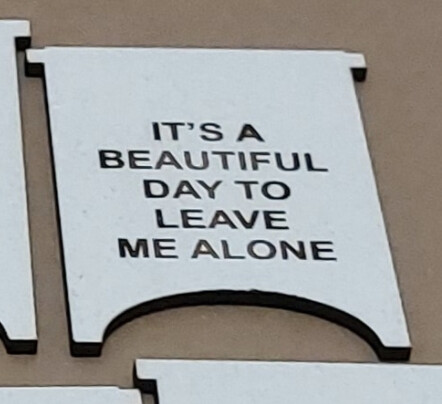
I’ve been making mini sandwich boards (essentially folding signs) from 3mm MDF sheets. I engrave on both sides, assemble them and I’ve been selling a lot of them just by word of mouth. They fit great on a desk or counter and are easy to make.
I don’t bother gluing the hinges on the inner board as I set the kerf so it is a tight fit.
For anyone who wants to make some, I’ve included the LB file and a picture. The LB file includes basic directions in the form of a diagram. I recommend pushing the inner hinges onto their board first. Then put the outer hinges on and a small bit of glue holds them in place. They spread in and out easily (assuming you’re better at not getting glue everywhere than I am) an are easy to make, especially if you paint the MDF before you start engraving.
If you go to craft shows, you could even have the sides engraved and assemble them quickly with whatever saying/picture the customer wants.
Oh, by the way, did you know that cutting and engraving work so much better when you remember to set the focus before you’re halfway through your project? Old age and dumb-assedness tend to follow me around.
So I decided to update the file to make it easier to assemble because I was asked to make 2500 before Christmas.
It took 10 sheets of MDF, which I bought with one side already painted so I only had to paint the opposite side.
If you set the kerf correctly, there is no gluing necessary which allows for much faster assembly and less super gluing of fingers to various other body parts.
A great idea. I like it a lot. Have downloaded your file, thanks heaps.
Having looked at your file, you could probably speed up the process by placing the right and left piece up close to each other and then, in the laser settings select “Remove Overlapping lines” this will allow the laser to cut down the centre only once.
That’s what I do. Except, I rotate one of the sides and put the the short sides of 2 pieces together. Then I nest 5 of those together by the long side so I end up with 5 complete signs nested against each other. It does save time, as well as making more efficient use of the wood. I only nest 5 signs together at a time so if something goes wrong, it will only ruin 5 at the most.
However, I wanted to make the design easier to work with for those without much experience in LightBurn. Hopefully I succeeded in doing so.