Miss Optimize Cut Path?
David Bisterfeldt
Thank you.
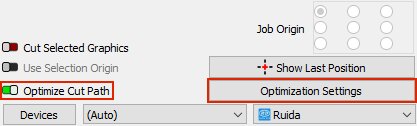
Optimazation Settings are on the other side of that same window.
We had a thing goin’ on, back in high school …
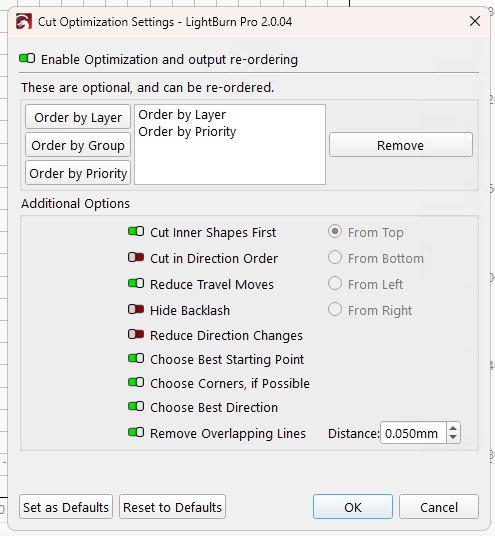
V 2.0 moved that switch to the top of the Optimization Settings dialog:
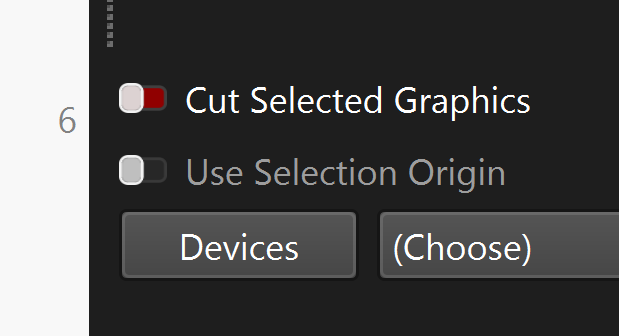
@Colin: The doc still shows the V 1.7 layout:
Good morning. I got Optimize Cut Path with Light Burn. and will find be ok.
David Bisterfeldt
Thank you smile  help into Lightburn Software Question.
Good Morning. I got Optimize Cut Path be ok. thank you 
There was a switch? Mine was never off, so the switch was not on my radar.
Learn something new every day around here! 
Sort of like those of us without a rotary never notice the Enable Rotary switch right under the Frame button:

Where it’s ever so easy to click by mistake … 
(It can be disabled / hidden, but nobody does that until they figure out why the Y axis is either squished or stretched.)
People kept turning it off accidentally, and then complaining that LightBurn wasn’t running their cuts in layer order, so we moved it somewhere you have to try harder to change it.