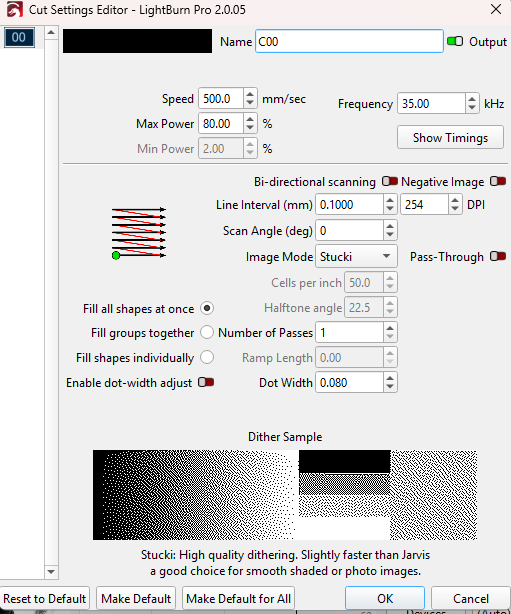
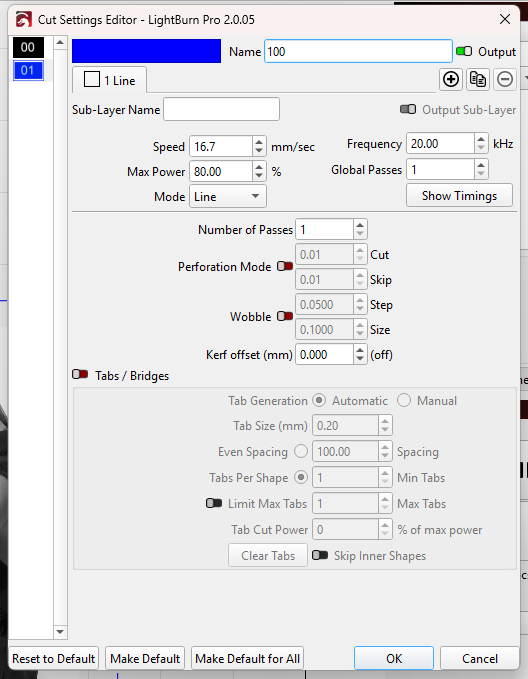
I am using LightBurn Pro 2.0.05 and the Clean up missing i have no option to enable.
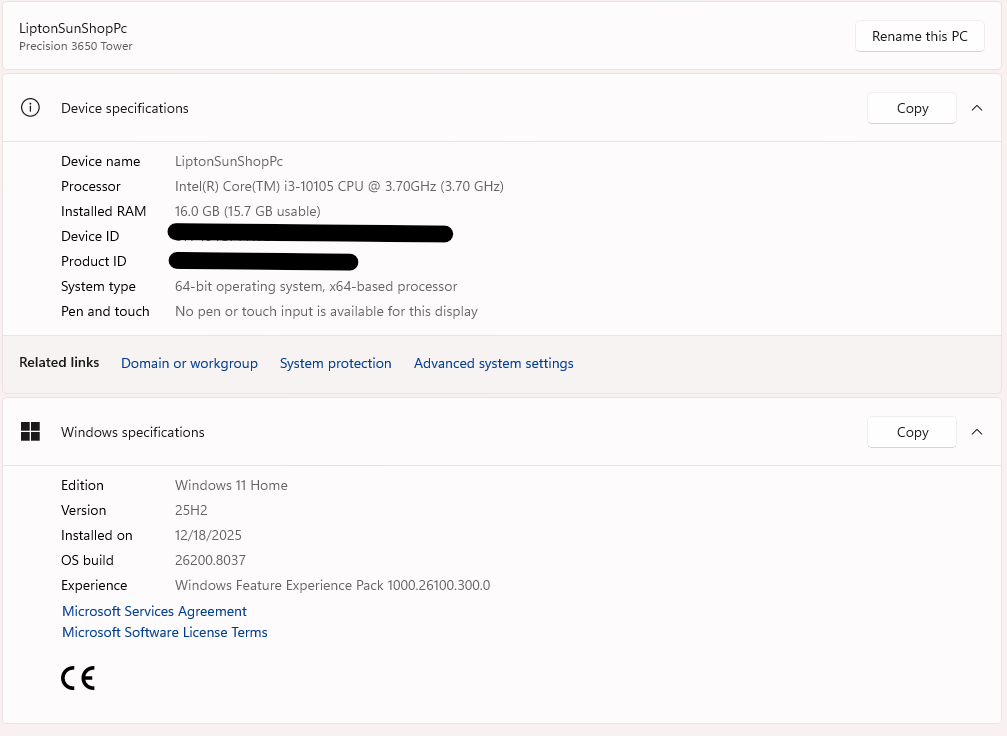
I have a genic 20w Galvo laser. it is lising at JCZFiber LMC4 under devices. I am installed on Windows 11
I thought the ‘Clean up pass’ toggle switch was only available in the ‘3D Sliced’ image mode.
However I am unable to check this at present.
Probably silly question, do you have beginner mode selected?
@Mooseuk, I believe is correct, you have to have the image mode set to 3d Slice to be able to enable a cleanup pass.
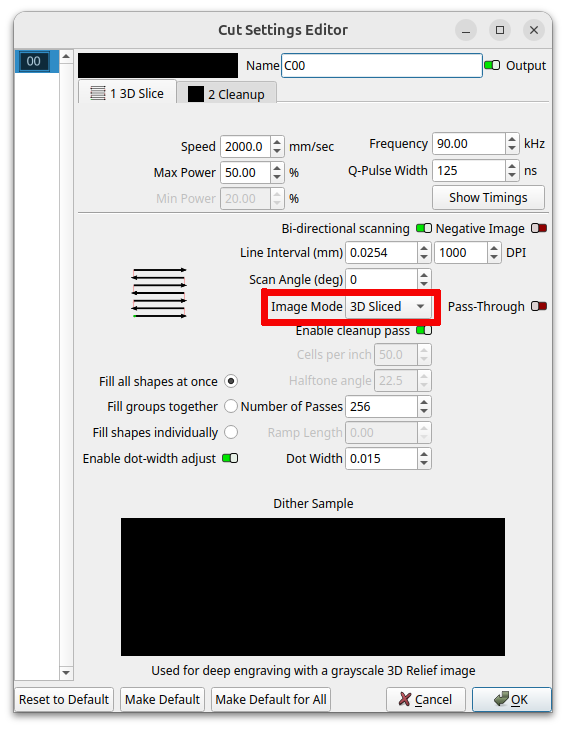
Might want to look at the Interval… Isn’t 0.10mm rather large…?
Might want to enable bi-directional scanning, it will cut your job time in half. Unless you have alternative motives.

I did enabled that also and there was no change for that sub it just stayed the same.
I don’t believe in silly questions when trouble shooing. But yes I have beginner mode off.
1 Like
I will look when I get back I am coming from a diode laser some some of the setting a new to me
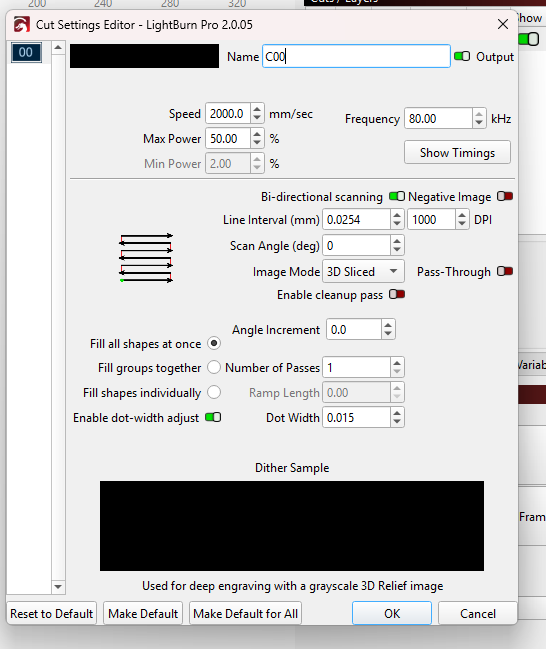
@jkwilborn here it is with edited settings
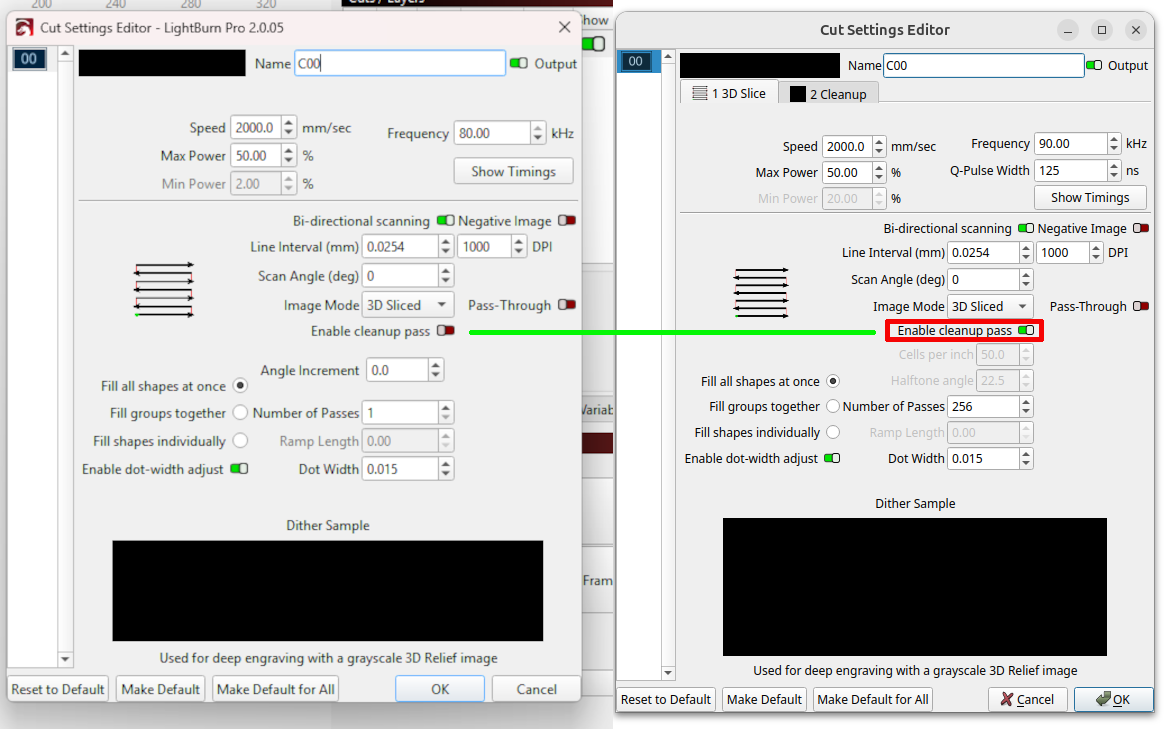
@jkwilborn for whatever reason, when I loaded a regular picture it did not show me the option to enable it. But when I uploaded the depth map it did show me the option. However, while I was trying to reply through the app, it kept giving me an error and wouldn’t post so I couldn’t respond till I got home. I appreciate the help
1 Like
Soooo… did you get it to work?
It needs a bitmap to enable 3d slice as far as I know.
I did yes.. thank you
1 Like