Hello everyone. I have a Monport Mega 70W and tried to see if I could connect the camera with this new version, but it still doesn’t work. The manufacturer is aware of the issue and clearly specifies it, saying that to see the camera correctly, you need to revert to version 1.7. The camera is detected by Lightburn, but it provides a “standard” image and a prompt prompting for configuration. However, it isn’t possible to do so. The Monport Mega uses custom grblHal firmware. I was hoping this version would fix the problem. But at this point, I think it’s more of a power supply issue or a firmware programming issue.
Hello Gianni,
I moved your comment to this new post, so that it gets the attention it deserves.
We don’t have a Mega in our team, but I just read some of their instructions on this page.
It’s quite confusing, doesn’t fully apply to newer versions of LightBurn, and could be made much simpler!
I’m happy to assist with finding solutions to set up a better working device profile.
Have you already tested the laser with Monport’s own software to ensure everything works correctly?
It’s best to first upgrade the firmware of the controller by following their instructions here:
My firmware is updated to the latest version. I’m in direct contact with the Monport engineer who oversees Mega development. He tells me they’re unable to fix the camera issue with LB versions 2.0 and later.
OK. I’ll try tomorrow and maybe I’ll take some screenshots for you.
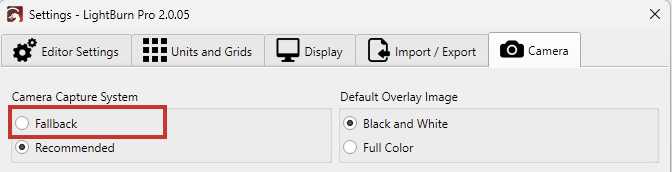
Did changing the Capture System help, or is there another issue with the camera?
No. Changing the acquisition method doesn’t make any difference. I think it’s a firmware issue with the grblhal controller.