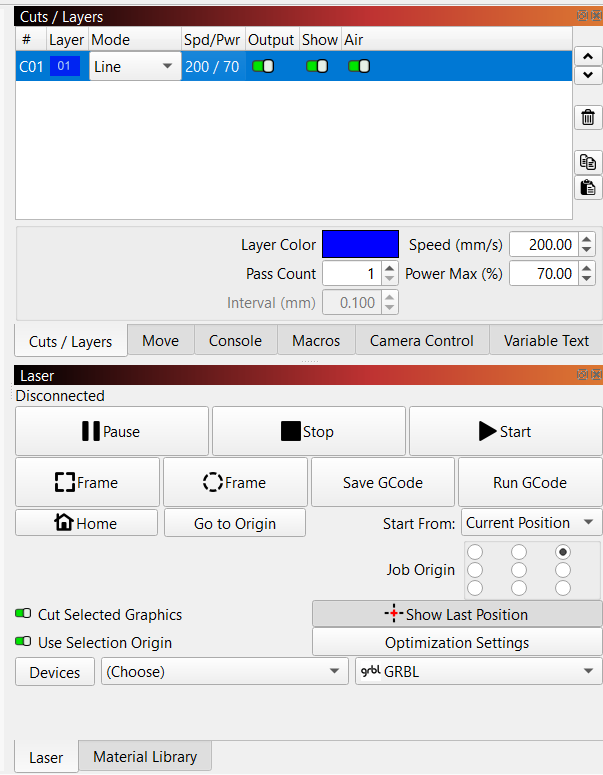
I’m having trouble with my Monport Reno 45 (non-Pro) and hoping someone here has run into this. The machine connects to LightBurn and jogs around with no issues — but the laser won’t fire during a cut.
Here’s the weird part:
• When I hit Start in LightBurn, it runs the cut path in line mode, positions perfectly, but the laser never fires.
• When I press the Test (red) button on the machine, the laser fires instantly and cuts like butter.
• Laser switch is on
• Water pump running
• Air assist on
• Tried different layers, power settings, speed settings
• Tried the “Fire” button in LightBurn — nothing
• Machine moves normally, just no beam unless I hit the physical Test button
• Mirror Alignment: Laser does fire using the test button, so alignment doesn’t seem off.
• Additional Note: When I hit Start the machine runs the cut path, but the laser never fires. When I press the Test (red) button, it fires perfectly and cuts fine.
Test button fires, Lightburn Test no fire. You can see it send the commands to the laser by turning on the Show All switch in the Console window. If it says “Ok” at the end, then the issue is in the controller.
Everything you provided looks good. The only other thing I can guess is a safety interlock is keeping the laser from firing.
Can you run a part program on your controller, like using a laser control panel and program on an xD (or such) card?
I know GRBL pretty well, but the CO2/GRBL hybrid is a strange combination. I see this a lot with postings for “K40” machines. To be honest, if I ever go CO2, I will go this route due to my familarity with GRBL, and save not needing the Pro license.
Update:
Problem solved! My chiller was hooked up backwards — I had inlet → inlet and outlet → outlet, which meant there was zero water moving through the tube. After opening the back of the machine and noticing the laser tube was completely dry, the issue finally clicked. Swapped the hoses, the tube filled, and the laser fired like normal.
I’m actually glad the machine has that safety feature. It refused to fire without water flow, which kept the tube from overheating or getting damaged.
I’m posting this update in case anyone else runs into the same problem — hopefully it helps someone troubleshoot a little faster than I did.