I just upgraded my software and now the move button is gone form the windows choices. Please help.
Either check the Beginner Mode switch, or
WinKey + UpArrow to maximize the Lightburn window.
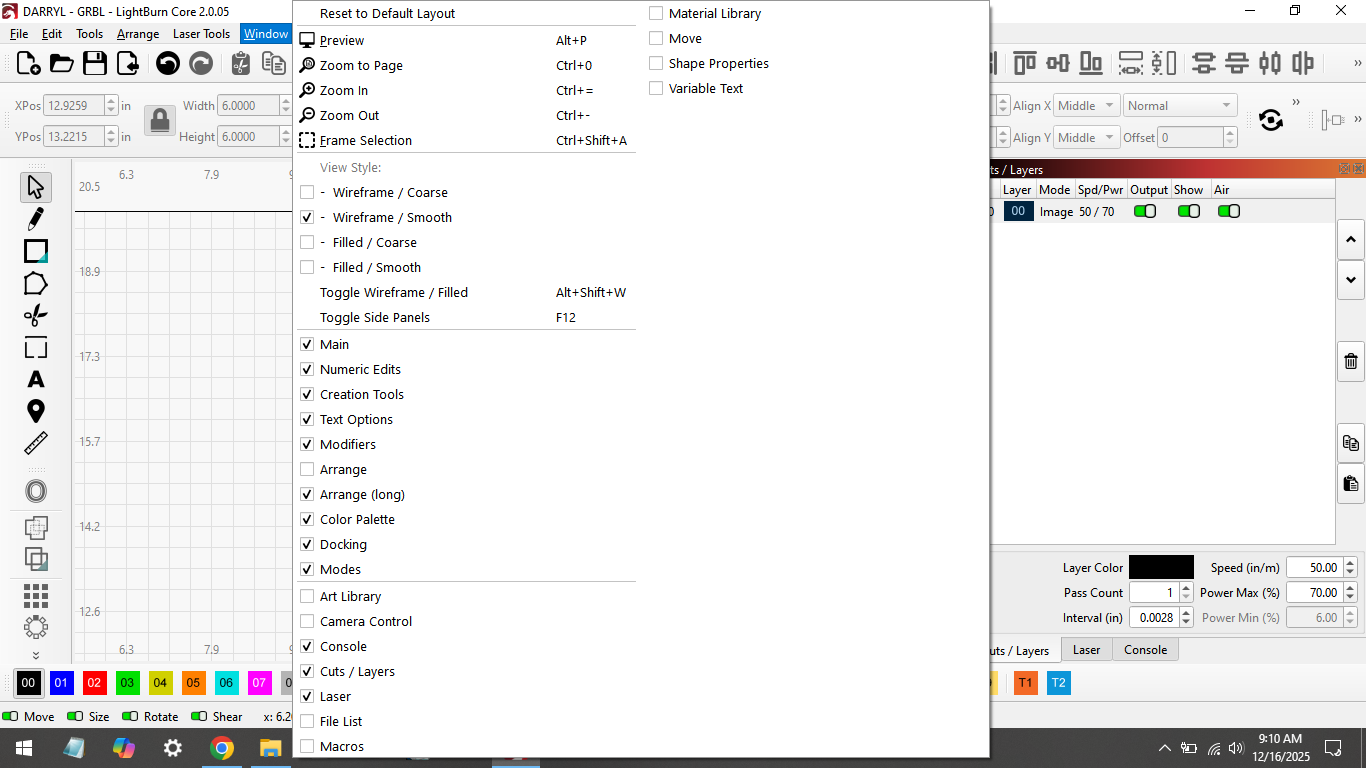
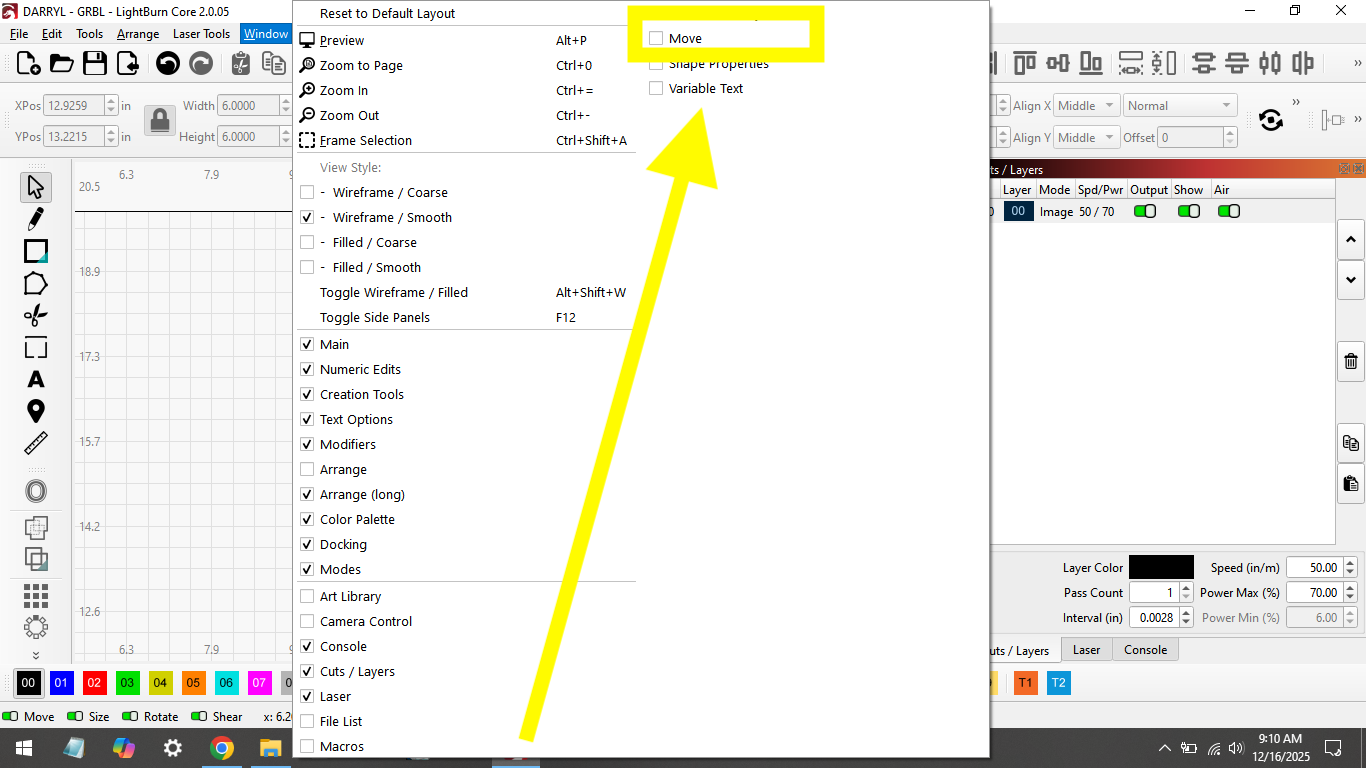
Because of the resolutioon / scaling of your display, the menu is too long and wraps to a new column. Follow the arrow.
WOW, , Thank you very much.
How do I change it to the way it was before?
That depends on your system. In the Settings menu (gears icon)> Display tab there is a switch to enable high DPI Scaling or something like that, there are also sliders to adjust font size. Also on your system set scaling to 100% if it’s not, sometimes you can get away with 125%, but don’t go more than that. LA Hobbhy Guy just posted a video the other day describing these issues and fixes.
I just checked.
My scaling is set to 100%
What is your screen resolution?
1366 x 768 xxxxxxx
OK, so you are in a low resolution situation. If you can, increase your resolution. If not, your only option, as far as I know, is to adjust the sliders for font and icon size in the Display tab of the Settings Menu.
reducing the font size seems to work.
Thank you for your help
2 Likes
This topic was automatically closed 30 days after the last reply. New replies are no longer allowed.