Wouldn’t be easier to add a button to move the laser to the center of the frame in either the Laser or Move dialog box instead of hiding it in the Arrange drop down menu?
Yes, I do know about the Center Finder in the Laser Tools menu but it’s so cumbersome.
*edit* Is there a need to be able to move the laser to the center of the workspace? Perhaps a framing issue? I cannot understand how this would make your LB experience more appealing. Please elucidate.
Nope, been here a while and I enjoy helping people because it helps me learn when I coach others.
I am a strong believer in Occam’s Laser. I enjoy my LB laser experience as a top 5 activity in my life, I must be a nerd.
Please help us understand why you feel the need to add a button to the already crowded and for some users, difficult to see, workspace?
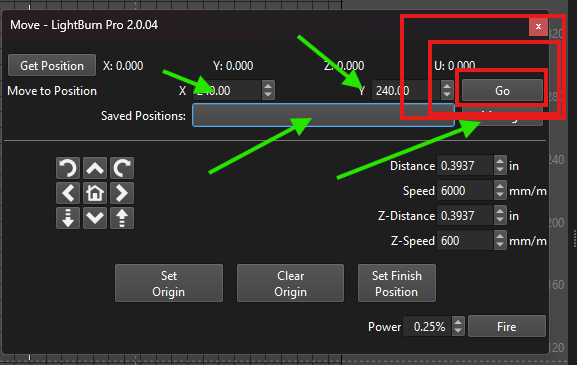
You can also make a waypoint under the MOVE window - I would be happy to show you how to do that. The instructions in the LB documentation are really world class, worth reviewing.
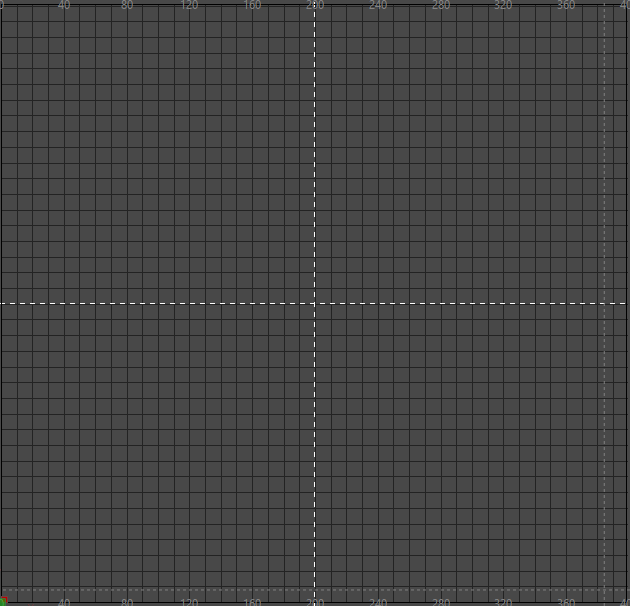
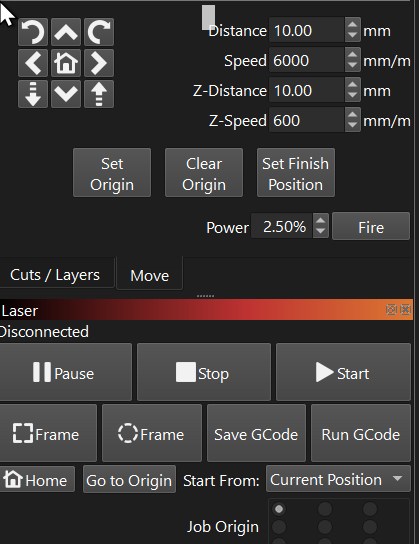
This computer does not have a machine attached - but this is the “MOVE” window. Enter your heart’s desire into the green highlighted boxes.
Select the destination from the drop down box and press the red highlighted button.
Note also you can Set Origin and Set Finish Position - should you desire, you can have the laser position itself at dead center after every job is run - saving you from having to press any more buttons.
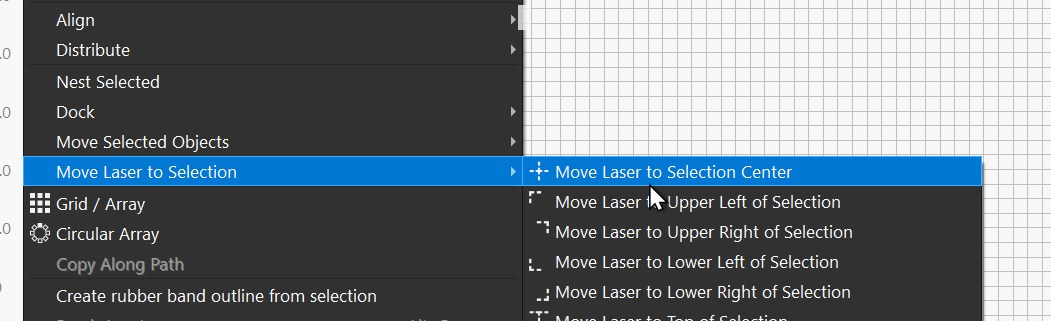
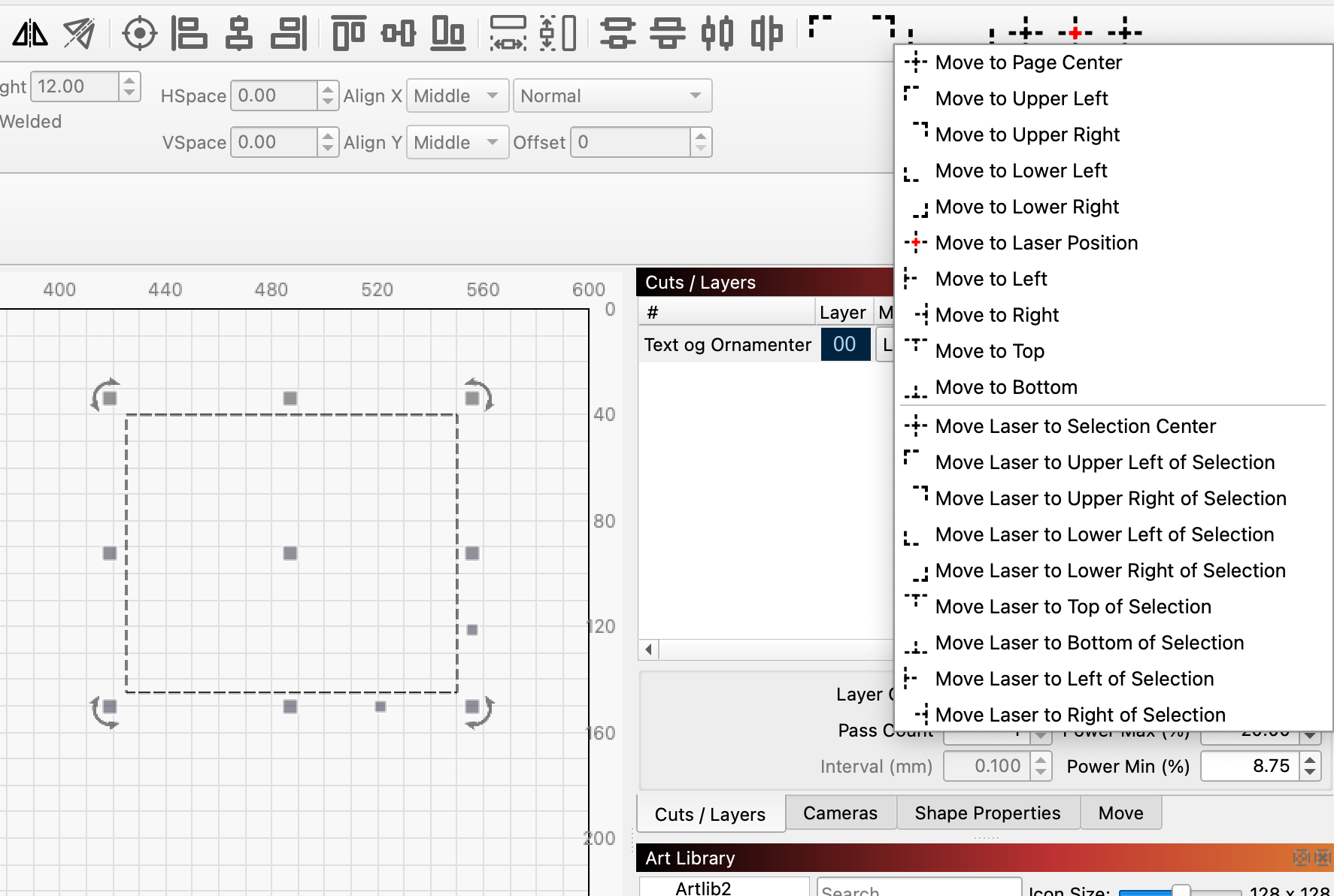
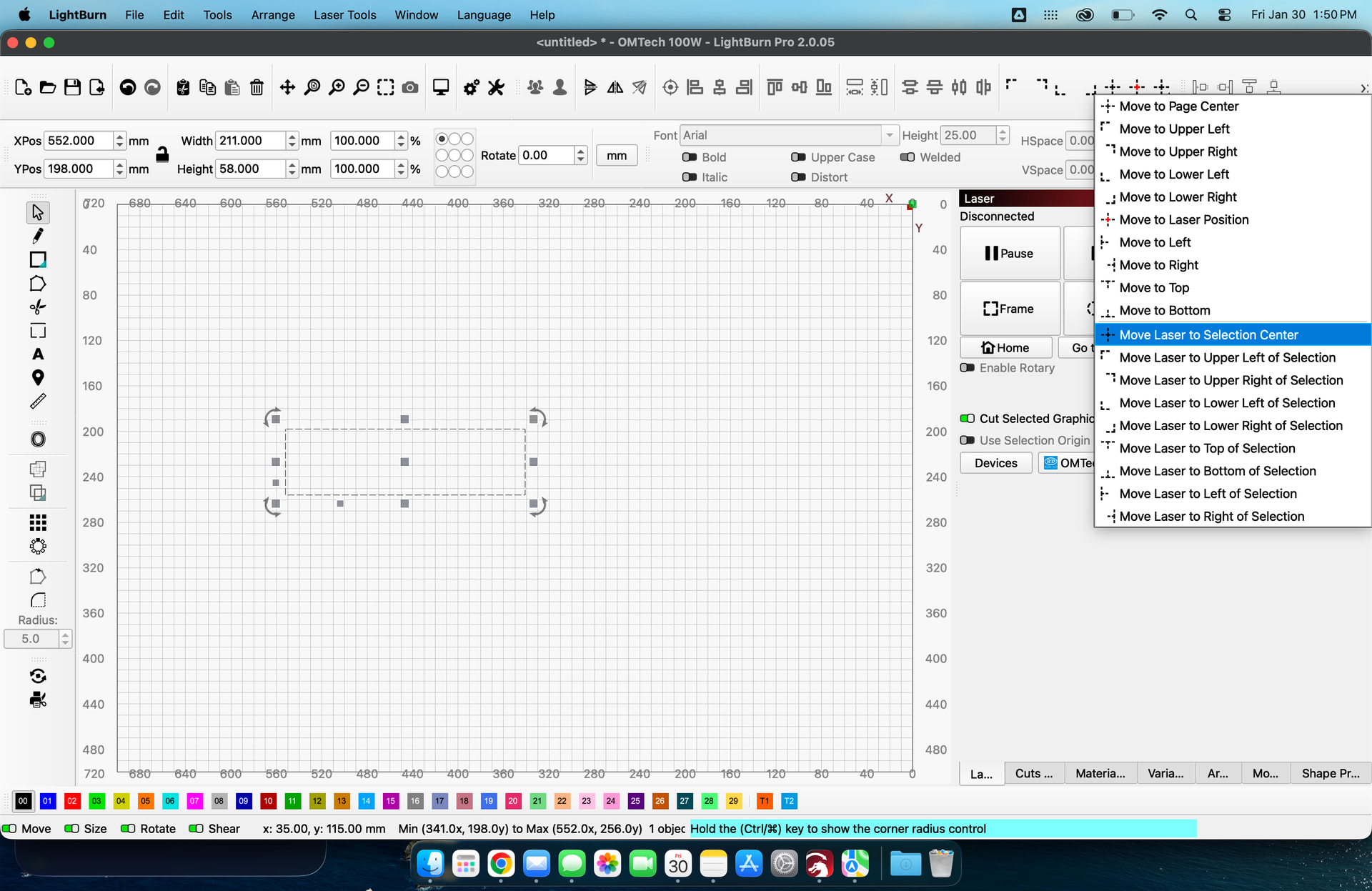
That button is available with 2 mouse clicks as pointed out by Bernd. Click the dropdown arrow at the right of the move selection, then click your choice.
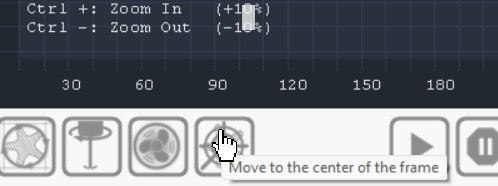
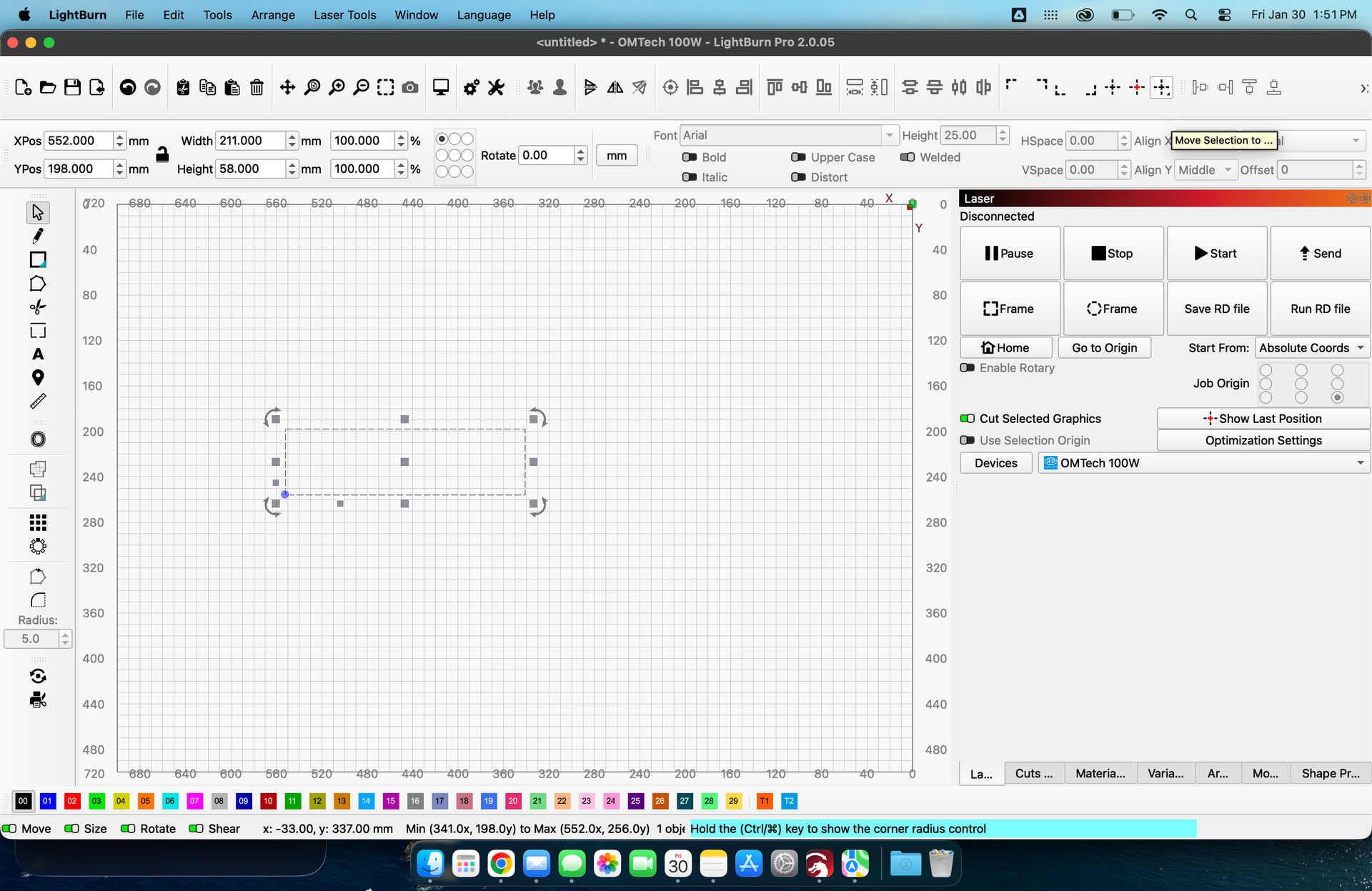
Looking at my screenshots, where would you add another button? My docking tool bar is already truncated.
If this is a feature you frequently use and 2 clicks is not acceptable, create a hotkey for it.
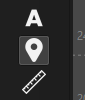
Change both Save GCode and Run GCode to 2 lines, Condense the circular Frame button then you’ll have room for either the GPS button that’s under the A (text button) or a whole new button or
To the right on the Fire button
I’ve been looking how to do that since day 1, I’ve been searching for “Shortcut Key” I’ve created one now. Thank You Tim.
The reason I posted here was I wanted to open a conversation in hopes that some new things would come to light (as in Hotkeys = Shortcut Keys) If I just posted in the Feature Request area, I’d still be looking how to do it.
@JimNM@RonSa I am, and asking everyone here to take 5. While I appreciate the enthusiasm I’m seeing here, I’m inviting all of us to take a pause and consider how reactions and responses affect each other and the community at large.
I’m going to lock this temporarily while reviewing/moderating for tone and duplication.
Will re-open once reviewed with further comment.
This thread had a lot of reactionary behavior and commentary on its way to developing a solution.
We’re not rejecting the Feature Suggestion, nor the forum post/thread that points to the suggestion on Fider. We will edit this thread so others can use the solution that was offered here without the rhetoric.
I will send a few DM’s and offer a warning.
Finally, I offer a friendly reminder to all, “Play Nice”, pause when you need to and raise a Flag for assistance.
Thank you again for your participation here. As always, It’s appreciated.
Sincerely,
John Johnson
LightBurn Forum Moderator
(One of Many)
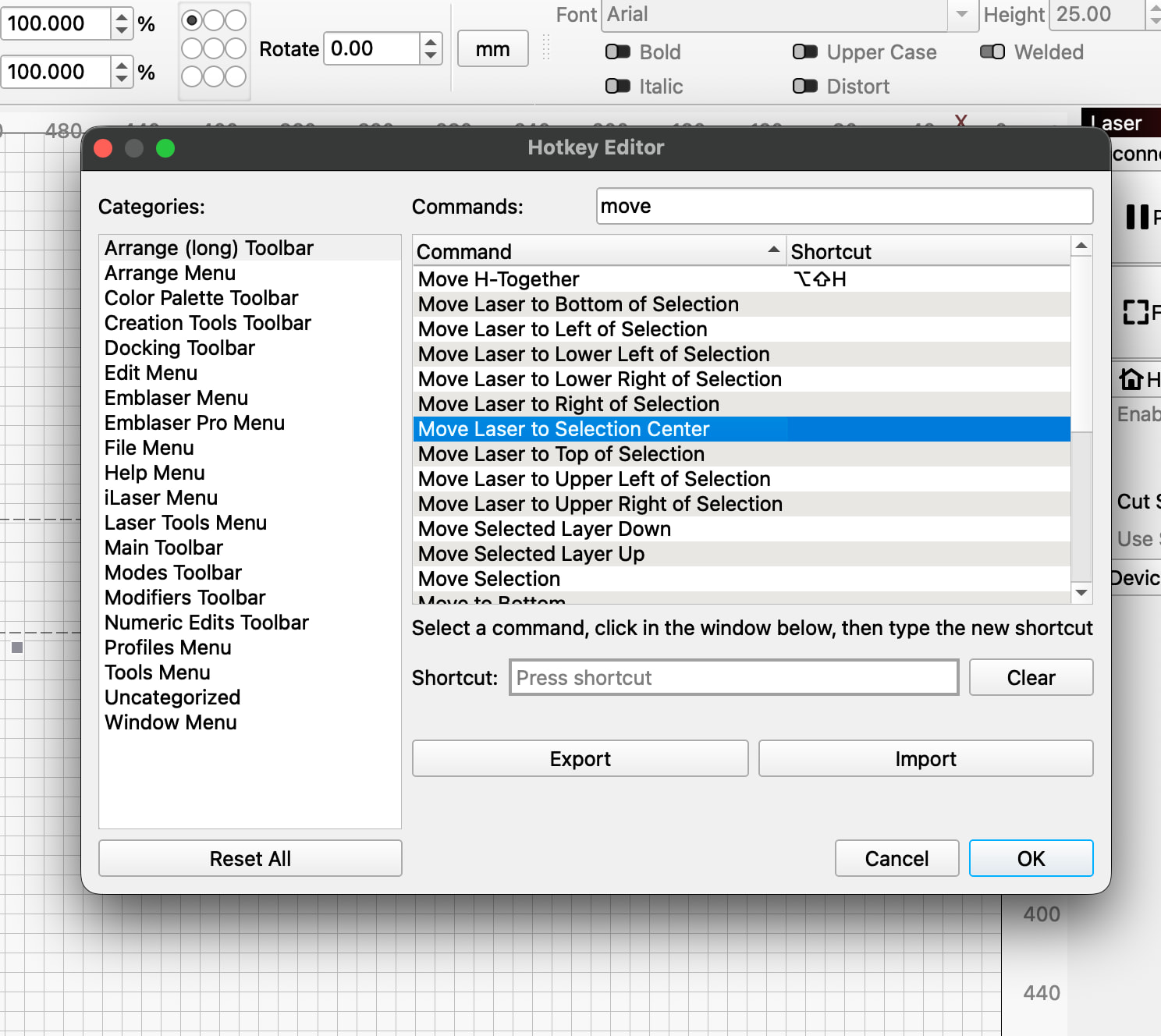
 I’ve created one now. Thank You Tim.