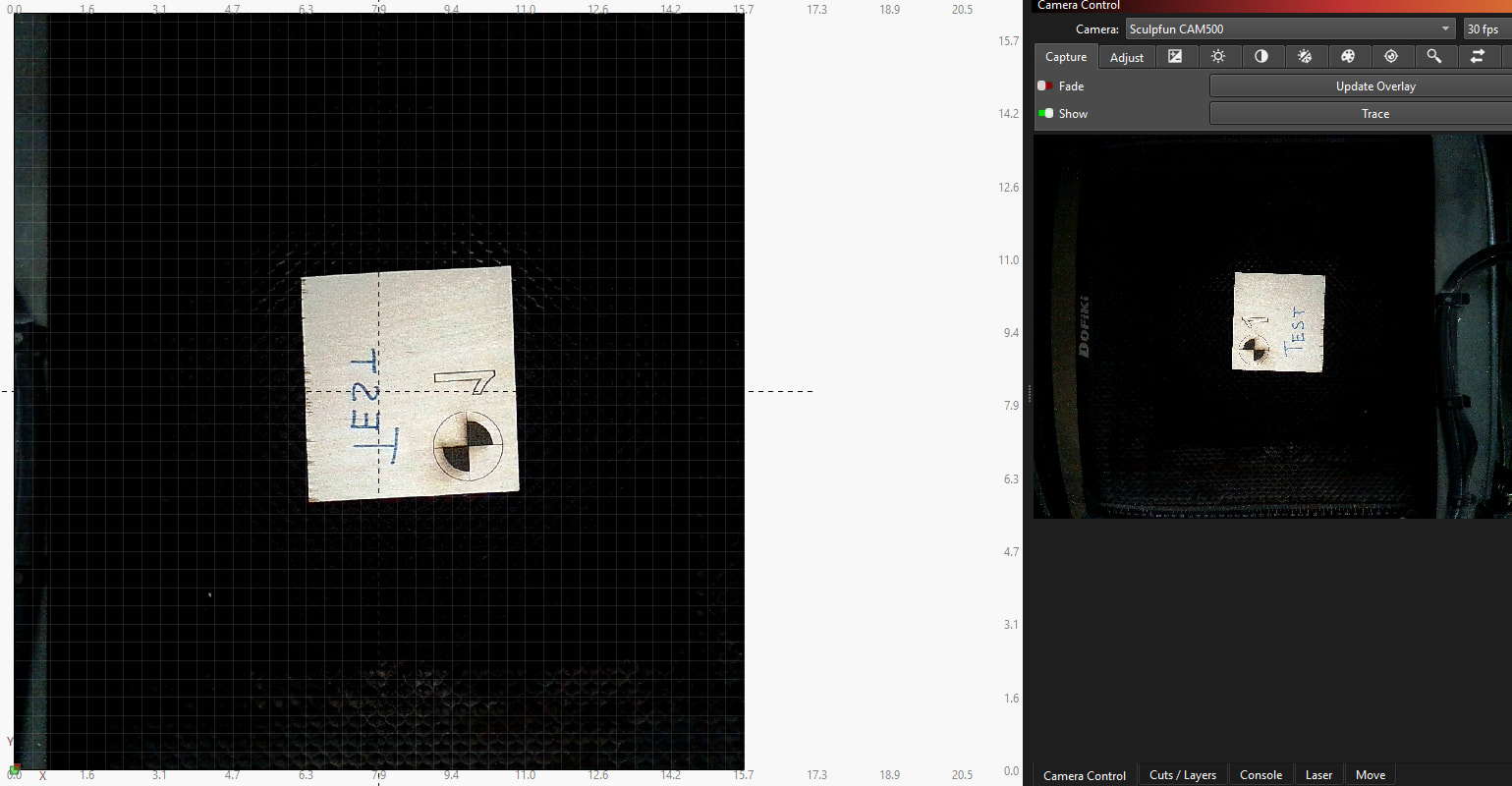
The basic info…
- Using the laser and camera mentioned in the topic
- Confirmed I’m on Lightburn version 2.0.04 & my laptop (Lenovo Ideapad 1i) has the most current version of Windows 11
The issue…
Camera has always been mounted to the right side of my laser frame (important for later). Not able to mount it to the back because of the hood I use. Began to notice a slight drift in what was appearing in my camera versus what was being produced. A few small x/y shift adjustments and things improved slightly. When taking a piece out, I very slightly nudged the portion of the camera that extends out over the frame and found that it was noticeably loose. After tightening it again, I decided to re-calibrate to be sure everything was good…it was not. Something has happened that now calibration is extremely difficult and I’m getting very inconsistent results during the lens calibration portion of the process. Alignment seemed to do ok, BUT now when going through the last steps (camera tutorial has you write a letter on a piece of scrap and use the trace feature to make small x/y shift adjustments), the picture is inverted in multiple places.
To explain, when facing the laser, I lay the scrap piece down with the word TEST on it as if you were reading it normally from left to right, but then in LightBurn, on the Camera Control screen, the picture is rotated 90 degrees to the right, facing the laser gimbal (which it is on the bed, but I want the control image to rotate so that it ‘reads’ normally for me like it did before). HOWEVER, the image then shows both flipped and inverted in my workspace. Attempting to mess with the laptop’s camera settings hasn’t helped any, and I’m out of ideas on how to get this back to what it was. What am I missing??