How can I fix inverted printing?
If you’re interested and willing, save the project you’re working on to somewhere convenient and drag that file into a reply box (where we enter messages here). LightBurn can invert text two or three different ways and I have a hunch but i don’t want to have you chasing the wrong solution.
This is probably the fastest way and if my hunch plays out, it will probably clear up an important concept.
It both mirrors the text / image and prints inverted. Started out of the blue.
please give me the suggestions and I will try them.
Thanks,
Gerry
Berg-inverted.lbrn2 (24.3 KB)
Thank you for the reminder. Will look at this right away.
Hi Gerry,
I didn’t see this post connected to a public thread so I’ve moved this to a public section to gain visibility and have others assist.
I don’t have an xTool and I don’t have the Algeria Font in my computer.
That said, the File looks good and the shapes left behind by the font look very good.
The Preview window in LightBurn will show you what LightBurn is expected to reliably send to your laser. It’s the ‘flat-screen’ shaped icon along the top row of icons.
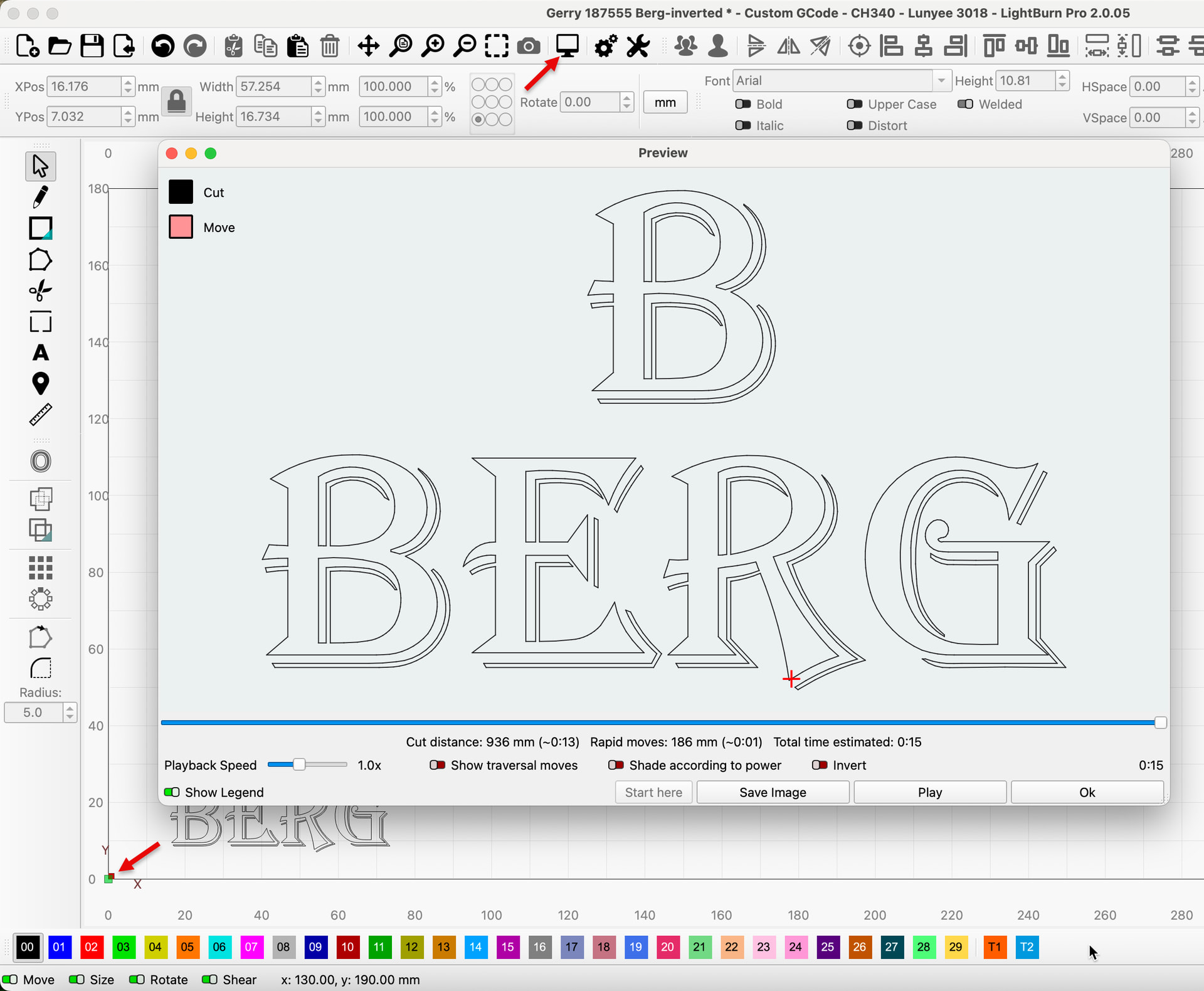
If the text is correct and matching in the Workspace and in the Preview window, then it’s likely that the Origin in the xTool Laser engraver is different from what is selected in LightBurn.
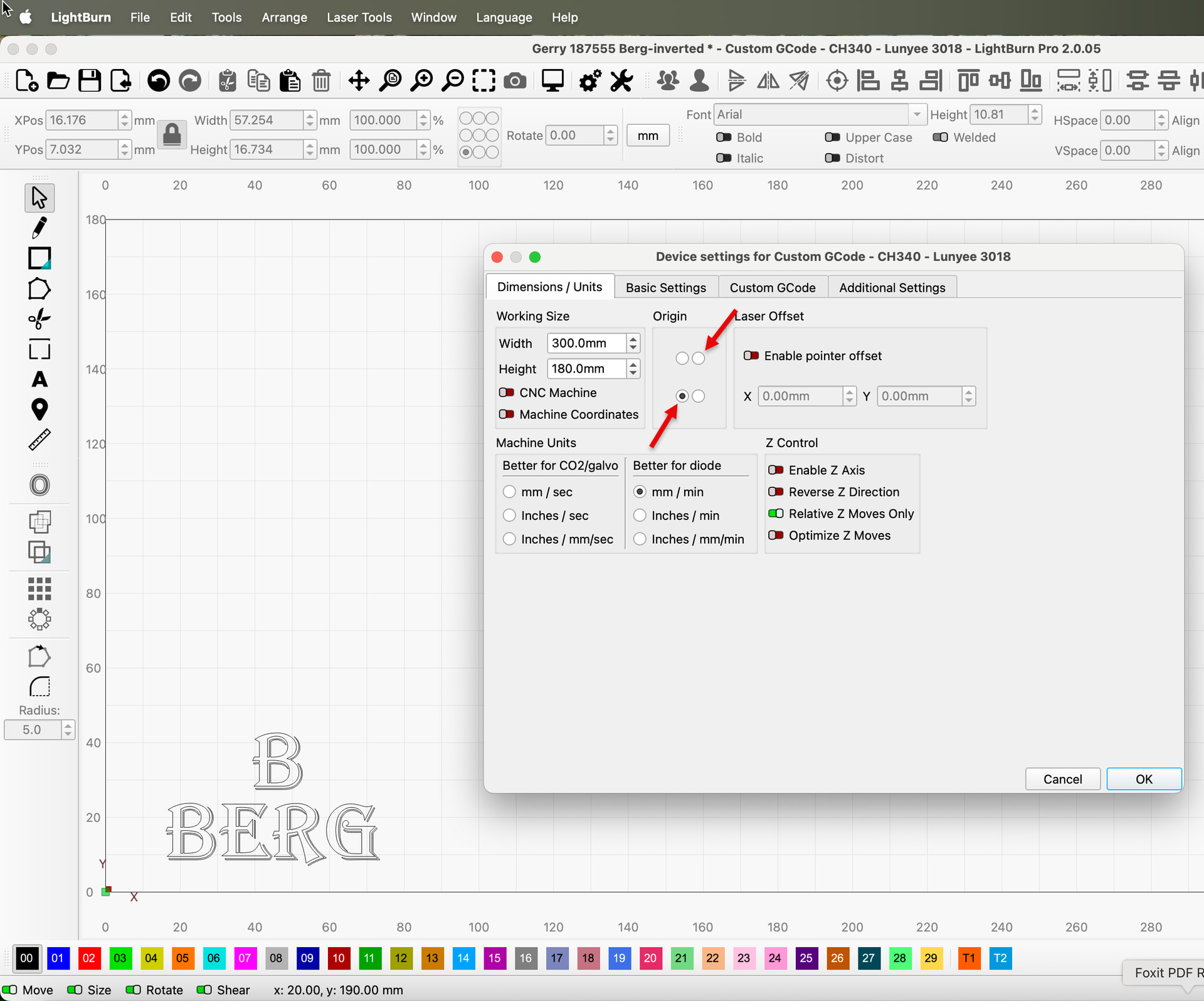
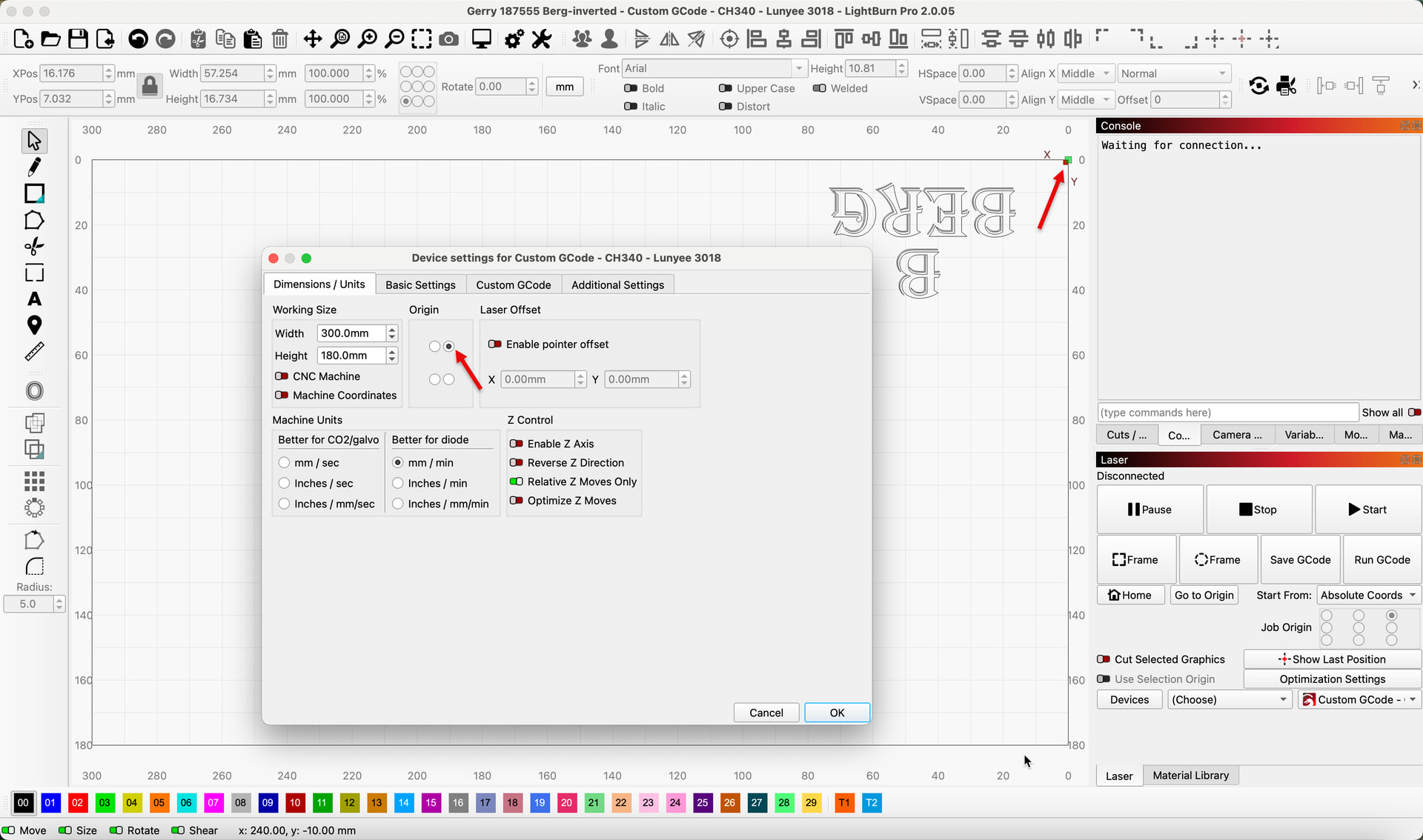
If I change the origin, it shows (partially) how the shapes would be produced ‘reversed’ in both directions. Text, using the font in your computer, ‘should’ reverse automatically. I’ll retest on another computer in a few hours.
Please capture the Preview Window and include the Cuts / Layers window so we can see if you are ‘filling’ the font. A pic of the piece you’re working on will also help share what’s happening.