Machine
- second hand X-Carve machine, seems like a basic, not a pro.
- Working Area: 12" x 12" (304 x 304mm)
- 2.5" of Z-axis travel
- has tool probe
- works when jogging
- running on a lenovo thinkpad with win10
project settings
- I was trying to do a dry run as an air pass just to test my first time setup.
- 12" x 12" x 30mm (forgive the mixed units, i’m canadian)
- set Z-0 at 20mm above the board.
- safe clearance and retract plane are 35mm above that, which should still be within machine travel
-Op is just a square that goes 0.0625" deep.
My Issue:
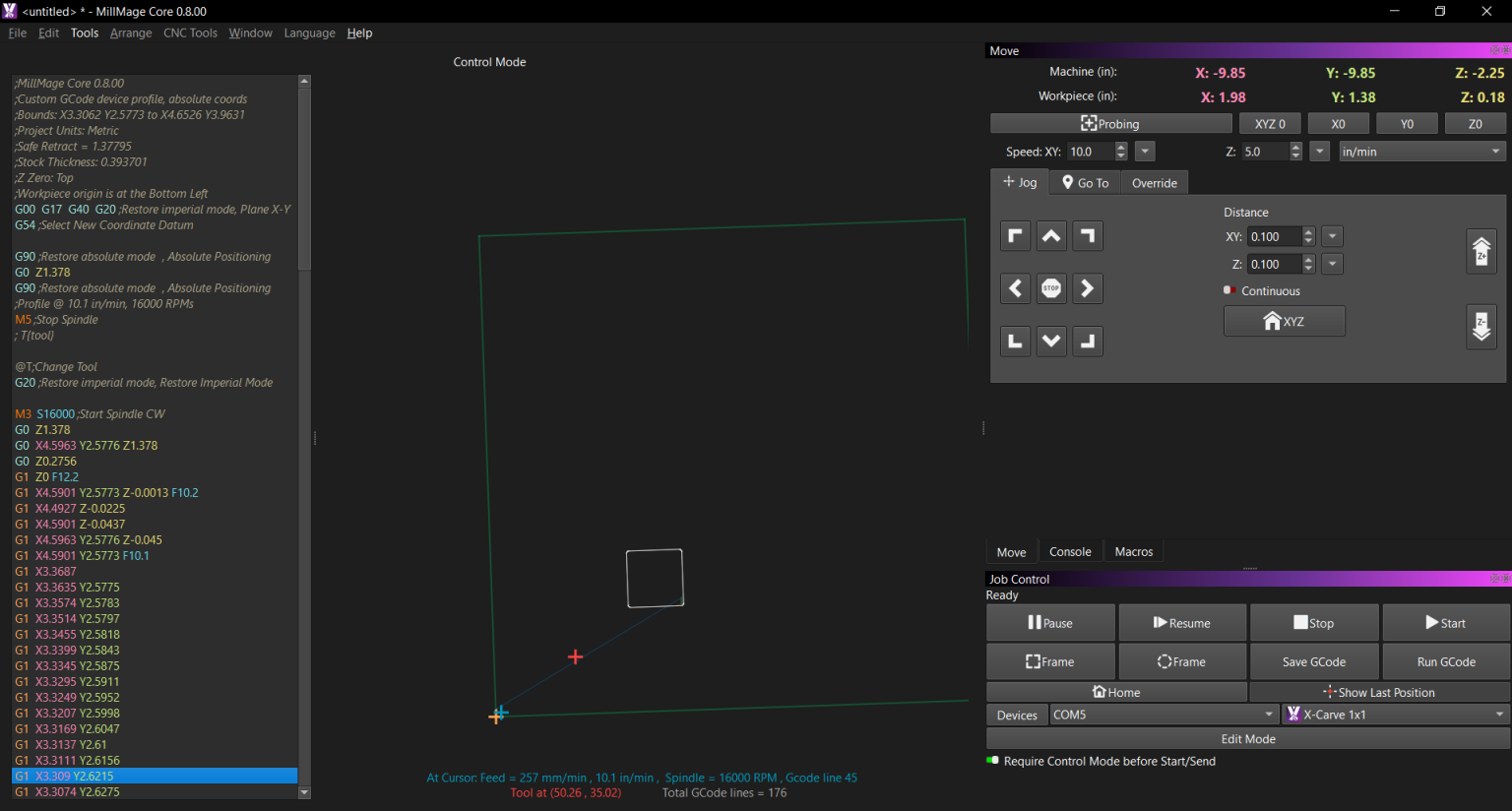
when i jog the machine it works fine. things move where they’re supposed to. but after i program an operation and Process it, (Homing before anything) the g-code looks normal, but it moves Z up to the clearance plane, then more, then to a random place in XY, and moving Z down well past Z-0 and would crash into the bed/work if i didn’t stop it.
what’s also messed up is that Probing works.
Does anyone have any Ideas?
additional questions
- is there a way to do single block? one line of G-Code at a time.
- Where to i Find tool length offsets for the Probed information.
1st thing i would do, is update to the latest software 8.0.2 than re try it
When did that version come out? i just downloaded 8.0.0 like tuesday.
not sure exactly, few weeks ago, it didnt auto pop up for me either had you been using and older version prior to updating?
nope. the first download at all was on tuesday (or monday). from the website. but i got 8.0.2 from the documentation.
I’ve been using HAAS and Gibbscam in school and at a different job, so my knowledge of the discipline is from that. but i can’t afford that sh*% at home for personal projects. 
I may have stumbled onto something.
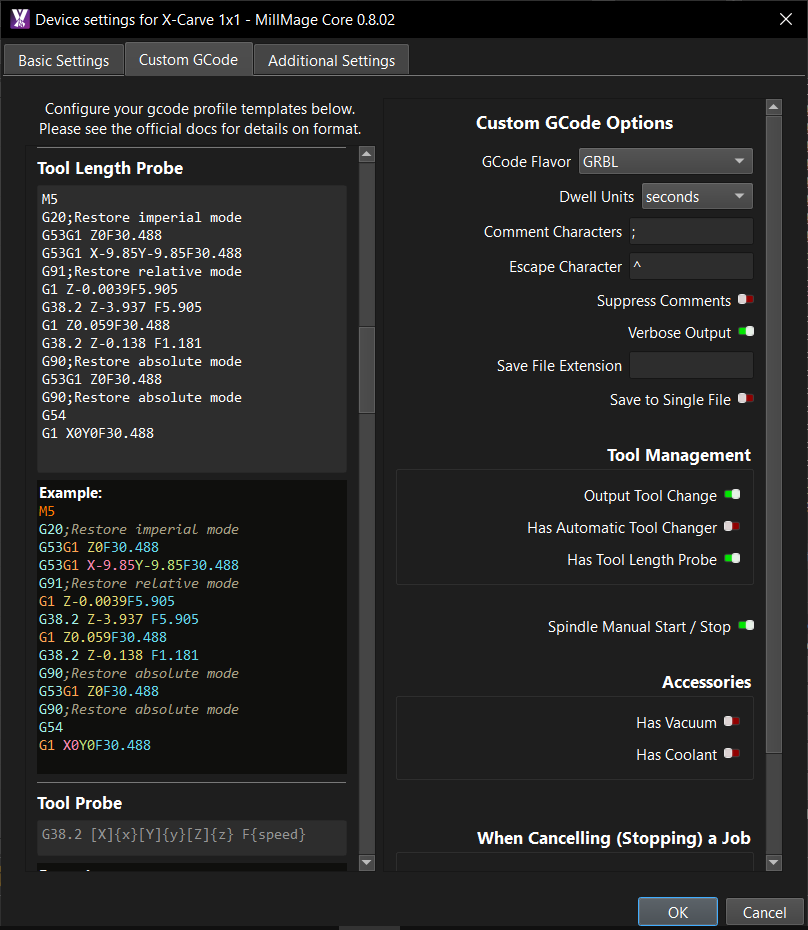
Does Millmage try to run the Probe g-code at the beginning? i think it might be trying to Probe Z before ever running the program.
Maybe it’s not Probing specific. could be Cache related or something like that. but the last thing i did that wasn’t Jogging was to Probe.
because, in the Image i shared in my first post, X -9.85 Y -9.85 is where i arbitrarily set my tool probe. and if it’s sending the spindle just Z-Down, it might be searching for the puck.
I’ll Test tomorrow when i get the opportunity and report back.
have you read the docs and watched the videos on you tube for set up and config your machine with MM
yes if you have that enabled , ? have you run a probe wizard
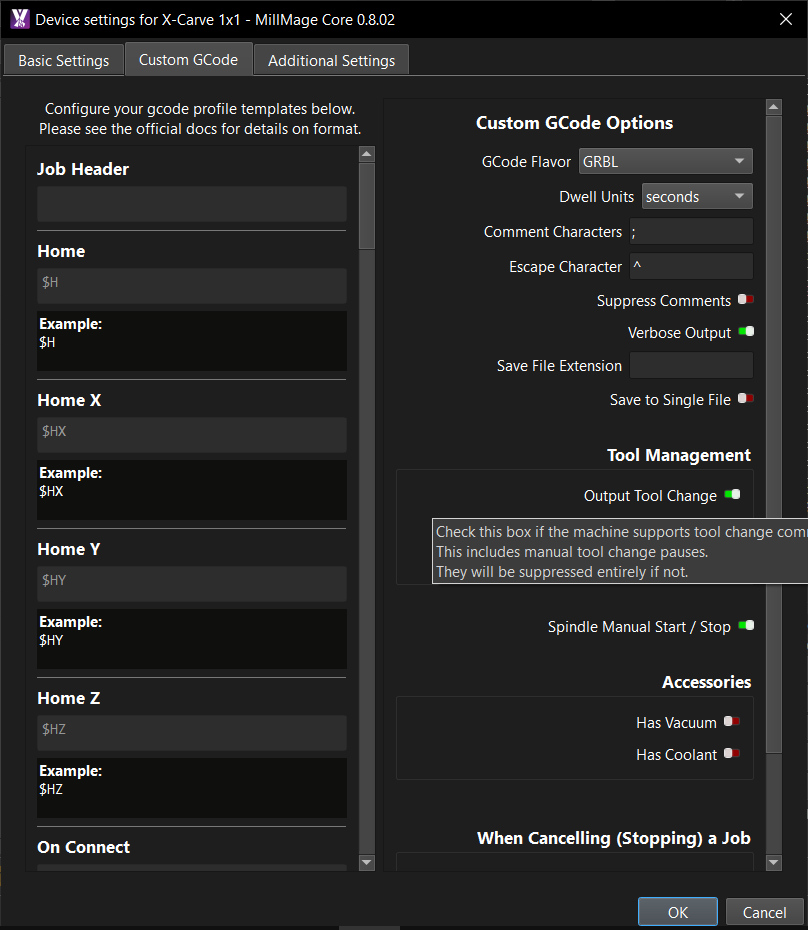
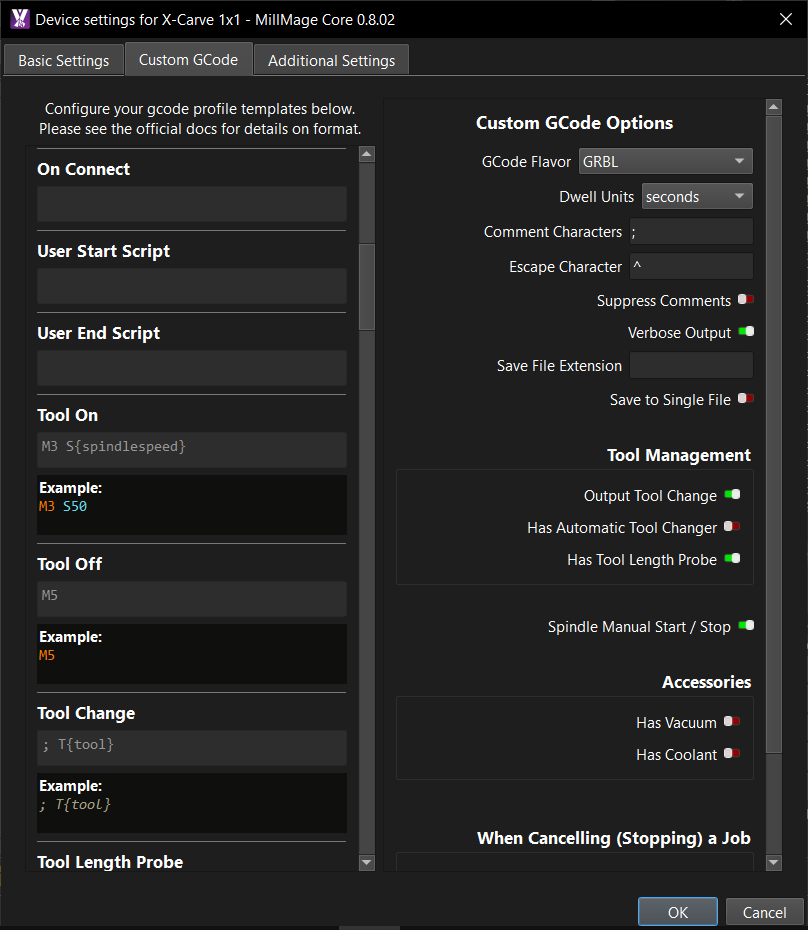
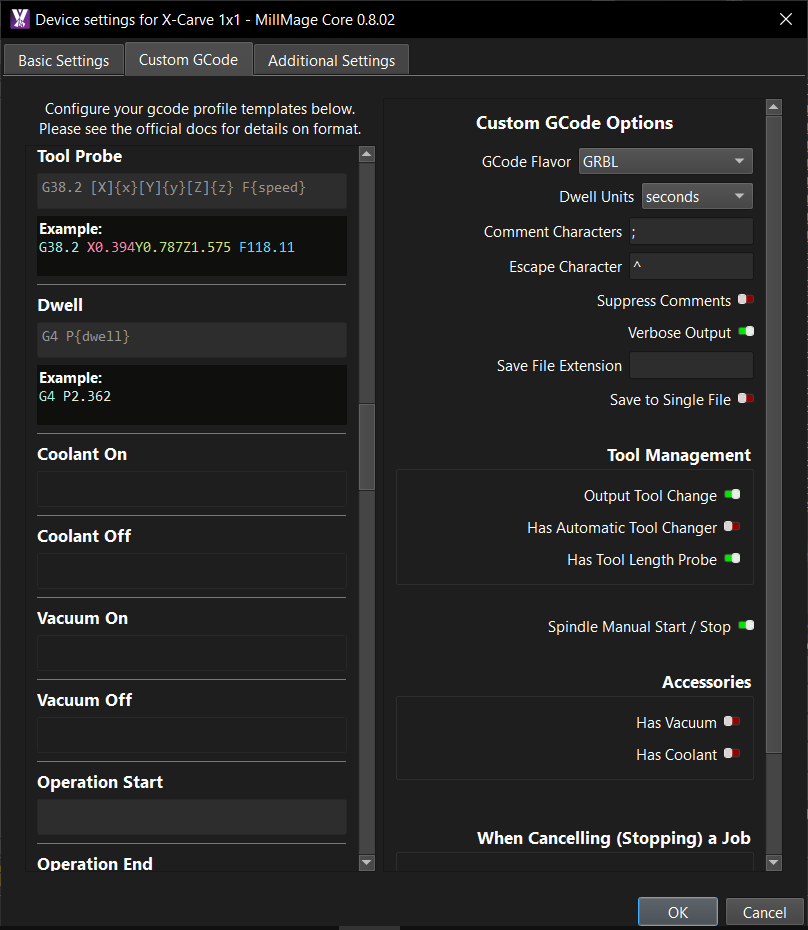
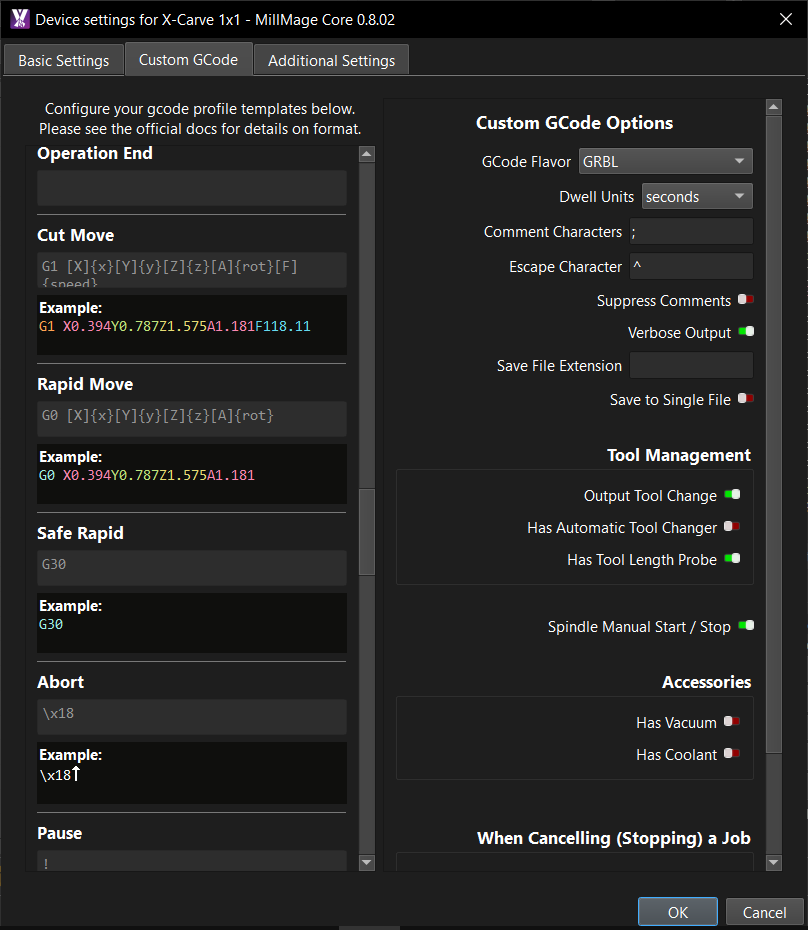
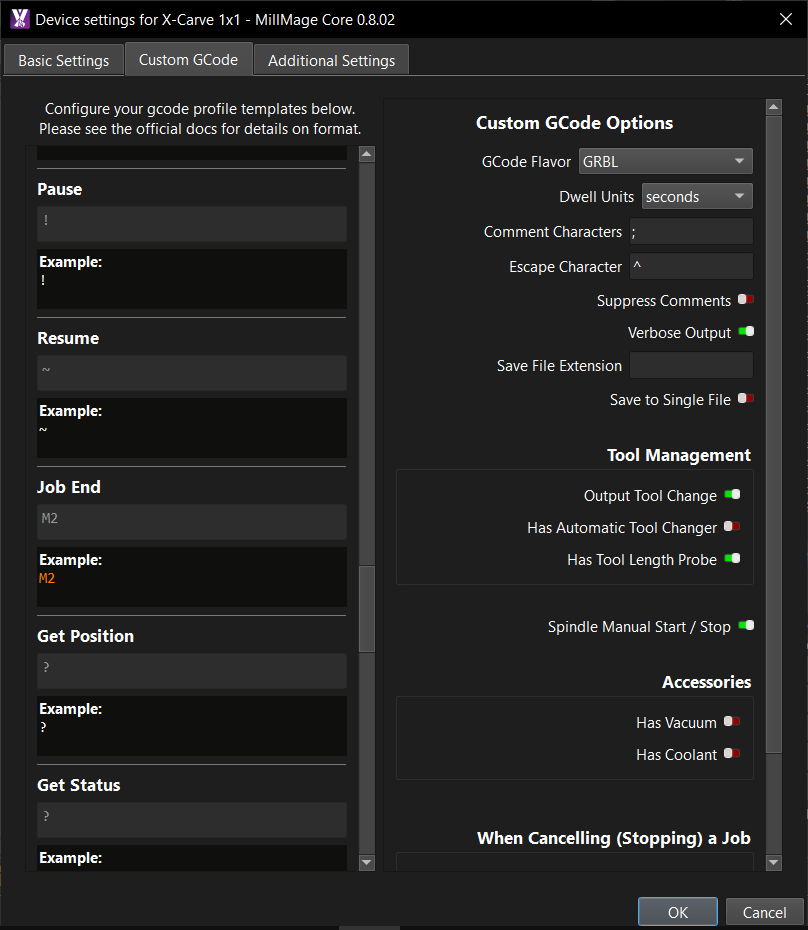
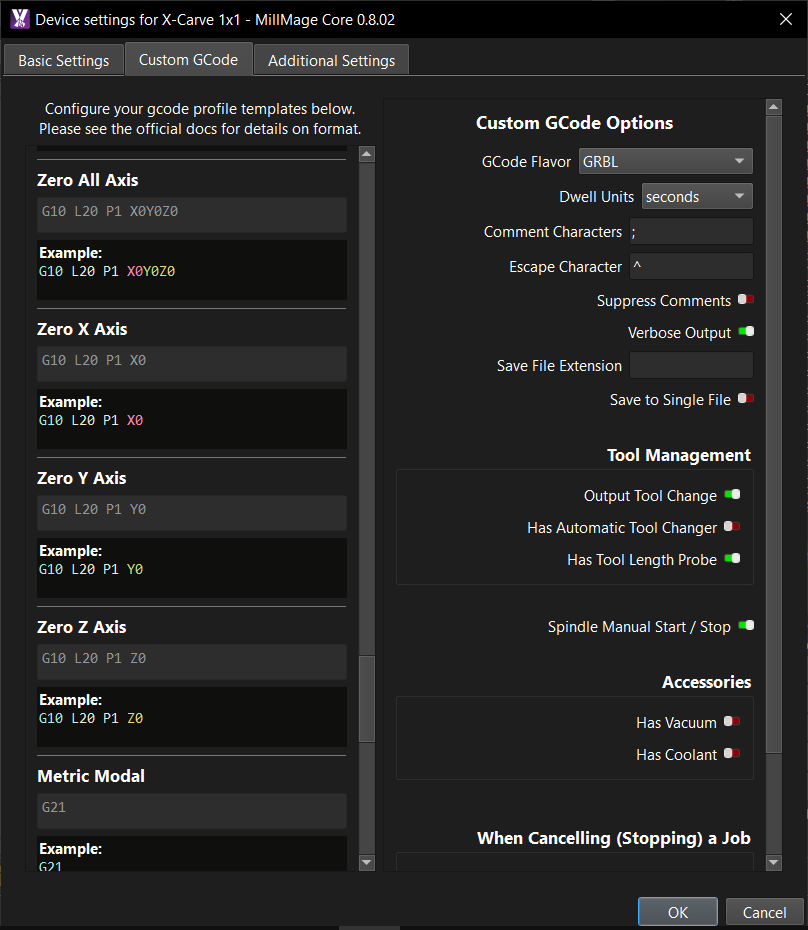
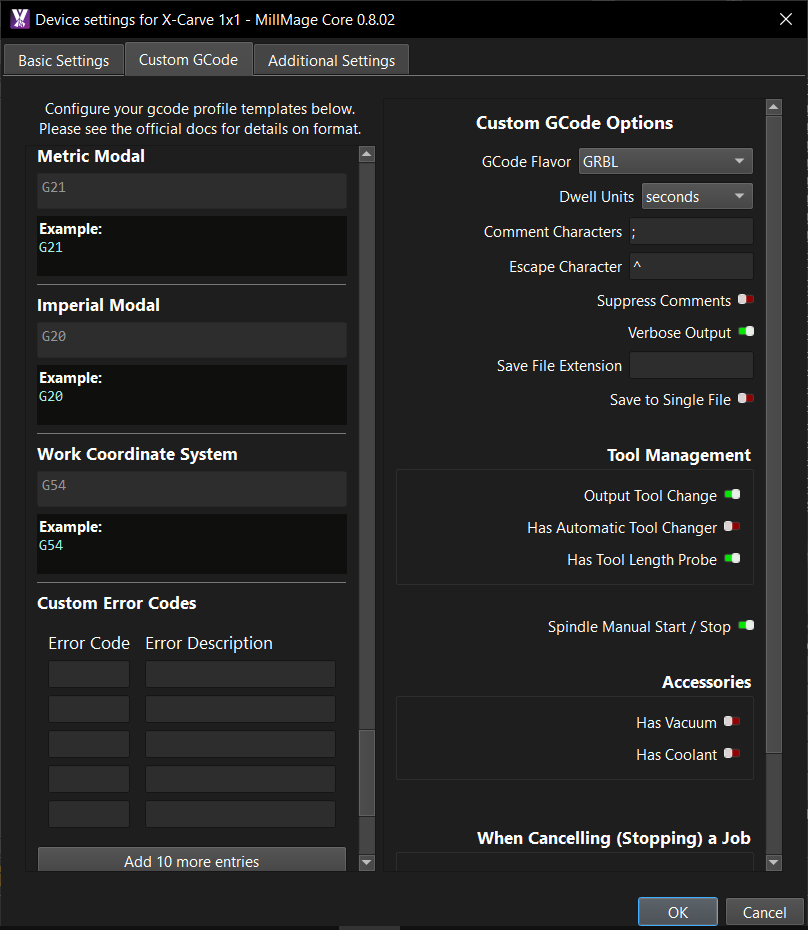
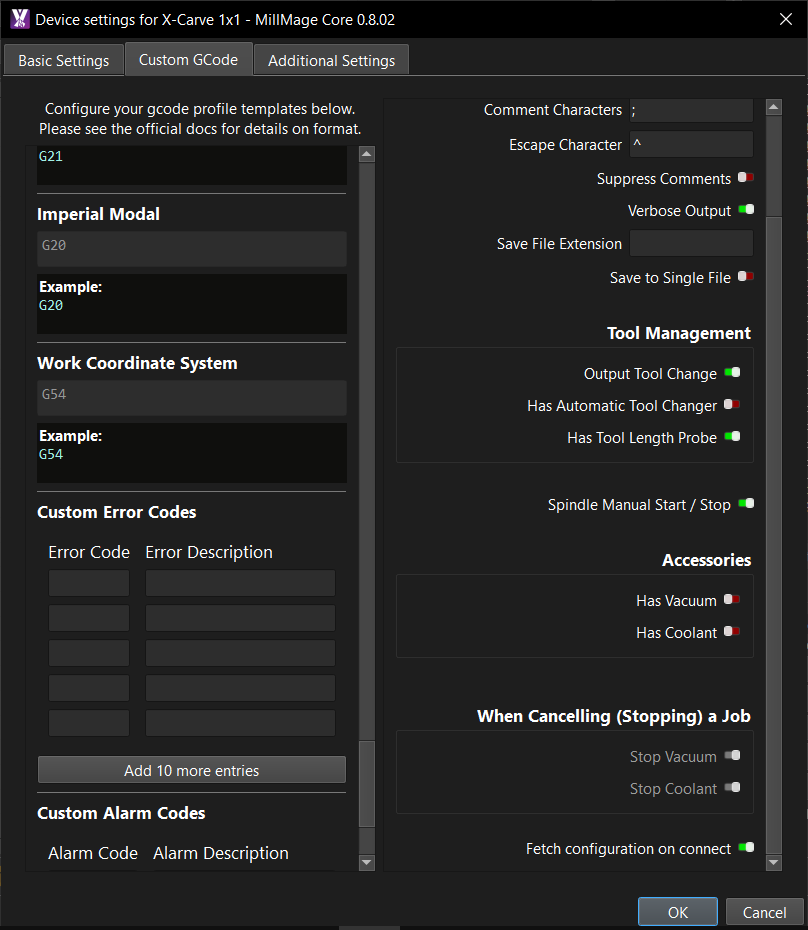
attach screen sshot of custom gcodes
I did read the whole setup guide, and watched numerous videos. I know there’s some tweaking to be done, but overall, i got most of it figured out.
yeah, i ran the probe wizard last thing before i tried dry running the program. but i may have misinterpreted what kind of probe the X-carve came with. it’s the circuit connect puck, but I assumed it was a tool length probe, for tool length offset. (because of my professional setup at work) but with how MM seems to work, it doesn’t use tool length offsets, but instead sets Z=0 at the end of the tool. which i guess works, just different than i’m used to.
Solved. my probe was not a tool length probe, enabling “has tool length probe” causes MM to automatically probe a tool at the beginning of an OP. turning off “has tool length probe” solved the issue.