I build some shape using line and circle but even though the shape seem complete, i can’t use the outside option to carve without receiving an error. I don’t know if a tool exist to pinpoint where i can correct the shape. I uploaded the file if someone have time to help me
Supports_aspi.mage (64,5 Ko)
You can use one of the tools to do it. Just move the slider over until you see it switch from 1 open to 1 closed.
I assigned the circles to a different layer to isolate the outer part, but that is not necessary.
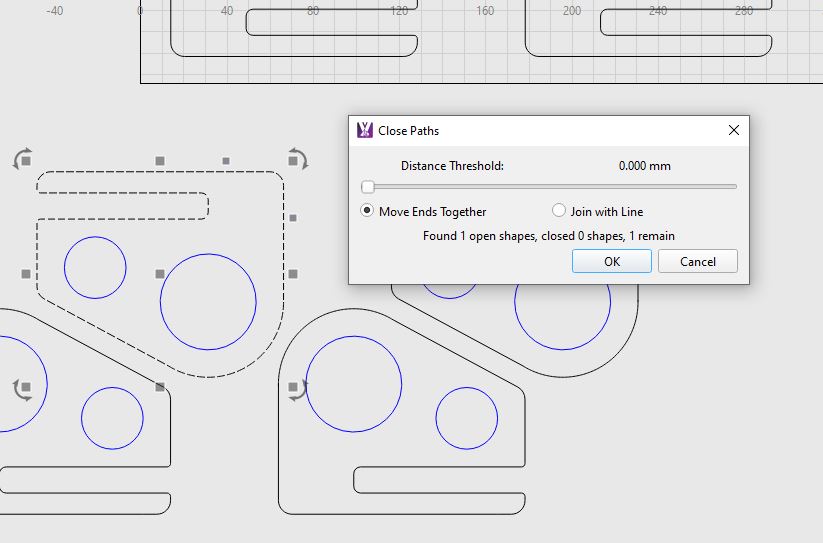
UPDATE: I just double checked and discovered in MillMage you need to click on Close Path first, then click on the close with tolerance one.
I had this issue a few times and stumbled upon what I believe to be a great fix!!
Using the scissor tool select a path, in my screen shot with your Mage file you will see the two red dots…this indicates overlapping lines/nodes, just scissor the small section out…job done! 
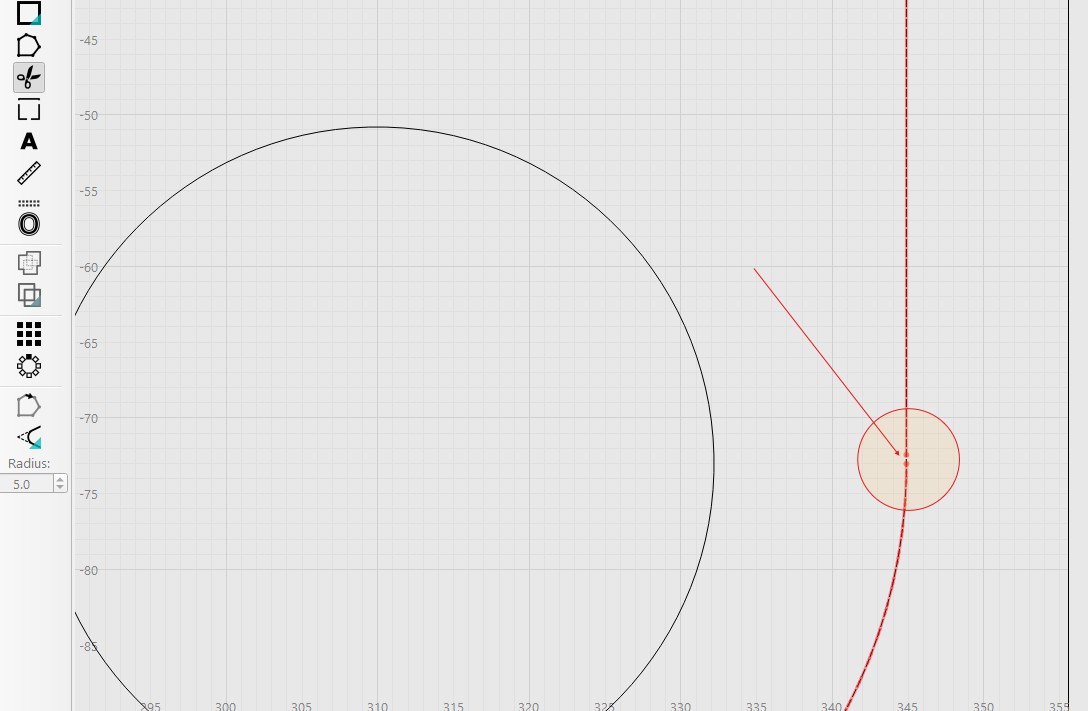
I did notice after the snip there was still a tiny artifact (See screenshot) just select and delete…should be okay then.
Hmm still seems to be an issue even after what I suggested…I’ve had great success with this method…I believe this is the best approach.
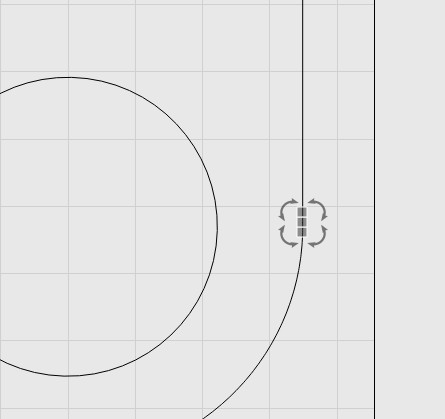
UPDATE…You need to ‘Assign’ path again…worked fine for me after 
It’s my choice tool to check opens.
But I believe we need more 1 or 2 zoom levels to better see it.
Thank you all for your help. With the close path with tolerance i was able to close the shape. But I keep all the solutions for next time i have that kind of problem.
My sequence for problematic shapes:
Ungroup
Break Appart
Delete duplicates
Auto-Join
Check for open shapes and if any use the Trim Shapes Tool to find open/problematic remaining zones.
It is the Break Apart I keep forgetting!
Thank you for your method for finding problematic shape.