I need to reinstall the software because it’s not engraving the size correctly for example: Trying to engrave a box and the laser wont frame it or the size isn’t the same.
This RARELY solves a Lightburn issue.
Can you give us details?
1 Like
How can I send a video.
Best to host your video on a service like YouTube or another then share the link here. Make sure it is marked as public so folks can see it.
We need more than a video to determine any size issues. Screen captures and the .lbrn2 file will help.
ALARM:3
Reset while in motion. Grbl cannot guarantee position. Lost steps are likely. Re-homing is highly recommended.
[MSG:Using cpu_map…esp32-s3]
You using Absolute Coords?
Yes. But when I go to frame it it’s either not the correct size or location.
Tell us how it is not. What location is it in and where are you expecting it to be?
Can you give us a screen shot (WinKey+SHFT+S) of your Lightburn window with the Laser window open?
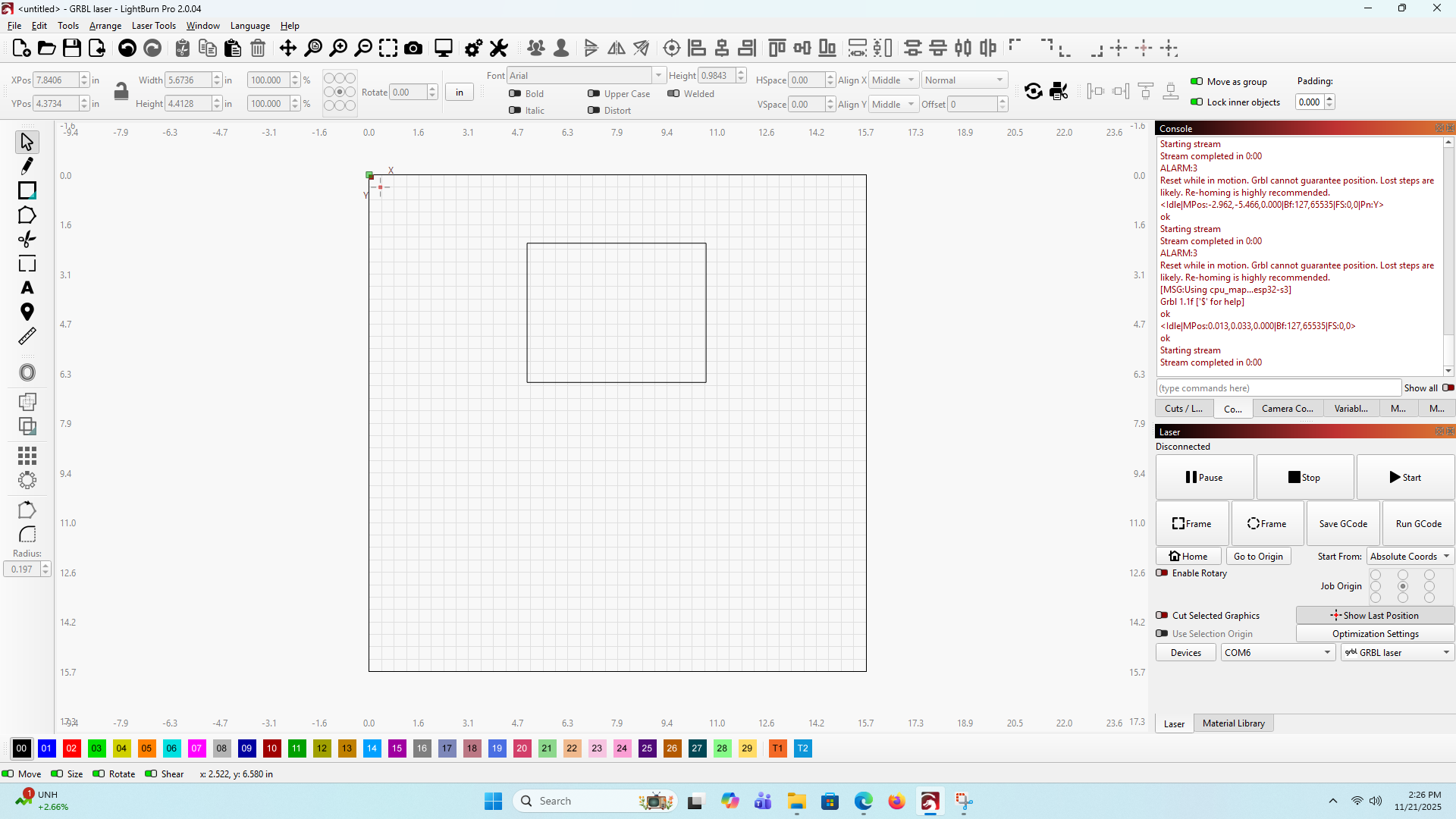
I really think this needs to back to factory settings.
We are not there yet. Where does your laser home? For most diode lasers, that green square is in the lower left corner. What is your Origin settting?

Origin selection?
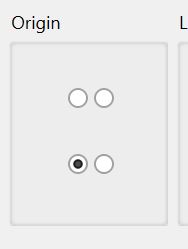
Mine is at top left and won’t let me change it.
We are talking about 2 things. Which are you trying to change?
OK mine is now at the bottom.
Origin button or green square?
yes that’s where it is
Sorry, both is at the bottom
Will it home properly now?
This topic was automatically closed 30 days after the last reply. New replies are no longer allowed.