I’d like to see the G-Code the offline controller uses, maybe it’s reading a different input? Or is there any way you can see that in the offline controller configuration settings somewhere?
If you disable the ‘Query Regularly for laser position’ in the Device settings (Basic Settings Tab), and then in LightBurn enter ? in the Console Window while the switch is pressed - do you see ‘Pn:P’ on the status line in the console? Or ‘Pn:Z’ ?
I have no idea if its a different input or how to interrogate the offline controller configuration or even if its possible.
I have disabled the query position but I am unsure what you mean for the rest of the instruction, do you mean when the probe has made contact and is pressing on the switch…?
It may not be possible to easily see what the controller does for the probe cycle.
But in MillMage if you enter ‘?’ in the Console Window you should see a status returned from the machine, and that status will change if one of the limit switches or the probe is active.
Temporarily disabling ‘Query regularly for tool position’ in device settings makes this easier to see in the console.
Although I have altered absolutely nothing I have checked closely on the probe and it is no longer touching the pad. I have no idea why? it’s about a millimetre above. I’ll try adding another mm in the settings and try it again.
I have altered search z to 34mm. It is now definitely touching the pad, I have typed ? in th econsole and get the following display;
?<Idle|MPos:147.300,108.400,-34.100,0.000|Bf:35,254|FS:0,0|WCO:17.870,9.721,-30.468,0.000>
The tool may have moved into the collet slightly? The probe distances are designed to go further and stop on contact, so you don’t need to try to set a very precise distance, the fast seek distance needs to be about as far as the axis would need to move for your shortest tool to make contact plus an extra 5mm.
That ‘PN’ status may only show if a switch is active:
What do you see if you enter ? while at the same time you are pressing the probe switch?
What do you see if you enter ? while at the same time you are pressing a limit switch?
I wont be able to that will I? During the probe operation the move window is active not the console, also I would need to be able to input on the screen at the same time as I am pressing the pad, this is not physically possible for me given the device locations…
You can drag the Console Window out and dock it on the left or it can be floating, but the Move Window is required as I’m not asking you to trigger the probe from the button in MillMage, but to go and press the round probe switch in the workbed
Is the computer not physically near the machine? can you put something on the probe switch to activate it and keep it active - then check with the ?
And to check the limit switch some tape would work or a clothes peg.
Ok, I can try that. The machine is near but near enough for both actions together. I am unsure what you mean by the limit switch? The only switch I am aware of is the one the probe interacts with…?
No that didn’t work, I was actually just about able to reach both together but because the probe operation is the active one console input is not possible until the error message has been cleared
There should be little switches used for homing or axis limits, that you can press in and check with ? to see the Pn status show, but the main switch I am interested in is the one the tool length probe touches, and that should show in the Pn status when you press it (don’t start the Probe cycle in Millmage) also but if it doesn’t that would be interesting.
But since you have increased your fast seek probe distance is the probe working any better? is it the same error showing?
Ok, I see the switches you mean, here is the console display from one of those switches and the second one is the probe switch; ?<Idle|MPos:147.300,108.400,-34.100,0.000|Bf:35,254|FS:0,0|Pn:X|WCO:17.870,9.721,-30.468,0.000>
The probe, By the way, is still the same and the same error message it is still not working.
Why does it insist on going to the probe position when I have already set it with the offline controller? If I could get Millmage to ignore doing this I could run my job and, at least for now, quite happily rely on the offline controller for my XYZ0
That’s what I wanted to see, and it confirms my suspicions, that the offline controller has something custom happening with the probe - I think it is reading some other input pin other than the standard as expected from a G38.2 probe.
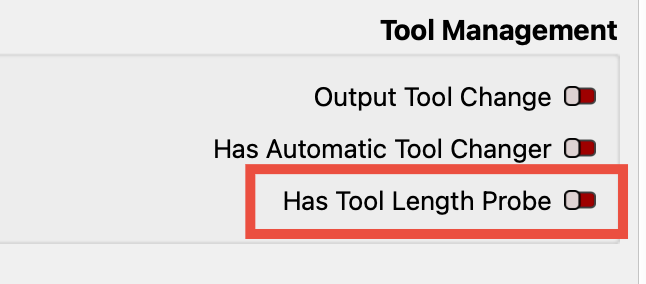
So until this is figured out it’s best for you to disable the tool length probe in MillMage and not use that feature:
No worries, and if you could still send the results of those other two commands through when you get the chance that would be great, as I’m just curious and hoping there might be clues in there for the probe issue.