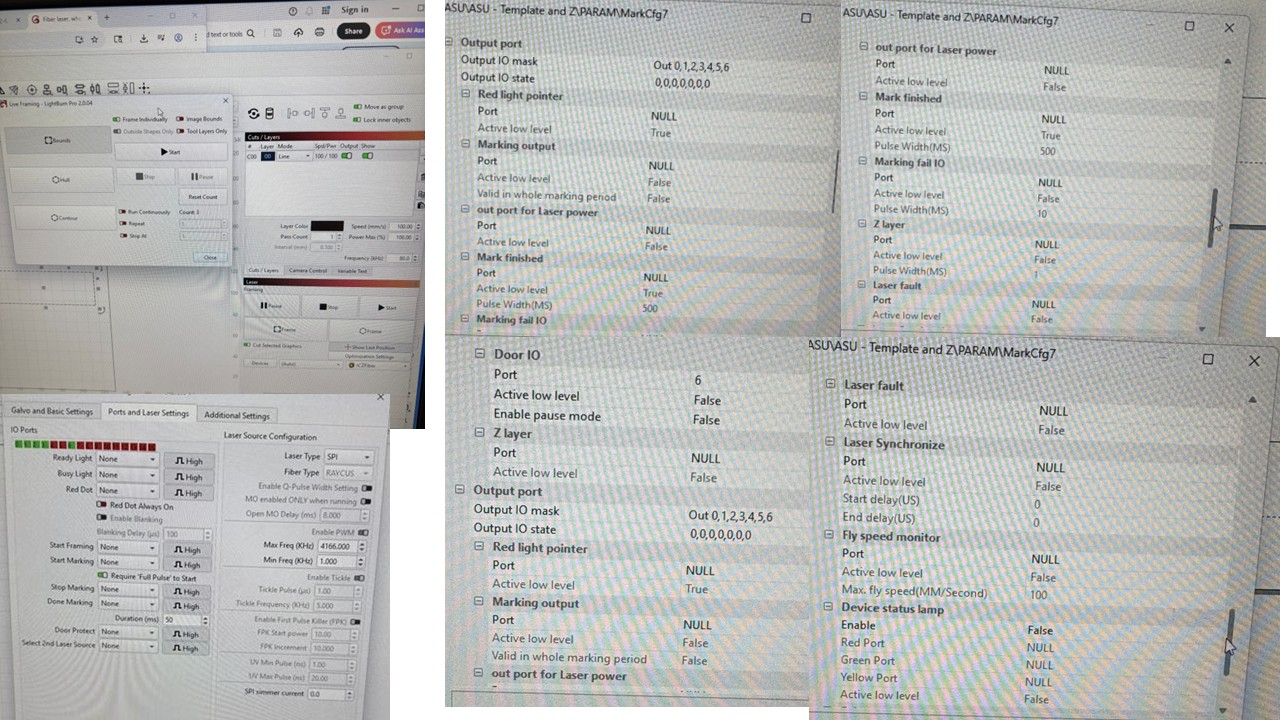
Hi All! I just bought a new JCZ SPILMCB-V4 board to downgrade from the JCZ DLC2-M4 board so that I can start using LightBurn! I installed LightBurn and the galvos EZCAD2 drivers, and the device manager updated the listing to USBLMCV2 to show it updated properly. I imported the markcgf7 file I was using and the laser says Ready and the framing shows the rectangle test I am attempting. However, when I hit ‘Start’ it says that it runs and completes, but doesn’t engage the laser (put a sticky note down and there was no mark at all).
I changed the laser settings to those that match what I was using in EZCAD (frequency, power, speed), and I went back and checked all the port information in EZCAD, but mostly everything reads “NULL”. Any help to get this going would be very appreciated.
I apologize for low quality images, our work PCs don’t allow email or USBs so it was photos of the screen.