why would I do that.
IS that new.
So your physical orientation matches the workspace. It kind of eliminates the confusion of which physical corner is home.
No, it’s not new, been there for a while.
ok well that was interesting. I had never seen that before
That said, I like it. IT makes more sense to me when I am on the console. The jogging tools move it in a logical direction so thank you for that.
That said I tried again.
I reoriented the drawing as the machine orientation has changed.
I then set the first and second alignment locations,I then did a frame and it framed it way off to the right. IT framed the correct size but it appeared to have thought the start point for the print was the width of the print away.
I then set it again and set align the output and hit frame and it crashed into the railing on the right side.
But the workspace at least looked as it does in the real world. So thats promising. lol
It kind of sounds like you might have a work offset set inadvertantly. I don’t know much about that, but if you type $# in the console it should output several lines. Post that output here.
This is what that command reports back. The first line looks like the workspace dimensions.
G54:-407.000,-937.000,0.000]
[G55:0.000,0.000,0.000]
[G56:0.000,0.000,0.000]
[G57:0.000,0.000,0.000]
[G58:0.000,0.000,0.000]
[G59:0.000,0.000,0.000]
[G28:0.000,0.000,0.000]
[G30:0.000,0.000,0.000]
[G92:0.000,0.000,0.000]
[TLO:0.000]
[PRB:0.000,0.000,0.000:0]
ok
I think that should be 0’s like the other ones. Like I said, I’m not really up on that, but I think it’s your problem.
If you want to try something, type G10 L2 P1 X0 Y0 Z0 in the console, restart the machine and type $# again. It should read the same on all lines then. Try your file again.
I’m going out of town for the weekend in a few minutes, so I cannot help anymore. Perhaps someone more experienced with offset can jump in. Perhaps @MikeyH
I will give that a try
Thanks for your help. Safe trip
ok
So I updated the G54 command as suggested.
I restarted the machine and gave it a shot. Well some improvement.
So I loaded the same file.
Jogged to the first alignment point and set it. Then jogged to the second point and set it.
I then did a frame from the second point and it appears correct.
I then homed the machine and framed again and well its correct or at least appears correct. So excitement.
Then I sent the job and it stated there where no shapes in the work space error still.
So vastly improved but still not working.
That is the message I get when [1] I have nothing in the Lightburn grid, or [2] I failed to select something in the grid, or [3] what I selected in the grid has the the Output switch turned off.
Stay excited, @thelmuth did a good job of getting you at the finish line.
not at teh finish line yet.
I still get the no shape error.
But I discovered something. The machine works just fine, sets the first and second alignment spots.
IF I check the proview its all good but if I then select Align output…this is where it fails.
I get the no shapes error message. Up to that point it’s working fine, in fact in someways better then before. But Print and Cut is a failure so far.
Here is a video that covers Print and cut by @thelmuth that covers it pretty well, but pay attention to where Point #1 ends up when doing the second part.

Here is one using a pass-thru for long boards.
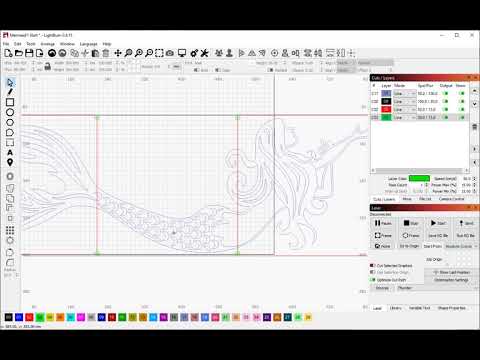
Thanks for this.
I have seen both of them. This isn’t an origin that I Can tell. Nor is it how Print and Cut works. In fact the second video was the first one I watched on the subject, this got me hooked on that function. I have used it many times and have had no issues.
This is something else. While I admit there wher ea couple things that have changed that made it easier None of them have changed the fact that Print and Cut doesn’t work since the upgrade.
Each time I select “Align ouput” things go sideways.
First it woudl run off to the left and hit the rails. That has stopped as it may be a workspace issue.
But in all cases the preview woudl report no shapes in the workspace. If I reset print and cut the proview is fine. Ir works great with no issues.
Enable Align output and again it goes sideways.
Cheers
It would help if you described in detail what you are doing and what the result was. I have studied Print-n-Cut a lot but never had to actually use it. I am not sure what you are actually doing when you do the “Align output”.
If you are not using the Flip-and-burn-the-other-end nor the Pass-thru-and-burn-sections method, I am a loss to visualize your setup.
hey there
So this is what I am trying to do.
I have printed on vinyl label paper a series of decals for a Japanese Zero. I have done this many times.
I place the sheet of paper in the laser.
I then run the print and cut wizard (or do it manually), Using the mouse I select the first alignment position and jog to it. I center the laser on the cross hairs and once I am happy I tell lightburn that thats the first spot.

Next I select the second alignment point.
I jog to it and once it’s properly centerd I set it.

At this point I can run a frame and it frames properly as well as gives me a proper preview
I then set the “Align outputs to targets” and then it goes south. The preview won’t work it states that there are no shapes in the workspace.
IF I create a new shape and move it around the workspace there is no location where the software see’s the object as a valid shape I can cut.
This has worked fine for the past couple of years. But the 2.x code stream it refuses to work.
